


Recently, LINE has released the latest LINE PC version 7.4 update for the majority of PC version users. This update not only continues to optimize many user interfaces, but also finally supports “Dynamic emoticon stickers”! If you like animated emoticons, you can finally see that they can be animated in the computer version! In addition, this update brings a total of 9 interesting updates, let’s take a look at the differences!
LINE PC version 7.4 update released: supports dynamic emoticons, sticker interface optimization and other 9 updates
Yesterday (19th), the LINE PC version officially released the 7.4 update. The Windows version was launched first on November 19th. As for Mac users, please wait a little longer and it will be updated simultaneously in the near future! The following is a summary of all the content of this LINE PC version 7.4 update.
“Animated Expressions” supports PC version
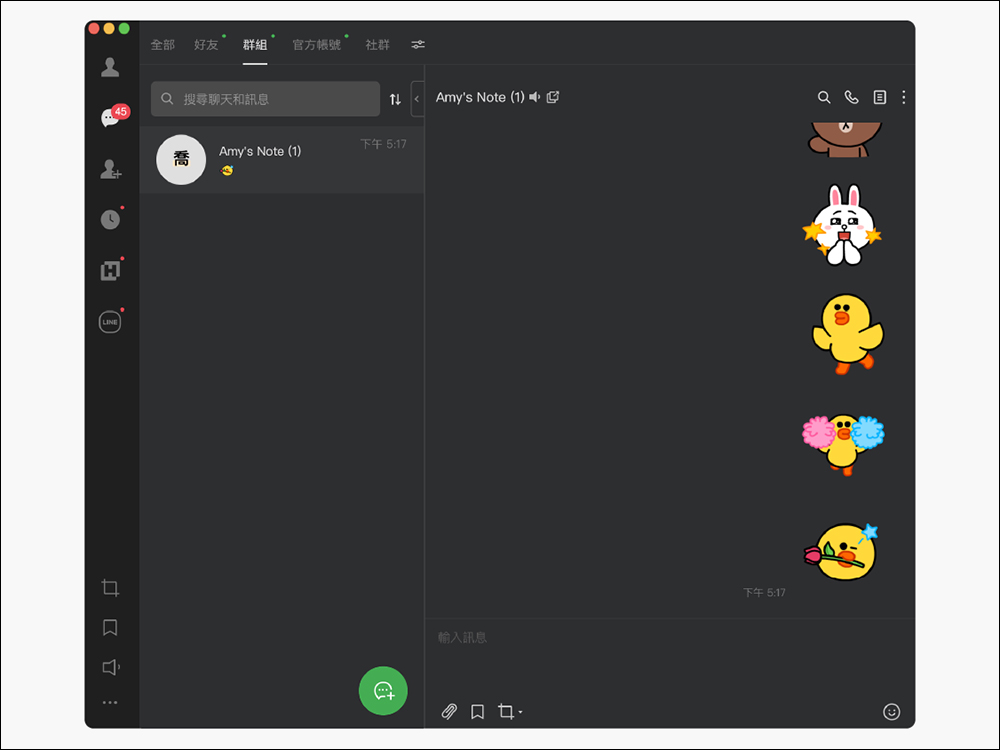
The first is the “Dynamic emoticon stickers“At that time, only the mobile version of this feature supported dynamic emoticons, so the computer version could only display ordinary static emoticons for the time being. However, with the update of LINE PC version 7.4, it can finally be supported on the PC version! Whether on a mobile phone or computer, you can see lively LINE animated emoticons.
“Texture interface” supports dark mode
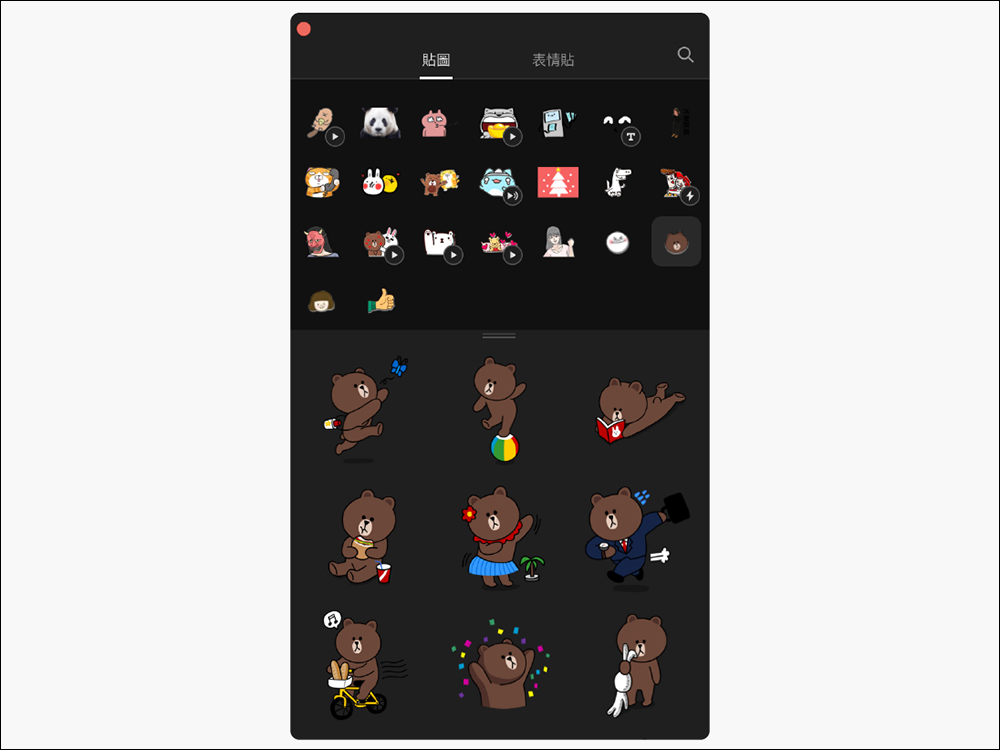
Before the update, even if the user selected the dark mode display, sharp-eyed people could still see the light background color in the “texture interface” at that time.
With the update to LINE 7.4, when users select “Dark” mode, the sticker interface can also be applied! Because of this, users can preview how the texture will appear in dark mode before sending it.
(Setting steps: In “Settings” > “Basic Settings” in the lower left corner of the LINE PC version window, you can select the screen display mode.)
The order of “stickers and emoticons” is synchronized with the mobile device
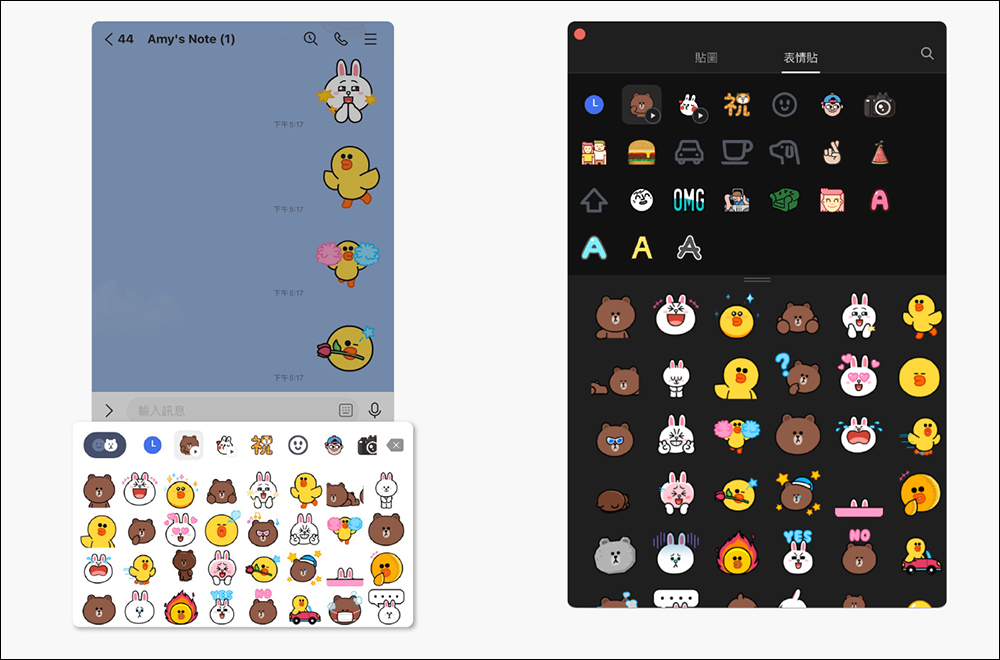
After the LINE PC version is updated to 7.4, after users set the order of commonly used stickers on their mobile phone, it will also be automatically synchronized in the PC version. This update will be a very interesting change for users who have a large number of LINE stickers and emoticons. They no longer have to worry about searching for a long time when selecting stickers/emoticons because the order of stickers and emoticons on mobile and computer versions is different!
“Message sticker” text editing process optimization
Among LINE stickers, there is a “message sticker” that allows users to customize the text content of the sticker. This time, the text editing process has been optimized after the LINE PC version 7.4 update. After the update, when using message stickers to enter text, you can directly click the “Edit” icon in the lower right corner of the sticker you want to use, and then you can directly enter text messages!
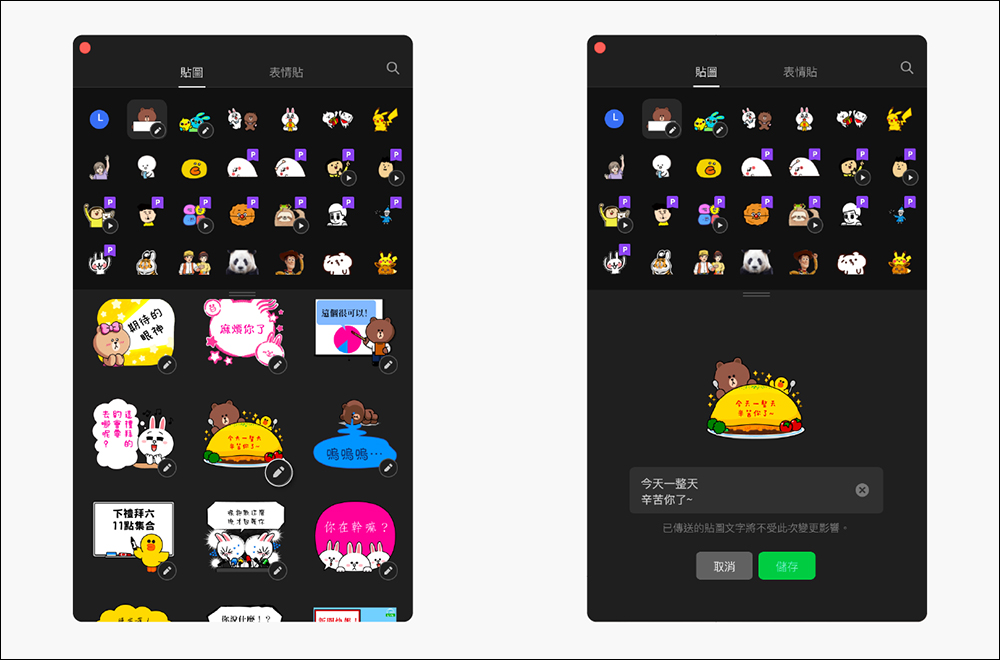
“Expiring soon” sticker notification optimization
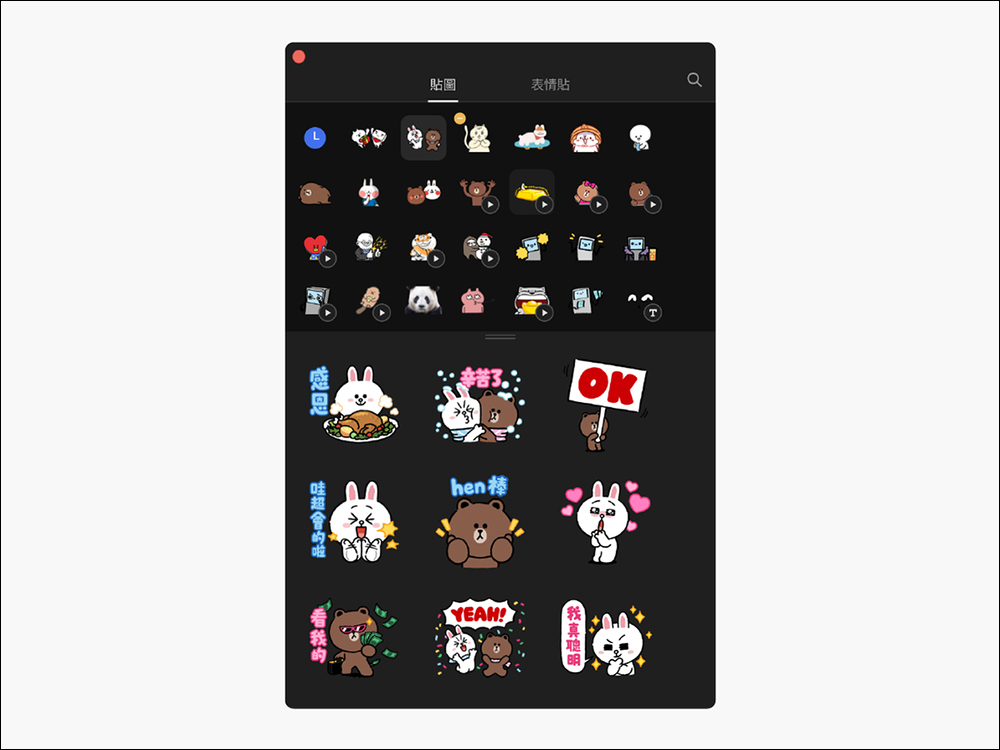
We often compile many cute and useful free LINE stickers for you, and most of these stickers are valid for 90 days or 180 days. As the sticker validity period is about to expire, users can also know the validity period of the sticker based on the “Expiring Soon” sticker notification.
- Stickers that will expire in 10 days:In the upper right corner of the sticker will appear “yellow” mark, indicating that this sticker is about to expire
- Expired stickers:In the upper right corner of the sticker will appear “red” mark, indicating that this sticker has expired
- Stickers that have expired 20 days later:will automatically be placed in the sticker fielddelete
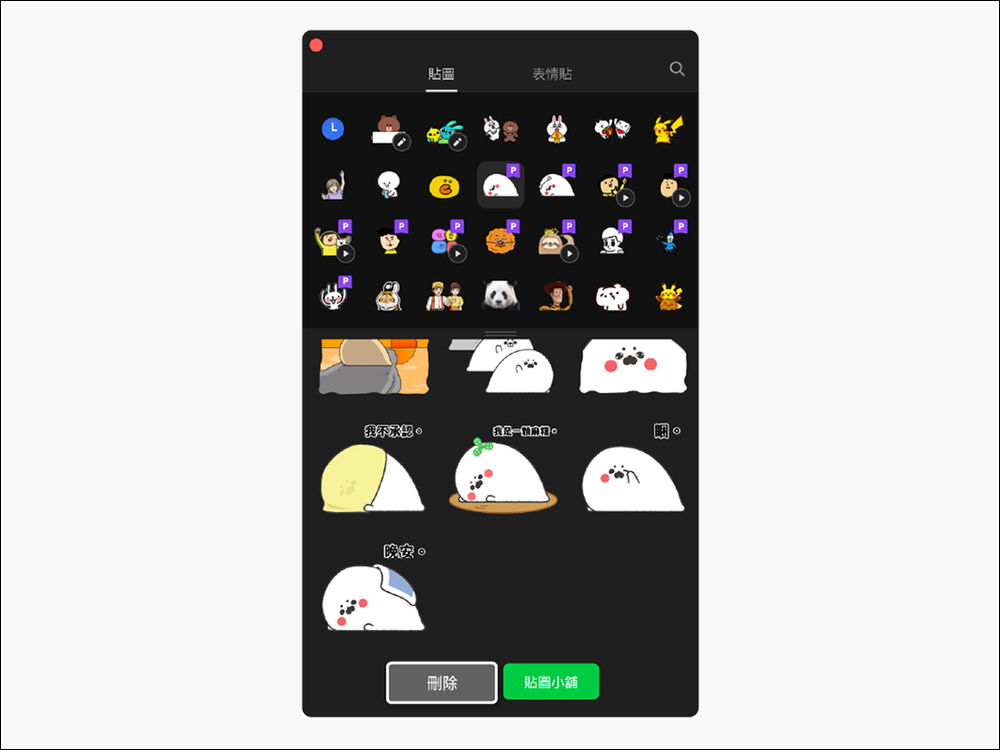
When using the “LINE Sticker Value Plan”, you can delete the subscribed stickers in the interface
When using the cost-effective “LINE Sticker Value Plan”, you often accidentally download too many stickers. If you download too many stickers and want to sort them out, you can delete them directly in the computer version of the sticker interface after updating! If the user deletes the subscription sticker in the computer version, it will also be updated simultaneously in the mobile version. This will be quite helpful for users who want to manage a large number of stickers!
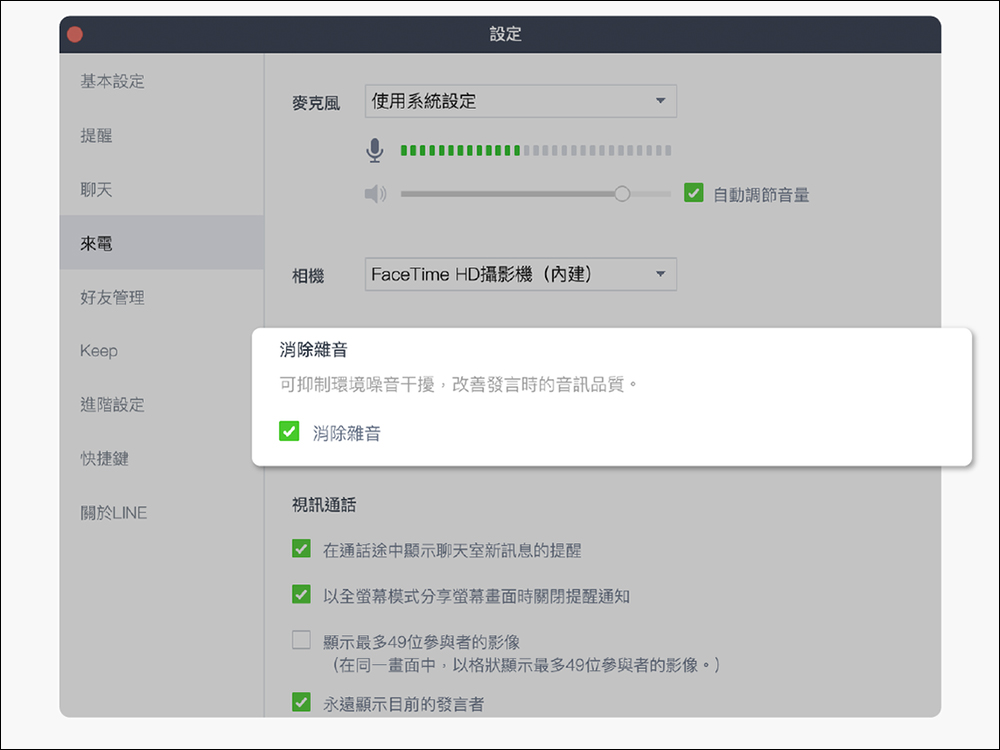
The call “noise elimination” function is enabled by default
When LINE PC version 7.0 was updated, it was mentioned that the “noise elimination” function could be selected. However, after the LINE PC version 7.4 update, the echo elimination function will be automatically enabled by default, so you no longer need to manually set it up! Of course, if you want to turn off this feature, you can still go to “Settings” > “Incoming Calls” > select “Cancel Echo” to turn it off manually.
During a video call, if participants use stickers, they will be displayed on the first page of the screen.
In the PC version 7.1 update, a sticker function will be added to “Video Call”. This time after the PC version 7.4 update, as long as participants use stickers during video calls, they will be displayed on the first page of the screen.

“Group Call” interface optimization
In addition to optimizing the video call experience, this time after the PC version 7.4 update, the interface of the free “Group Voice Call” has also been optimized. At the top of the chat window, you can see the thumbnails of the friends currently participating in the call. Click on them to see the list of people currently participating in the call.
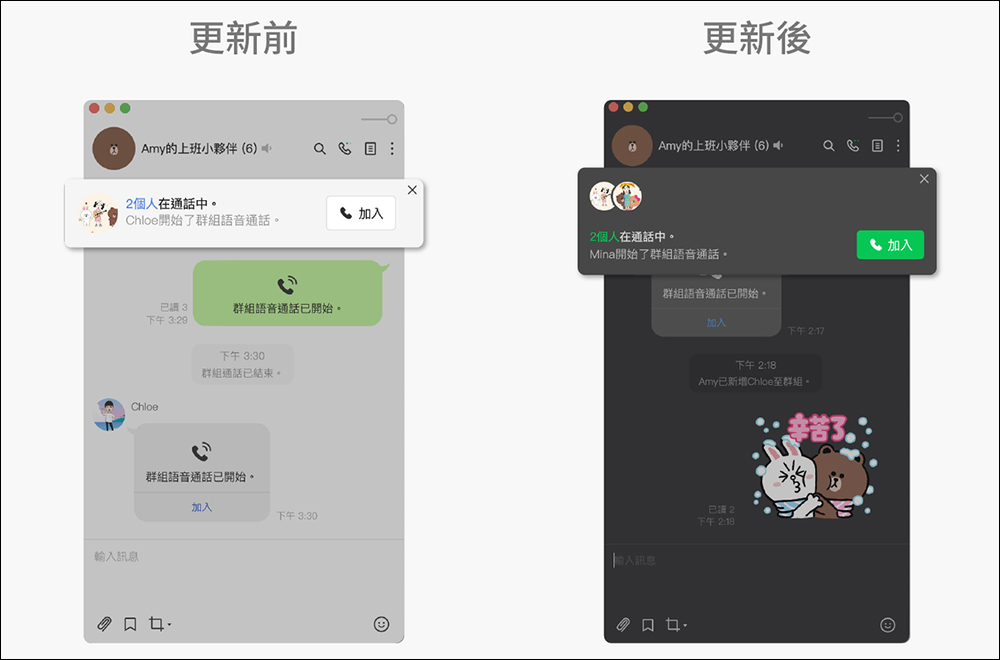
Picture/Source:LINE Taiwan official BLOG
Further reading:
iPhone 13 Pro Max vs Pixel 6 Pro, Xiaomi 11 Ultra, Galaxy S21 Ultra, OnePlus 9 Pro battery consumption test
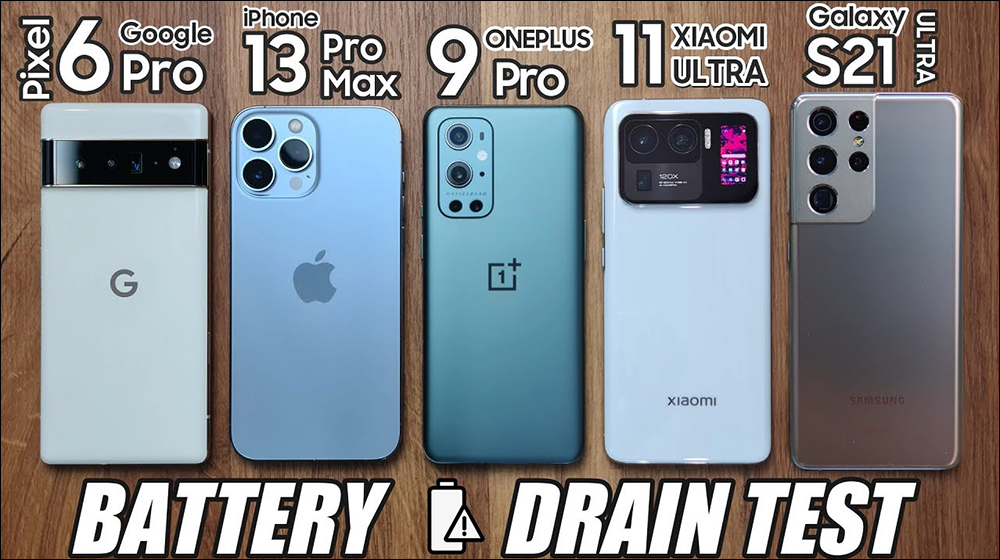
Source: KOCPC Chinese