


Although various mobile phone manufacturers have introduced their own game optimization settings in order to provide a better gaming experience, the game information homepage function that Google has just added to Android 12 is currently exclusive to the latest Pixel 6 series mobile phones. In the future, it may be widely opened to other Pixel phones or other brands of mobile phones. In addition to Pixel 6 users, everyone can also learn about it first.
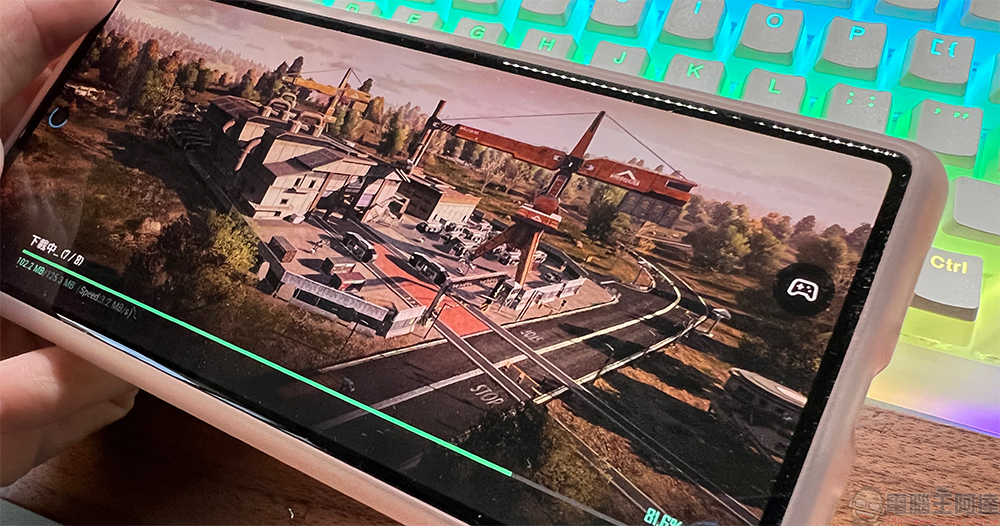
How to open and use the game information homepage in Android 12? Early access to the Pixel 6 series
This new game information homepage not only contains some practical tools, but Google also calls on developers to make full use of the game mode API to provide players with further personalized settings in response to the game information homepage function.
How to open the game information homepage?
- First open the “Settings” application and find the “Applications” item.
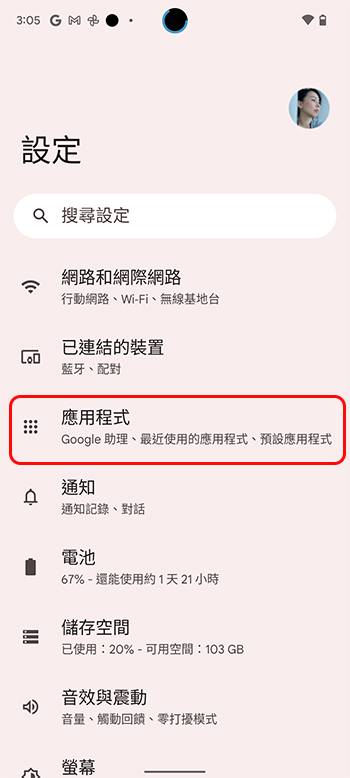
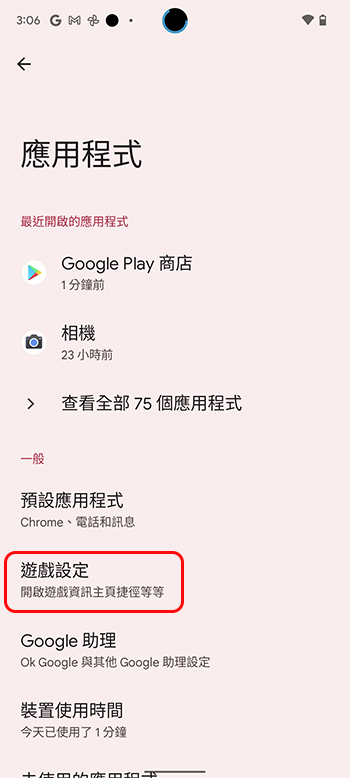
- Select the item “Game Settings”.
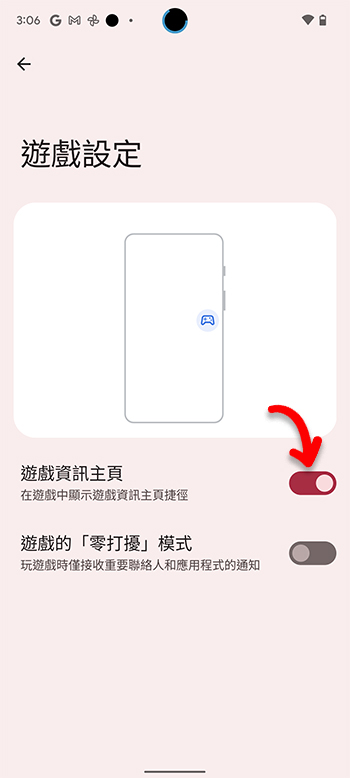
- Turn on the “Game Information Home Page” function in the game settings page, and you’re done.
How to use the game information homepage function?
Because it is a new function, although it can be displayed in every game, not every game can fully support it. Now I will tell you how to display this homepage in the game and what the interface is like.
- When you open the game, you can see an icon that looks like a handle. Clicking it will call up the game information homepage function.
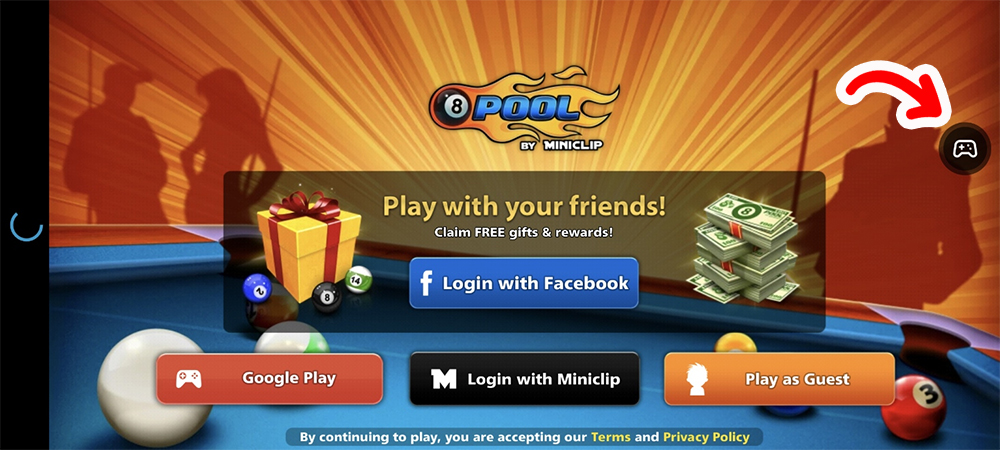
- You can drag the handle icon to the edge of the screen, and the icon will be hidden like a drawer that can be pulled out. You can drag and place this icon according to your personal preference to prevent it from being accidentally touched during the game.

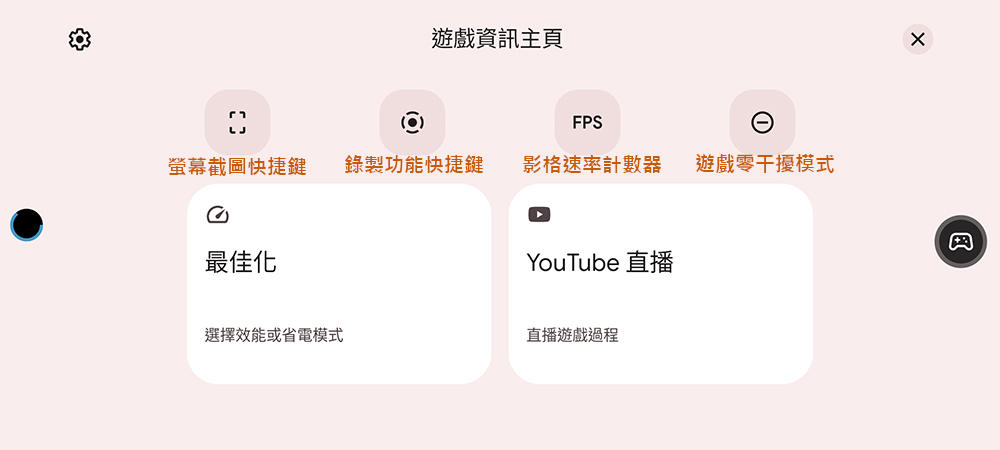
- After clicking the icon, you can see the entire game information homepage. The four main icons above are mainly used to turn on and off screenshot shortcut keys, recording function shortcut keys, frame rate counter and game zero interference mode, etc. You can also directly connect to YouTube here for game live broadcast and game optimization settings.
- In the optimization function, if it is an application that has been optimized and adjusted in response to new functions, you can choose from performance, standard and power saving modes.
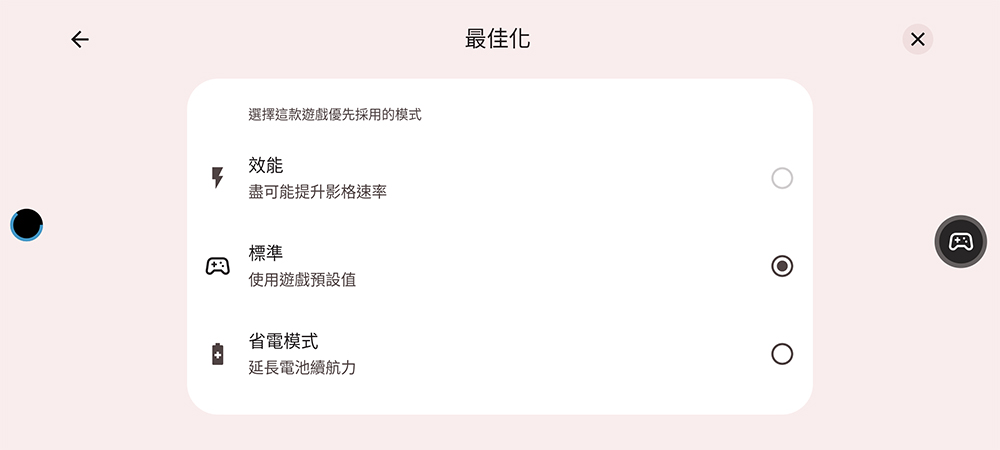
If the application has not been adjusted accordingly, the four buttons and the YouTube live broadcast function can still be used, but the optimization function cannot be used. Pixel 6 series mobile phone users can give it a try!
Source: KOCPC Chinese