

• About Us
King of Computer Media
  • Home
  • Tech News
  • AI News
  • Apps & Tutorials
  • Mobile & Telecom
  • Lifestyle
  • About Us
No Result
View All Result
  • Home
  • Tech News
  • AI News
  • Apps & Tutorials
  • Mobile & Telecom
  • Lifestyle
  • About Us
No Result
View All Result
King of Computer Media
No Result
View All Result

Home - Computer Applications and Other Tutorials - Stocks House pictures, videos, sounds, search multiple website materials with one button!

Stocks House pictures, videos, sounds, search multiple website materials with one button!

KOCPC Editor by KOCPC Editor
November 13, 2021 - Updated on August 4, 2026
in Computer Applications and Other Tutorials, Multimedia conversion/application

Many creators may need some videos, pictures, and sound materials when making videos or articles. However, the resources of a website are limited, so Stocks House integrates many resource websites. Through a one-time search, you can open several material resource websites. Simply put, just use Chrome By installing this set of tools using the extension package, you can search for all the materials that creators need at once, which can save a lot of time in searching for materials. After all, searching for several website resources at once is very time-saving. You may only find the image you want on the second website, not to mention that there are more resources for you to choose from.

Introduction to Stocks House suite for Chrome browser

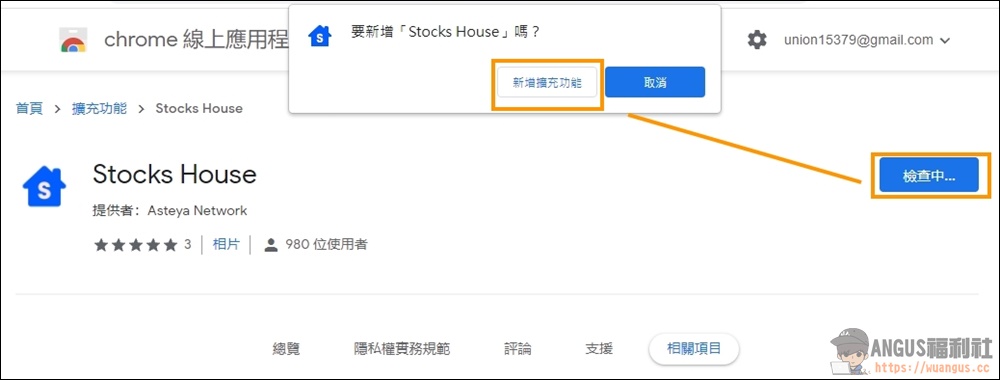
Go to the Chrome App Store and install the Stocks House suite plug-in.
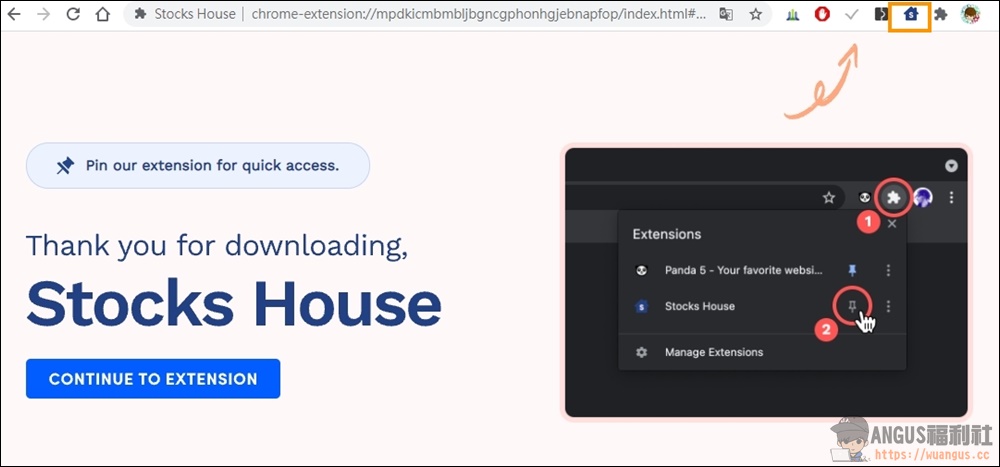
After the kit is installed, you can see the Stocks House kit icon in the upper right corner of the Chrome browser. You can start using it by clicking on the icon.

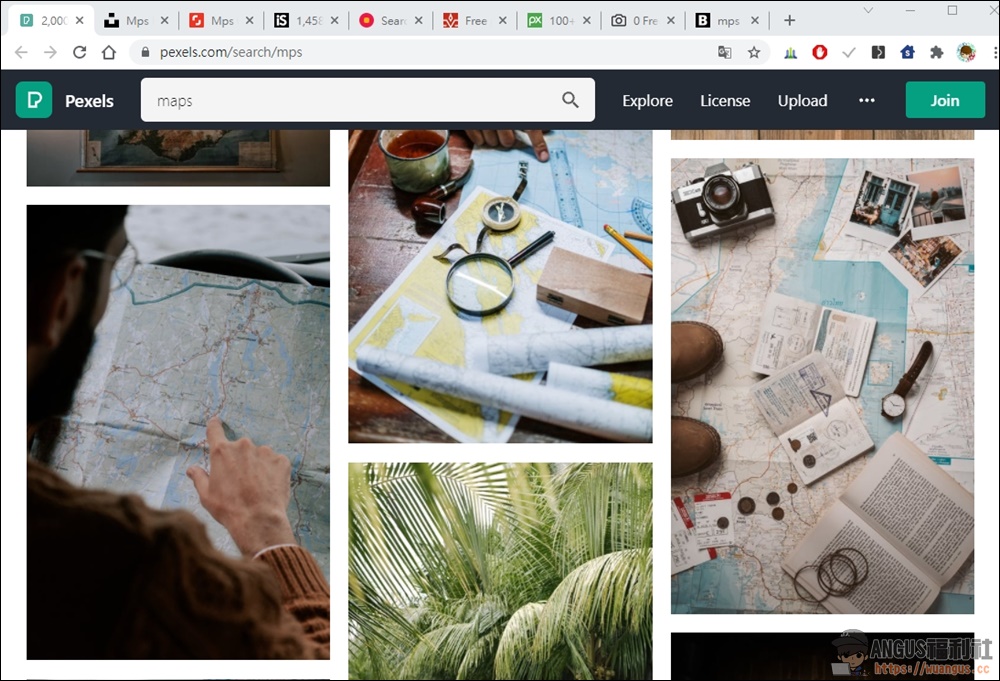
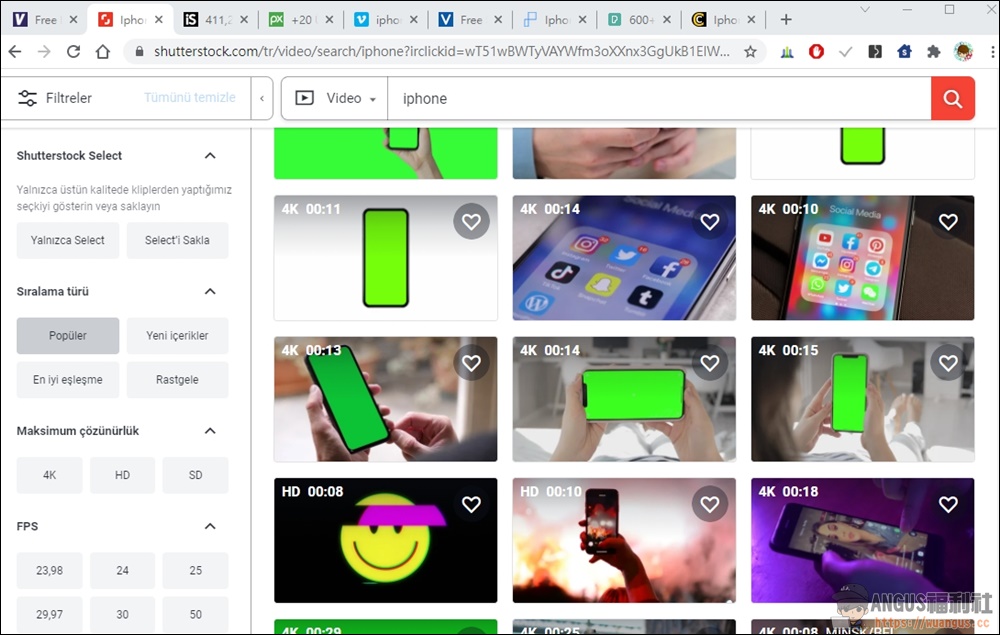
When you enter the Stocks House homepage, you can see a search box on the screen. Just enter the keywords you want to search for. There is also a choice of Photo (picture), Video (video) or Audio (sound) below. The items checked below are the websites to be searched together. If you want to search two websites, just check two of the items below, so that the search results will only search for the material resources of these two websites.

So in the search results, you can see that there are a lot of search pages at the top, and the keywords searched on each website are applied. Even videos have a lot of free materials that can be used. This is a very useful tool for video creators. You no longer have to spend too much time searching for copyrighted images and videos on Google.
 

  • Chrome extension plug-in:Click here to install Stocks House

Source: KOCPC Chinese

Tags: Material website

Recent Posts

  • Meta Muse Lands on Mac: Personal AI Agent Begins Operating Your Files, Messages, and Calendar (Muse for Mac)
  • First oMLX performance results for M5 Ultra Mac Studio leak: prefill speed 3-4x faster than M3 Ultra, data taken down after exposure.
  • After the iPhone 17, the frame material was changed back to aluminum alloy. Is it better than titanium?
  • The iPhone 18 Pro series, Apple Watch Series 12, Apple Watch Ultra 4, and AirPods 5 are now on sale—a first look, with warm “Burgundy Red” and striking “Glacier Blue.”
  • The battery replacement cost for the iPhone 18 Pro / Pro Max has gone up again! Compared with 5 years ago, the increase has doubled.

Recent Comments

No comments to show.
  • About Us

We welcome partnership inquiries and product review opportunities from smartphone manufacturers, iPhone accessory brands, and app developers.koc kocpc.com.tw|Privacy Policy |Hosting & Maintenance: Fast Line Taiwan, A-Chang Digital Technology

No Result
View All Result
  • Home
  • Tech News
  • AI News
  • Apps & Tutorials
  • Mobile & Telecom
  • Lifestyle
  • About Us

We welcome partnership inquiries and product review opportunities from smartphone manufacturers, iPhone accessory brands, and app developers.koc kocpc.com.tw|Privacy Policy |Hosting & Maintenance: Fast Line Taiwan, A-Chang Digital Technology