


LINE supports free voice calls and free video calls, making it easier for users to connect with relatives, friends or customers. However, some LINE users said that they have recently encountered automatic interruptions during calls, often automatically disconnecting after a few minutes of the call. If you have had similar problems recently, in addition to checking whether the network connection quality is stable, you might as well try the solutions shared with you this time!

What should I do if my LINE call is automatically interrupted? Try these solutions (teaching)
Nowadays, everyone has a LINE account, and many people directly choose to use LINE to make free voice calls when they need to communicate. However, recently some people have reported that LINE call quality is unstable and calls are automatically interrupted from time to time. Here are some solutions for you.
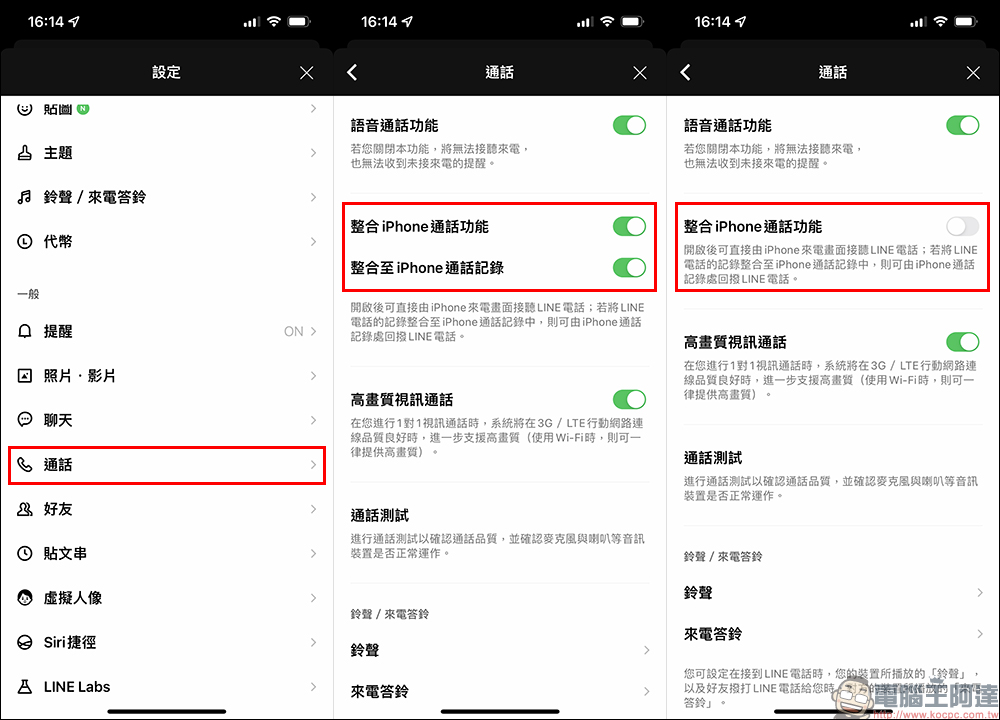
Method 1: Turn off the LINE integrated iPhone calling function
LINE supports “integrated iPhone call function” on the iOS version. Once turned on, users can answer LINE calls directly from the iPhone incoming call screen. It even supports integrating LINE call records into iPhone call records, making it easier for users to detect and call back LINE calls when they find missed calls.
If a LINE call is automatically interrupted, you can first try turning off the “Integrated iPhone call function” to see if you can avoid LINE call interruption.
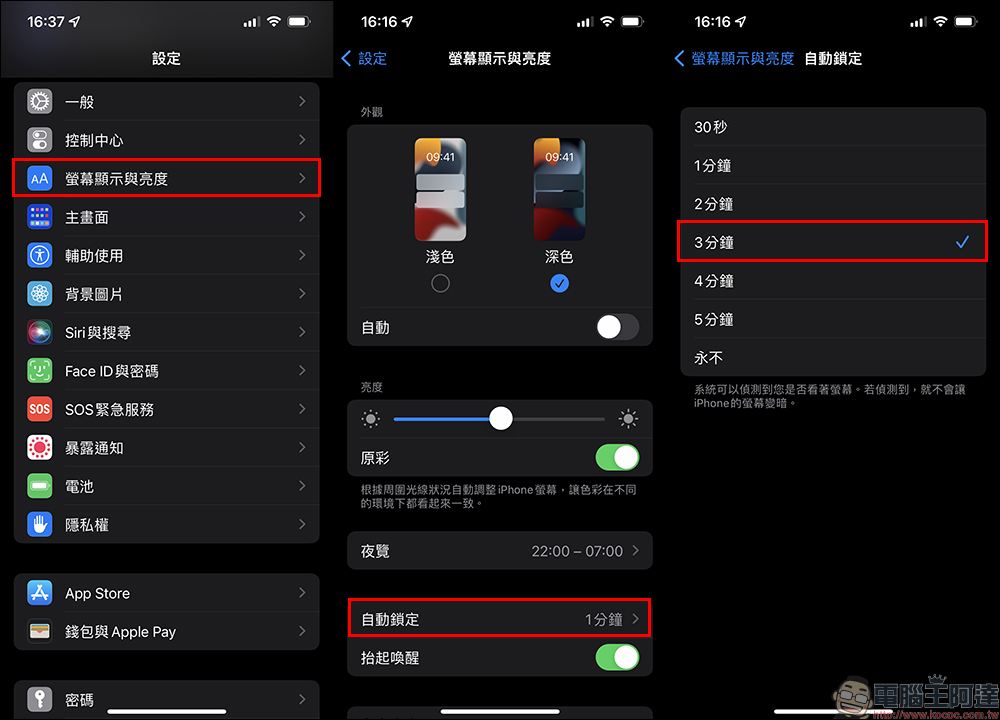
Method 2: Keep the LINE call screen open (without sleeping)
The second method is to set the “Screen Display and Brightness” time of the iOS system settings longer to prevent the screen from going into sleep state. Try to see if this setting can avoid the problem of automatic interruption of LINE calls.
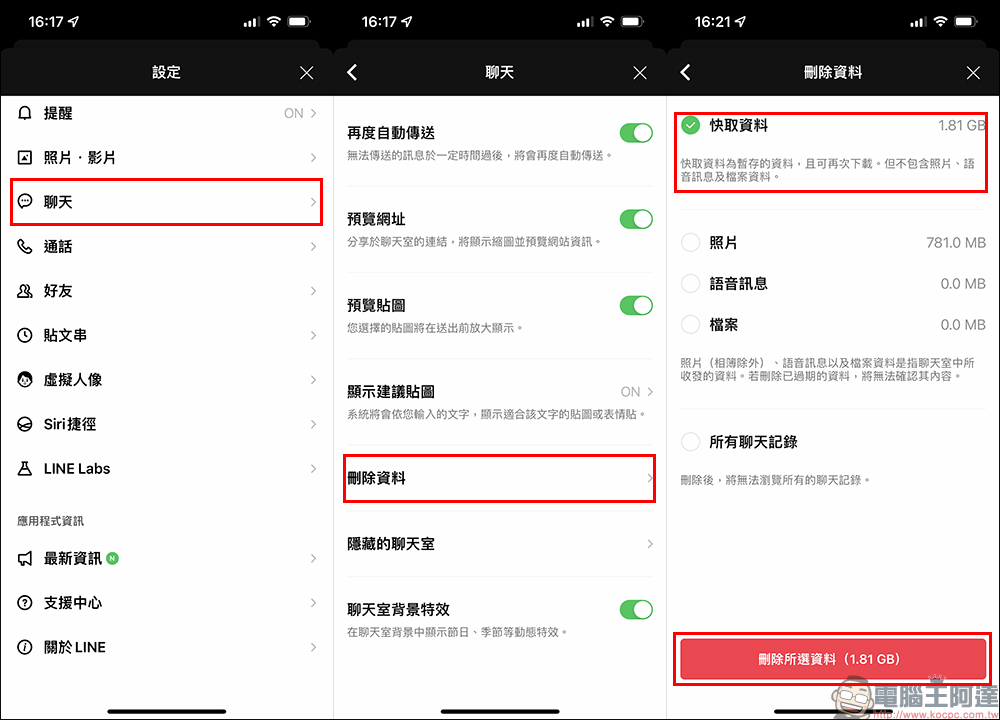
Method 3: Delete LINE cache data
As LINE is used for a long time, the cached data files will become larger and larger. Therefore, you can try to go to “Settings” > “Chat” > “Delete Data” in the LINE application to check “Cache Data” and delete it, and then test whether this method can reduce the problem of automatic call interruption.
Method 4: Delete the LINE App and reinstall it
If none of the above methods can improve the problem, you can try deleting and reinstalling the LINE app. However, remember that if you want to delete the LINE App first, be sure to confirm that the chat history has been backed up before executing it to avoid the tragedy of all chat records disappearing.
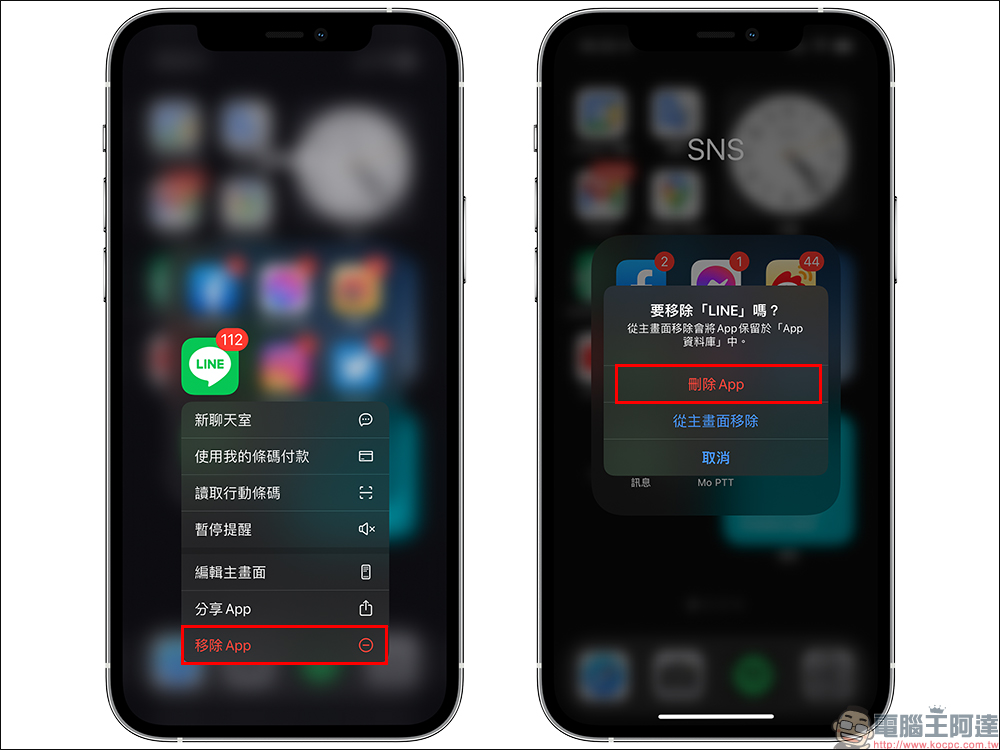
Method 5: Wait for LINE version update
If you have tried the first three methods and do not want to delete the LINE app and reinstall it, you can also wait for LINE to release a version update of the app in the future, and then try again to see if the situation of automatic call interruption can be improved.
Further reading:
LINE free sticker collection: 25 stickers including Bear, Big Bunny, etc., available for free download for a limited time!

Source: KOCPC Chinese