


With the popularity of Instagram, have you ever found it annoying that posts cannot be linked directly? This also leads to the fact that if you want to interact normally and provide web page information, you have to pursue it crazily.The strange phenomenon of limited-time dynamic sliding up to open the link is unlocked by the number of fans. However, with such an annoying experience, after recently starting to use the original text function of iOS 15, the editor found that this is no longer a problem for me (spread the flowers). I would also like to share with you how to easily copy the text content of IG and other applications that are not allowed to be copied. Continue reading What should I do if apps like Instagram won’t copy text? Teach you how to easily use iOS original text! Report text.
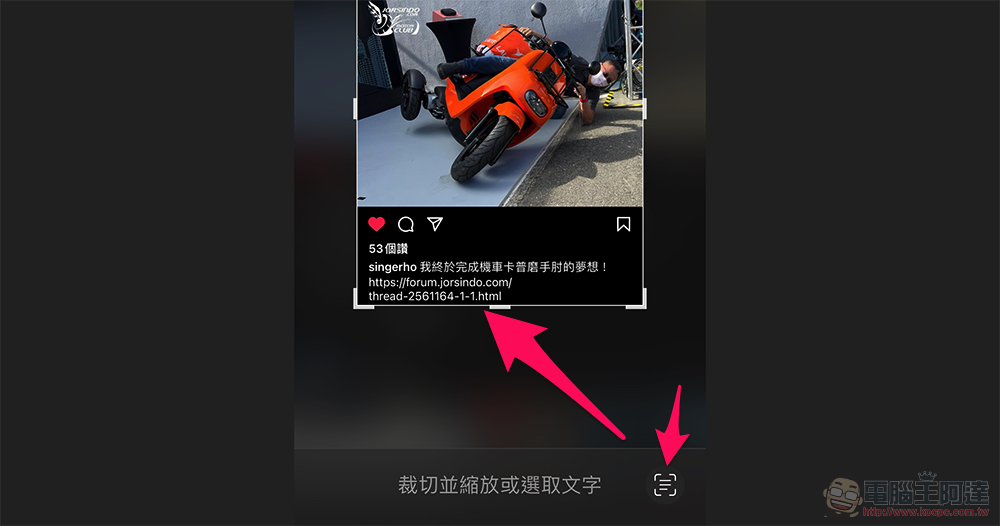
▲The example picture in this article is taken fromLittle Wife Automobile and Motorcycle Information NetworkBig devil Singer Instagram。
What should I do if apps like Instagram won’t copy text? Teach you how to easily use iOS original text!
In fact, this problem of not causing copying is not limited to Instagram. I have also encountered the situation in Shopee App, which gives you the tracked serial number but does not copy the text. Fortunately, if you encounter such a situation on your iPhone or iPad in the future, you should be able to follow our steps and solve it simply by “taking screenshots” (no need to save the picture yet).
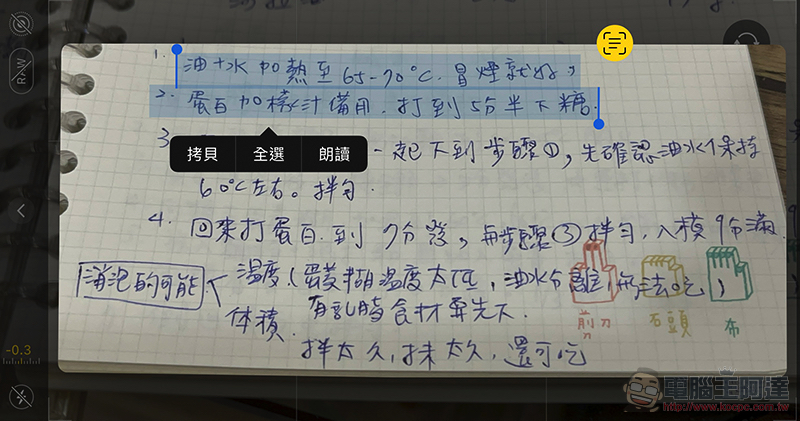
That’s right, although in our previous teaching, although the main axis was placediOS 15 feature that uses camera for text recognition. However, for screenshots and other photos, you can actually rely on the original text function to protect you (shoot your chest).

After updating to iOS 15, if you encounter text content that is not allowed to be copied, you only need to press the screenshot (for iPhone, it is “power button + volume up button”), and you will enter the page pictured above. At this time, select the “three” button in the lower right corner to copy the text on the screen, and then you can immediately press the trash can to delete the picture – please note that because of the branch relationship in this example, there will be spaces when pasting into the URL bar, resulting in page errors. Just delete the spaces and it will display normally.
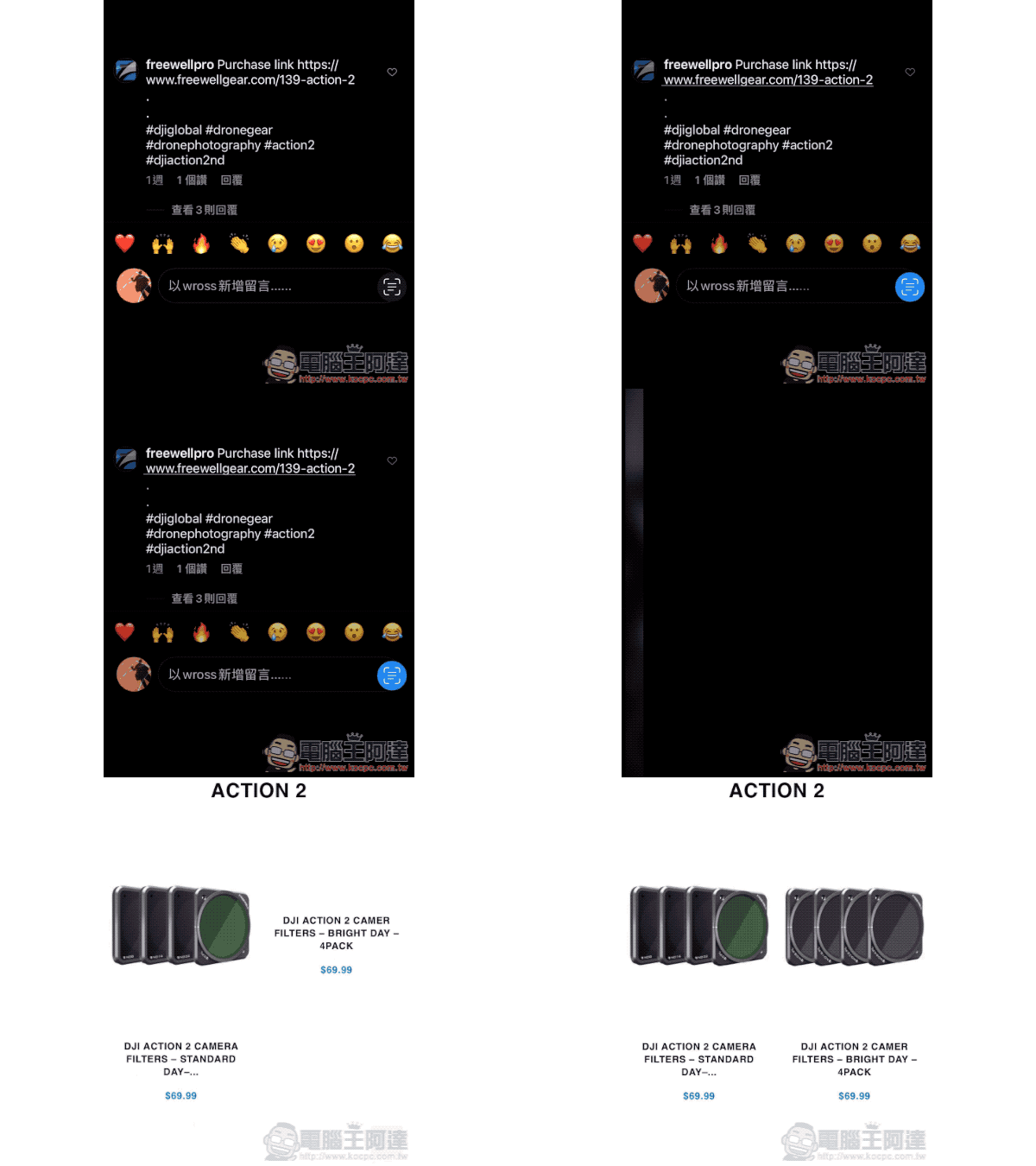
As you should have noticed in the previous example, in fact, this screenshot function will also actively detect the URL. So if the entire line of URL appears to be correct like the picture above, you can directly click to jump to the default browser to watch!
Do you think this function is super simple? When you encounter similar situations in the future, you don’t have to type text back and forth (like it).
Further reading:

Source: KOCPC Chinese