

• About Us
King of Computer Media
  • Home
  • Tech News
  • AI News
  • Apps & Tutorials
  • Mobile & Telecom
  • Lifestyle
  • About Us
No Result
View All Result
  • Home
  • Tech News
  • AI News
  • Apps & Tutorials
  • Mobile & Telecom
  • Lifestyle
  • About Us
No Result
View All Result
King of Computer Media
No Result
View All Result

Home - Internet and software applications - Can’t delete a file or folder? Forcedelete helps you easily force delete with one click (it also provides permanent damage to files)

Can’t delete a file or folder? Forcedelete helps you easily force delete with one click (it also provides permanent damage to files)

Rocky by Rocky
October 29, 2021 - Updated on August 4, 2026
in Internet and software applications

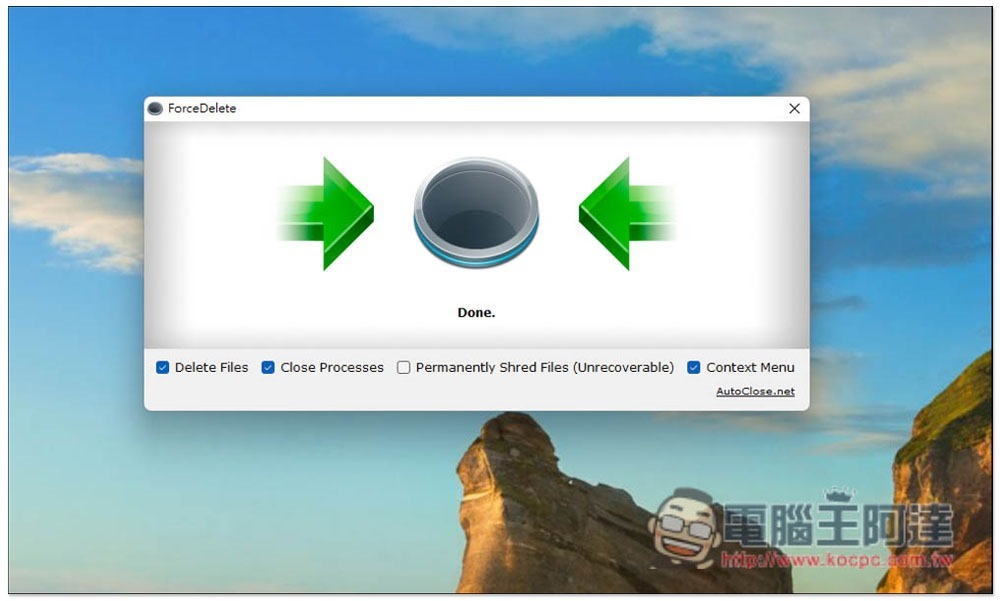
In the process of using a computer, you will often encounter the situation where files and folders cannot be deleted. At this time, you will definitely be very troubled, or some important files may be completely destroyed and cannot be restored through any software later. The ForceDelete I want to recommend in this article is a very good free tool. You only need to drag in the files that cannot be deleted to force the deletion. It also supports permanent damage file mode. I will quickly introduce it to you below.
2021-10-29_124153

ForceDelete A free gadget that can forcefully delete difficult files

  • Click here to go to ForceDelete official website

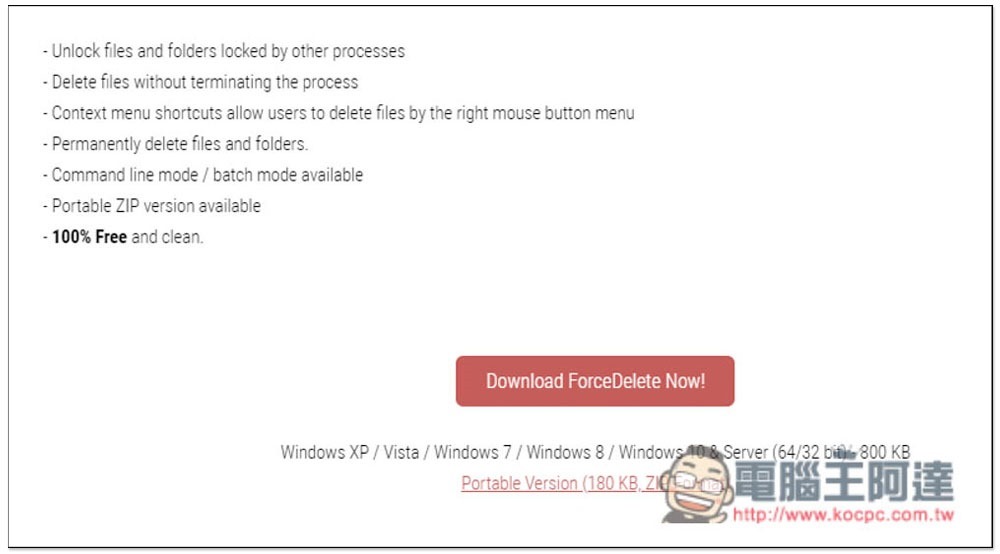
ForceDelete supports Windows 7 / Windows 8 / Windows 10 / Windows 11 or above operating systems (the server version is also available). It provides two options: installation and installation-free files. It depends on which one you want to use. For the installation-free file, please download the Portable Version. The file is very small, only 180KB:
2021-10-29_115518

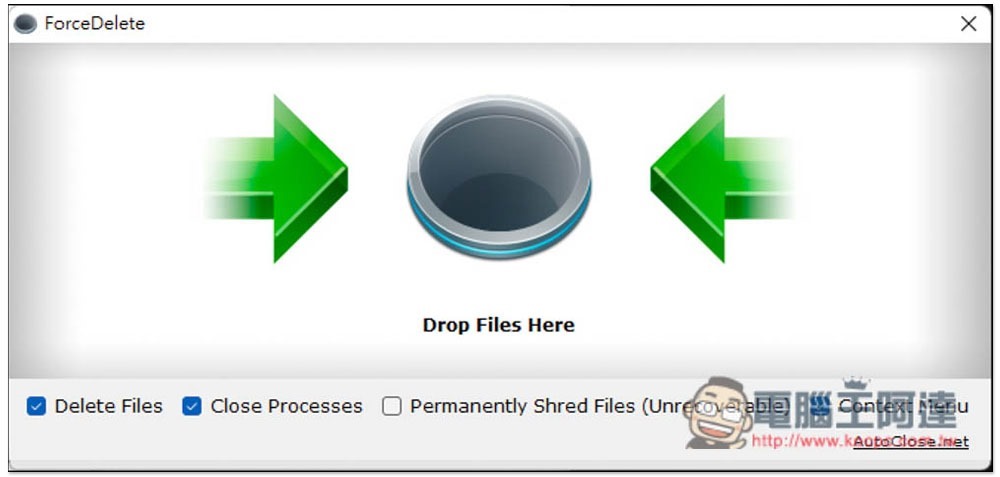
The interface is as follows. It is very simple. Just drag in the file you want to delete. There are four options below. Basically, no changes are needed. However, if you want to permanently damage the file and cannot recover it, please tick the Permanently Shred Files (Unrecoverable) option:
2021-10-29_115534

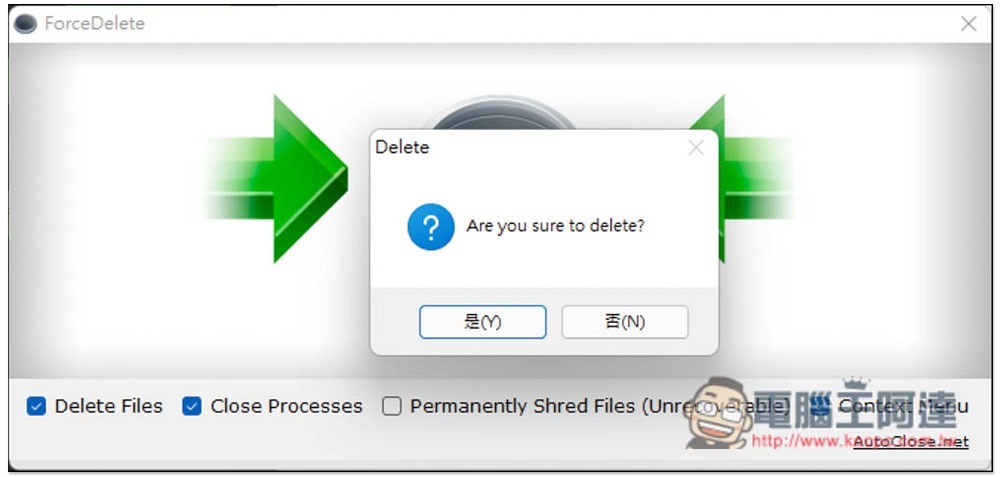
Before deleting, a prompt will pop up again, asking you if you really want to delete it. If you confirm that there is no problem, press Yes (Y):
2021-10-29_115607

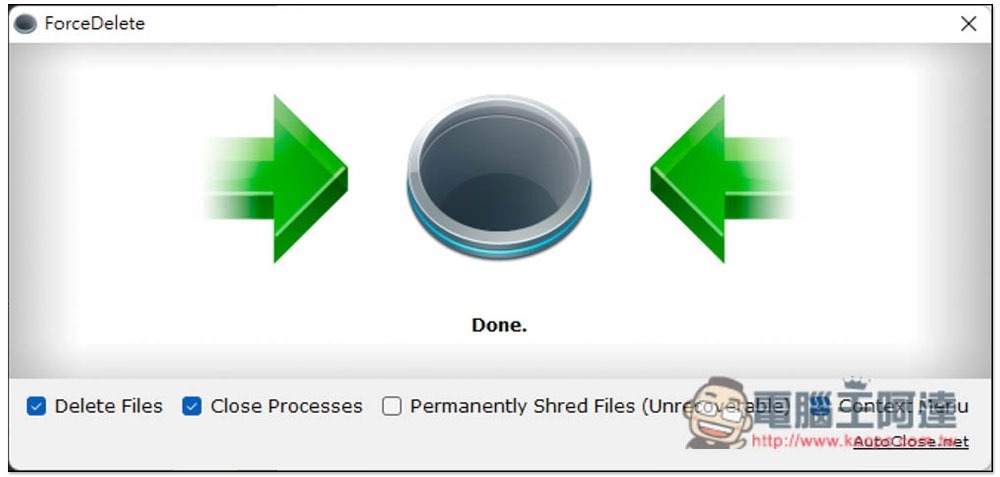
That’s it! Files deleted using this method will not be thrown into the recycle bin, so remember to think clearly before deleting:
2021-10-29_115655

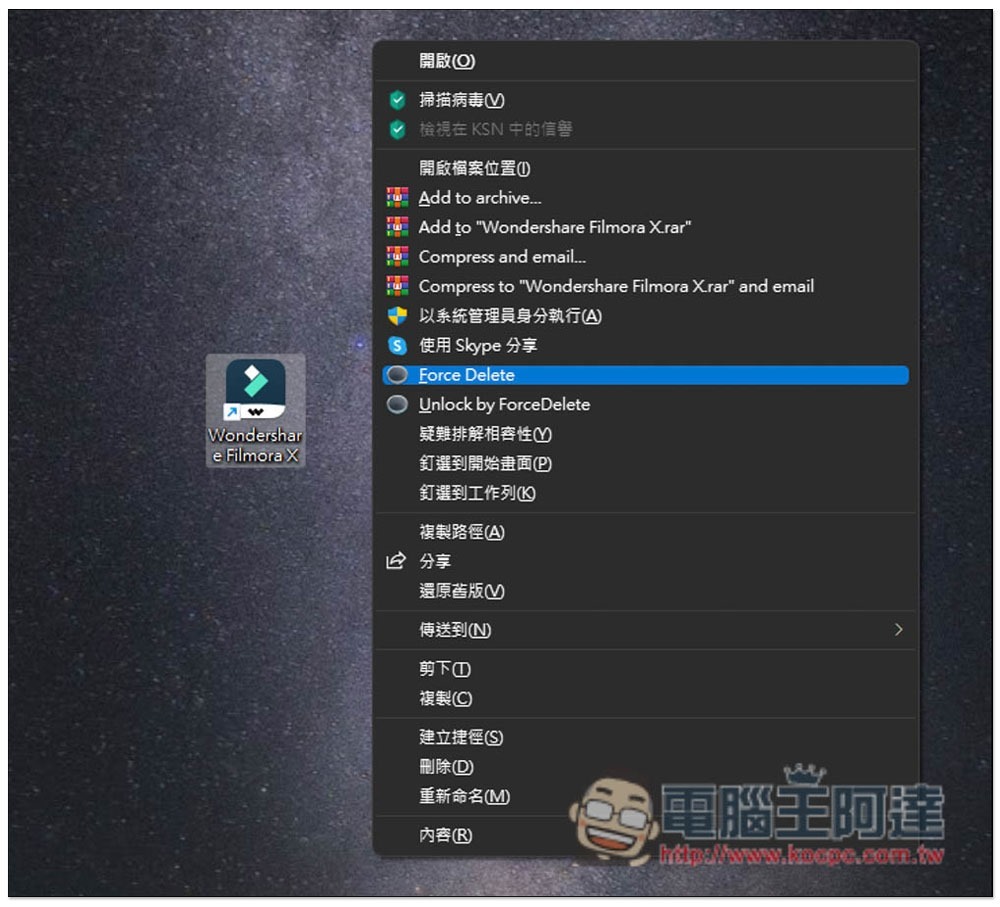
It also supports right-click menu operations. If you only need to delete a single file in the future, there is no need to open the software. After expanding the right-click menu, you can see the Force Delete function and click it to delete it. Unlock by ForceDelete will only remove the “file is currently in use” situation and will not delete it. So if you don’t want to delete a file but don’t know what software is using it, you can also use this function to solve the problem:
2021-10-29_115907

x2Convert 下載 YouTube 影片與 MP3 音樂的免費線上工具,提供多種解析度、格式選擇

Source: KOCPC Chinese

Tags: Delete files

Recent Posts

  • The Xiaomi Pad 8S Pro has passed network access certification and will debut with the self-developed XRING O3 chip.
  • The entire Google Pixel 11 lineup has been leaked! Official promotional renders of the Pixel 11 Pro XL have also surfaced
  • Are Chinese phone battery capacities falsely labeled? A brief look at the “capacity locking” phenomenon in Chinese silicon-carbon batteries.
  • NCC is leaderless, recklessly sending out national-level alert messages!?
  • What does “QR” in QR Code mean?

Recent Comments

No comments to show.
  • About Us

We welcome partnership inquiries and product review opportunities from smartphone manufacturers, iPhone accessory brands, and app developers.koc kocpc.com.tw|Privacy Policy |Hosting & Maintenance: Fast Line Taiwan, A-Chang Digital Technology

No Result
View All Result
  • Home
  • Tech News
  • AI News
  • Apps & Tutorials
  • Mobile & Telecom
  • Lifestyle
  • About Us

We welcome partnership inquiries and product review opportunities from smartphone manufacturers, iPhone accessory brands, and app developers.koc kocpc.com.tw|Privacy Policy |Hosting & Maintenance: Fast Line Taiwan, A-Chang Digital Technology