


The launch of the Apple iPhone 13 series has indeed set off another wave of phone replacement craze in Taiwan. Since many people are using 5G mobile phones or iPhones for the first time, they are often confused about the status icons and symbolic meanings at the top of the iPhone screen. The status icons and symbols at the top of the iPhone screen actually show the communication specifications the phone is using.、link status、The information on the operation of specific functions, etc. is quite practical and is common sense that novice iPhone users must know.
The following is a compilation of status icons and symbolic meanings at the top of the iPhone screen as explained by Apple:
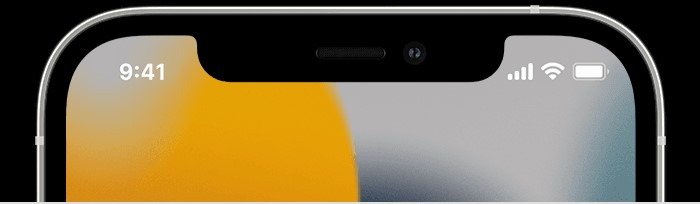
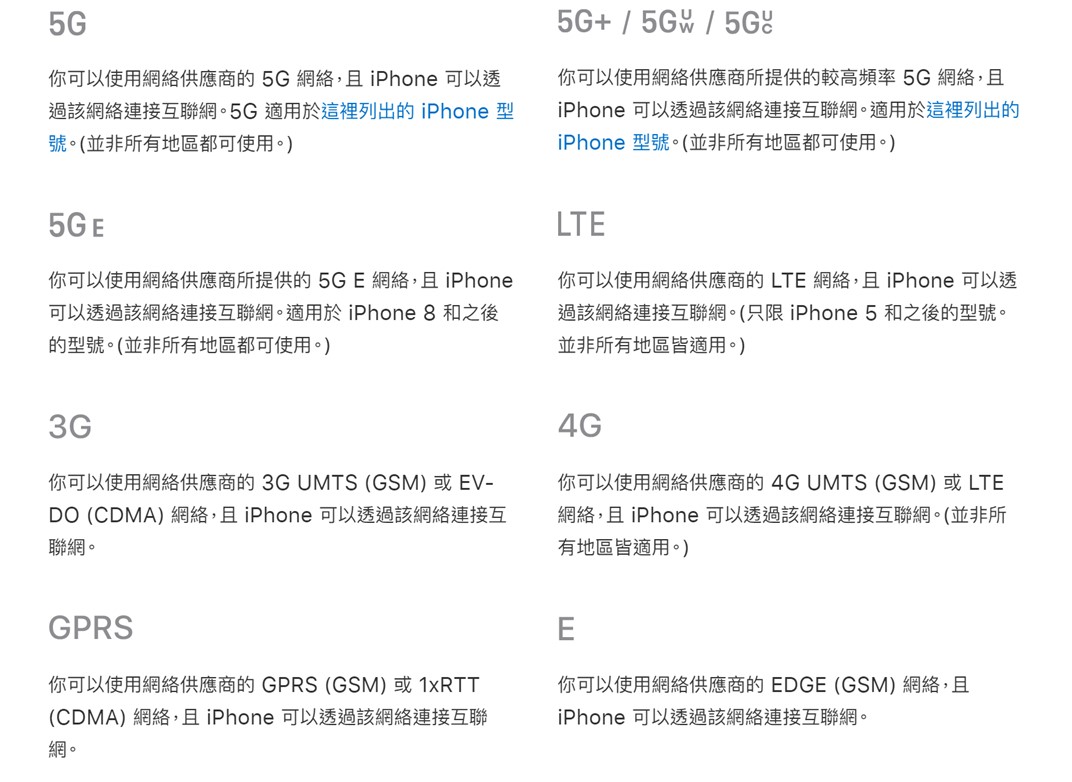
1. Mobile communication specification symbols:
The communication specifications of iPhones in Taiwan will appear with symbols such as 5G, LTE, 3G, 2G, 4G, GPRS, E, etc., which means that the mobile phone is connected to different mobile networks of telecom operators. 5G+/5Guw/5G uc represents a connection to a mobile network that supports millimeter waves, which is currently not open in Taiwan; 5GE is the symbol for the fake 5G (HSPA+ advanced version) launched by AT&T in the United States.
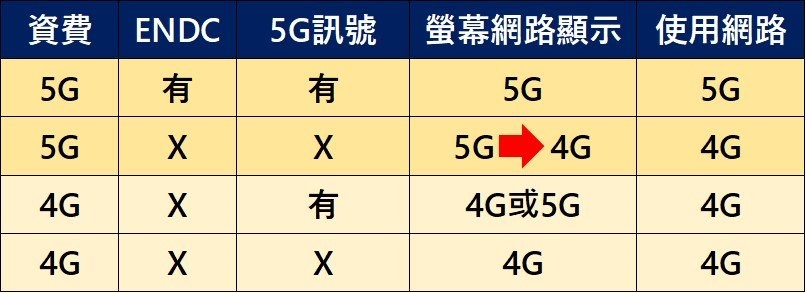
Special reminder, if a 5G symbol appears when using a 4G phone number, please don’t be nervous. This is still a 4G network and rate status. You can avoid misleading problems by changing the settings (see “for details”This article”)。
2. Link symbols:
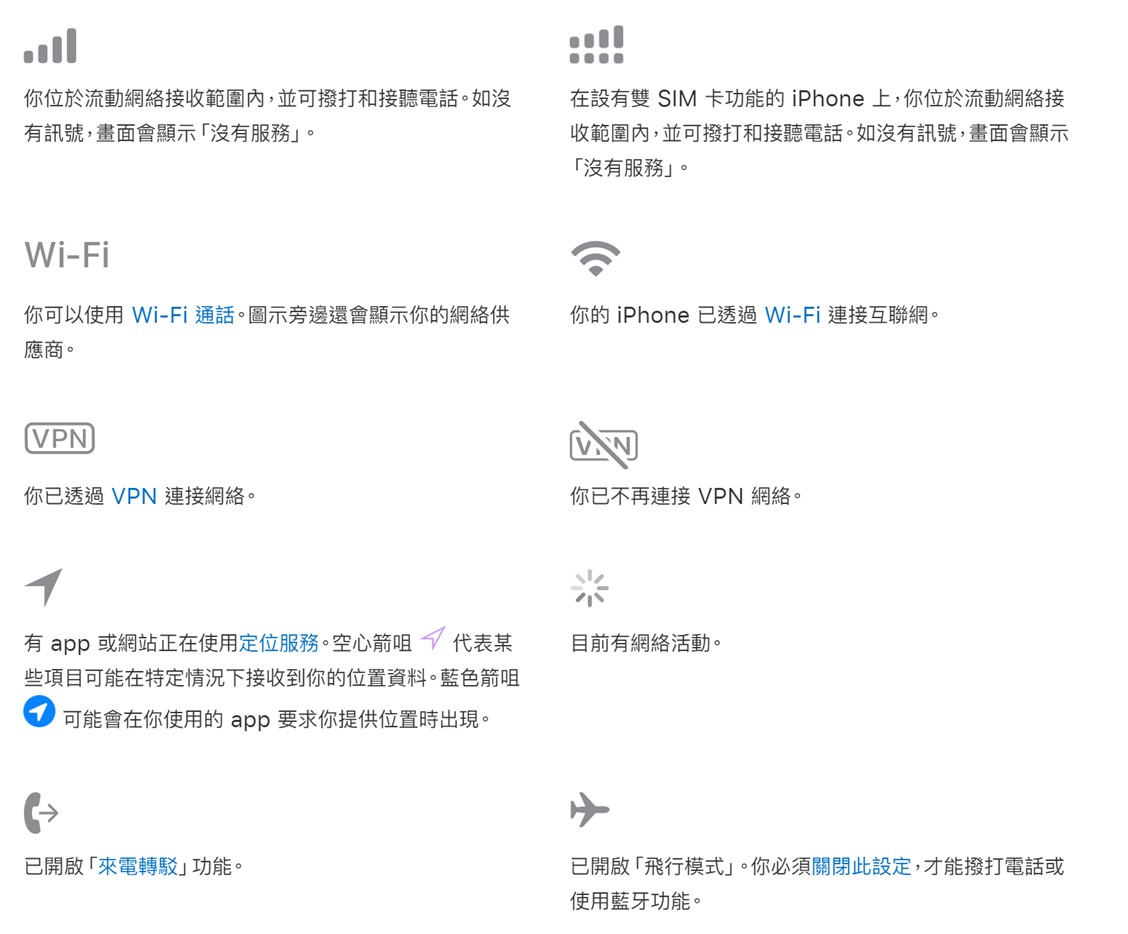
3. Display symbols for specific function operations:
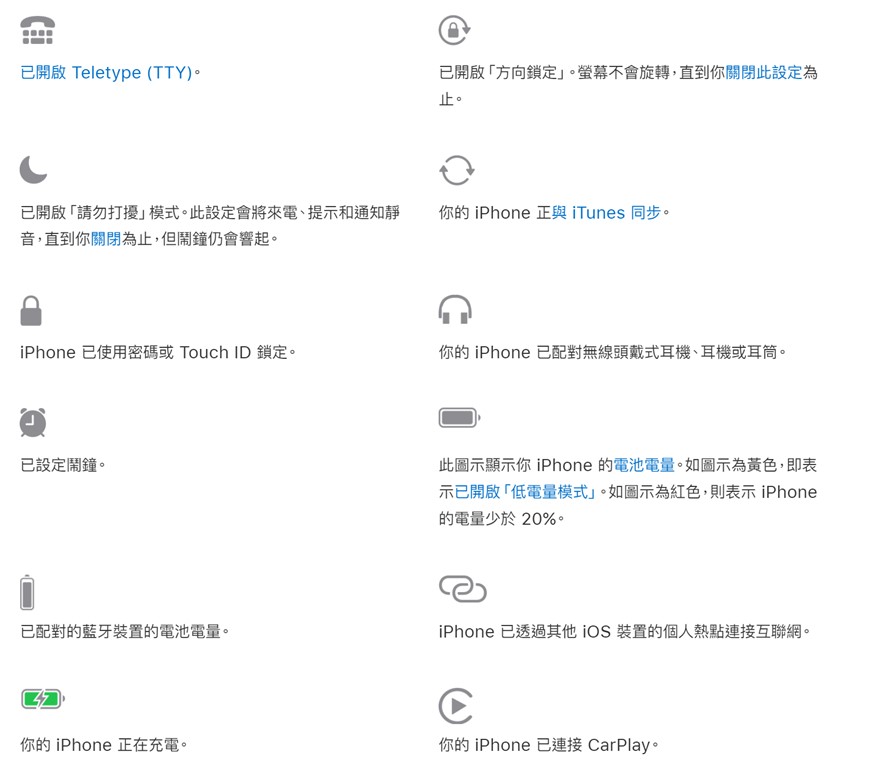
4. Status bar color:
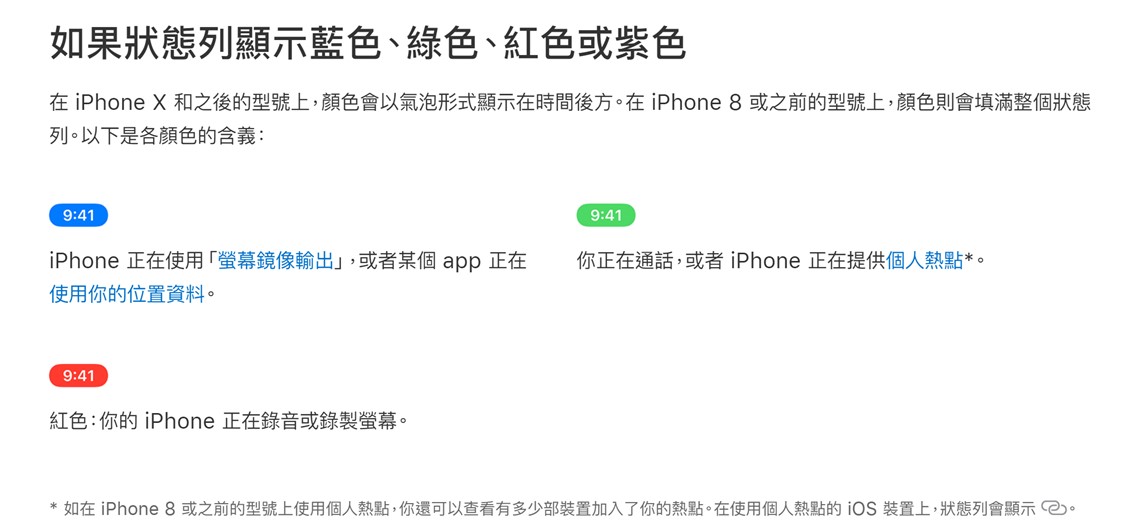
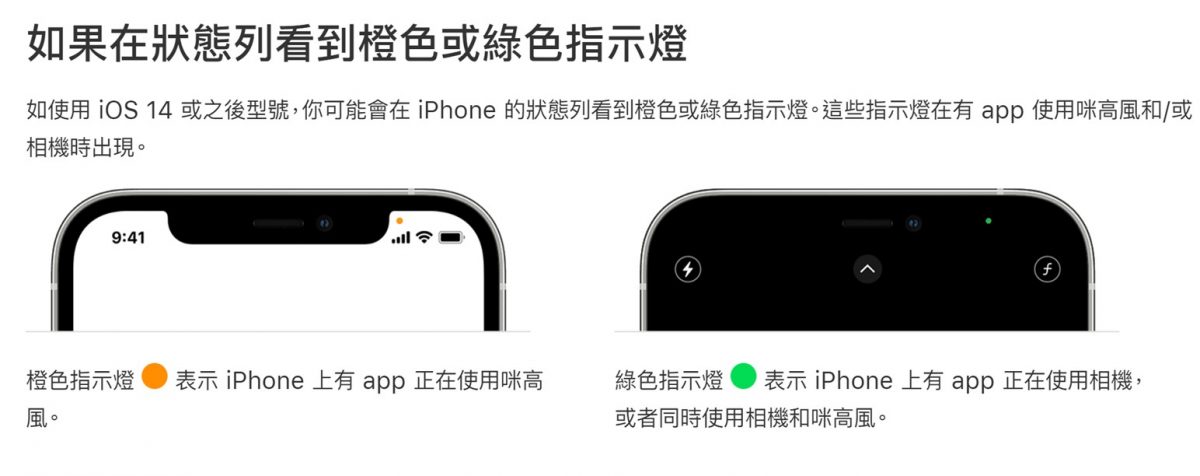
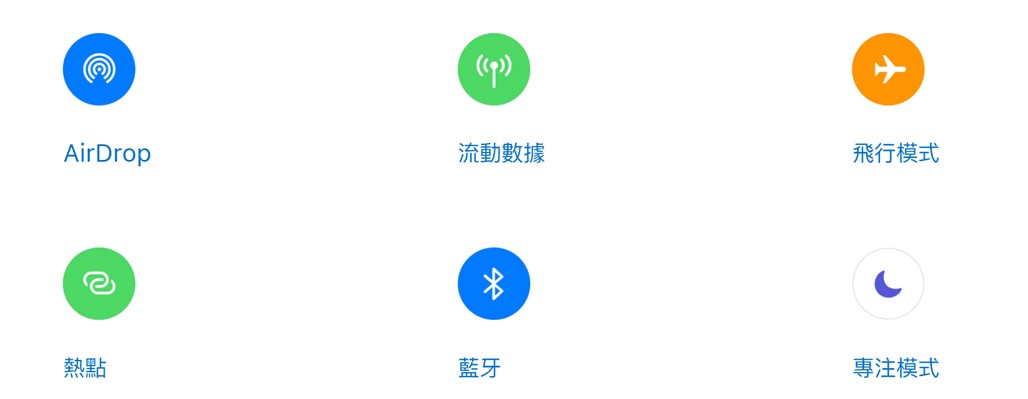
5. Other “Control Center” icons:
A.AirDrop:
Share and receive photos, files, and more from other nearby Apple devices via AirDrop
B. Mobile data/mobile data:
Understand your mobile data usage and how to turn mobile data on or off for all apps or individual apps.
C. Hot spots:
When you don’t have access to a Wi-Fi network, you can share the mobile data connection of your iPhone or iPad (Wi-Fi + mobile network) through “Personal Hotspot”.
d. Focus mode:
In iOS 15 and iPadOS 15, the “Focus Mode” feature can help you pay more attention when you need to focus or pause using your device. You can customize Focus Mode settings and choose when to receive alerts and notifications, letting other users and apps know you’re busy.
Source: KOCPC Chinese