


Recently, I introduced a software called Deep-Live-Cam that can perform real-time face swapping and one-click deepfakes, requiring just a single photo to replace faces in videos or photos. Today, I’m introducing another tool for one-click real-time face swapping called “Facecam AI.” Facecam AI emphasizes that it lets anyone instantly turn a single image into a real-time deepfake livestream. You can now try Facecam AI’s features for free without paying. If you’re interested, let’s keep reading!

Facecam AI: A Guide to Trying the One-Click Real-Time Face Swap Tool for Free
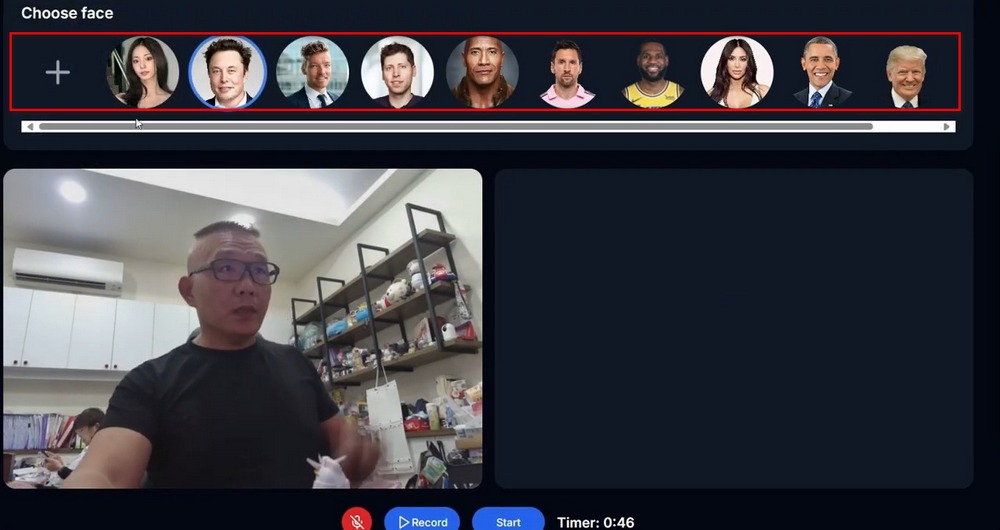
Foreign netizens @sakethkotamraju shares his one-click real-time face swap tool “Facecam AI”. Facecam AI is ready to use as soon as you launch it—no extra setup needed, and it works on both computers and phones. According to the author, Facecam AI works very well across different skin tones, ethnicities, and face shapes. Facecam AI already includes built-in faces like Musk, Kim Kardashian, Messi, LeBron James, Obama, and Trump for you to swap with. If you want to try it out, keep reading!
Introducing https://t.co/JEHEKPP9Zw.https://t.co/JEHEKPP9Zw enables anyone to convert a single image into a LIVE stream deepfake, instantly and immediately. You can record yourself, switch faces instantly, and try out many of the existing faces we have or upload your own face… pic.twitter.com/kXoT0oifzh
— Saketh Kotamraju (@sakethkotamraju) September 17, 2024
Go to use Facecam AI performs one-click face swapping
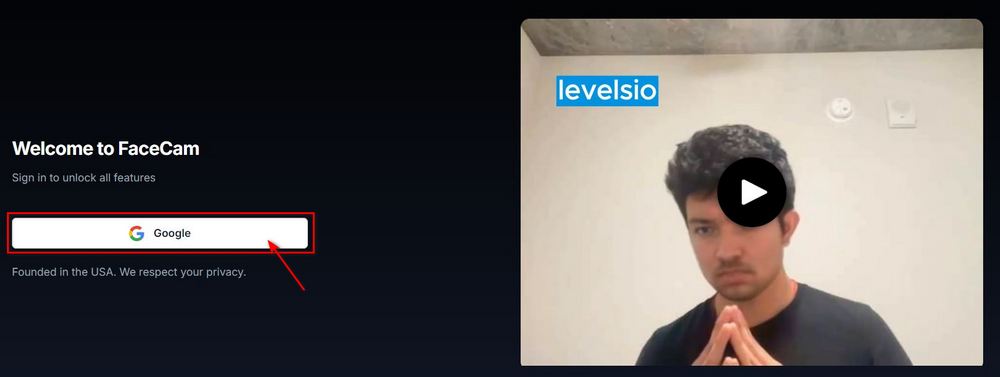
Want to use To start using Facecam AI, you first need to register an account. You can simply register with your Gmail account. After registration, this screen will appear. Seeing this screen means you can start using Facecam AI! (Your computer and phone must have a camera to use Facecam AI.)
First, you can use You can use the faces provided by Facecam AI itself for swapping, or you can upload your own photos to use.
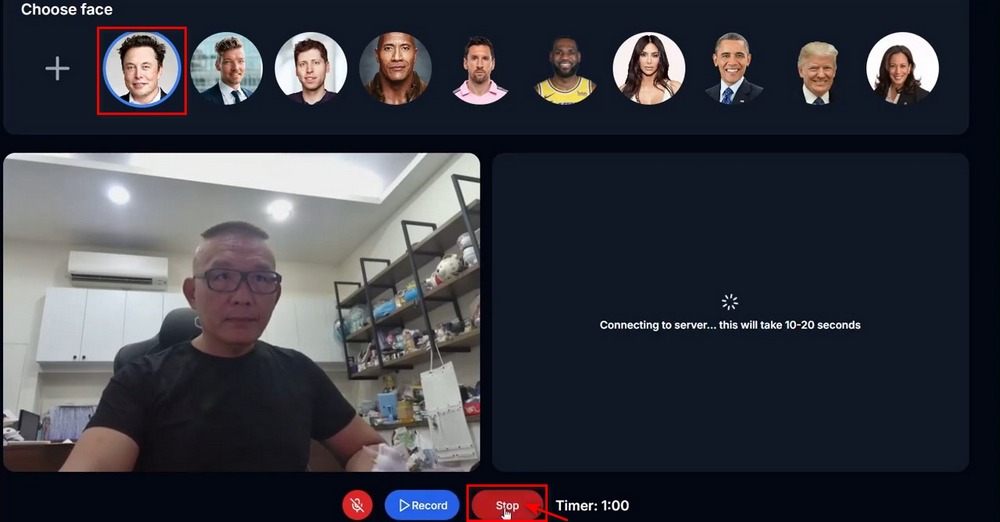
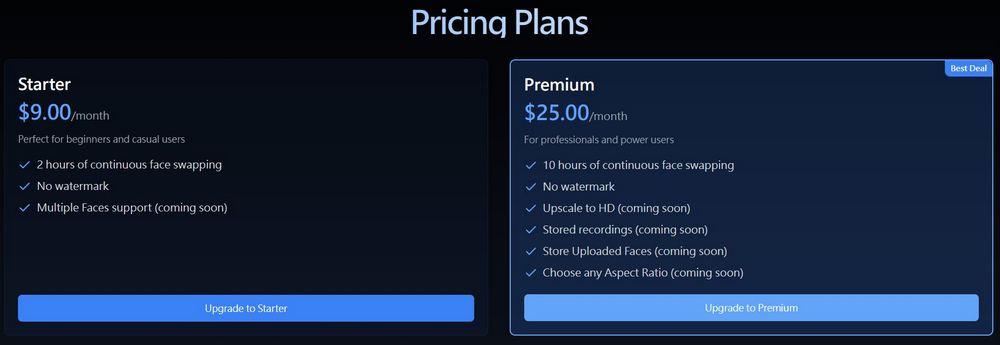
After selecting the character you want to use, just tap Start at the bottom of the screen to swap faces in one click. Note! Tapping Start only begins the face swap—it doesn’t record. Also, the free version has a limited face swap time of only 60 seconds, so make sure you’ve planned things out before hitting Start, or you’ll end up wasting your time for nothing.
Here, we suggest that everyone can simply use their computer’s screen recording function to capture the face-swap video. Although the quality of the screen recording isn’t great, since we’re not going to use it for anything bad, this quality is more than enough for just playing around.
Use now Facecam AI performs one-click face swapping.
Here are a few videos using Facecam AI for one-click face swapping. I feel the effect isn’t that great, but maybe it’s just because my face is too big. You can go try Facecam AI yourself!
Also, a reminder: this new technology may lead to various scams. If you ever get a call saying you’ve been kidnapped and need to pay a ransom, or that you’re about to be killed, remember to verify first to avoid being scammed!
Source: KOCPC Chinese