

• About Us
King of Computer Media
  • Home
  • Tech News
  • AI News
  • Apps & Tutorials
  • Mobile & Telecom
  • Lifestyle
  • About Us
No Result
View All Result
  • Home
  • Tech News
  • AI News
  • Apps & Tutorials
  • Mobile & Telecom
  • Lifestyle
  • About Us
No Result
View All Result
King of Computer Media
No Result
View All Result

Home - Computer Applications and Other Tutorials - Screego only needs a web page to share the remote desktop in seconds, and you don’t need to install any software to use it!

Screego only needs a web page to share the remote desktop in seconds, and you don’t need to install any software to use it!

KOCPC Editor by KOCPC Editor
October 2, 2021 - Updated on August 4, 2026
in Computer Applications and Other Tutorials, Internet and software applications

The editor often needs to help clients with remote computer problems, but the most common problem encountered is that the other party has trouble opening remote applications, and currently the simplest Anydesk As long as the remote desktop tool is downloaded and executed, you can start remote assistance, but many elderly people still don’t know how to operate it. Today I will share this Screego remote screen sharing tool. You can share your desktop directly with friends with just a web page. You don’t need to install any software. You just need to give the other party a connection URL. It is a super simple and easy-to-use tool. If there are elders at home who need help teaching computer things, use this method to assist.
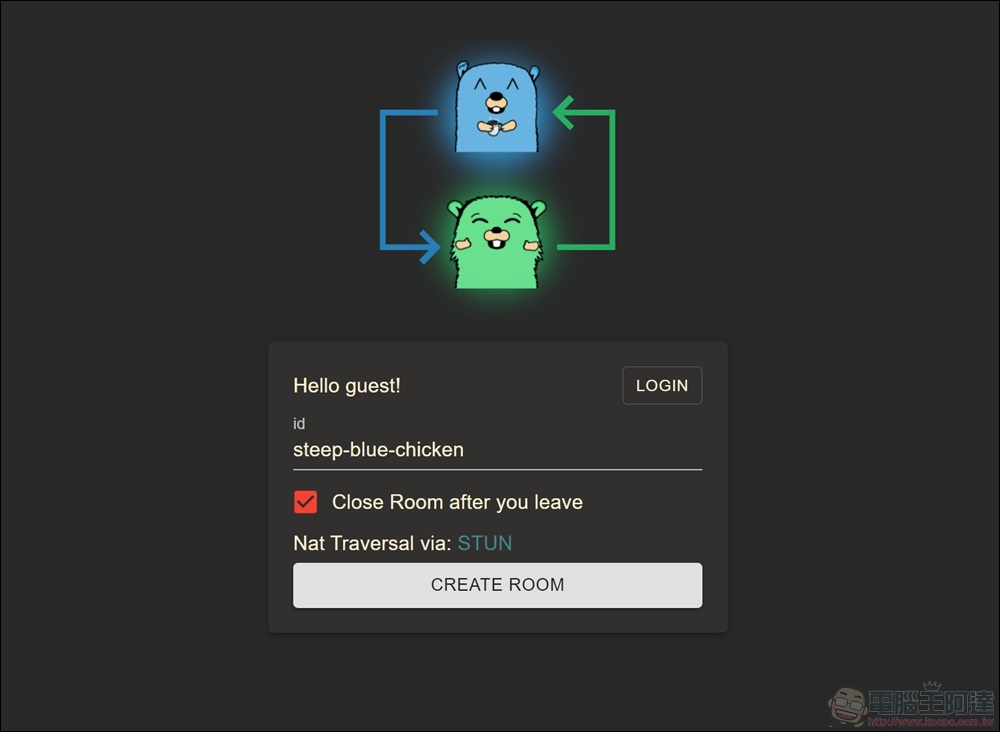
How to use Screego web remote screen

First enter the Screego connection URL, and you will see the connection screen below. In fact, just click “CREATE ROOM” below to create a connection room. If you want to let your friends know who you are more clearly, you can also change the id name below.

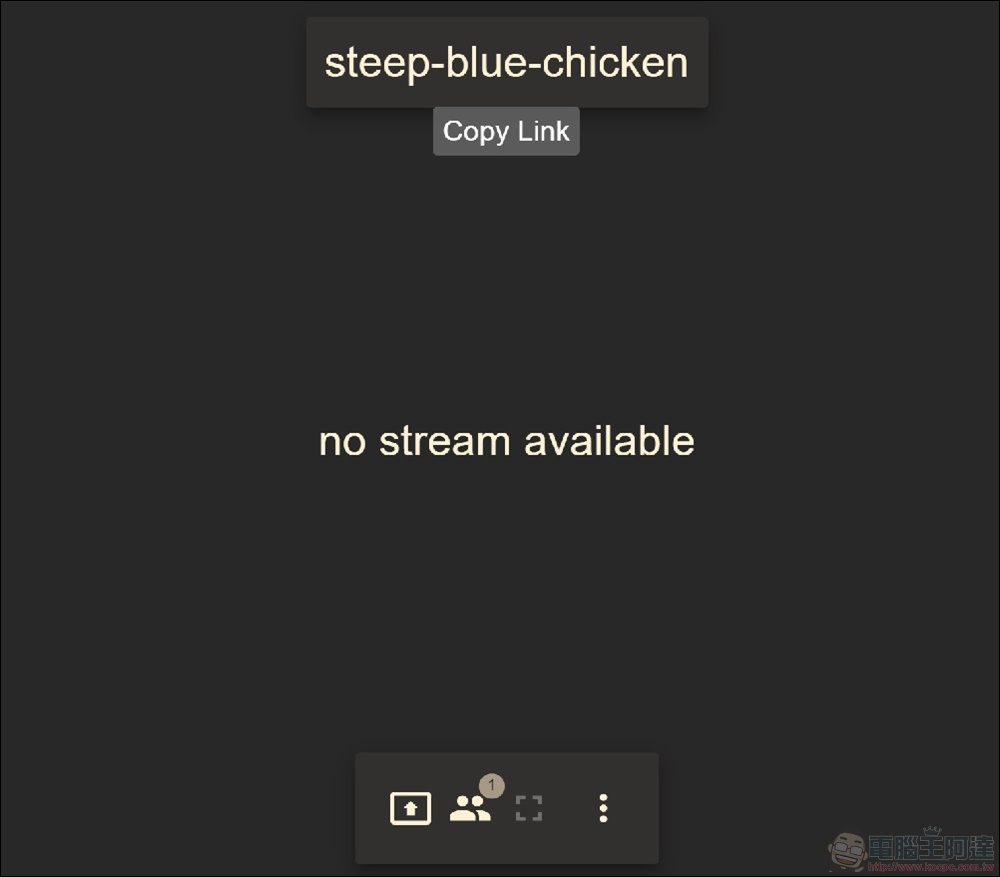
After entering, directly copy the link of the room name and share the link with your friends so that they can enter directly. Then continue to press Start Presentation below to start sharing the screen.
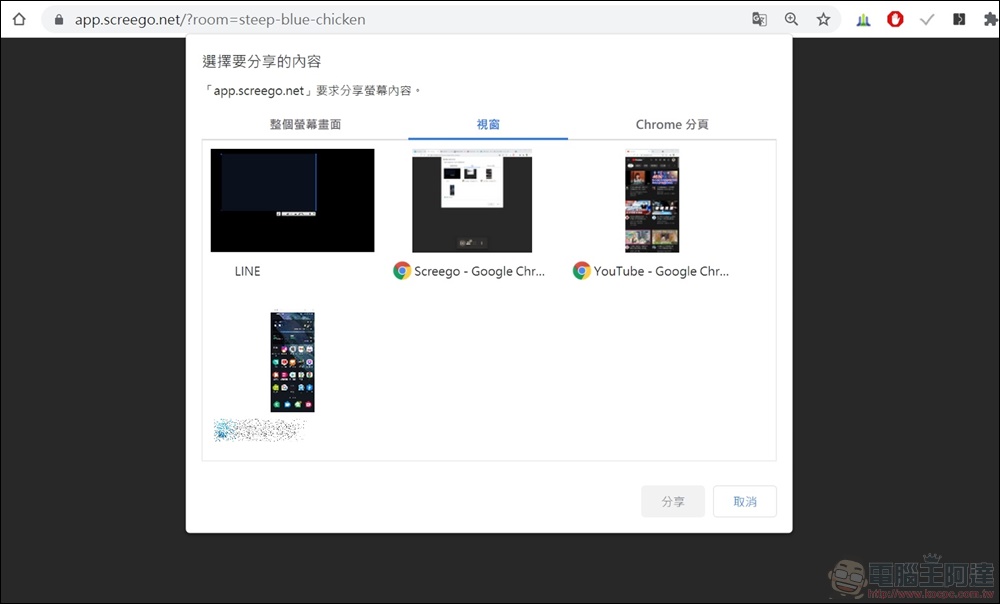
There are many options for sharing the screen. Whether the user wants to share the entire screen, a single window, or a single web page, the user can freely choose the screen they want to share. The entire screen will not be shared, and some privacy is retained. It is quite good and simple.
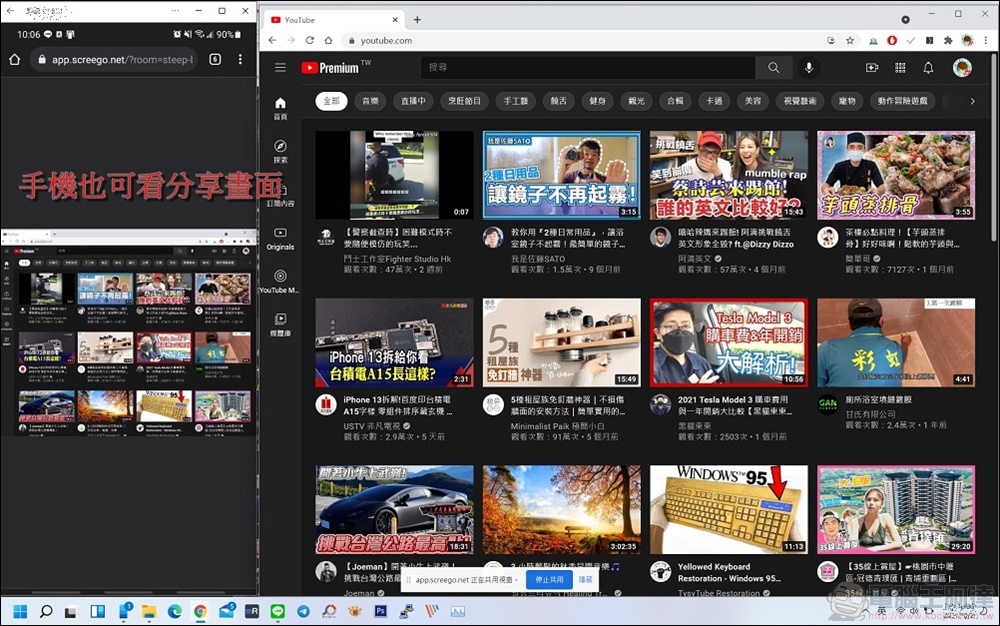
Even your mobile phone can directly see the computer screen you shared through the website. Isn’t it really convenient?


  •  Screego connection website:https://app.screego.net/

Source: KOCPC Chinese

Recent Posts

  • The Xiaomi Pad 8S Pro has passed network access certification and will debut with the self-developed XRING O3 chip.
  • The entire Google Pixel 11 lineup has been leaked! Official promotional renders of the Pixel 11 Pro XL have also surfaced
  • Are Chinese phone battery capacities falsely labeled? A brief look at the “capacity locking” phenomenon in Chinese silicon-carbon batteries.
  • NCC is leaderless, recklessly sending out national-level alert messages!?
  • What does “QR” in QR Code mean?

Recent Comments

No comments to show.
  • About Us

We welcome partnership inquiries and product review opportunities from smartphone manufacturers, iPhone accessory brands, and app developers.koc kocpc.com.tw|Privacy Policy |Hosting & Maintenance: Fast Line Taiwan, A-Chang Digital Technology

No Result
View All Result
  • Home
  • Tech News
  • AI News
  • Apps & Tutorials
  • Mobile & Telecom
  • Lifestyle
  • About Us

We welcome partnership inquiries and product review opportunities from smartphone manufacturers, iPhone accessory brands, and app developers.koc kocpc.com.tw|Privacy Policy |Hosting & Maintenance: Fast Line Taiwan, A-Chang Digital Technology