


When you use Google search, do you feel a little annoyed because you keep going back and forth between the results pages? Although many people should know how to use it with the “New Tab” or “New Window” shortcut buttons, it now seems that Google is considering improving this experience at least for its own browser. Continue reading Chrome tests the “G” button for search results in the sidebar, saving you the trouble of rummaging back to the previous page.
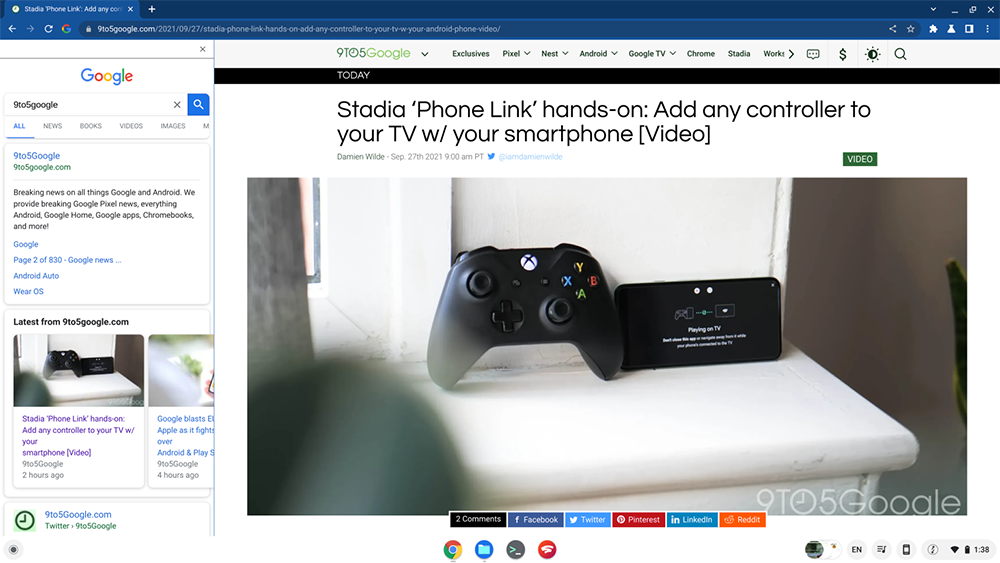
▲Image source: 9to5Google
Chrome tests the “G” button for search results in the sidebar, saving you the trouble of going back to the previous page.
As an important tool for modern people to find information, the user experience of Google search has actually been constantly evolving – the most recent example should beDesktop version of “Darkening”That means importing the dark theme, right? But it’s clear that the development team has more ideas for improvements in this area.
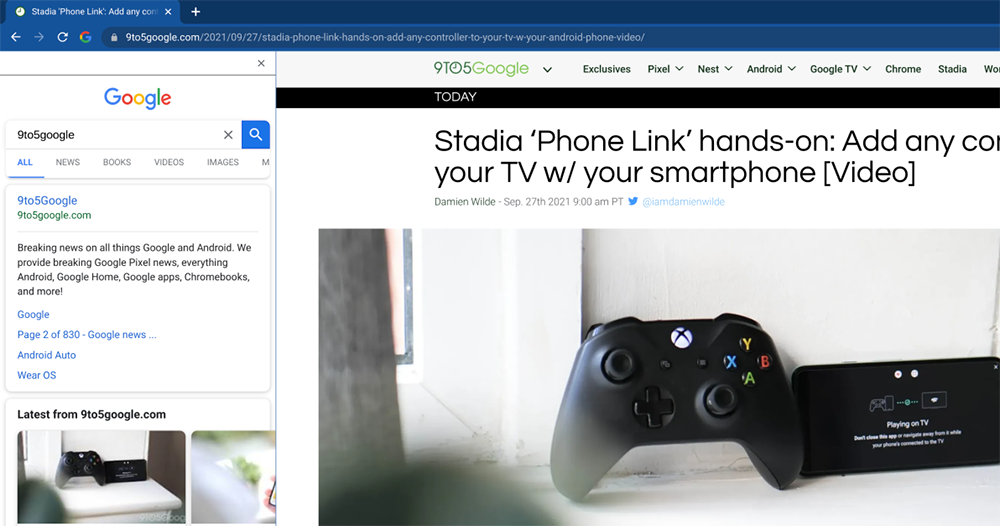
▲Image source: 9to5Google
Recently, someone discovered that in the beta version of Google Chrome Canary, a new feature called “Side search” has been added that can be manually launched on the chrome://flags page. As the name suggests, it is a function that allows you to search in the sidebar. You can use the new “G” button between the previous and next pages, the rearranged button combination and the address bar to activate the sidebar that displays search results to quickly find content.
However, the timing of launching this new feature is a bit interesting.
According to the video usage demonstration by foreign media 9to5Google, this test function will not be permanently located on the function bar. Instead, it won’t appear until you perform a Google search and click on the first search results page. Basically, it continues the user experience of pressing “Previous Page” to return to the search results page, but now you can choose to click “G” to activate the sidebar on the left. That is to say, similar functions can actually be seen in Microsoft’s Edge browser (but it is displayed on the right side). From this point of view, the probability that similar convenient functions will actually come to the official version of Chrome in the future should not be low?
Pictures/sources cited in this article
Further reading:
Source: KOCPC Chinese