


Let me share a secret skill that many people may want to learn. We have shared it many times before.Websites or plug-ins for downloading Facebook videos, loved by many people, but sometimes you see some interesting videos in your friends’ private updates or private dog and cat groups and want to back them up to your computer, but you cannot back them up due to non-public reasons? Here I will teach you a little trick that many people may not know. No software or plug-ins are required, and you can easily download and back up these private Facebook videos.However, it should be noted that if you want to forward or share it publicly, you must obtain the consent of the original PO.!
Although we have shared some plug-ins or websites for downloading Facebook videos, they cannot be used as long as the parties involved do not disclose them:
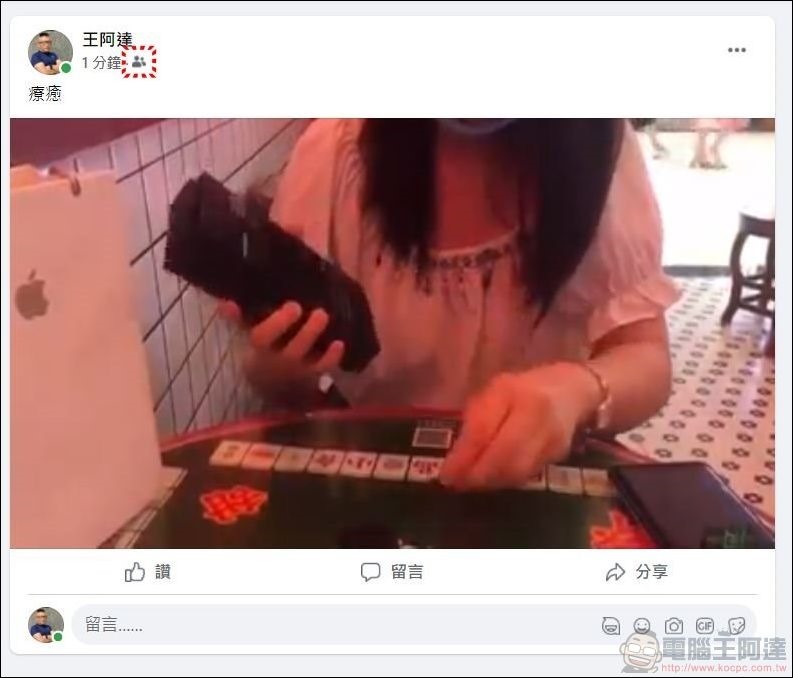
No plug-ins, no programs! Teach you how to download unlisted Facebook videos
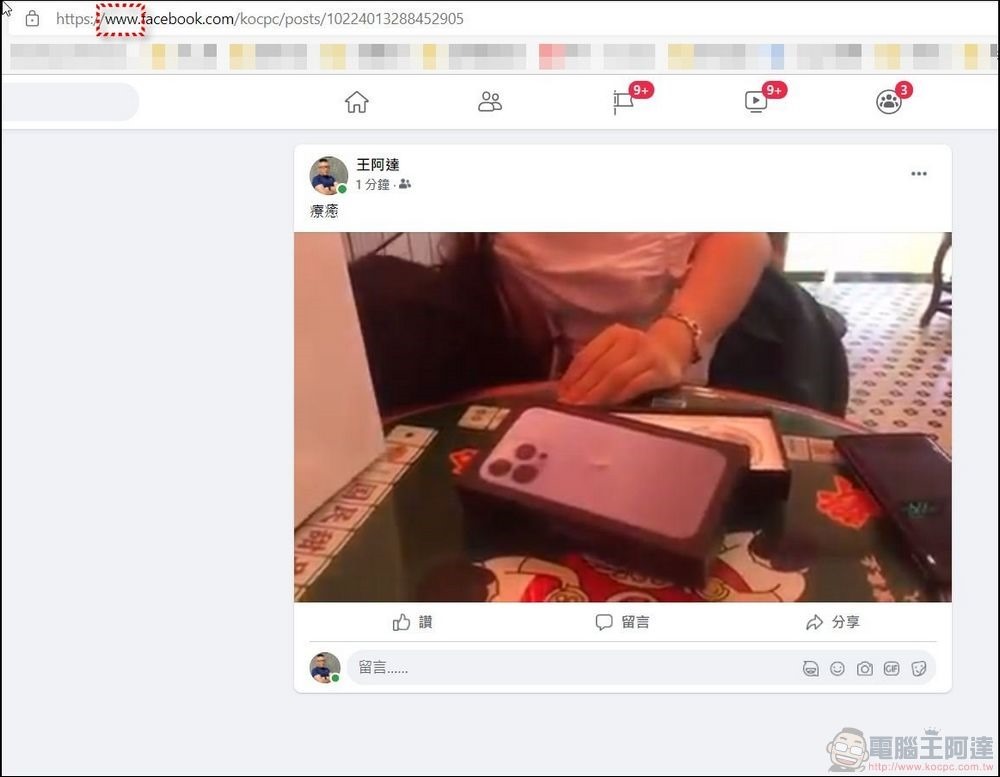
At this time, just change the URL above from the original “www” at the front to “mbasic”, and then press ENTER:
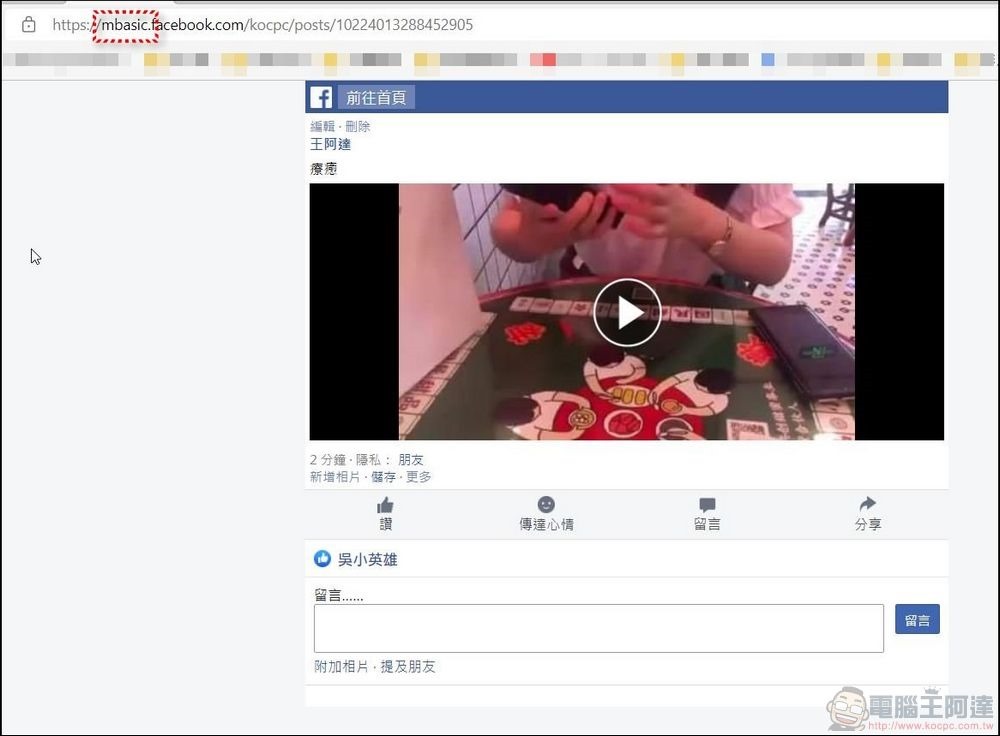
The page will become a simplified version like this. Now click on the video to play:
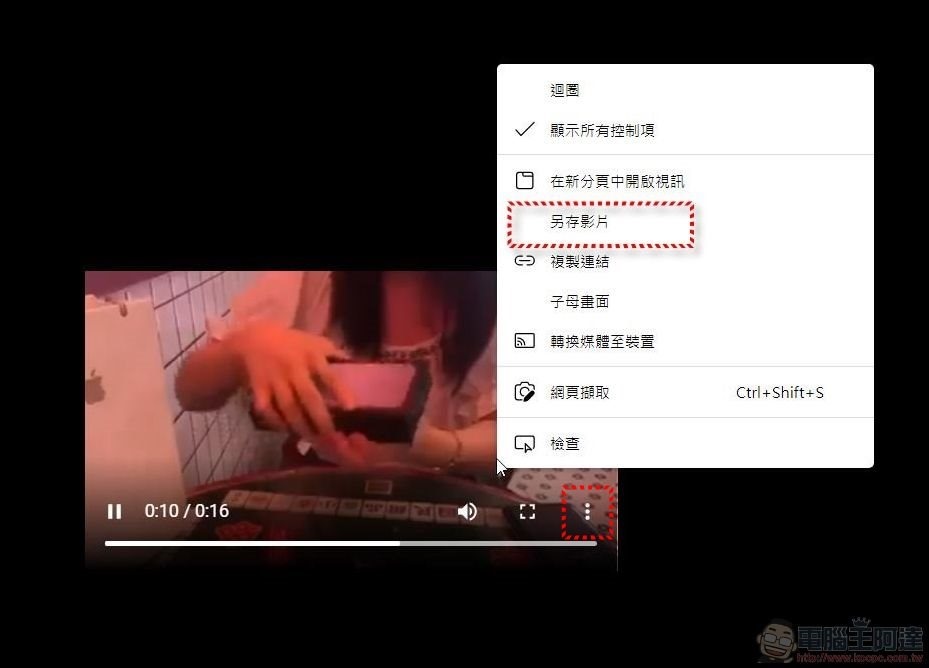
After clicking to play the video, the browser will open another window to play the video. At this time, right-click on the video or click “More” to have the option to save the video as follows. It is as simple as this:
Facebook App download private video tutorial
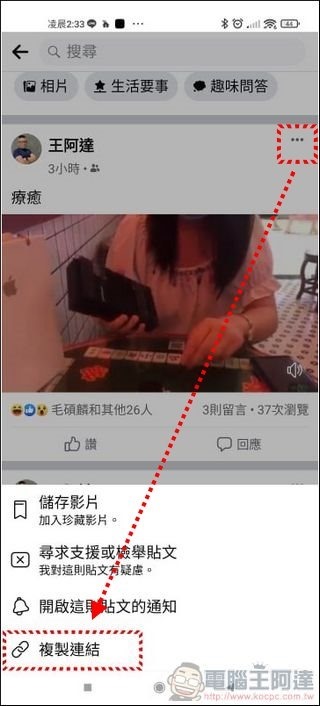
The same can be done on the mobile phone. Just click more on the post in the FB APP to copy the URL (for iPhone, please use the mobile web version), then paste and open the URL in the browser:
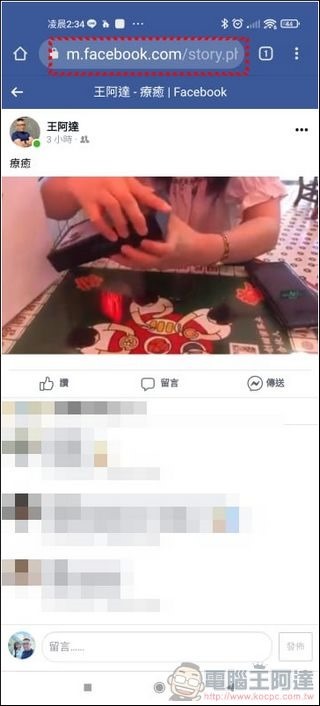
Then click the address bar and select Edit URL:
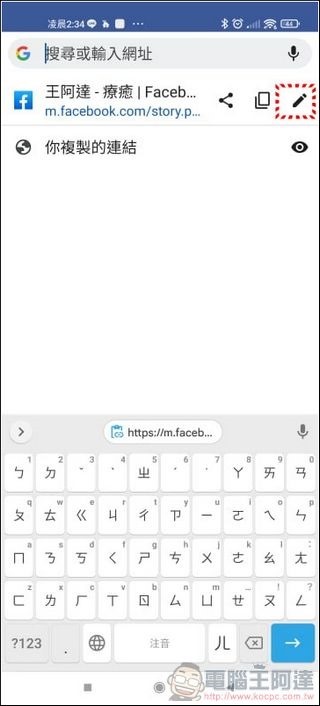
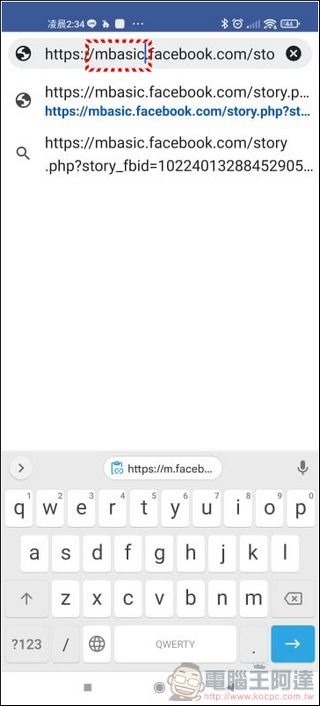
Then change “m” to “mbasic” in the same way:
Then go to the simplified version page to perform playback:

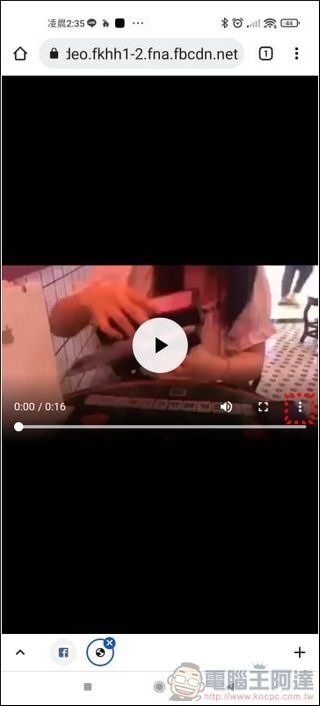
Then a new window will open, and then click “More” to download it to your phone. Simple:

Source: KOCPC Chinese