


As we all know, there is a function to add/remove programs in the Windows system. Normally, after installing the program, it will appear in the console. However, some programmers do not design according to the Windows API, making it difficult for users to remove. Even if they don’t like it, they have no choice but to keep it in the system. Introducing a set of limited-time free IObit Uninstaller Pro 11 software removal tools, browser plug-ins and Windows Apps are also searched out at a glance, and when the software is removed, the garbage left by the software in the computer will also be deeply eradicated to keep the system smoother.

用 Telegram 訂閱【挨踢路人甲】最新文章:https://t.me/itwshare
IObit Uninstaller is a software removal tool that can scan all installed programs in the system and search for Windows Apps at a glance. In fact, I think the most important thing is that it can deeply analyze and remove the garbage left by the software, which is beyond the reach of the built-in removal program.
Go to the event webpage to see that IObit Uninstaller PRO 11, which costs US$19.9, is free for a limited time (the event webpage URL is at the end of the article).

Scroll down to see the “click here” download link.

Scroll down Spoiler to see the free serial number. Please note it down for registration later.

Click Here and scroll to the IObit Uninstaller 11 Free screen and click [Free Download].

What is downloaded is an installable executable compressed file. During execution, a “User Account Control” security warning window will appear due to security issues. This is mainly because when the user performs some actions that will affect the system, a confirmation screen will often appear, so click [Yes] to continue (if you want to remove this warning, please refer to “Talking about User Account Control (UAC) in Windows 8/10″article).

When you see the Welcome to IObit Uninstaller Installer screen, you can click [Install] directly.

I don’t want to install some gadget software that is not available, so I have developed the habit of choosing “No, thank you” to skip installation.

Immediately after seeing the progress of the installation, the subscription screen below appears. I don’t want to receive some emails that are mixed or missing, so I choose “No, thank you.”

Seeing that the installation is complete, haha, nonsense~

On the main screen of IObit Uninstaller, when you see the word Free version, please click “Enter Authorization Code” in the lower right corner.

Enter the startup serial number you noted down before and press [Register Now] to upgrade to the Pro version.

Use the management authorization to check it out. The free startup serial number is only for half a year. The professional version has no restrictions. In fact, the free version is also very practical!

The author’s computer often installs some programs that are not suitable and will be removed if they are not suitable. However, some programs will still have residual information after being removed. IObit Uninstaller can easily find out the uninstalled legacy items.
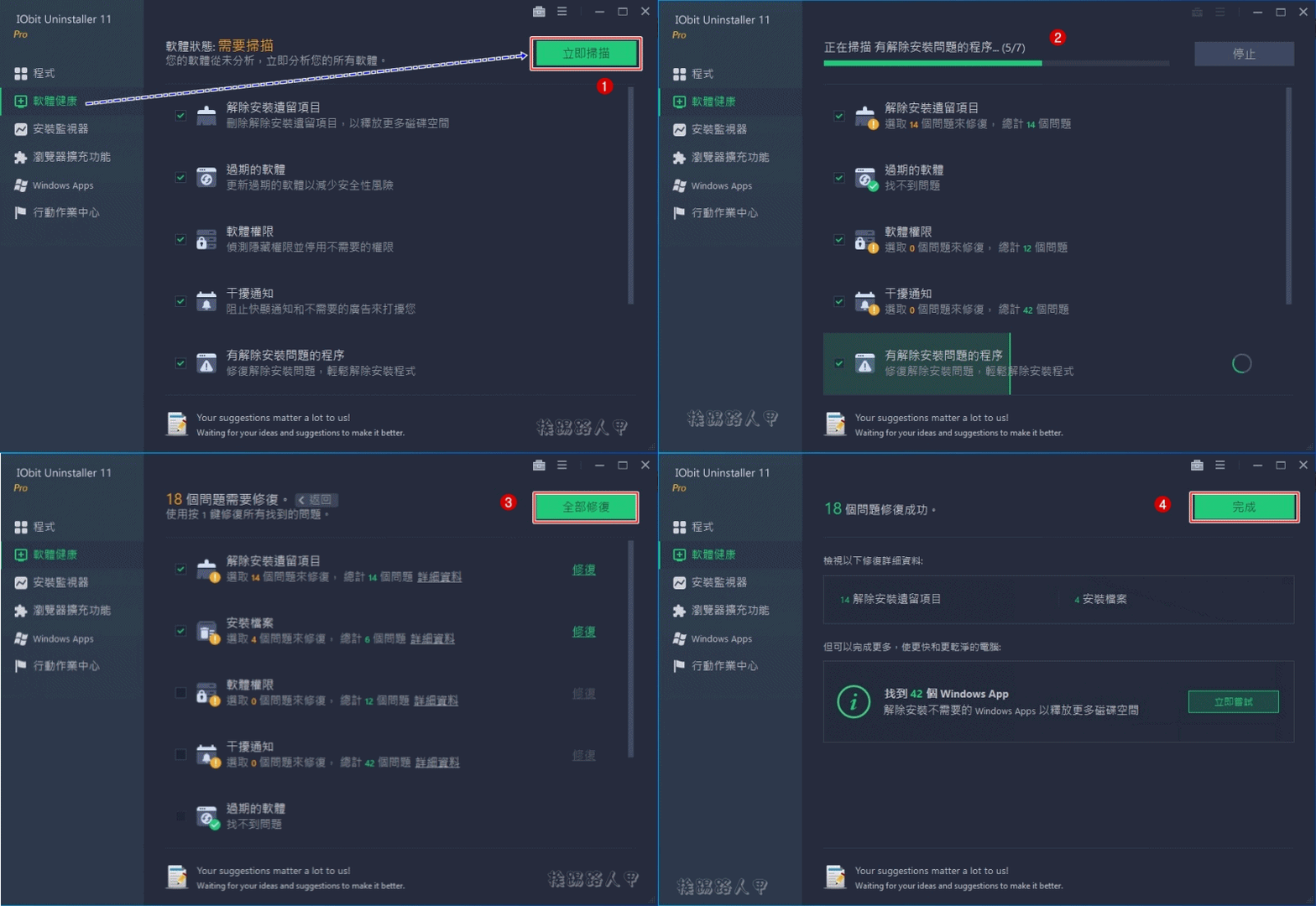
Simply select the software you want to remove and click the trash can icon on the right to remove and uninstall it. If there are a lot of software that you want to remove, you can check multiple items and click [Uninstall] on the upper right to remove them in batches.

IObit Uninstaller can check “Uninstall restore points created before installation” and “Automatically remove excess files” when uninstalling software. These two are very useful!

And after removal, the removed information statistics will appear, such as the count of registered items, files, schedules and services.

IObit Uninstaller can not only uninstall applications, but also remove plug-ins commonly used by browsers. The picture below shows the screen when you switch to the “Toolbar & Plug-ins” menu. You can see the list of plug-ins for your browser (Internet Explorer, Chrome, Edge), and you can easily remove them.

After Windows 8/10, in addition to traditional applications, there are also dynamic brick-specific apps. IObit Uninstaller can also see such installed applications on the “Windows Apps” menu screen. It is also possible to remove applications such as Windows App!

IObit Uninstaller also provides easy uninstallation, file shredding tools, forced uninstallation, cleanup of legacy projects, Windows Updates and uninstallation process records. These functions are quite practical. If you encounter software that cannot be removed, you can try to force uninstallation. If you are worried about some garbage remaining after removal, you can use the clean-up legacy project. If you don’t want people to find out the software you use, tryFile shredding tool, you can completely clear files that are no longer used from the hard drive.

On the settings screen, you can change the language, layout, font size, update method and some default values.

[Software name]: IObit Uninstaller PRO
[Software version]: v 11
[Software language]: English / Chinese
[Operating system]: Windows XP/Vista/7/8/10
[Activity webpage]: Please clickhere
Further reading:
Source: KOCPC Chinese