• About Us
King of Computer Media
  • Home
  • Tech News
  • AI News
  • Apps & Tutorials
  • Mobile & Telecom
  • Lifestyle
  • About Us
No Result
View All Result
  • Home
  • Tech News
  • AI News
  • Apps & Tutorials
  • Mobile & Telecom
  • Lifestyle
  • About Us
No Result
View All Result
King of Computer Media
No Result
View All Result

Home - Internet and software applications - Veed.io Screen Recorder is a free online screen recording tool with built-in editing function

Veed.io Screen Recorder is a free online screen recording tool with built-in editing function

Rocky by Rocky
September 8, 2021 - Updated on August 4, 2026
in Internet and software applications

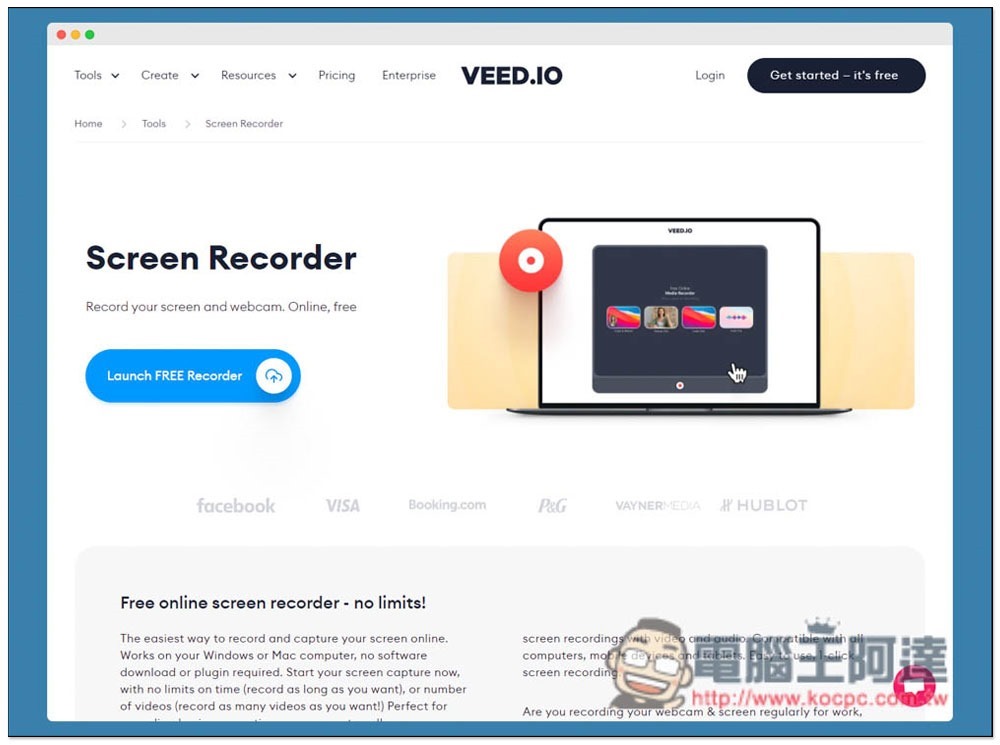
For those who record teaching videos or often use screen recording, they will definitely do some editing after recording, or upload it to the cloud to share with others. There is such a free screen recording tool on the Internet called Veed.io Screen Recorder. It requires no installation. You can start recording by opening a browser. After recording, the file is directly stored in the cloud without having to upload it separately. If necessary, it also has a built-in editing function and even subtitles. It is recommended to everyone.
screely-1631088304402

Introduction to Veed.io Screen Recorder Free Online Screen Recording Tool

  • Click here to go to Veed.io Screen Recorder

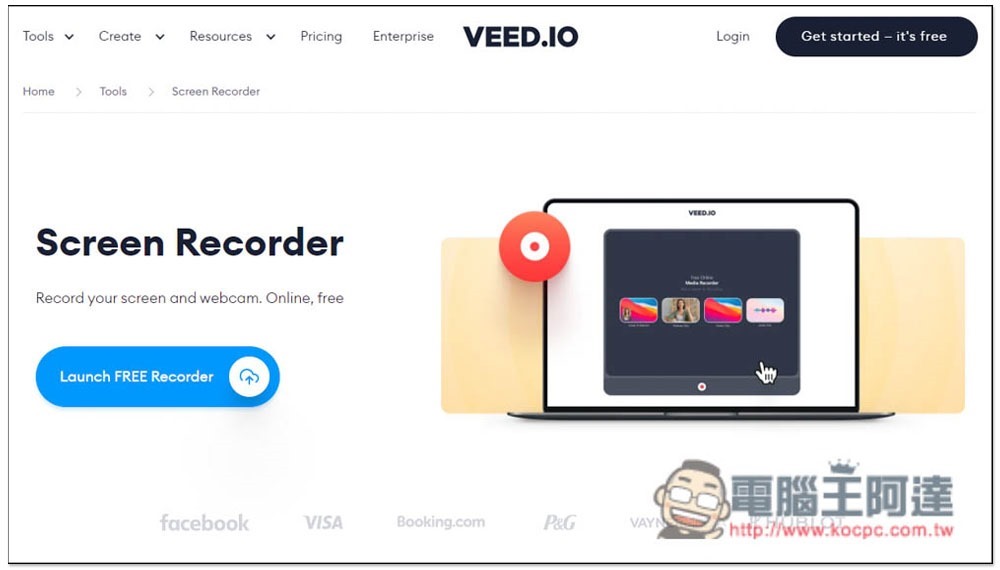
The use of Veed.io Screen Recorder is very simple. After entering the website, click Launch FREE Recorder to start recording:
2021-09-08_155649

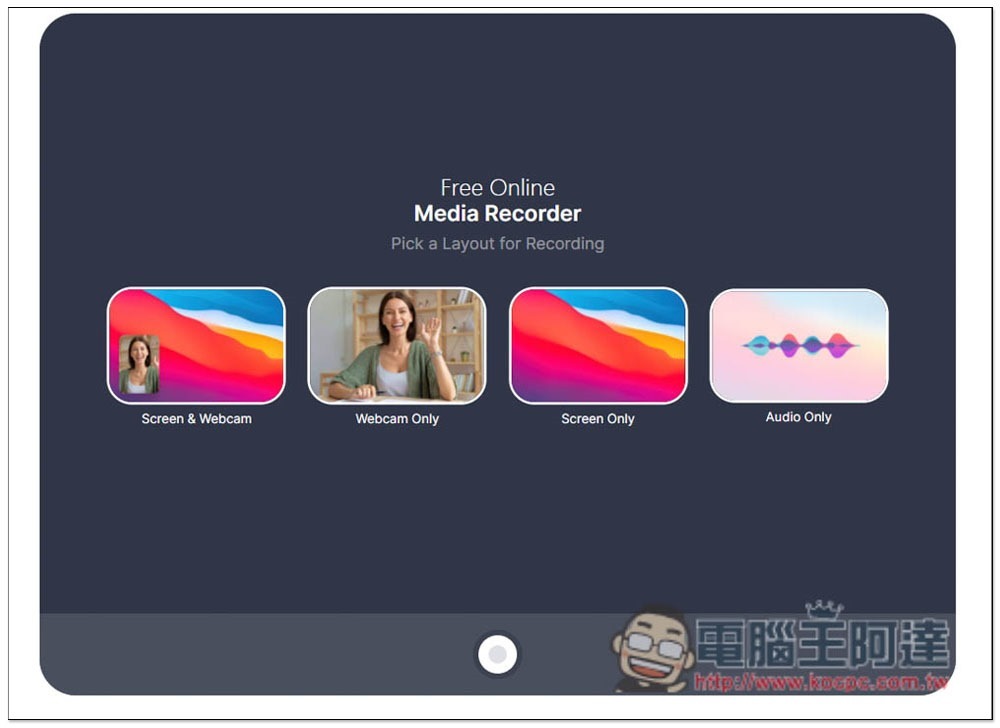
Supports 4 modes: pure sound, pure screen image, pure video lens, or screen image + video lens, depending on which one you want to use:
2021-09-08_155709

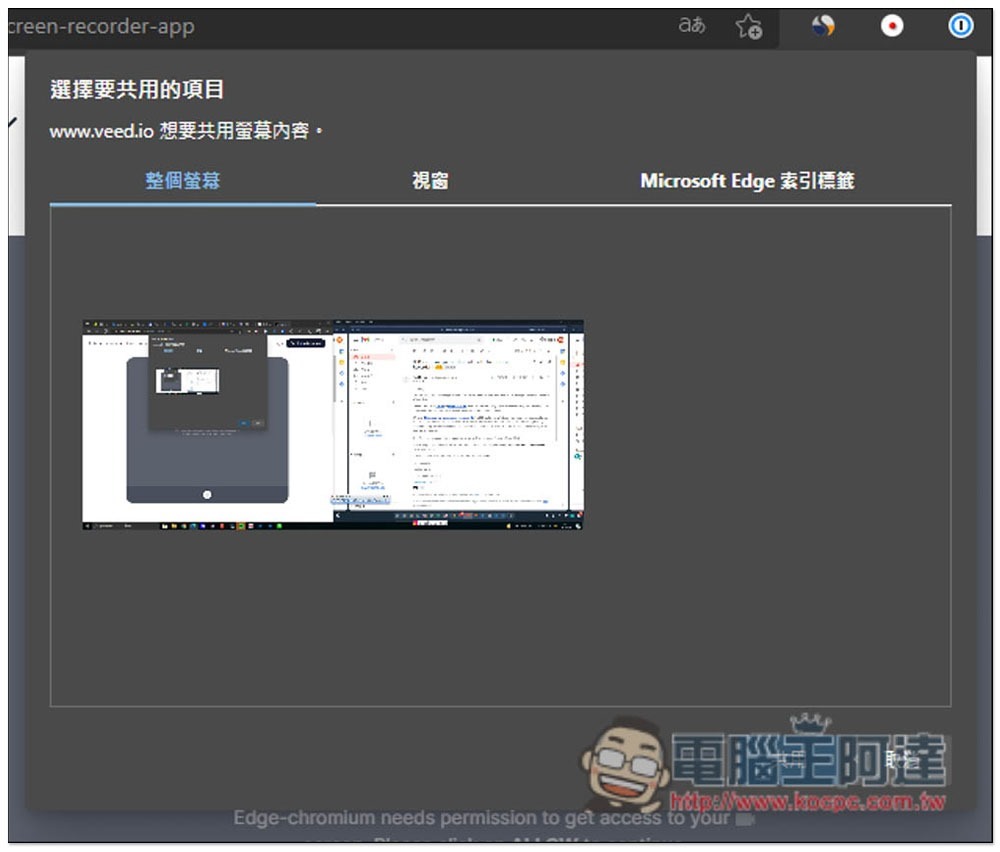
For pure screen, after selecting the mode, then select the content to be recorded. You can specify the entire screen, window, or browser tab:
2021-09-08_155720

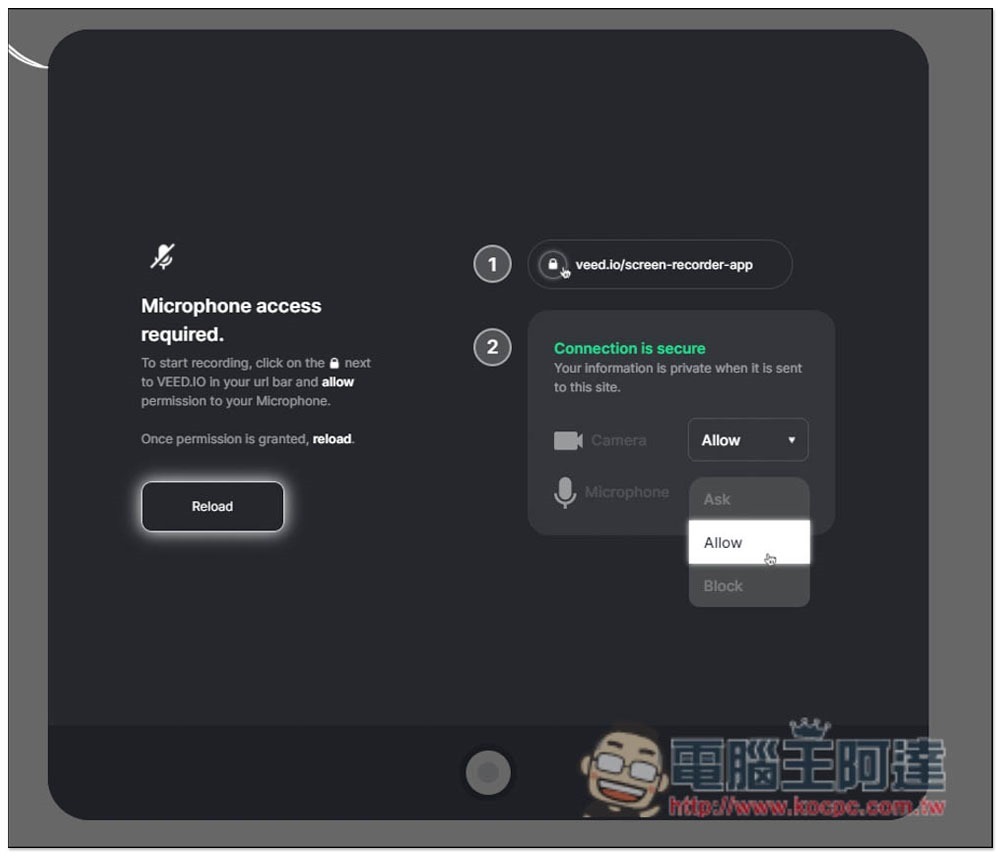
Microphone access permission needs to be authorized before recording. Click the lock permission settings on the left side of the URL to adjust:
2021-09-08_155815

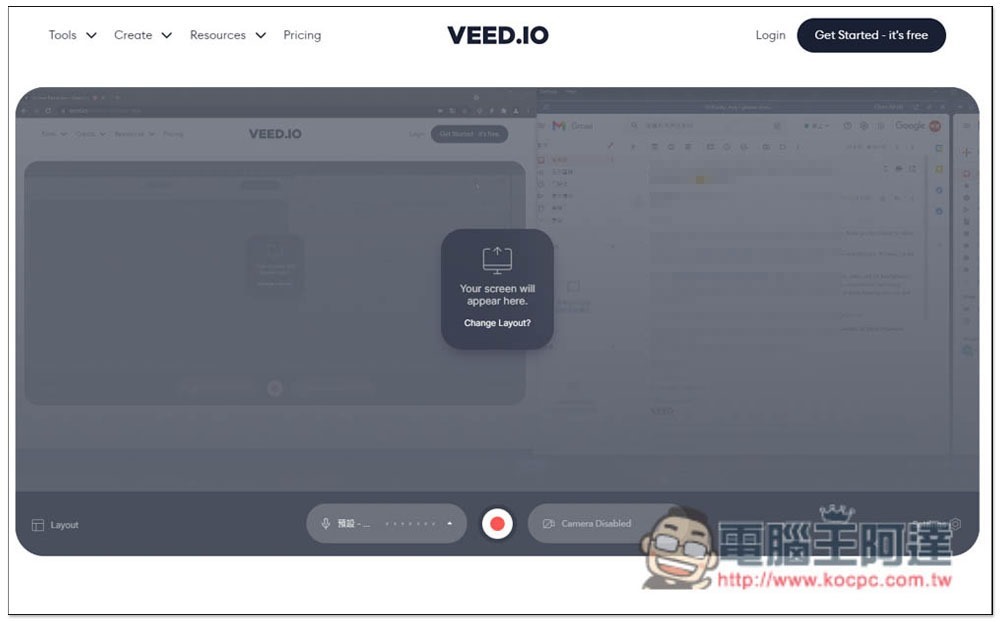
The screen will display my entire current screen. Press the video button below to start:
2021-09-08_160118

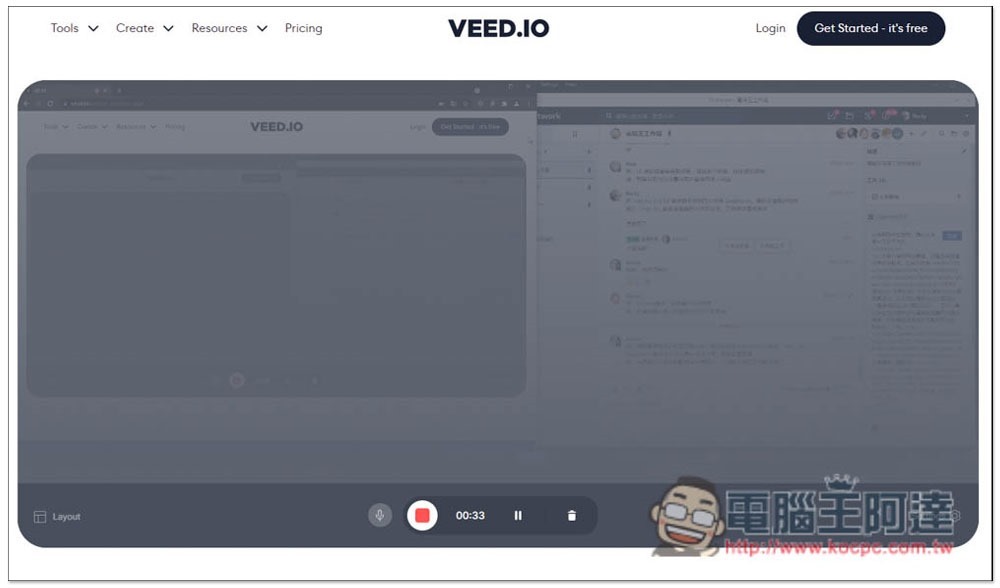
After recording, press the record button again to stop:
2021-09-08_160217

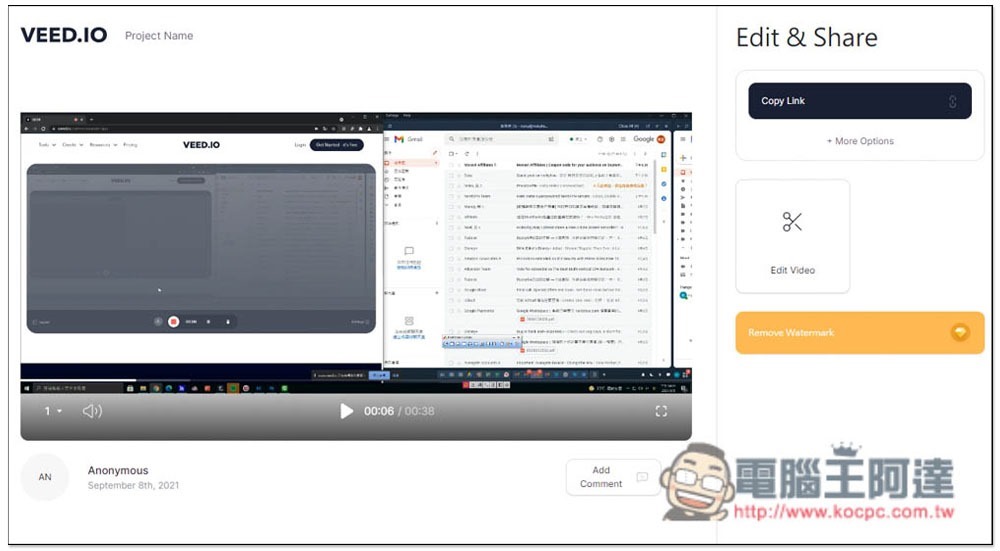
The screen will display the recording result. You can play it first to see if it is OK. If there is no problem and no editing is needed, you can directly click Cope Link in the upper right corner to copy the link and share the video with others. If you need to edit or download the video file, please click Edit Video:
2021-09-08_160252

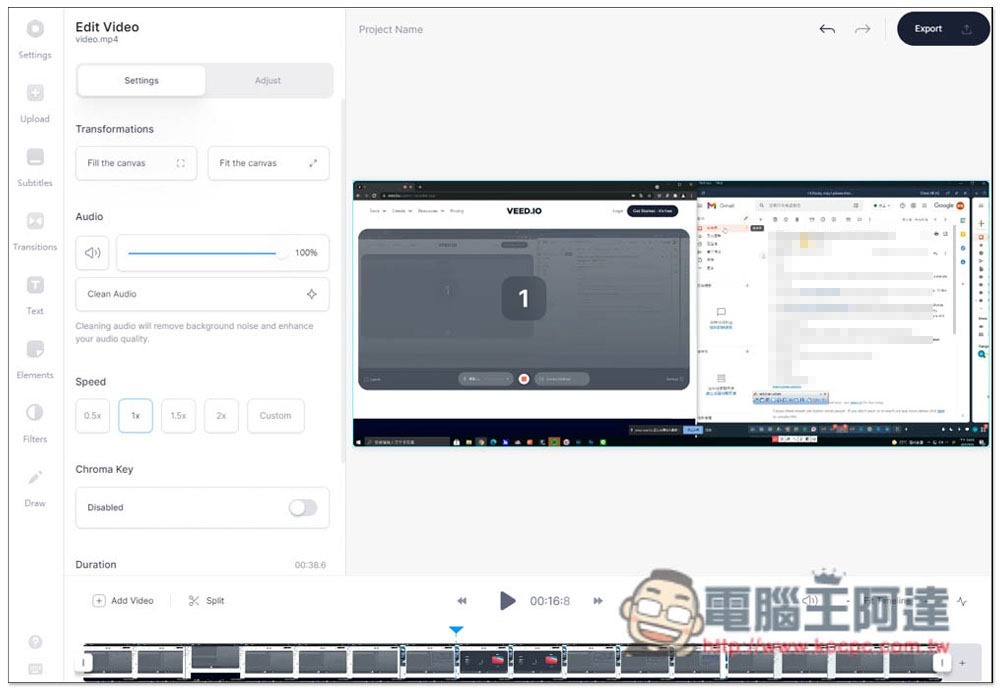
However, please note that the editing function requires a registered member to use it. To download the video, click the Export function on the upper right:
2021-09-08_160519

Click below to Export Video:
2021-09-08_160527

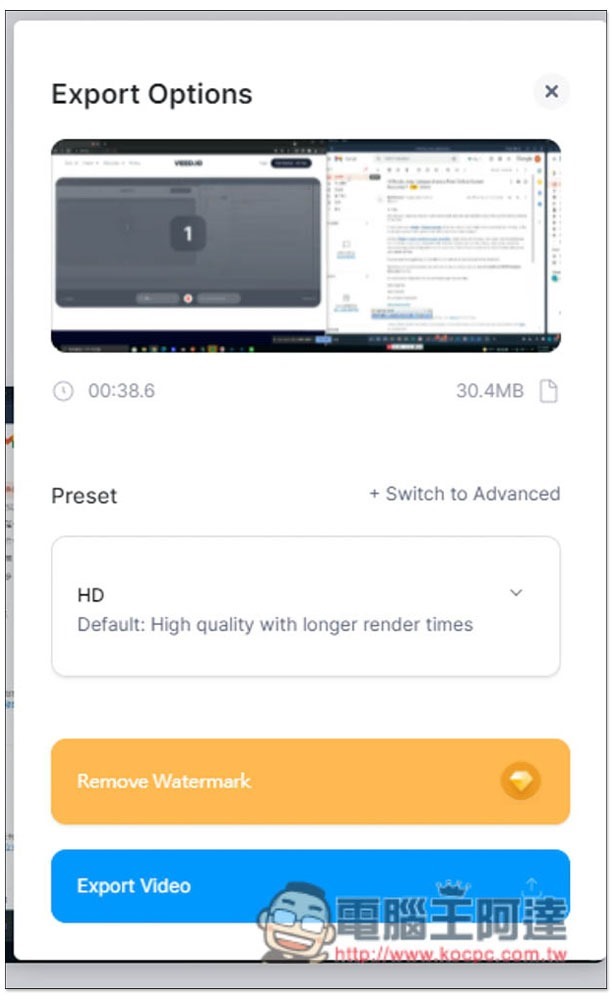
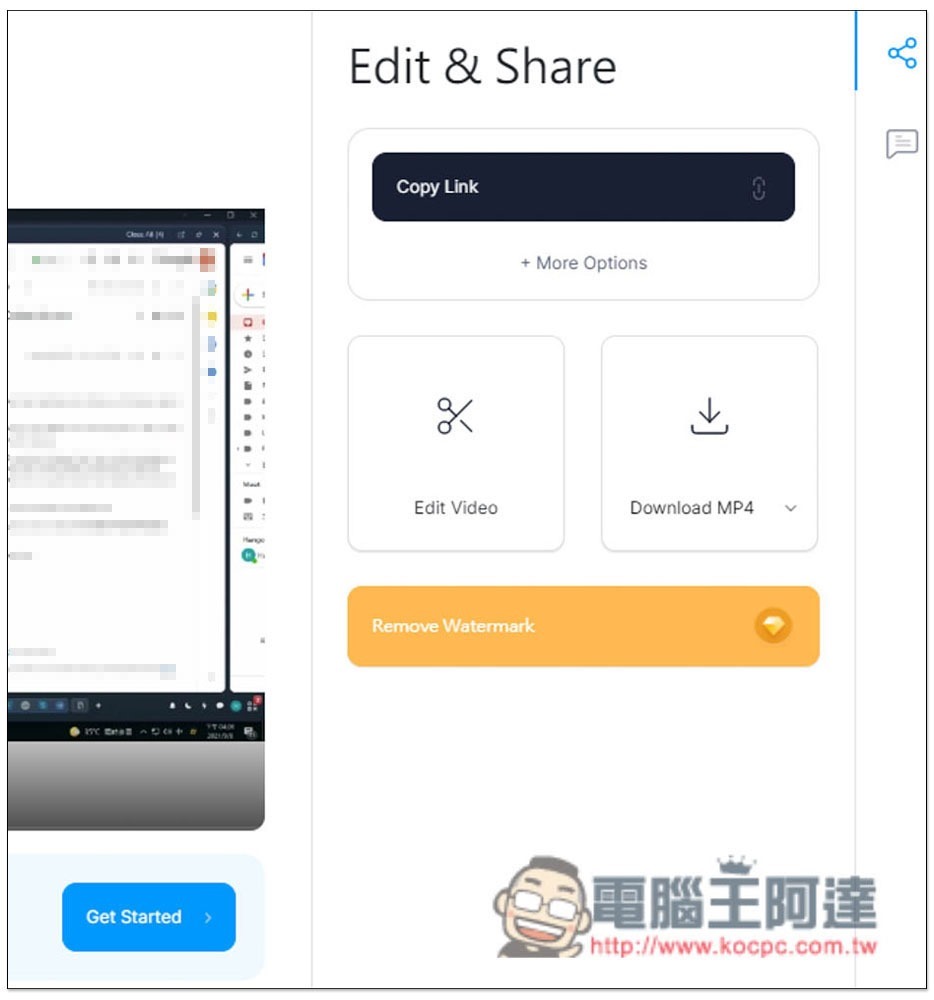
The Download download function will appear on the right. There will be a watermark on the upper left side of the downloaded video. Those who want to remove it can consider upgrading to the paid version. In addition, the free version of the video quality only supports 720p, 1080p or 4K. It is only for paid members:
2021-09-08_160555

Shareit.video 打開瀏覽器就能螢幕錄影,並支援上傳雲端和分享功能

Source: KOCPC Chinese

Tags: Free screen recordingScreen recording

Recent Posts

  • The Xiaomi Pad 8S Pro has passed network access certification and will debut with the self-developed XRING O3 chip.
  • The entire Google Pixel 11 lineup has been leaked! Official promotional renders of the Pixel 11 Pro XL have also surfaced
  • Are Chinese phone battery capacities falsely labeled? A brief look at the “capacity locking” phenomenon in Chinese silicon-carbon batteries.
  • NCC is leaderless, recklessly sending out national-level alert messages!?
  • What does “QR” in QR Code mean?

Recent Comments

No comments to show.
  • About Us

We welcome partnership inquiries and product review opportunities from smartphone manufacturers, iPhone accessory brands, and app developers.koc kocpc.com.tw|Privacy Policy |Hosting & Maintenance: Fast Line Taiwan, A-Chang Digital Technology

No Result
View All Result
  • Home
  • Tech News
  • AI News
  • Apps & Tutorials
  • Mobile & Telecom
  • Lifestyle
  • About Us

We welcome partnership inquiries and product review opportunities from smartphone manufacturers, iPhone accessory brands, and app developers.koc kocpc.com.tw|Privacy Policy |Hosting & Maintenance: Fast Line Taiwan, A-Chang Digital Technology