


Last year we sharedUse the built-in YouTube video sharing function of LINE free video calls on mobile devices of iOS/Android systems. In fact, this year LINE also supports this function for the LINE computer version of Mac and Windows systems! When you are using LINE video calls, you can watch YouTube videos with your friends. In addition, if you need to use the YouTube video screen for discussion, you can also use this function to make the description more “pictured”!
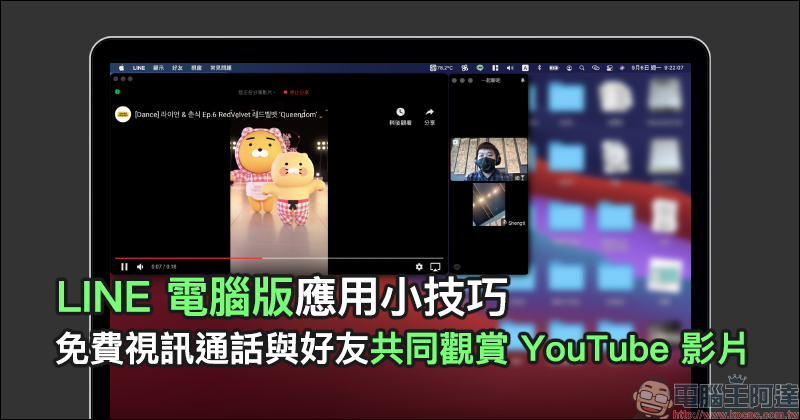
LINE PC version app tips: Free video calls to watch YouTube videos with friends
During the epidemic, many relatives and friends can only “gather online” through video calls. In addition to supporting free video calls for multiple people, LINE can also share screen images during video chats, and even the YouTube screen sharing feature introduced today! This feature was first launched on mobile devices last year, and this year it has also been gradually opened in the computer versions of LINE on Mac and Windows systems. If you want to use this feature, you must also update the LINE desktop app to the latest version.
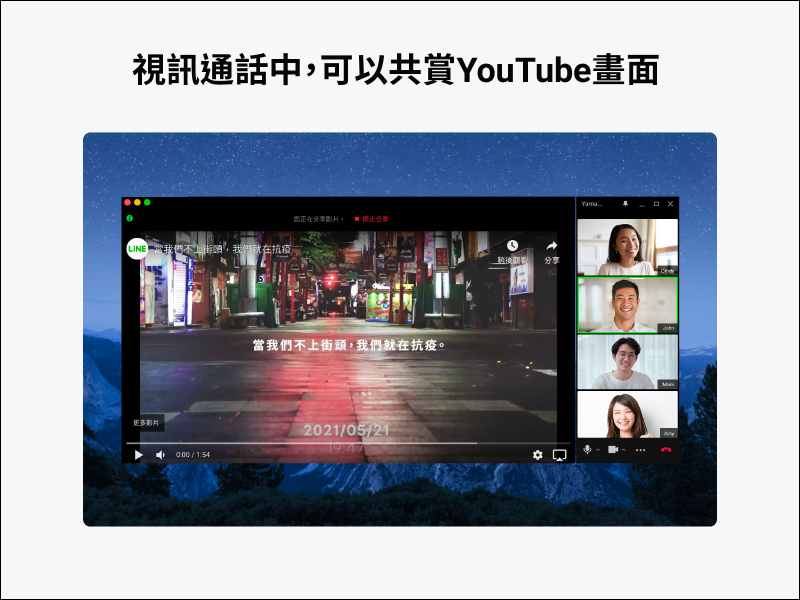
▲Picture source:LINE Taiwan official BLOG
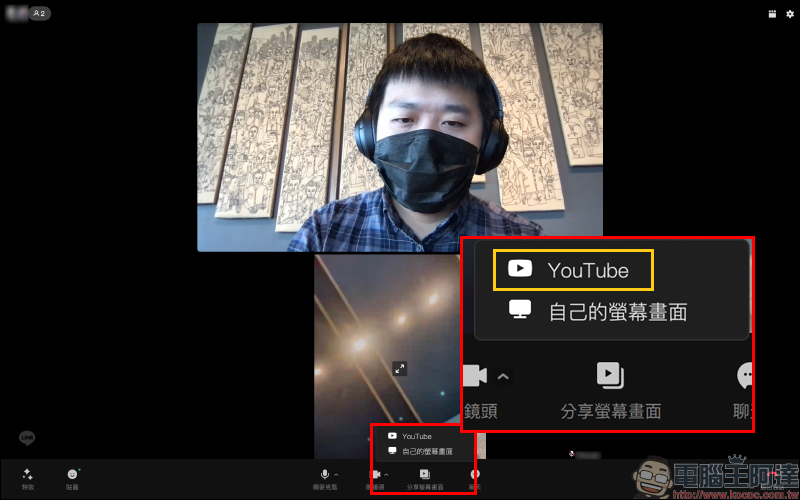
In fact, the steps to share YouTube secrets during LINE video calls are super simple. After making a video call, click “Share Screen” and you will see that in addition to sharing your own screen, you can also directly share “YouTube” to watch YouTube videos with your friends.
When sharing a YouTube video, you only need to copy the video link on YouTube first, and then paste the link directly in “Share YouTube Video”. After pasting, you can click “Preview” below to confirm whether the video content is correct.
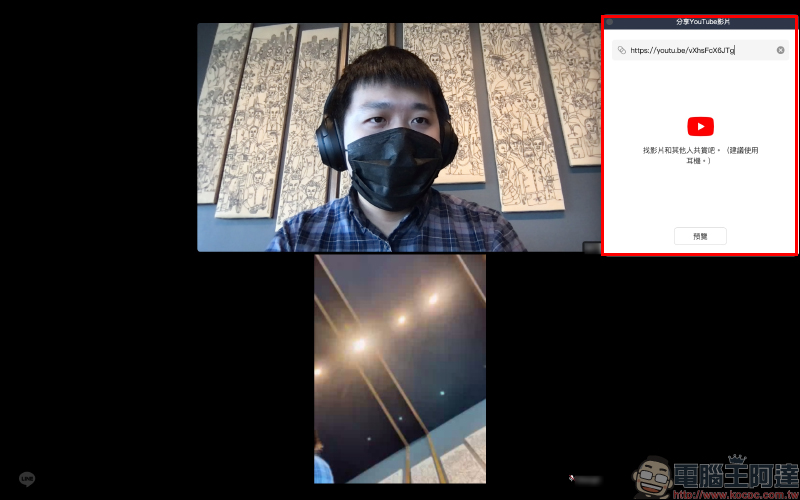
The preview screen will display the cover thumbnail, title, description and seconds of the YouTube video. Once confirmed, you can click the “Play” button!
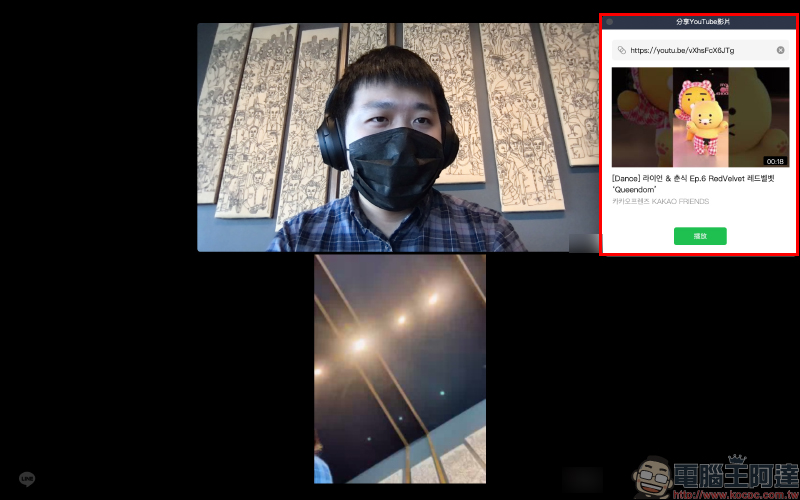
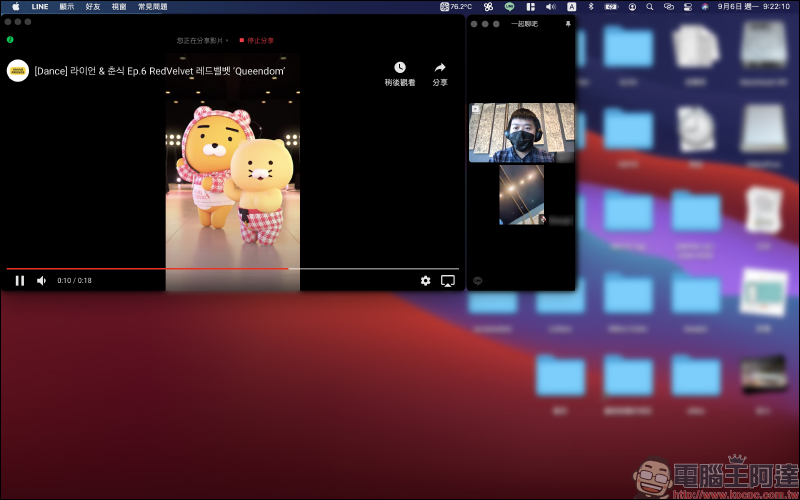
During the playback of the shared YouTube video, the system will automatically add a separate window to play the video, so that all members of the video call can watch the video at the same time. At the same time, the images of all members of the video call will be displayed in another window.
Further reading:
LINE application tips: What should I do if I accidentally press “Delete” when I want to “take back” a message? Learn this trick to solve it easily!


Source: KOCPC Chinese