


When traveling, aside from having no internet, the biggest worry is the language barrier. Previously, we introduced two free voice translation apps that are essential for travel.Apple built-in translation"、"VoiceTraThese two apps work really well and can be used right from your phone—have any of you used them while traveling abroad? Today I’m recommending another one called “GPT Travel Translation Tool,” which uses AI large language model translation. With two-way voice input and other features, you won’t be scrambling when you’re overseas. Let’s take a look at how to use this GPT travel translation tool that supports both voice and text input!
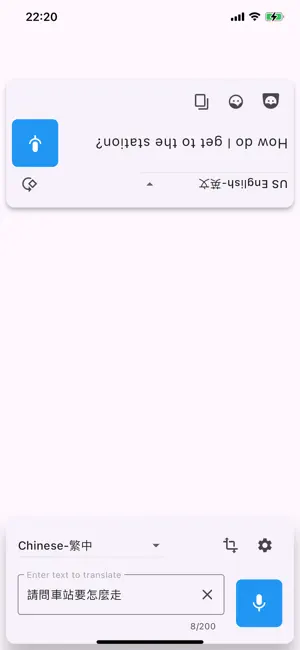
Essential for travel! A free voice & text translation app powered by AI large language models, “GPT Travel Translation Tool”.
In 2023, we introducedWeb version of the GPT travel translation toolRecently, the GPT travel translation tool launched its mobile version. Whether you’re an iOS user or an Android user, you can download it. It features two-way voice input, automatic direction switching, and translation in over 20 languages. The best part is it’s completely free. Let’s take a look.

-
iOS users, go download the ultimate GPT travel translation tool.
-
Android users, download the GPT travel translation tool now.
After downloading, simply open the “GPT Travel Translator” app and start using it. Although GPT Travel Translator uses an AI large language model, you can still use it without entering your own API key. After opening the app, you’ll need to allow microphone access first, so that you and foreigners can translate through conversation.
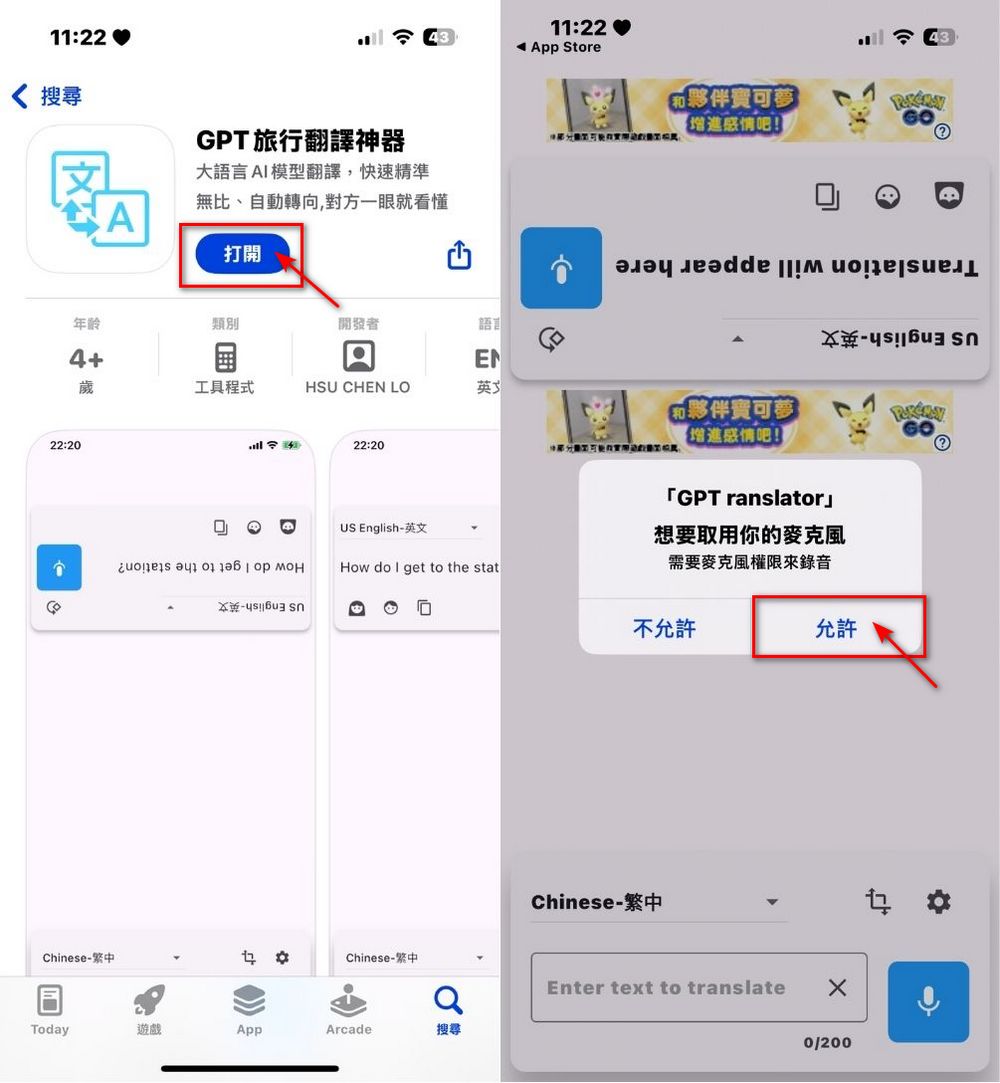
Once you allow microphone access, you can choose to use text or voice input. For voice input, remember to long-press. Press the icon next to Settings to auto-rotate, making it easier for both parties to understand the language.
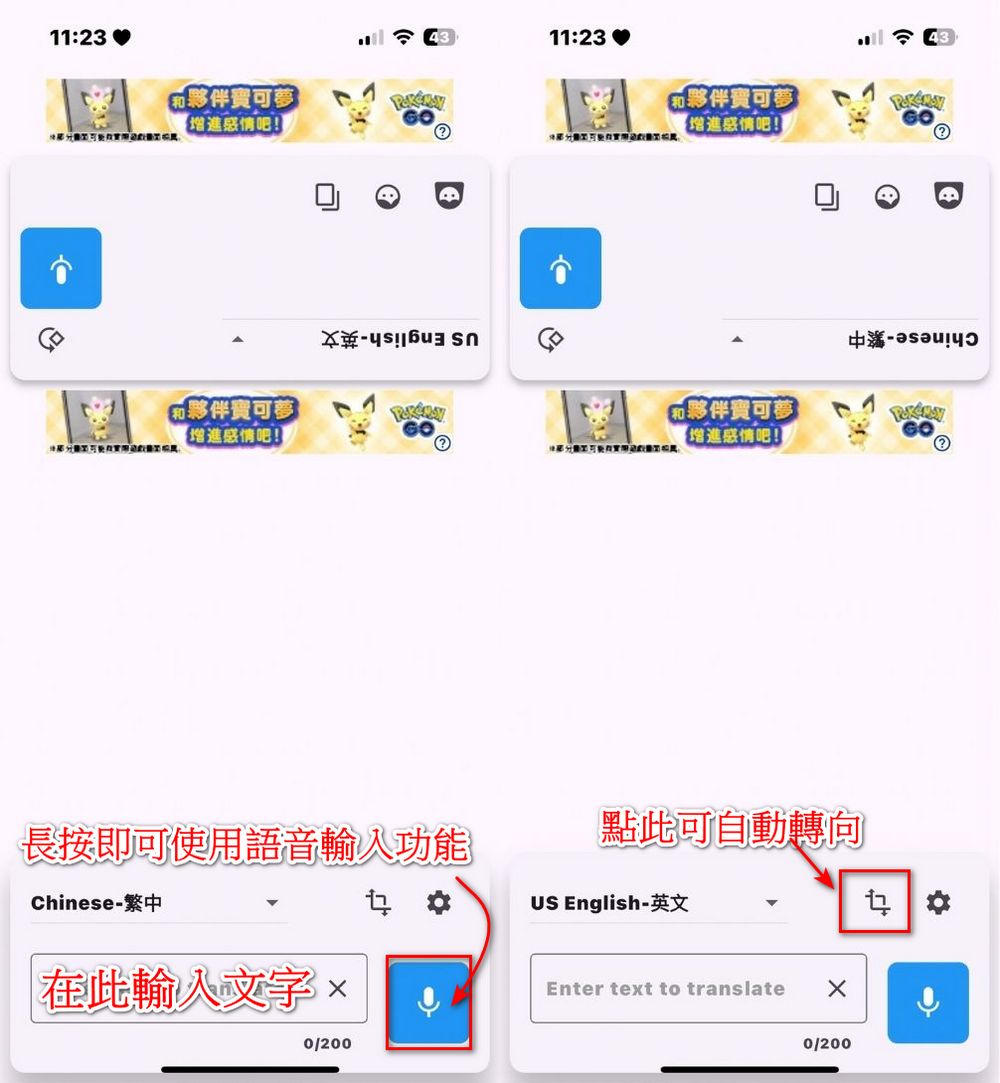
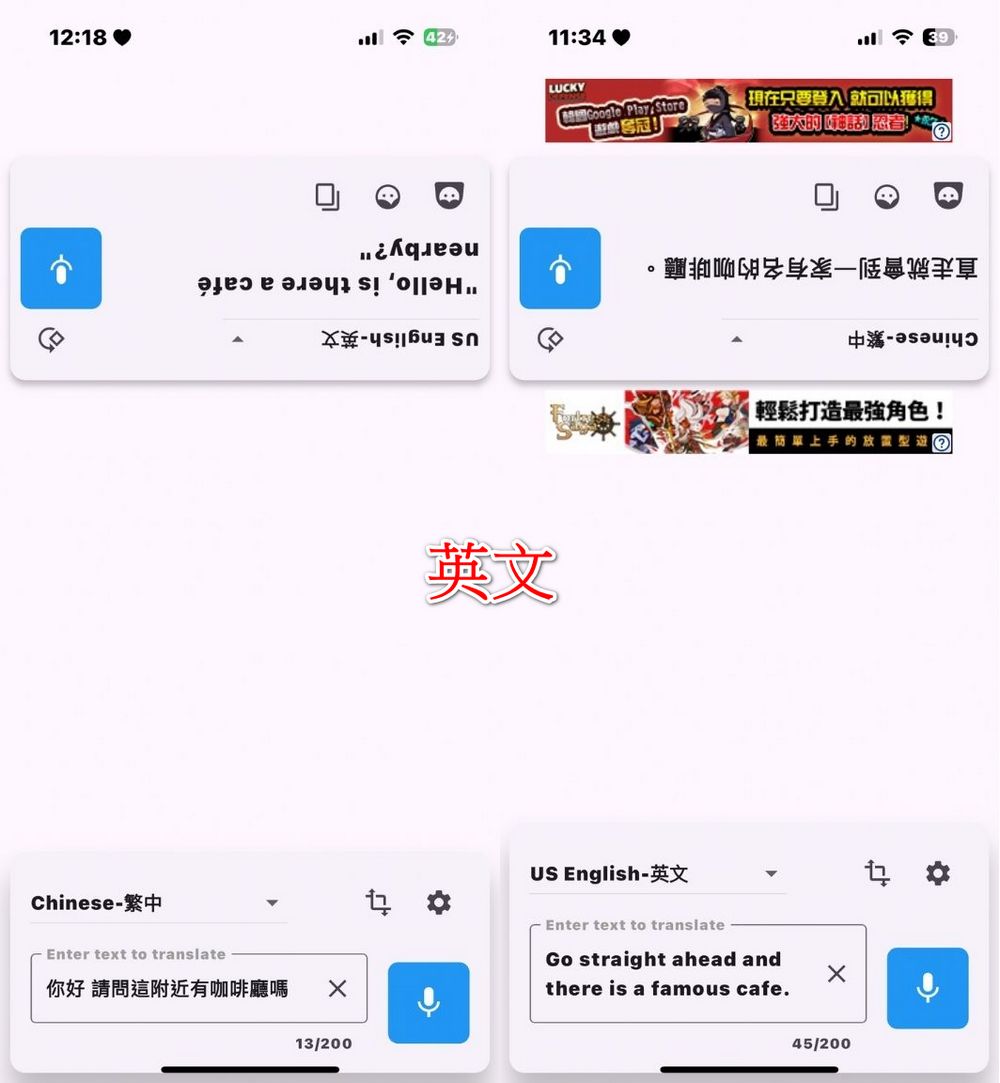
Click the box to switch the language you want to use. Traveling to the US, Thailand, Japan, Korea, Spain, France, and more means no more language barriers. The GPT travel translator currently offers 26 languages in total. We tested English, Korean, Japanese, and Thai, and all the translations came out correct. Feel free to test it yourself too!




The above is an introduction to the GPT travel translator app. Actually, the web version of GPT travel translator also offers a translation history lookup feature, but the editor hasn’t seen it in the app yet—whether it’s a bug or just not updated is unclear. The common point between the GPT travel translator app and the web version is that both require an internet connection, so everyone should keep that in mind when using them.
-
iOS users, go download the GPT travel translation app.
-
Android users go download the GPT travel translation app
If you’re worried about not having internet while abroad, you can also use what we introduced earlier.Apple’s built-in handy “Translate” appAs long as you download the needed language first, you won’t have to worry about not being able to communicate with foreigners when there’s no internet.
Source: KOCPC Chinese