


When you forget your iPhone password, I believe everyone will be very nervous. Although there are some tutorials on the official website, they may not be able to solve the situation you encounter. For example, “forgot Apple ID” requires the use of other trusted devices, which not everyone has. Answer the questions to reset the password. Many people may have forgotten it. With this UnlockGo software, you do not need to have any technical knowledge. Connect to the computer and follow the step-by-step instructions on the screen to solve the problem of forgetting the iPhone unlock password, Apple ID password, screen time password, bypass MDM and other problems, it can even remove iCloud, enable lock, and turn off FMI. It is very powerful. I will introduce it to you in detail below.
Click here to go to UnlockGo official website
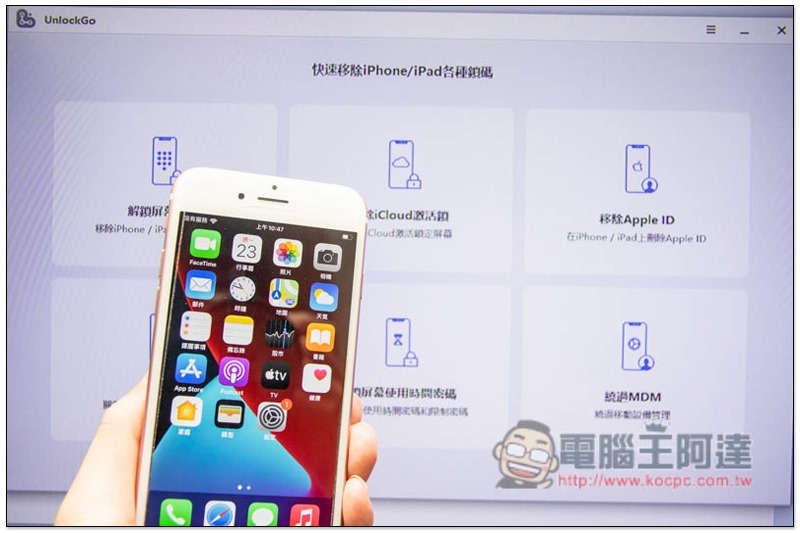
Why do you need iPhone passcode unlock software?
Although Apple’s official website has some instructions for forgetting passwords, as mentioned at the beginning, it may not solve the problems that everyone encounters.
Friends who are familiar with technology products may be able to figure out the solution on their own, but friends who don’t understand it at all will have to ask Apple customer service for help. Passwords are very private things. Apple is a company that is famous for focusing on user privacy, so it will be very cautious in handling it and the process is very cumbersome. If you can’t get the answer they want, you may have spent time but still can’t solve it.
This is why you should use the iPhone password unlocking software. You can start unlocking by selecting the forgotten password mode you encountered. There is no need to search for information online, ask Apple customer service, or go to an Apple repair center. It saves time and effort, and the operation is so simple that even elders can easily get started.
Are there any risks when using it?
If you have forgotten the iPhone unlock password, Apple ID, and screen time password, there is no risk in using this software. At most, all iPhone data will be cleared after some unlocks. Just back up the data before operation.
However, removing iCloud to enable locking or turning off FMI requires obtaining deeper permissions, which is risky, as will be explained in detail below.
Official video introduction
UnlockGo evaluation experience and function introduction
Click here to go to UnlockGo official website
The operation interface of UnlockGo is designed to be very simple. Once you open it, select the situation you encounter. There are six unlocking modes, “Unlock Screen Password”, “Remove iCloud Activation Lock”, “Remove Apple ID”, “Turn off FMI”, “Unlock Screen Time Password” and “Bypass MDM”. There is also a simple explanation below each mode to tell you what it is used for:
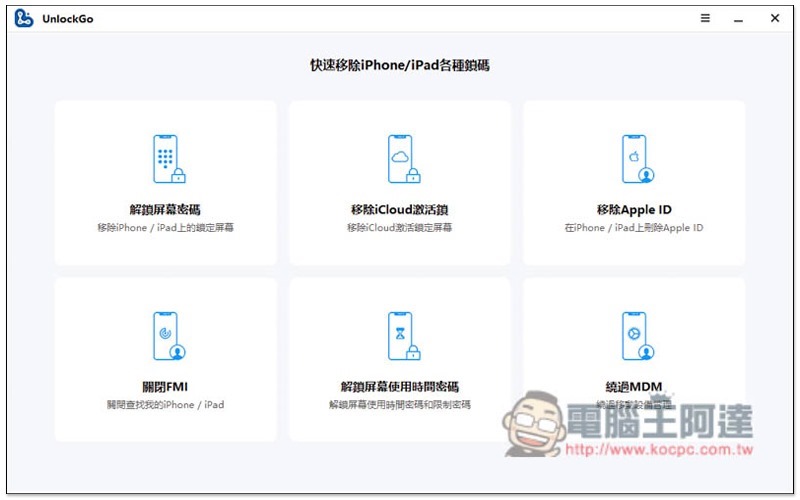
Unlock Screen Password – Easily solve the problem of forgetting iPhone screen unlock password
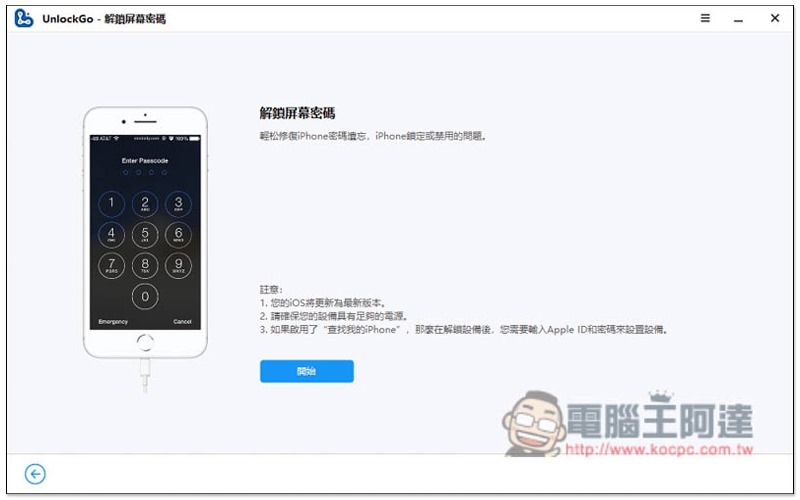
Forgetting the iPhone screen unlock password can be said to be very annoying, because you cannot continue to use the iPhone without unlocking it. At this time, open UnlockGo’s “Unlock Screen Password” and follow the step-by-step instructions to remove the originally set screen unlock password. However, please note that for data security, this removal operation will delete iPhone data:
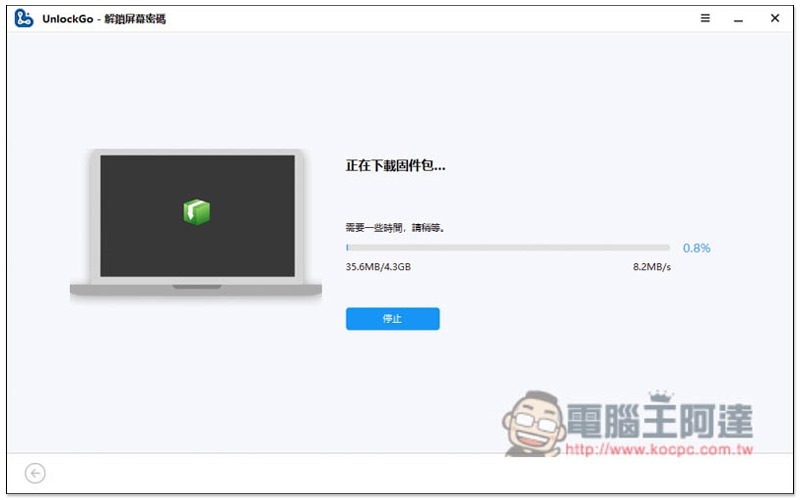
You need to download the iPhone firmware before starting the removal. UnlockGo will automatically detect your iPhone model. You don’t need to choose it yourself. Just click “Download” after finding it:
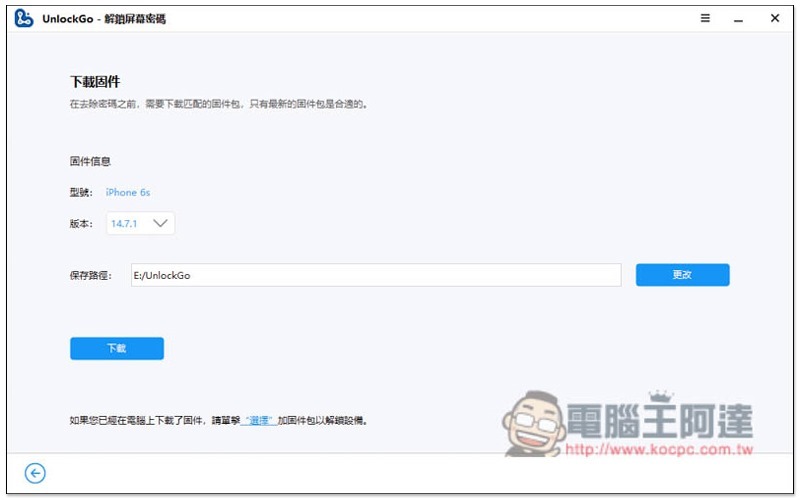
iPhone firmware files are quite large. If the network speed is not fast, it will take a while:
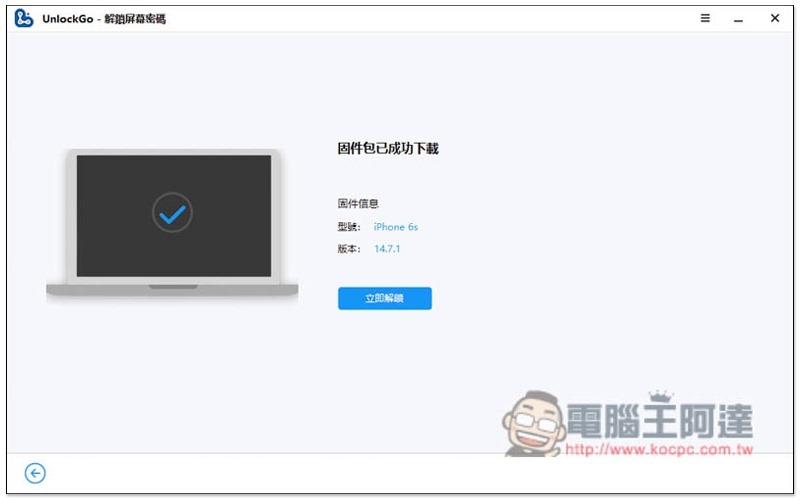
After downloading, click “Unlock Now”:
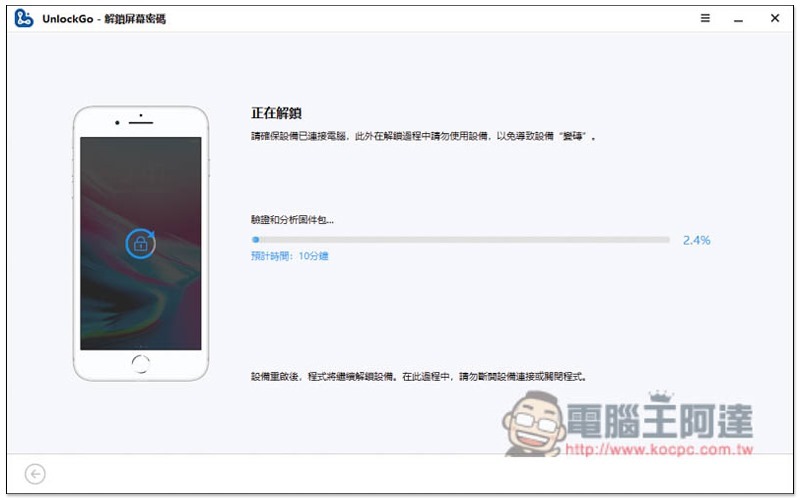
Remember not to use your iPhone or unplug the cable during the unlocking process, just let it run. This will take a while:
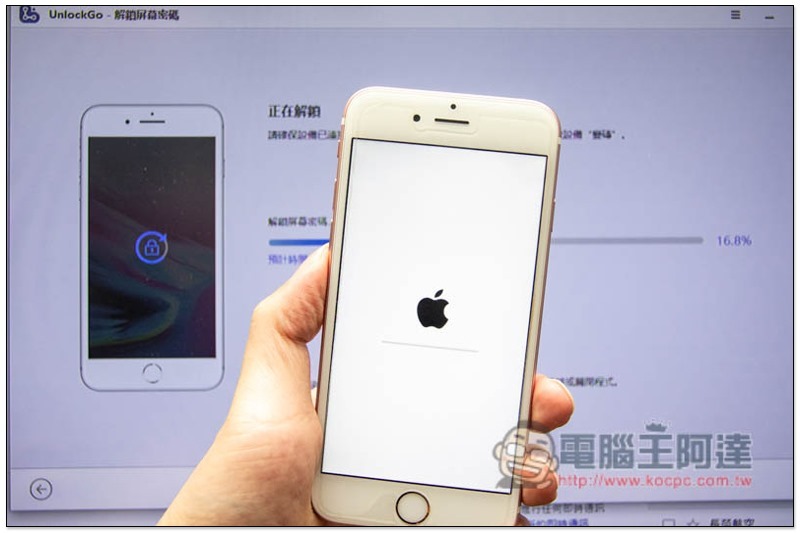
The iPhone will enter recovery mode, restart and other processes, so don’t worry about it:
When this screen appears, the unlocking is complete:
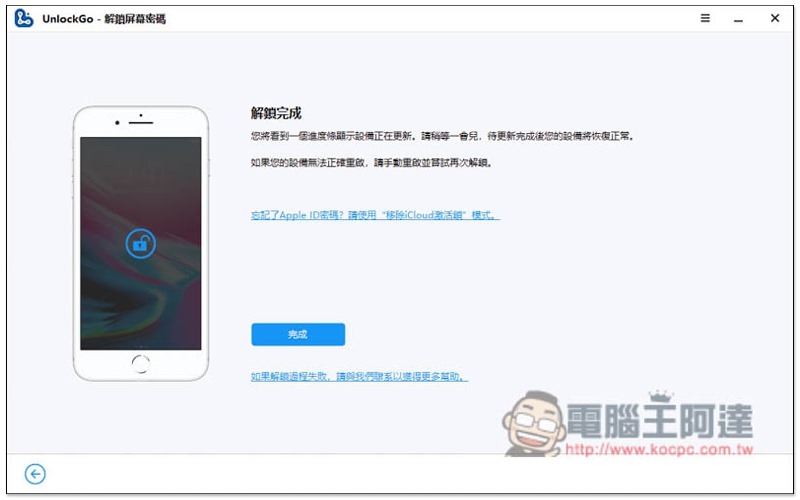
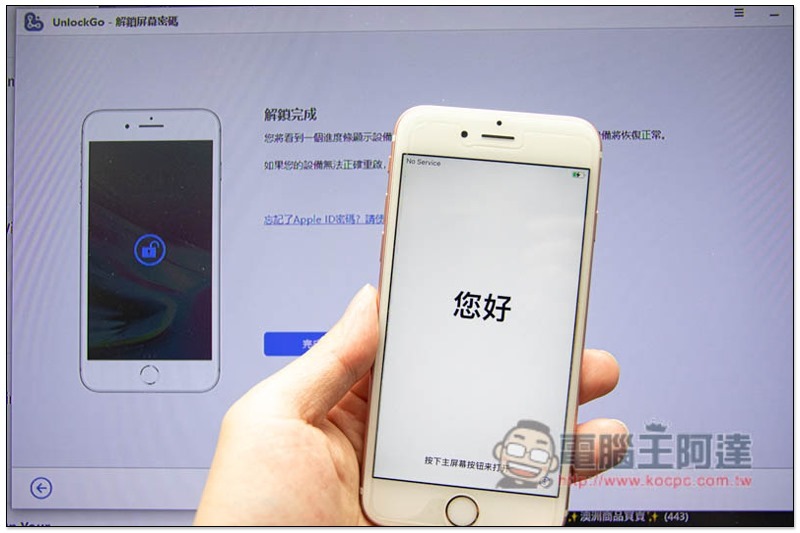
After the iPhone restarts, it will enter the initial setup screen and you can continue to use this iPhone:
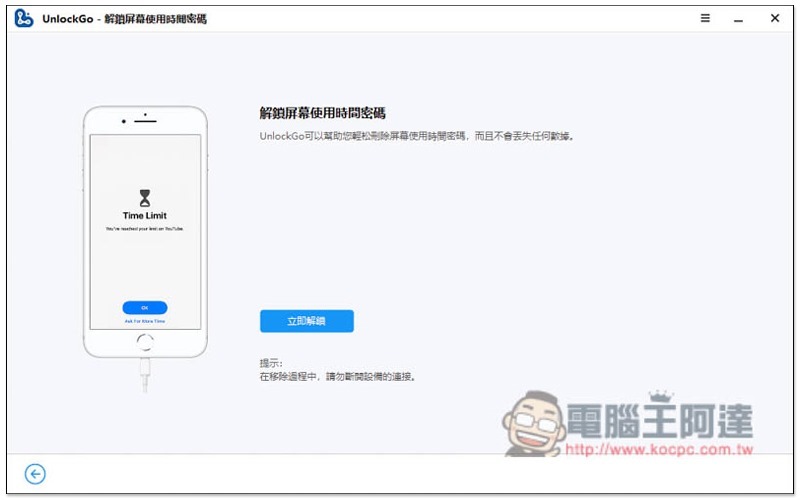
Unlock Screen Time Passcode – Not only is the solution quick, it won’t delete any data on your iPhone
In order to limit the time when children use iPhone, many parents will turn on the “Screen Time Password”. However, because it is not used often, it is easy to forget. This is also the most common situation where people forget the password. UnlockGo’s “Unlock Screen Time Password” mode can help you quickly solve this problem without deleting iPhone data or entering your Apple ID:
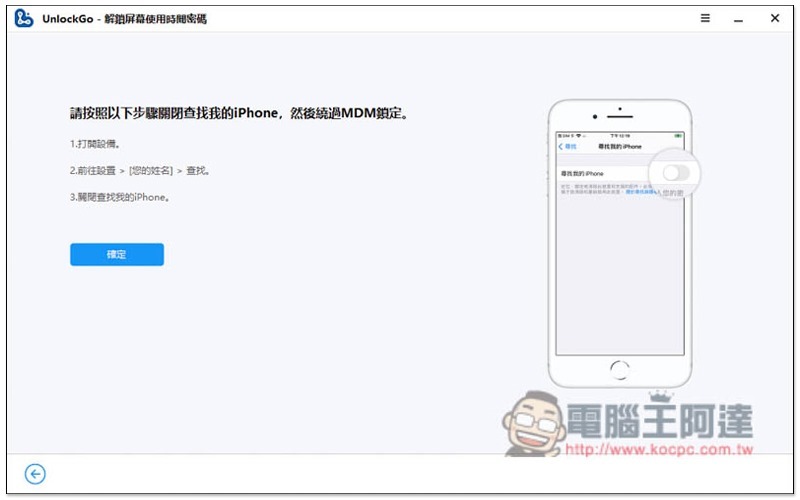
Before executing, you need to turn off the “Find My iPhone” function, enter settings -> click on the Apple ID at the top -> enter the search option to see this function, and press OK after completion:
It only took a few seconds to unlock successfully, so fast that I didn’t even have time to take a screenshot:
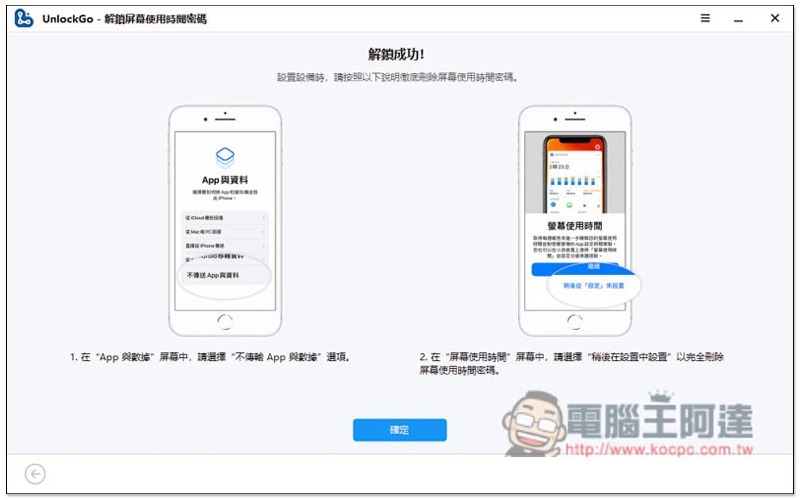
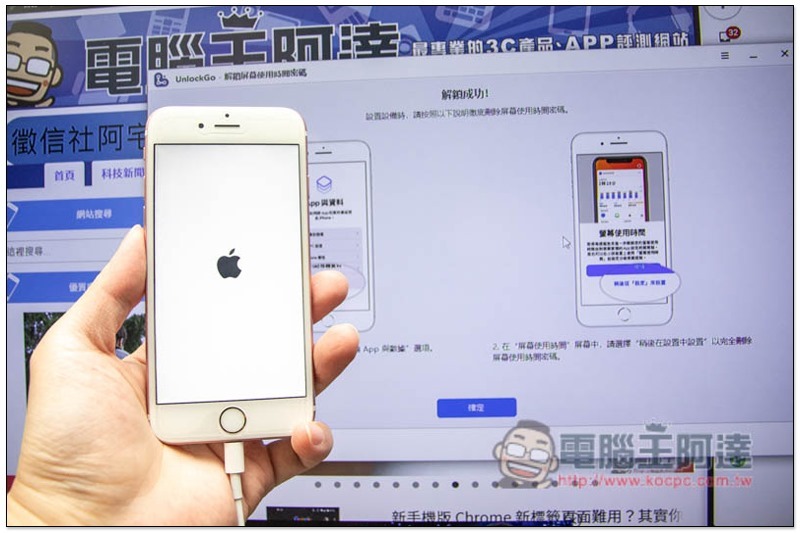
After unlocking, the iPhone will restart and enter the setup step. Remember to select “Do not transfer apps and data” for “Apps and Data”, and select “Set up later from Settings” for “Screen Time”:
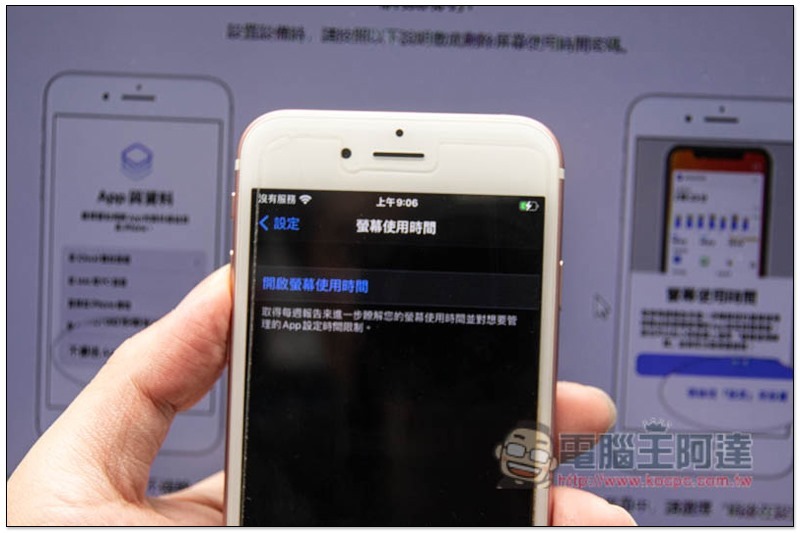
I checked and it was indeed turned off. If you want to turn it on again later, you can go into settings and turn it on:
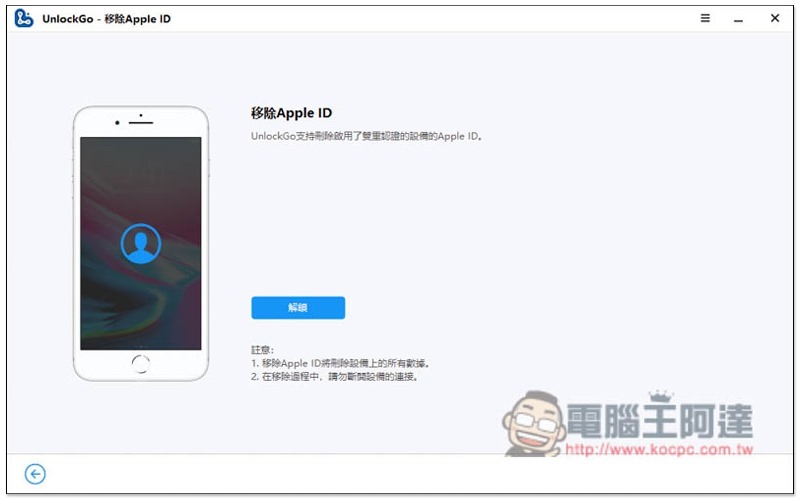
Remove Apple ID – Don’t worry if you forget your iPhone’s Apple ID password
Nowadays, when downloading the App Store and paying with Apple Pay, you can unlock it through Face ID or Touch ID. Therefore, the Apple ID password is rarely used. Of course, it is easy to forget it after a long time, especially among elders. Don’t worry if you encounter this situation. You can easily remove your Apple ID through UnlockGo, allowing you to log in to other accounts.
In addition, this removal operation will also clear the iPhone data to ensure safety, so remember to back up the data first:
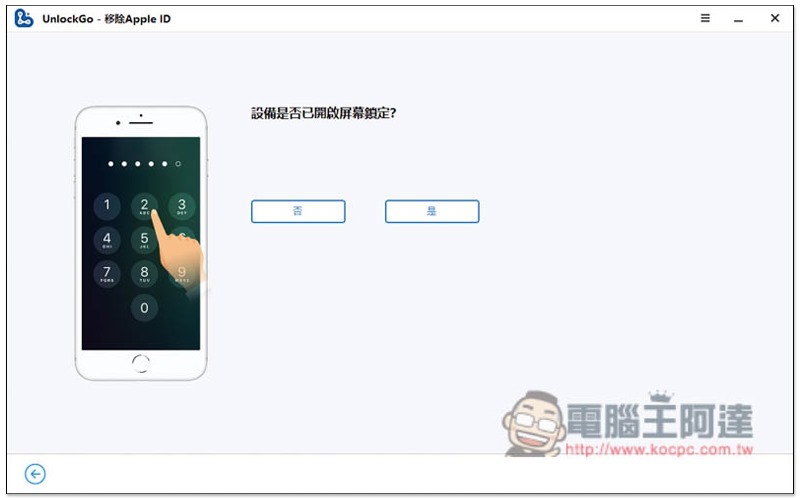
At the beginning, some questions will be asked, such as whether the screen is locked:
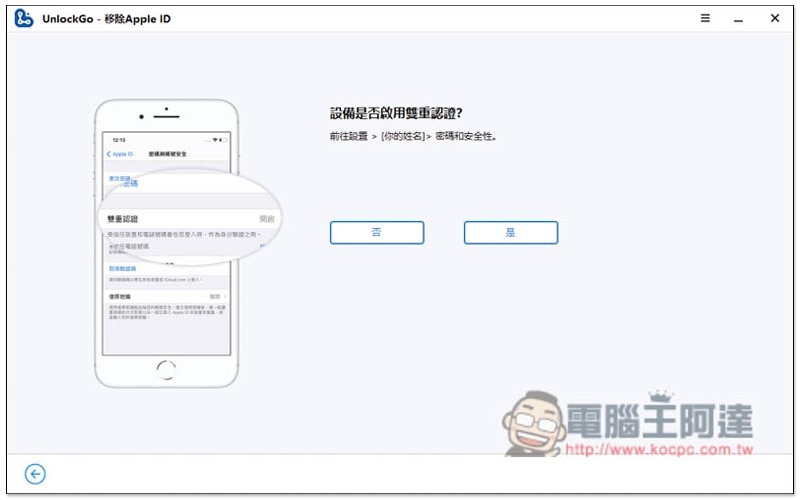
Whether you have enabled two-factor authentication or not, just answer according to your situation. If you need to take other steps, UnlockGo will tell you:
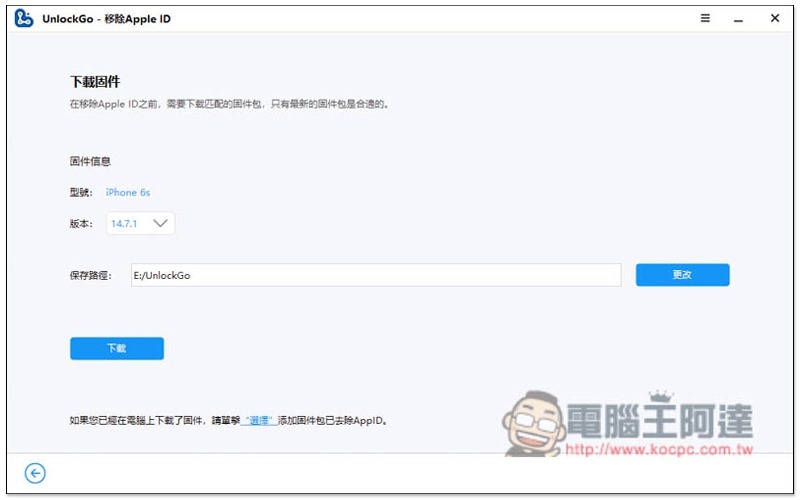
You need to download the firmware before removing it. It will automatically detect your iPhone model and find the latest firmware version. Just press the download function:
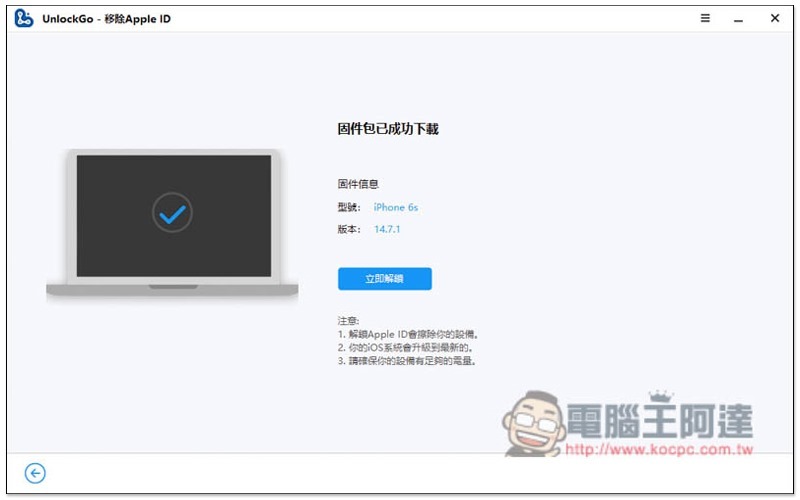
After downloading, you can start unlocking. Remember not to unplug the transmission cable or operate during the process:
You don’t have to do anything to remove it, just let it run:
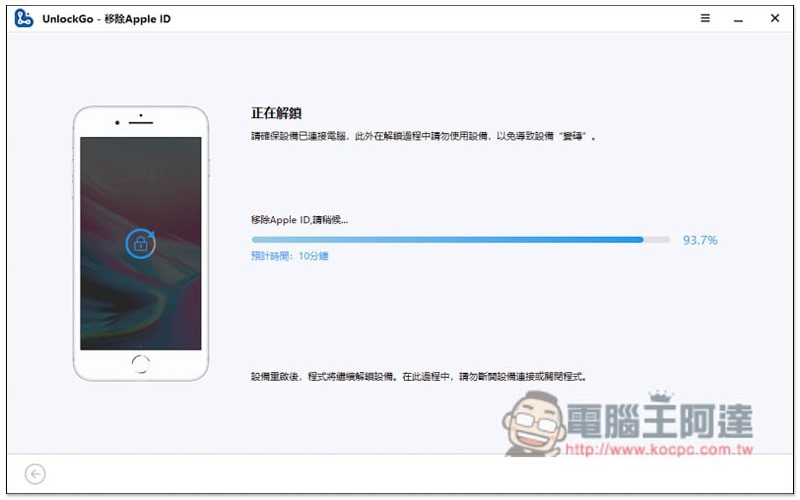
Displaying this screen means the removal is complete! Another thing to note is that in the initial iPhone setup step, please select “Unlock using device passcode” for “Enable Lock”:
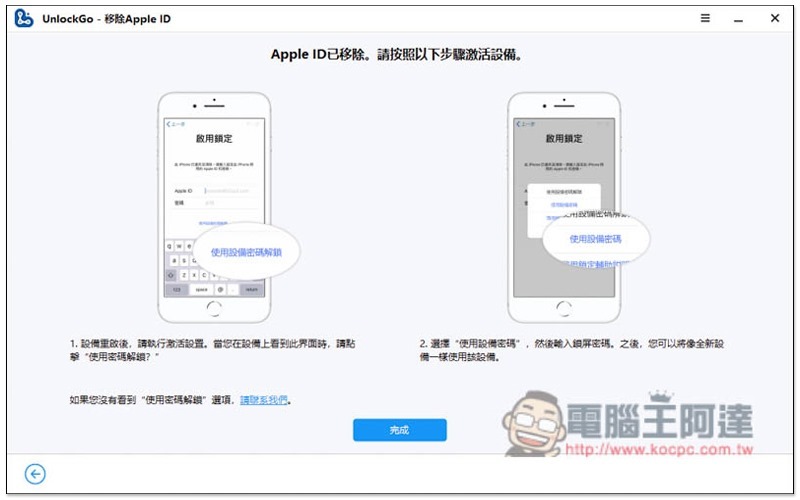
As shown in the picture below, press the Use device passcode to unlock function below, and then enter your iPhone’s screen unlock passcode:
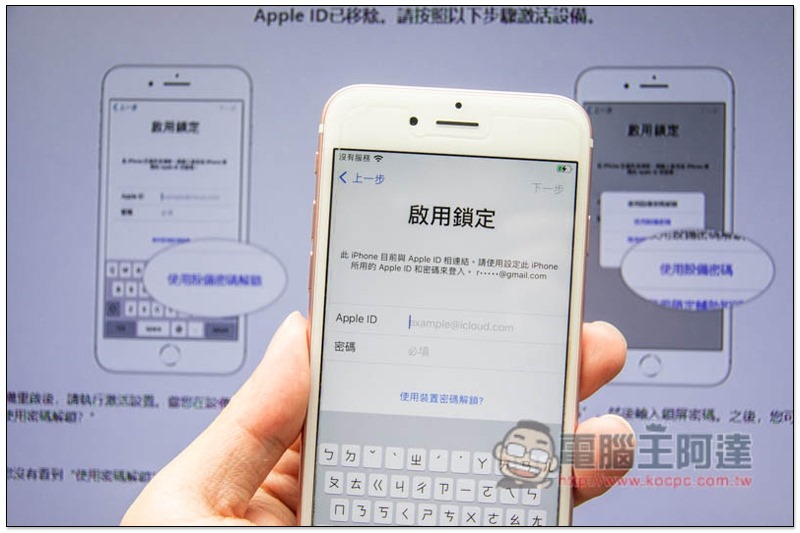
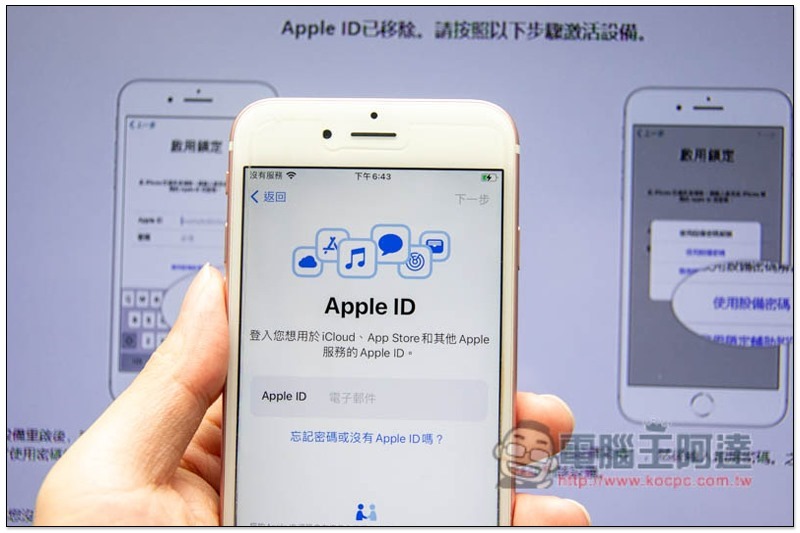
The originally bound Apple ID is gone, and you can log in to other Apple ID accounts:
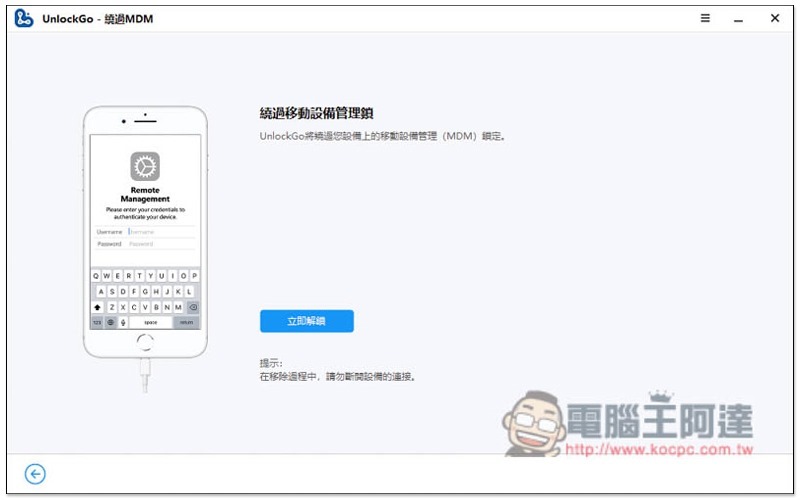
Bypass MDM – Are iPhone features restricted by the company? This one can also help you relieve it
MDM Taiwan may be relatively rare, but if your iPhone is restricted, it can also be unlocked through UnlockGo:
One of the few iPhone unlocking software that can remove iCloud activation lock and turn off FMI
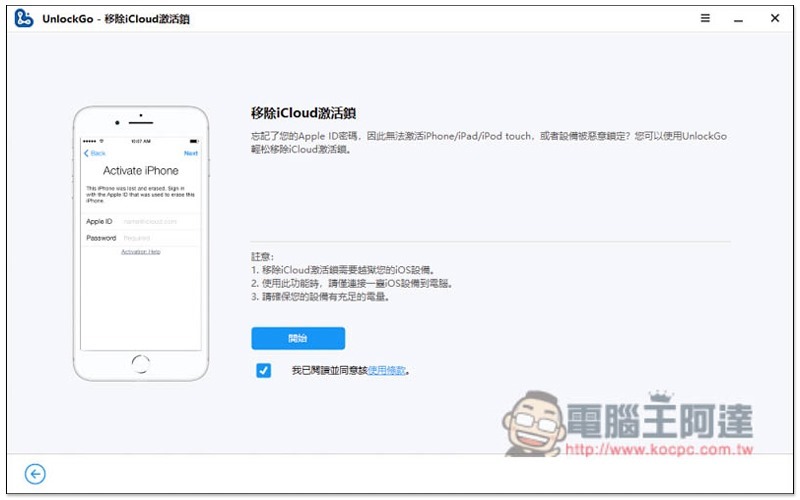
Most iPhone unlocking software on the market cannot do iCloud activation lock (enable lock) and turn off FMI (Find my iPhone) unlocking function, but this set of UnlockGo will do. However, please note that you must jailbreak to use this function, so there are risks, please evaluate yourself. For detailed steps, please refer to the official website instructions.
There is a special note below to remove iCloud Activation Lock that requires jailbreaking:
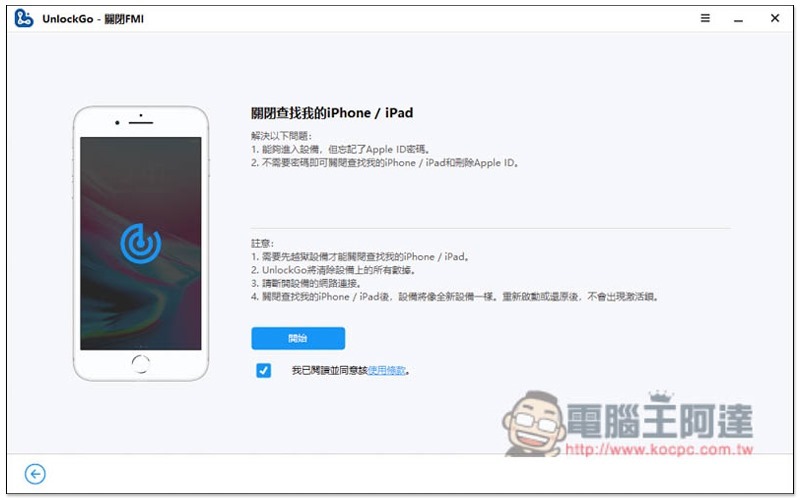
Turning off FMI will also clear all iPhone data:
Summarize
After testing, UnlockGo is really a simple and powerful iPhone password unlocking software! With this set, you don’t have to worry about almost all the problems of forgetting your password. Moreover, even people who don’t understand technology products can solve it by themselves without needing anyone. Friends who have encountered these problems highly recommend giving it a try.
Even if you don’t have one for the time being, but you have been using an iPhone for a long time, as have your family and friends, you might consider collecting one.
UnlockGO provides an exclusive discount code for Computer King Ada readers. Enter “PLAB30S”, you can get 30% off, don’t forget to enter.
Source: KOCPC Chinese