


The “Night Mode” shooting function, which has finally been included in Apple’s computational photography capabilities since the iPhone 11 series, is believed to be familiar to current iPhone users. Even now, even the selfie lens of the current iPhone 12 series can support this function of achieving lower noise and low-light shooting effects through longer exposure stacking. However, along with such an automatic function, it is likely that when people are in a light-dark environment, it will cause trouble in the rhythm of shooting depending on whether the mode is activated or not. In this regard, Apple seems to be preparing to come up with a solution in the latest iOS 15. Continue reading iOS 15 can “keep off” night mode. This article teaches you how to set the content of reports.
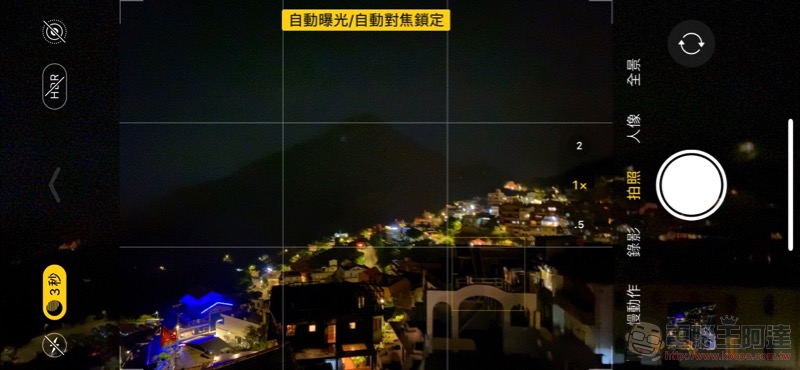
iOS 15 can “keep off” night mode, this article teaches you how to set it up
Although the new-generation iPhone has built-in shooting functions, it still has no intention of abandoning the simple and easy-to-use experience and bringing a more manual shooting interface and mode. But in general, Apple is also constantly targeting the demand for “Pro”, providing new exposure compensation fast functions and evenProRAW format support for more precise (post-production) control of white balance. In the latest beta version of iOS 15, officials have provided an option to keep the night mode function turned off, which may affect the shooting rhythm due to the long exposure function.
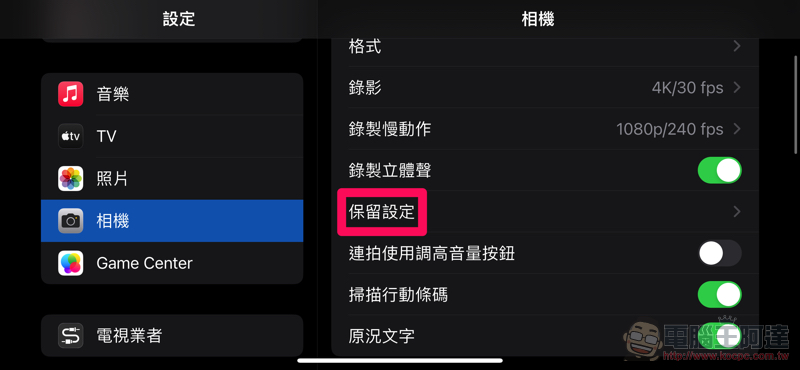
I believe many iOS users driver When users hear this function description, they should be able to imagine where the setting options should be, right? That’s right, in the iOS 15 Public Beta version, you will find a new retention option for “Night Mode” in “Settings > Camera > Preservation Settings”. As long as you choose to turn it on, if you manually choose to turn off night mode when shooting in the future, when the iPhone detects that night mode can be triggered, it will maintain its original shooting function, just like models that do not support night mode, and will no longer deliberately provide a long exposure function of more than 1 second for multi-image overlay.
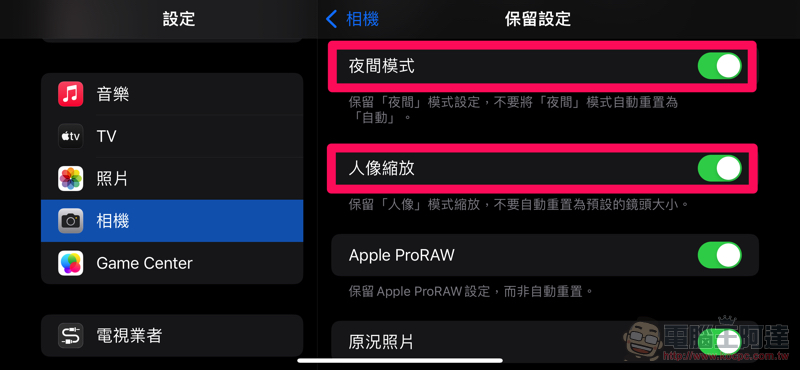
It should be noted that the retention option of this night mode seems to also retain the memory of the exposure mode when low-light conditions are detected. In short, if you selected “Maximum” in the “Off/Auto/Maximum” exposure time last time, whenever you trigger the night mode shooting function in the future, you will shoot with a relatively longer exposure – and if you turn off the retention setting, the default will be “Auto” (actually, this is more recommended XD).
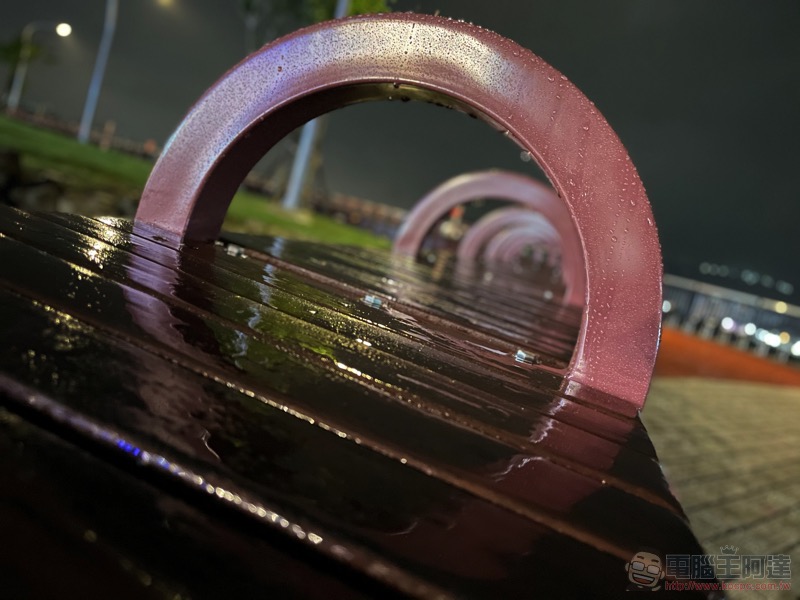
That is to say, the editor also noticed from the retained setting options that for the Pro series that can switch to 1x / 2.5x or 1x / 2x, that is, with a long lens, iOS 15 also provides a retaining setting option for the portrait mode lens.
In short, in the past, portrait mode may use the telephoto lens as the default lens for shooting, but now you can also use the “Portrait Zoom” setting, allowing you to directly use the previously selected lens every time you turn on the camera and activate portrait mode (but the front lens is not within the scope of the “Zoom” setting). This should be much more convenient for users who want to take more advantage of night scene portrait mode (currently only supports 1x lens) shooting.
Further reading:
Gogoro VIVA MIX SUPERFAST trial riding experience: a ticket that is “fast enough and happy enough”
Source: KOCPC Chinese