

• About Us
King of Computer Media
  • Home
  • Tech News
  • AI News
  • Apps & Tutorials
  • Mobile & Telecom
  • Lifestyle
  • About Us
No Result
View All Result
  • Home
  • Tech News
  • AI News
  • Apps & Tutorials
  • Mobile & Telecom
  • Lifestyle
  • About Us
No Result
View All Result
King of Computer Media
No Result
View All Result

Home - Internet and software applications - Subtitle Edit online BETA is a free online subtitle translation tool. If you can’t find Chinese subtitles, just rely on it to translate them with one click.

Subtitle Edit online BETA is a free online subtitle translation tool. If you can’t find Chinese subtitles, just rely on it to translate them with one click.

Rocky by Rocky
August 18, 2021 - Updated on August 4, 2026
in Internet and software applications, Mac OS software sharing and teaching

Although there are many powerful subtitle websites on the Internet, providing a large number of free Chinese subtitles for movies, animations, American dramas, Japanese dramas and Korean dramas for everyone to download, but sometimes it may happen that they cannot be found. In this case, you can use this Subtitle Edit online BETA online subtitle translation tool to translate foreign subtitles into Traditional Chinese with one click. It is completely free and supports many languages.
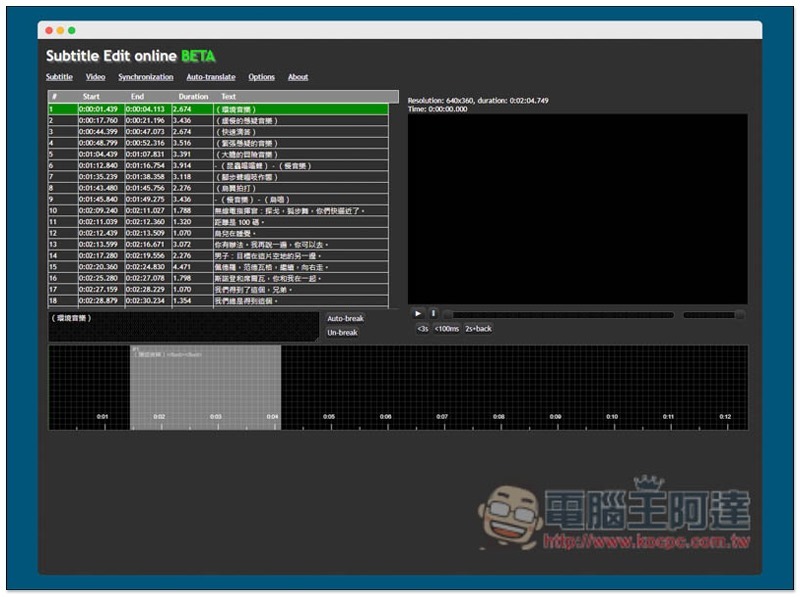
screely-1629272477989

Subtitle Edit online BETA Free online subtitle translation tool introduction

  • Click here to go to Subtitle Edit online BETA

Although Subtitle Edit online BETA only has an English interface, the operation is very simple. If it is just a simple translation of subtitle files, you only need to know a few functions:
2021-08-18_163929

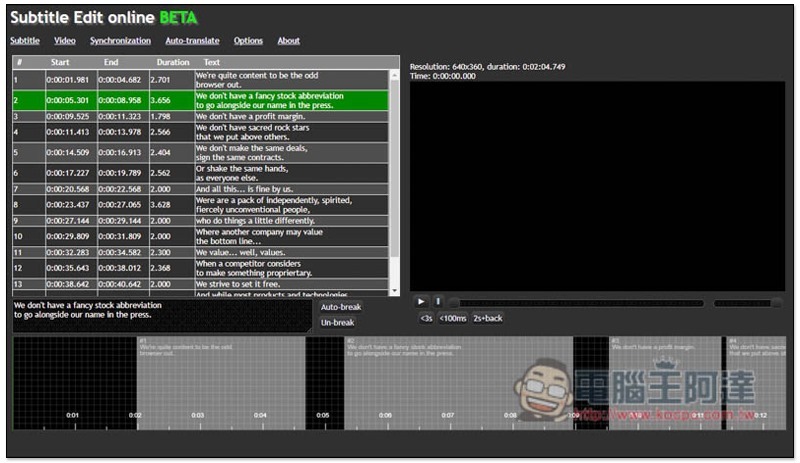
First, read in the subtitle file you want to translate, open the Subtitle menu in the upper left corner, and click “Open…”:
2021-08-18_163939

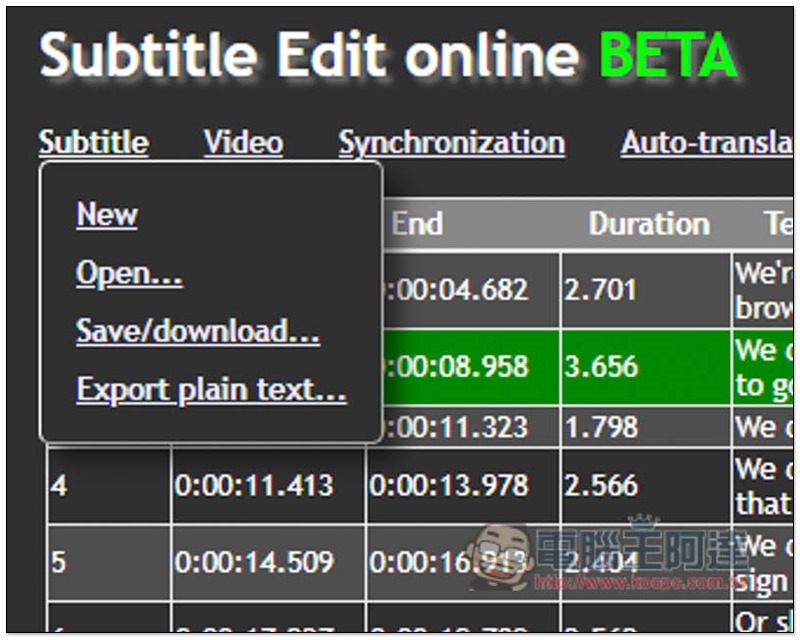
Select the subtitle file from your computer. I’m not sure which formats are supported, but I tested SRT and it worked fine. All subtitle file formats should be fine. There is no need to adjust the Frame rate and Code page if there are no special requirements. Just press Load subtitle:
2021-08-18_163957

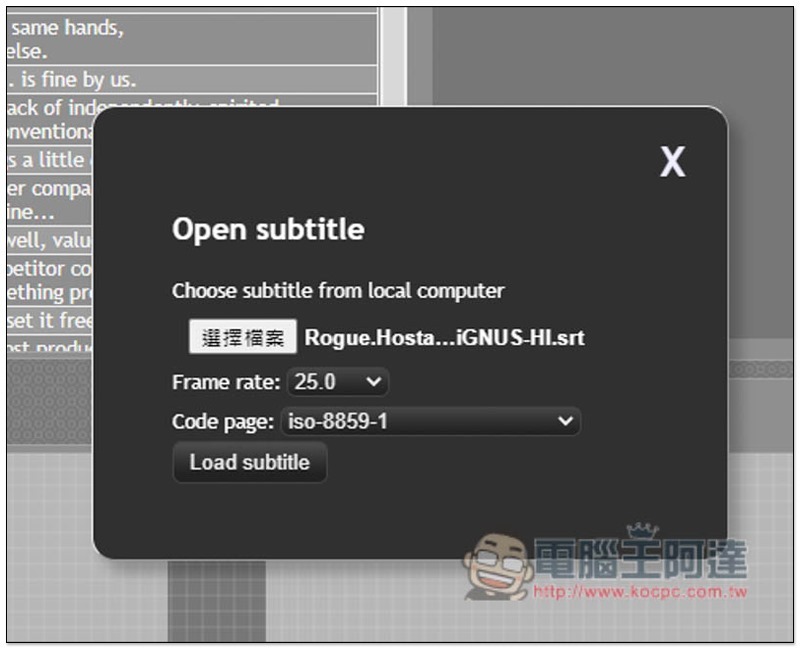
All the contents of the subtitle file will be listed on the left. You can confirm whether it is correct. If there is no problem, click the Auto translate menu above:
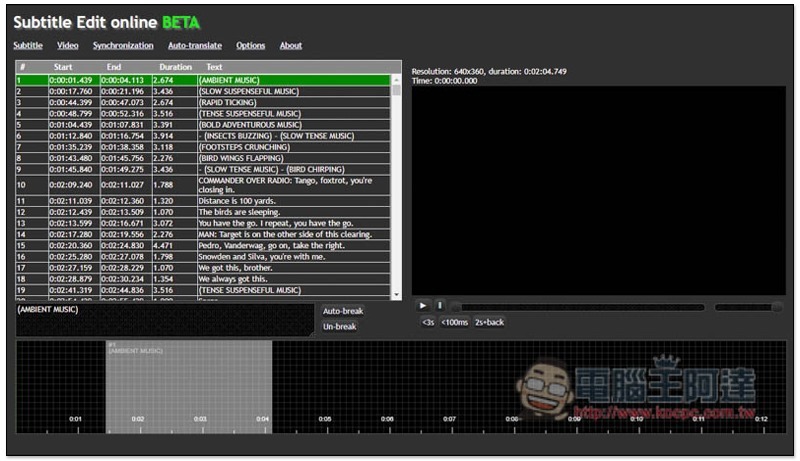
2021-08-18_164007

The translation function used by this website uses machine translation, providing Google Translate and Microsoft Translator. Which one do you like? You can also try both to see which one has the best translation quality:
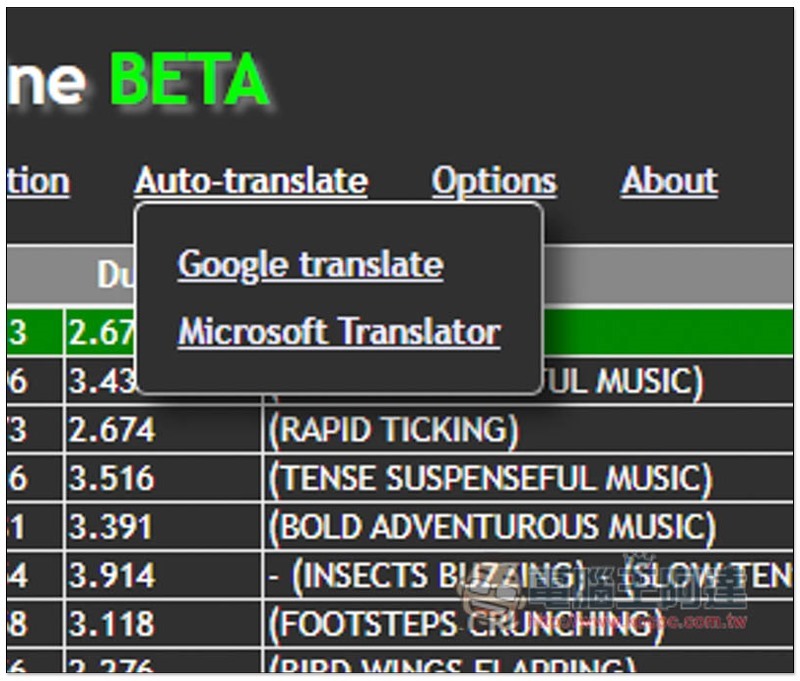
2021-08-18_164016

I use Google translate, go to the upper left corner of the inner page and select the language you want to translate:
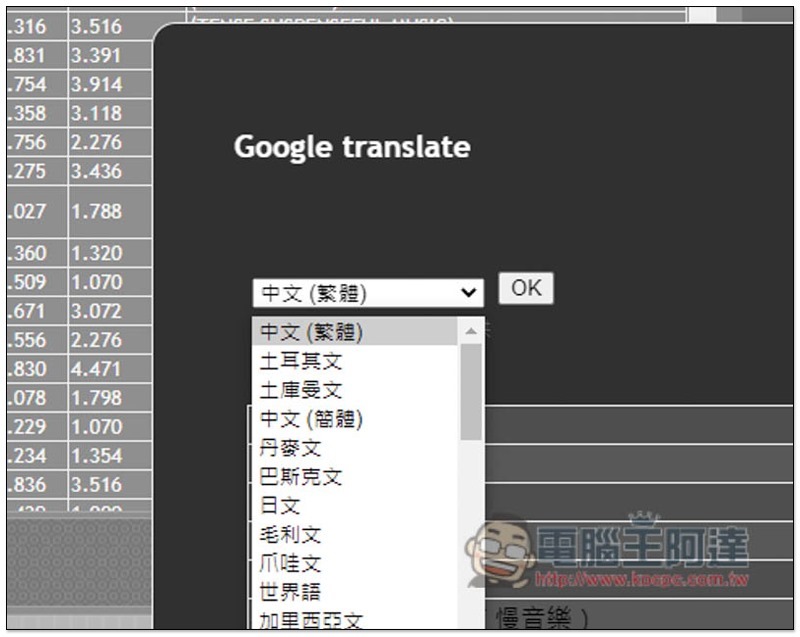
2021-08-18_164035

Then you will see that all subtitles are automatically translated into Chinese, then press OK:
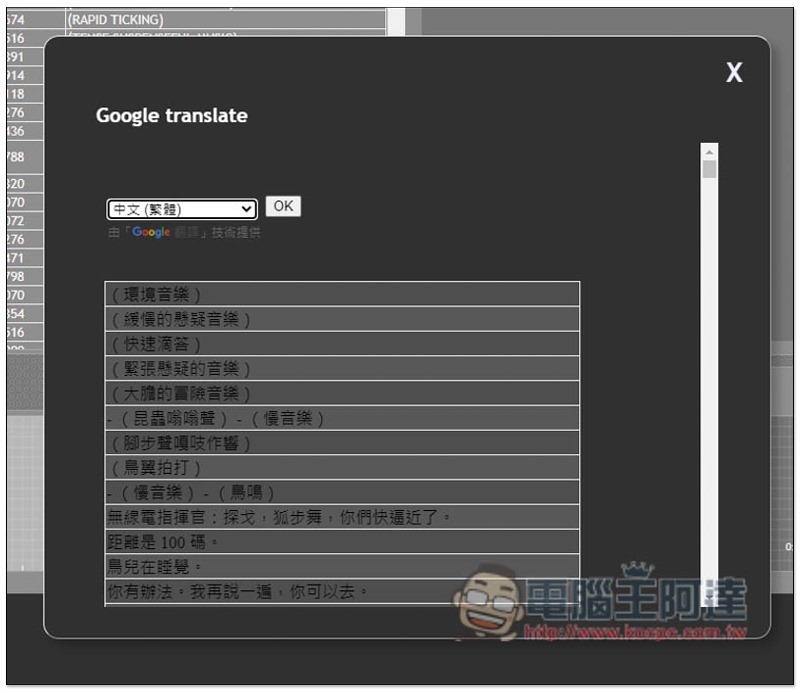
2021-08-18_164040

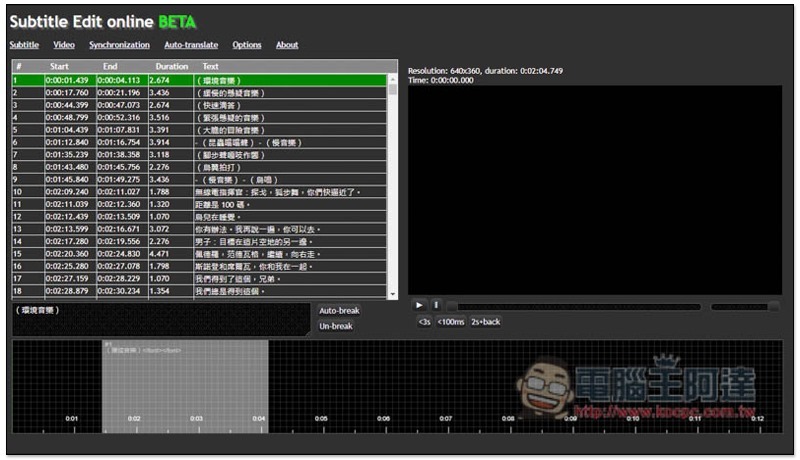
The content of the subtitle file on the left has also been changed to Chinese:
2021-08-18_164047

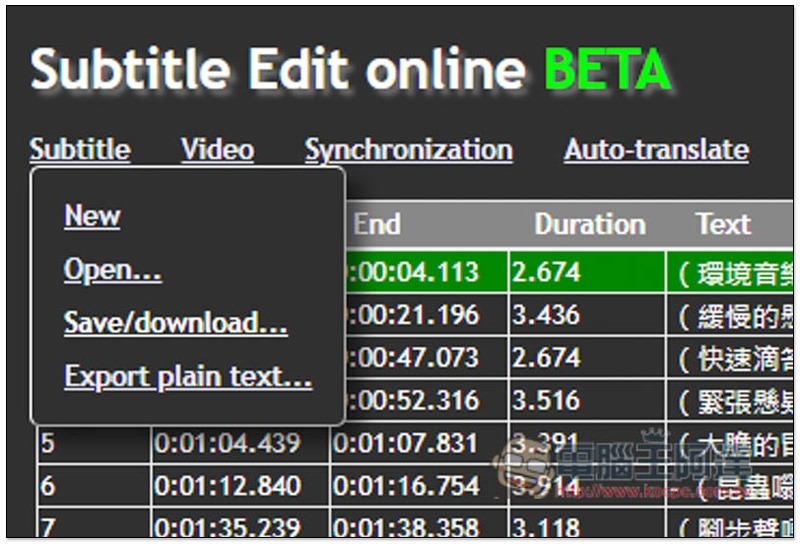
Open the Subtitle menu again and click “Save/download…” to download and save it to your computer:
2021-08-18_164054

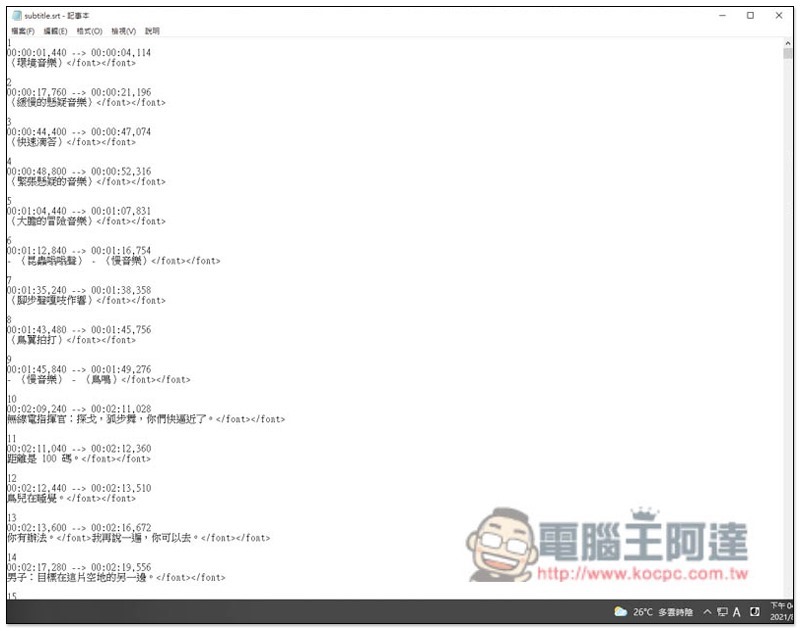
The format will be .srt, all original English subtitles will be replaced with Chinese, and the time will be retained:
2021-08-18_164107

It’s that simple! But it is machine translation after all, so some subtitles may look a little strange when translated, so just understand it yourself.

iCloud for Windows 現在多了密碼管理工具,並支援 Edge、Chrome 擴充外掛自動填入功能

Source: KOCPC Chinese

Tags: Subtitle Translation

Recent Posts

  • The Xiaomi Pad 8S Pro has passed network access certification and will debut with the self-developed XRING O3 chip.
  • The entire Google Pixel 11 lineup has been leaked! Official promotional renders of the Pixel 11 Pro XL have also surfaced
  • Are Chinese phone battery capacities falsely labeled? A brief look at the “capacity locking” phenomenon in Chinese silicon-carbon batteries.
  • NCC is leaderless, recklessly sending out national-level alert messages!?
  • What does “QR” in QR Code mean?

Recent Comments

No comments to show.
  • About Us

We welcome partnership inquiries and product review opportunities from smartphone manufacturers, iPhone accessory brands, and app developers.koc kocpc.com.tw|Privacy Policy |Hosting & Maintenance: Fast Line Taiwan, A-Chang Digital Technology

No Result
View All Result
  • Home
  • Tech News
  • AI News
  • Apps & Tutorials
  • Mobile & Telecom
  • Lifestyle
  • About Us

We welcome partnership inquiries and product review opportunities from smartphone manufacturers, iPhone accessory brands, and app developers.koc kocpc.com.tw|Privacy Policy |Hosting & Maintenance: Fast Line Taiwan, A-Chang Digital Technology