


Recently, there are more and more text-to-video models, and I’ve become somewhat numb from seeing them. But have you seen an AI video generation tool that can automatically generate content, sound, images, and background just by entering a title? Japan Mavericks has launched an AI video generation tool called “NoLang,” which can answer questions in video form, summarize data, and create short videos. Recently, Mavericks released NoLang 2.0, which allows for more detailed video editing and adds new features like slow-paced explanatory conversation videos and vertical video output. Let’s take a look at how to use NoLang 2.0!
Japanese AI video generation tool “NoLang 2.0” gets video production done in one minute.
Japan Mavericks has launched an AI video generation tool called NoLang 2.0. Now, you just need to enter a title, and NoLang 2.0 will automatically generate a video about one minute long. Although it can currently only generate videos in Japanese, it’s still worth trying.
Go experience and use it. NoLang 2.0 generate video
( NoLang 2.0 To generate videos, you need to register for a membership. You can simply sign up with your Google account.)
Once you log in, we can directly enter the title of the video you want to generate in the box at the top of the webpage. After entering it, click the arrow.NoLang 2.0 will generate video content based on the title you input and pair it with images related to the video content.
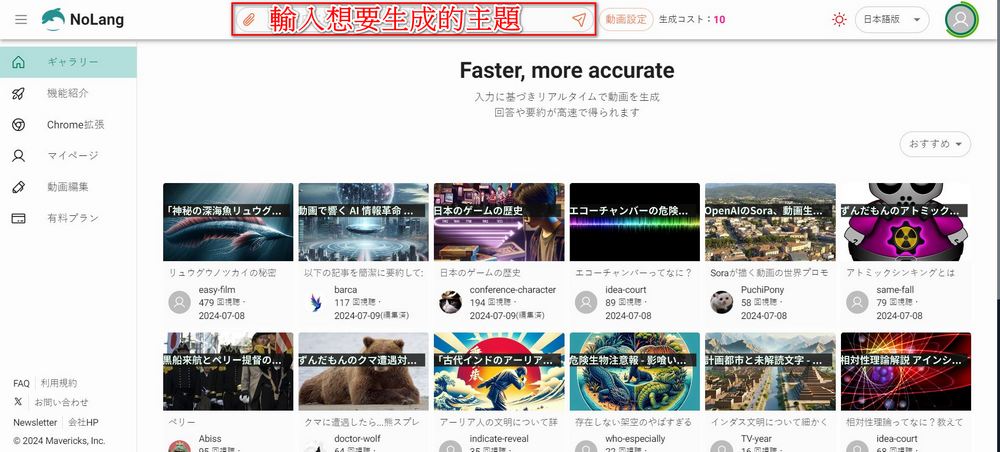
You can also click “Video Settings” before sending to adjust the video length and other settings:
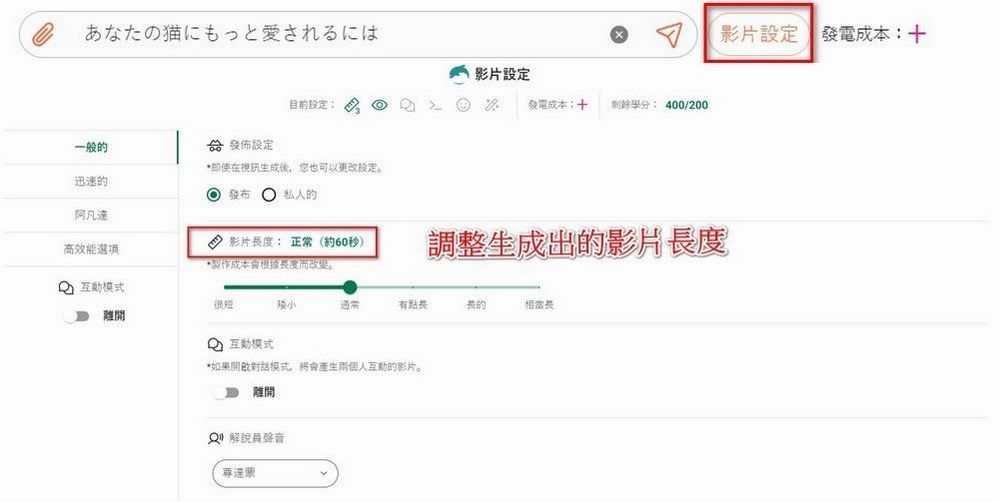
Here, the editor inputs the Japanese title for “How to Make Your Cat Love You More” to… Generate a video with NoLang 2.0. The resulting video is as follows:
Below the generated video, you can review the video’s script. If you see any issues with the script, you can click “Edit” below the video to make changes.
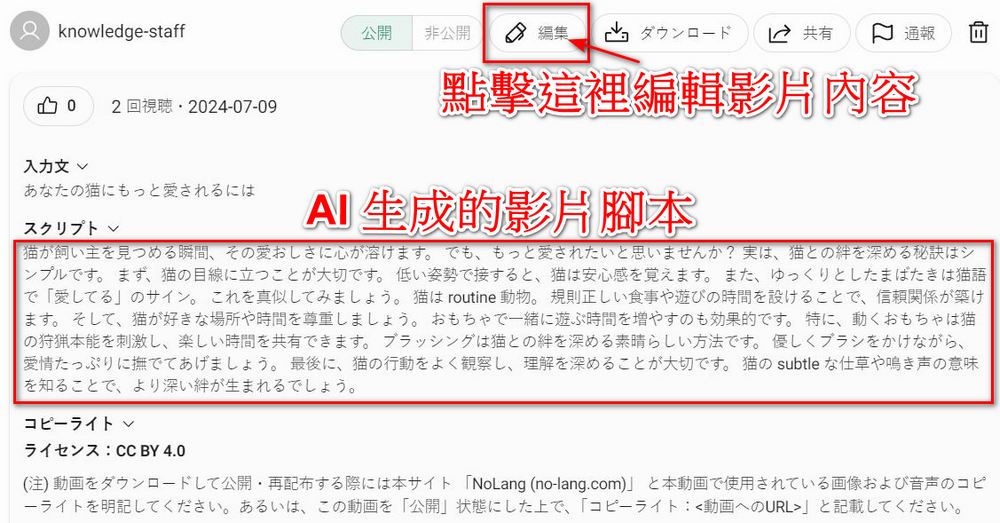
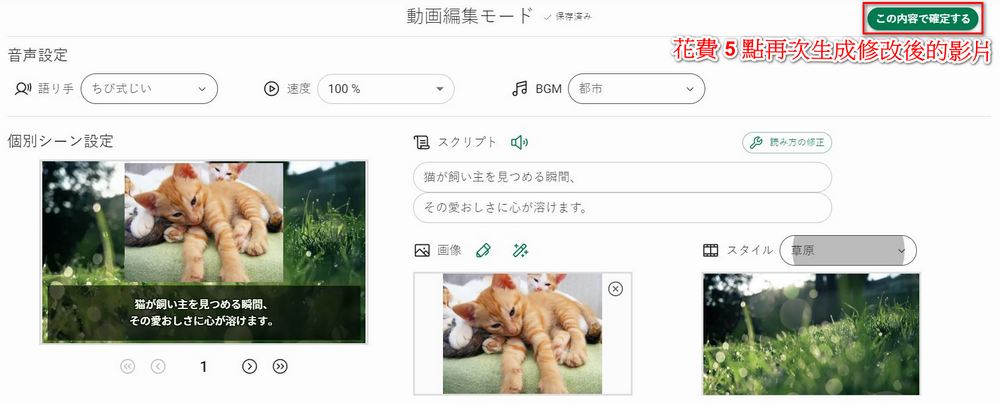
After clicking Edit, you will see this screen, where you can change the speaker’s voice, speed, and background music in the video.
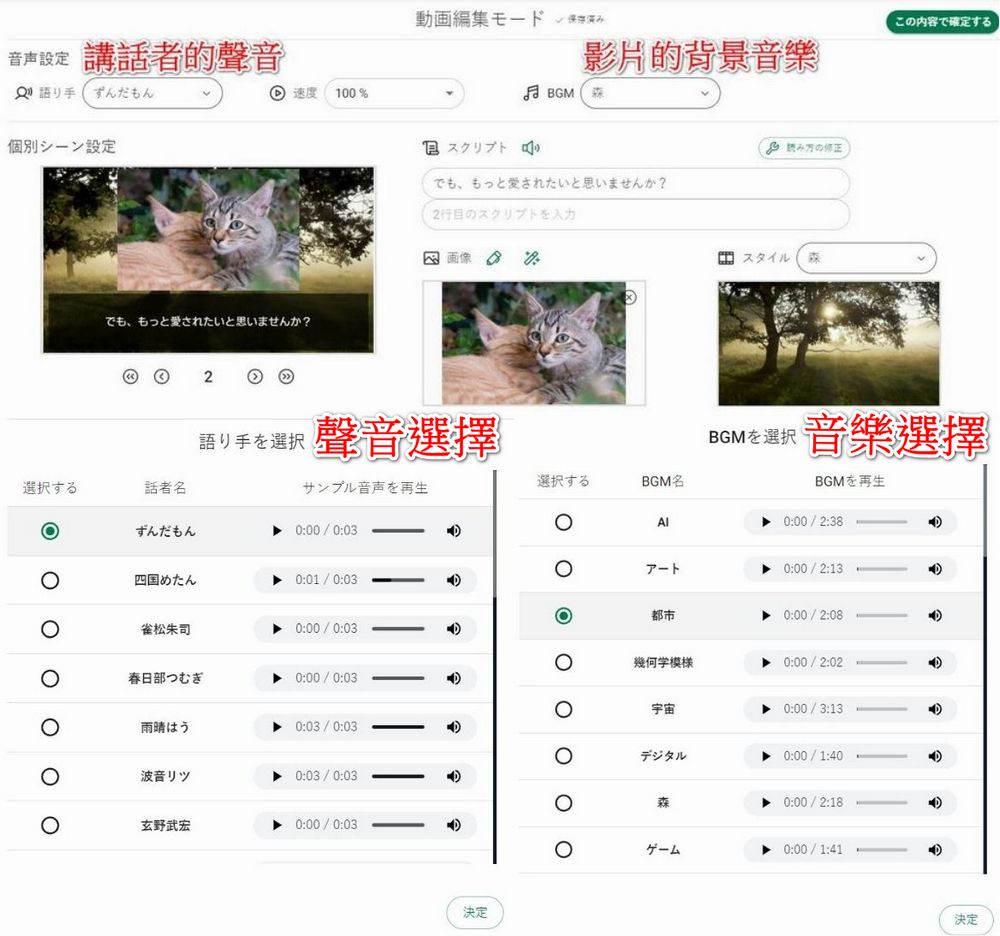
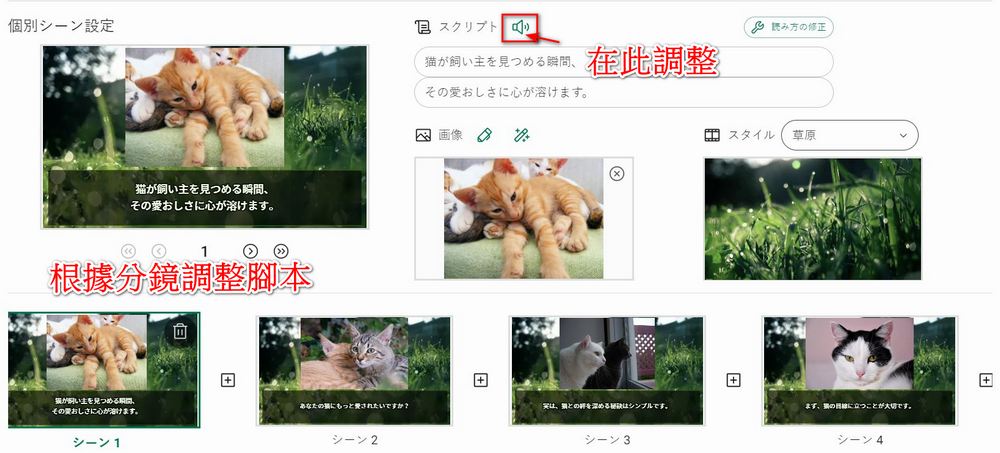
You can also adjust the script content sentence by sentence based on the storyboard. After adjusting, you can press the “speaker” to listen to the adjusted audio and sentences.
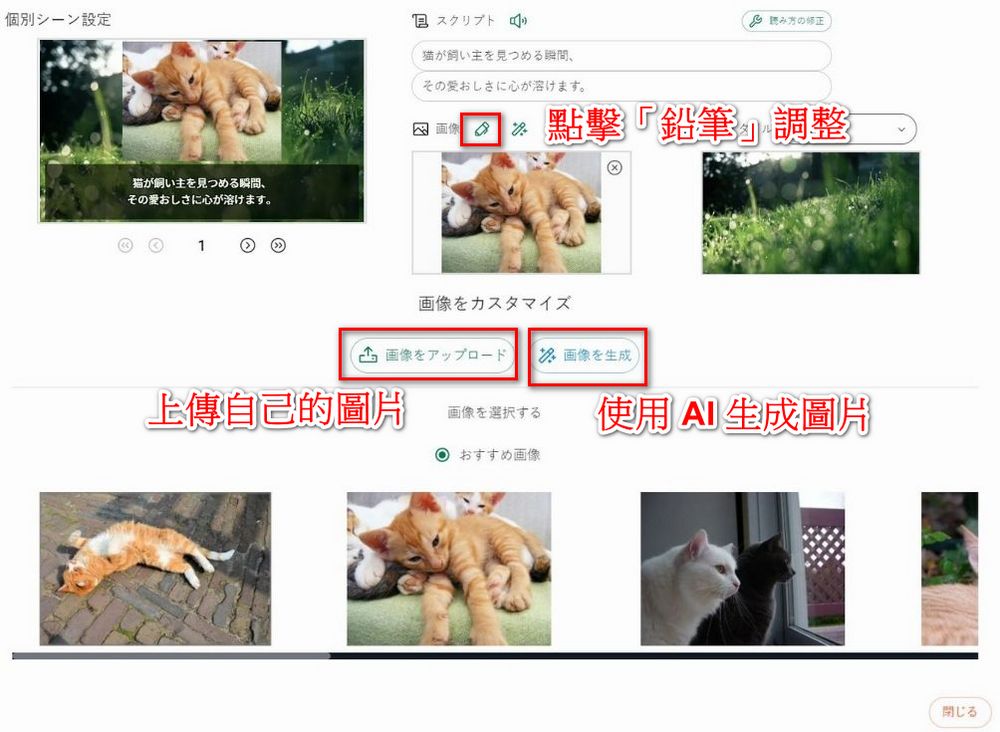
If you’re not satisfied. If NoLang 2.0 provides images for you, you can also click the “pencil” icon next to the image to adjust it, whether you want to upload your own image or click the “magic wand” to generate more images.
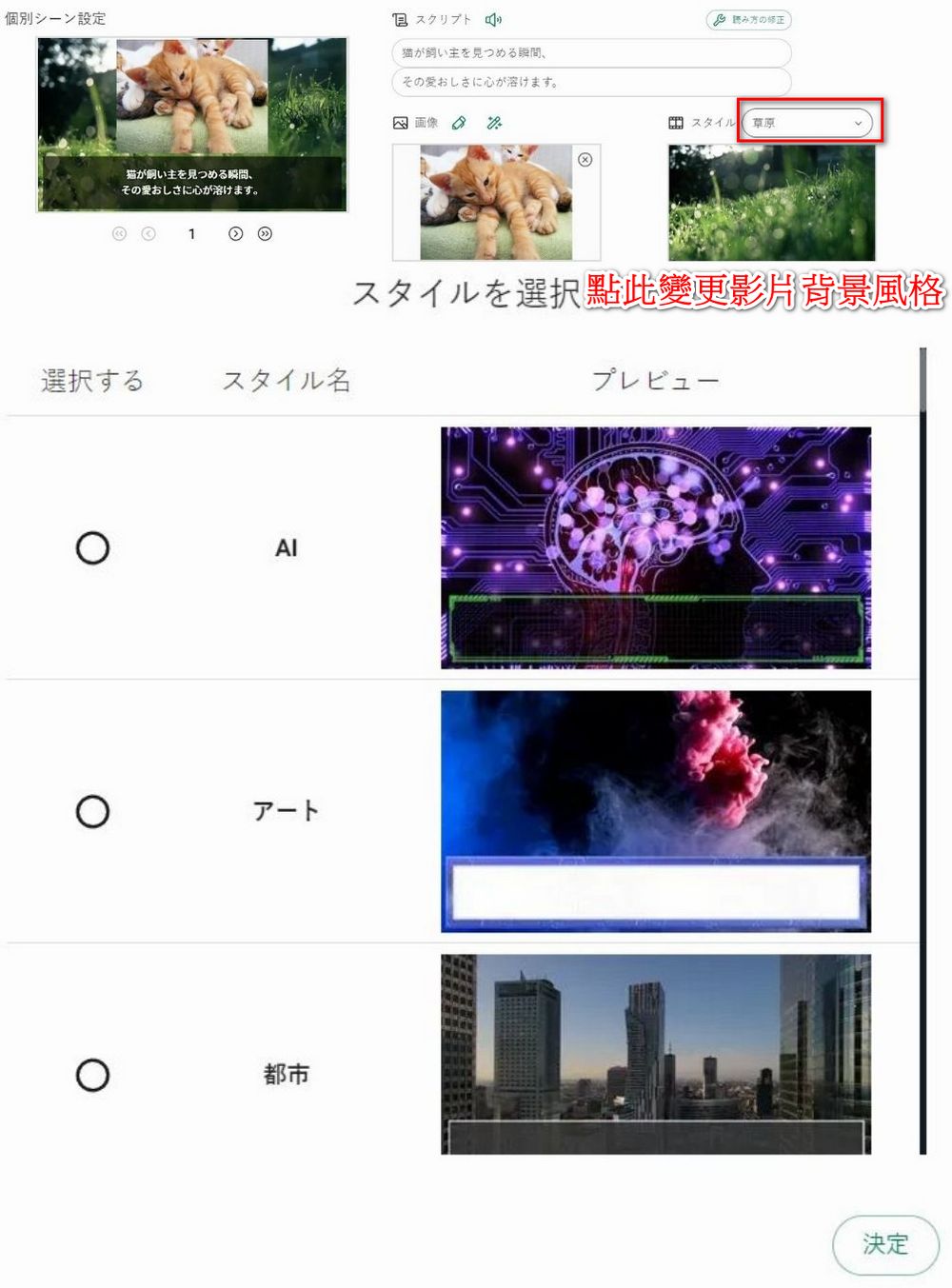
You can also change the background style of the video, with options for artificial intelligence, art, city, geometric patterns, and more.
Once you’ve finished making adjustments, click “この內容で確定する” at the top right and spend 5 points to regenerate the modified video.
Here is the video with modifications to the “speaker’s voice” and “background”:
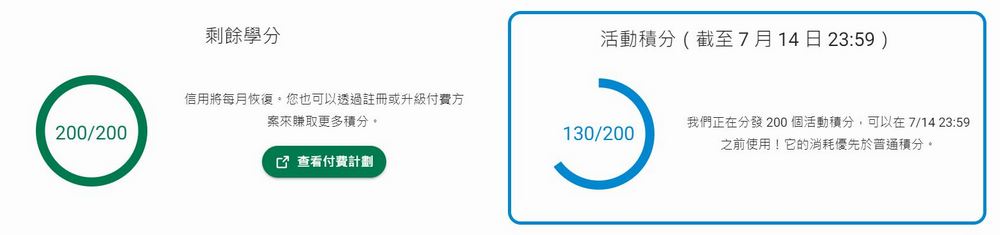
Use NoLang 2.0 requires points: generating a video costs 10 points, and modifying video content costs 5 points. NoLang 2.0 provides users with 200 free points every month. However, from now until July 14, there’s a promotional bonus of 200 points, meaning you’ll have 400 points to spend—so it’s definitely worth trying out.
Go experience it. NoLang 2.0 generates videos
NoLang 2.0 still has many features you can use. If you’re interested, feel free to try it out yourself. Here are some sharing from other users; you can also refer to their usage to generate videos:
🐬NoLang2.0をリリースしてから1日、多方面から大きな反響をいただいております、ありがとうございます!!🙌
NoLangについて皆様にもっと知っていただきたく、投稿いただいた動画の中で、【特に素晴らしかった動画を厳選して7つ紹介】します!
ブックマーク必須です!🔖pic.twitter.com/nJfkQaiOBI
— マーベリック|生成AI@NoLang (@sayhi2ai_jp) July 9, 2024
【🔥重大発表】🐬NoLang 2.0をリリースしました!!
ついに、「ゆっくり解説」形式の動画生成や縦型ショート動画の作成が可能に!
他にも動画の長さ指定、プロンプトによるスタイル制御、画像生成AIなど新機能が目白押し。
圧倒的進化を遂げたNoLangを是非お試しください!https://t.co/WcRBvKLhP1 pic.twitter.com/JOFN8t45KK
— マーベリック|生成AI@NoLang (@sayhi2ai_jp) July 7, 2024
Source: KOCPC Chinese