


In recent years, Apple has continued to improve its privacy-related system functions, and has even extended its tentacles to ad tracking-related functions, which has caused great distress to brands including Facebook and other advertising-based brands – say! Are you a hot person who doesn’t allow tracking? With the official release of iOS 15, we have also seen Apple further bring more in-depth privacy options for email-related functions.
Recently, we also tried out the new “Hide My Email” function as its name suggests, and found that it is a really good feature – it finally gives users the opportunity to turn from passive to active, and can use the iCloud+ function to keep their Mail data private, and solve the annoying problem of email subscriptions turning into spam. Continue reading Put an end to annoying spam! How to use “Hide My Email” in iOS 15, this article will teach you! Report text.
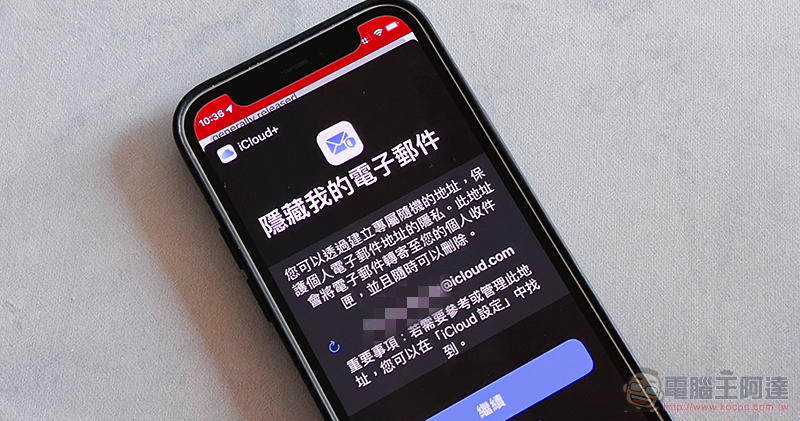
An end to annoying spam! How to use “Hide My Email” in iOS 15, this article will teach you!
In fact, based on the description at the WWDC press conference, we would think that “Hide My Email” is only available through the Sign in with Apple login function – using iCloud’s random mailbox and forwarding functions to keep your real email address from being controlled by other services as much as possible. However, I later discovered that the management interface behind this function is actually surprisingly powerful and can even have wider applications.
In addition, Apple has integrated this function into the general email field in iOS 15, which gives people the opportunity to change from passive to active to avoid the recurrence of the problem of being unable to correctly exit the email subscription – that is, choosing to cancel the subscription but still receiving emails… and other annoying problems.
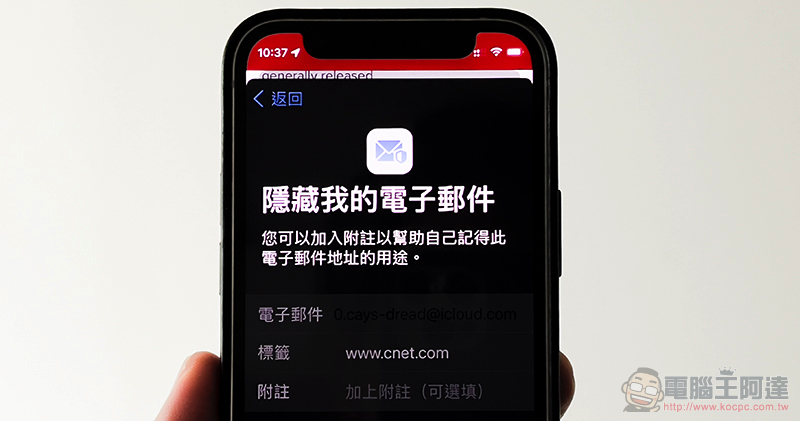
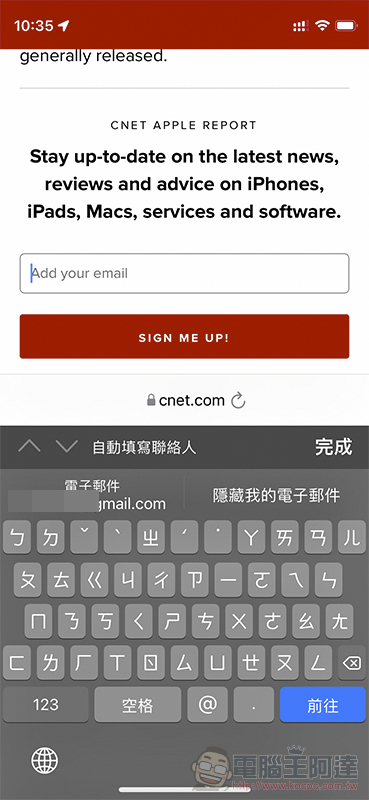
How to use “Hide My Email” in iOS 15 is quite simple. For example, when you see the email subscription field on a web page, after clicking it, you will see at the top of the virtual keyboard that in addition to the email account suggested from the personal contact field information, there will also be a new option to hide my email. After clicking, a setting window will pop up. After completion, any mail sent to this randomly generated iCloud mailbox location will be forwarded to your own mailbox by this service.
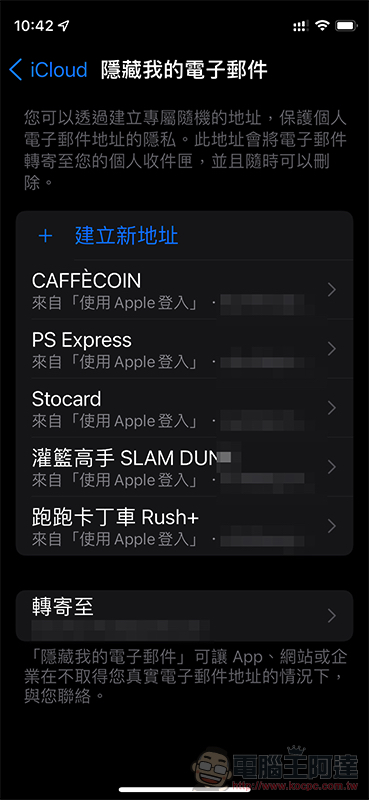
The advantage here is that if one day you feel that you want to cancel the email subscription of this website or service, in addition to going to the website to cancel the subscription, you can also more easily cancel forwarding directly through the iCloud+ feature introduced in iOS 15 / iPadOS 15 / macOS Monterey. So it can be regarded as a more proactive concept of unsubscribing (XD).
This feature includes settings related to Sign in with Apple. You can enable or disable the mailbox address in “Settings” by clicking on your iCloud account and selecting “iCloud > Hide My Email”.
Further reading:
Source: KOCPC Chinese