


I believe that everyone hopes to avoid ads that affect the user experience when watching YouTube videos. For users who have not yet planned to pay to subscribe to the YouTube Premium service, we can recommend the ones introduced today. Tube Browser Pro App . In addition to the free version, it can enjoy an ad-free experience, and after upgrading to the professional version, it can also support background playback function! In addition, it also supports easy-to-use picture-in-picture, so you can watch YouTube videos while browsing the web and playing mobile games. Now, Tube Brower Pro launches a limited-time free upgrade to the professional version from today (8/6) to 8/8. The event only lasts for 3 days, so seize the time!
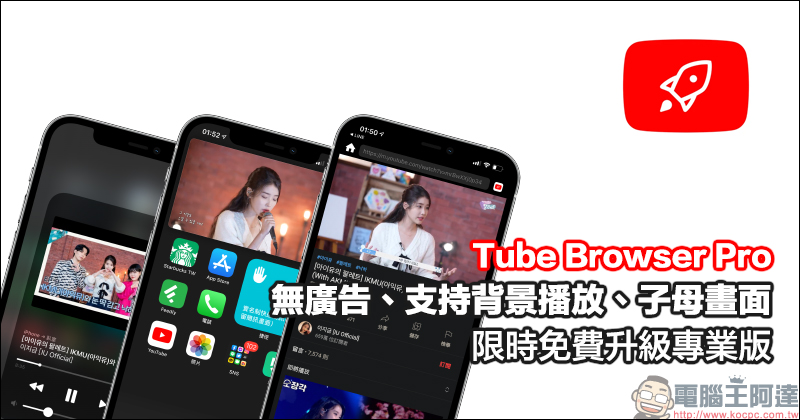
Tube Browser Pro, the YouTube App that has no ads, supports background playback, and picture-in-picture, has been upgraded to “Professional Edition” for free for a limited time (8/6-8/8)
Tube Browser Pro is a YouTube playback app that can be used as an alternative for general free YouTube users who want to experience ad-free video playback. It can be downloaded for free and upgraded to the professional version through in-app purchases, thereby adding the background playback function. From today (6th) to August 8th, the official has also released a limited-time free upgrade to the professional version!
Tube Browser Pro iOS App Download:Click here to go
(8/6-8/8 free upgrade to professional version for a limited time)
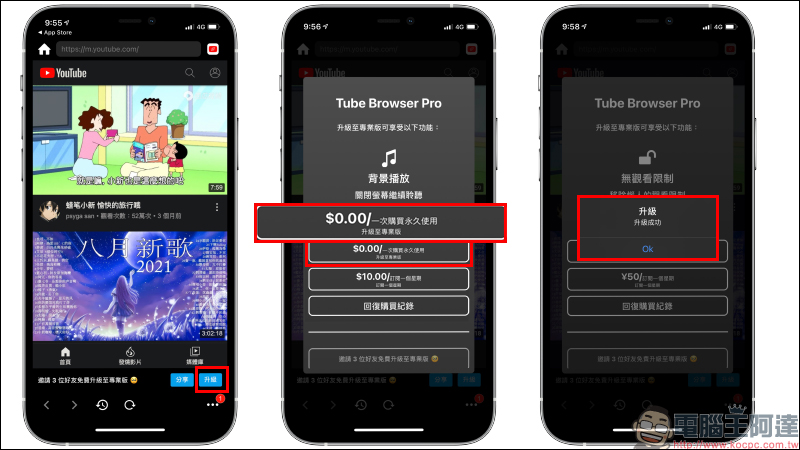
In the past, users of the free version of Tube Browser Pro App who wanted to upgrade to the professional version needed to invite 3 friends to upgrade. However, during the limited-time free upgrade period, users can directly upgrade to the professional version for free on the upgrade page. Open the app and click the “Upgrade” button below. During the event, you can see that one purchase will cost 0 yuan for permanent use. After clicking to complete the 0 yuan in-app purchase, you can permanently obtain the professional version of Tube Browser Pro App.
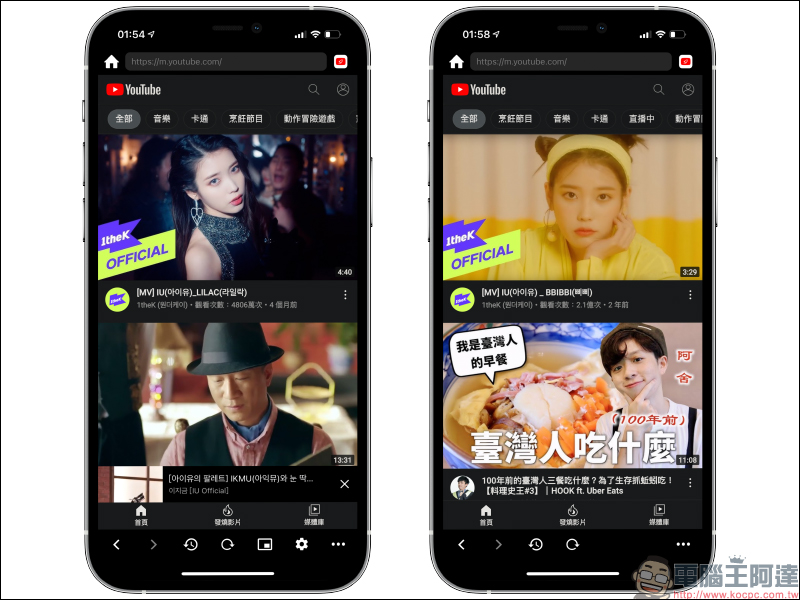
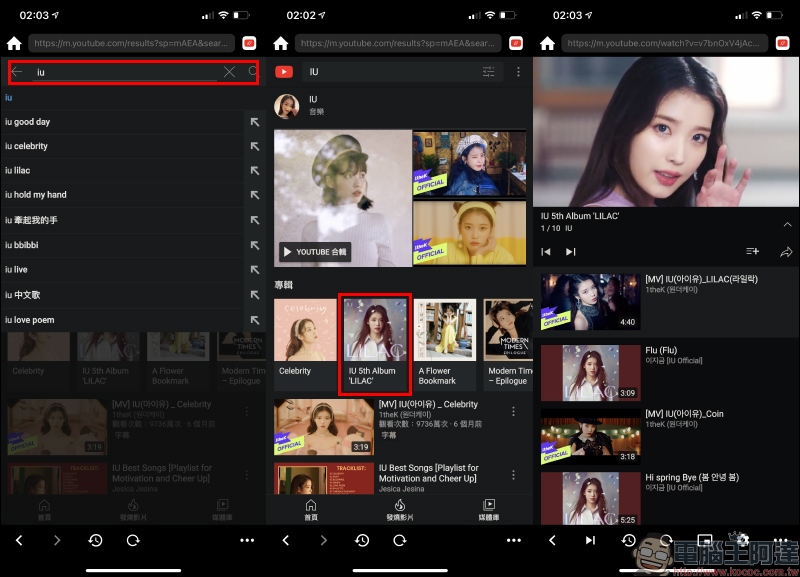
In terms of user interface, the Tube Browser Pro App is similar to the web version on mobile devices. You can also find the videos and MV music you want to play through the search function. The search results also integrate a music album playlist, and you can directly play the MV or music content of the album after clicking on it.
The player in the Tube Browser Pro App can adjust the video quality through settings, but even playing 4K high-definition videos is limited by the YouTube web version, so it can only be set to a maximum resolution of 720p.
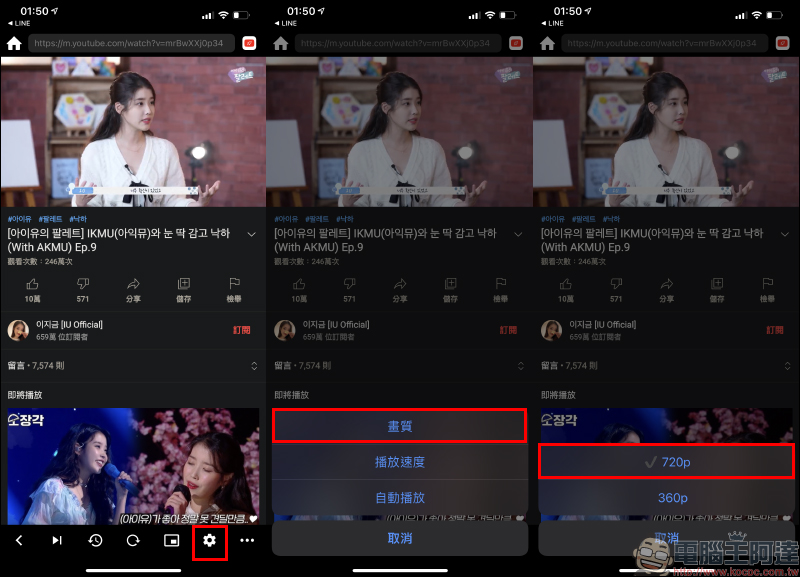
Users can also adjust the video playback speed and enable the auto-play function.
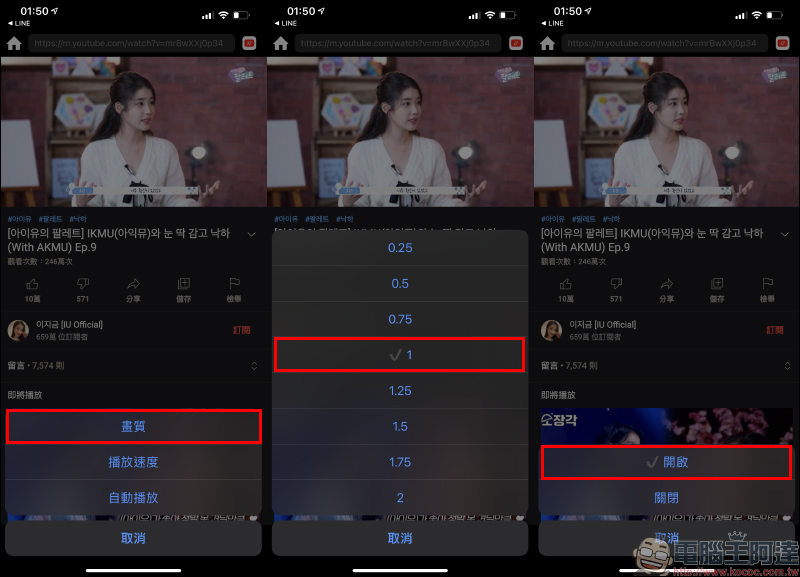
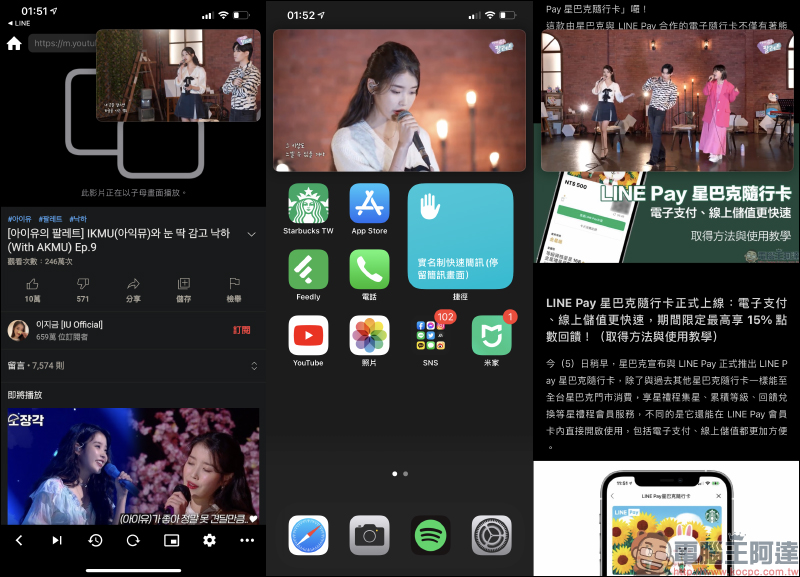
Compared with the current YouTube iOS App, the picture-in-picture function cannot be used. It needs to be combined with the YouTube Premium membership through the mobile web version. In the Tube Browser Pro App, the picture-in-picture function can be directly turned on to play videos. Whether on the iOS home screen, browsing the web, etc., you can use picture-in-picture to continuously play YouTube videos.
When the iPhone is turned to landscape orientation, the picture-in-picture screen will also switch simultaneously.
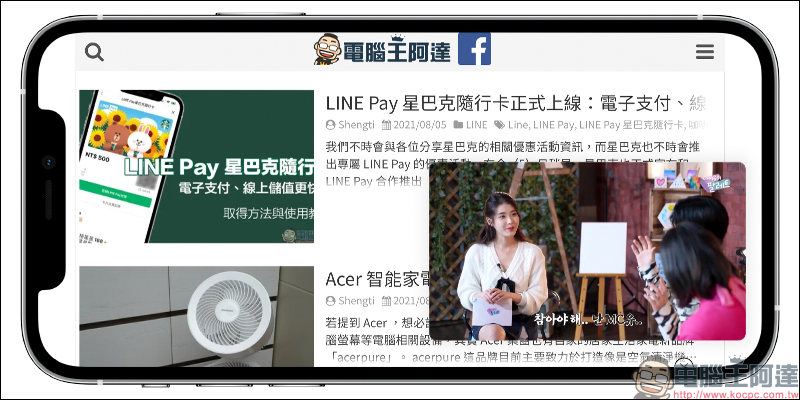
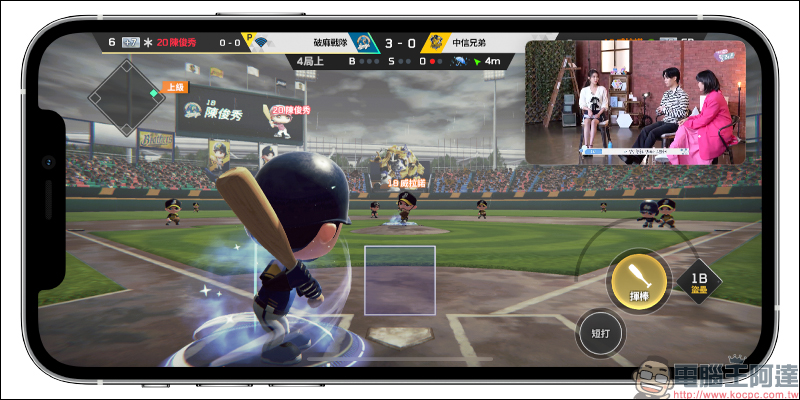
Even while playing mobile games, YouTube picture-in-picture can continue to be used, so you don’t have to worry about missing video content while playing games!
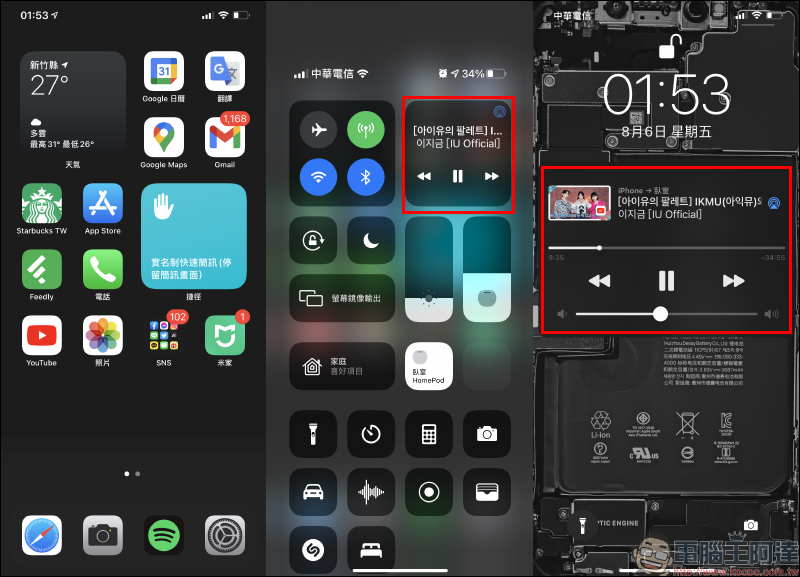
If you upgrade to the professional version of Tube Brower Pro, you can support the background music function.
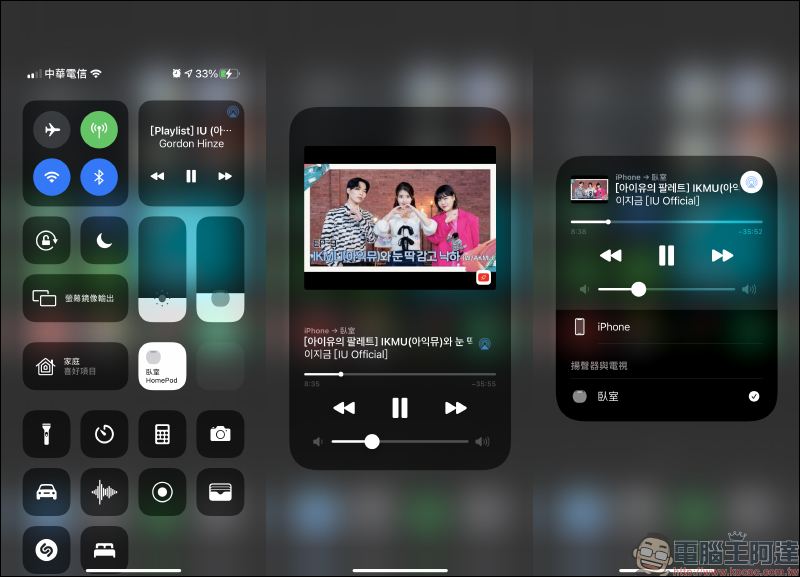
If you have an external AirPlay playback device (such as HomePod mini), you can also use Tube Browser Pro to switch the sound to playback.
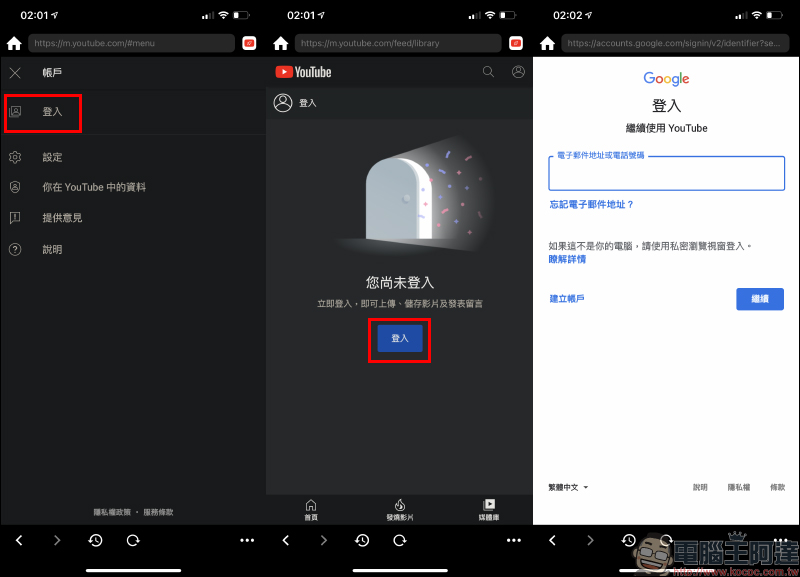
Of course, if users want to display personalized recommended content and subscribed channels, they can also log in to their Google account in the Tube Browser Pro App.
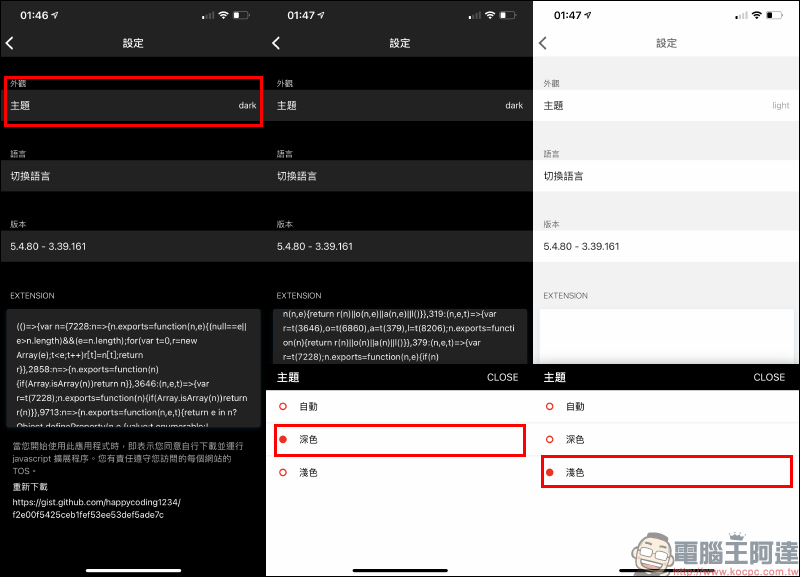
In the Tuber Browsr Pro settings page, users can also customize dark or light appearance themes.
Tube Browser Pro iOS App Download:Click here to go
(8/6-8/8 free upgrade to professional version for a limited time)
Further reading:
LINE Pay Starbucks travel card is officially launched: electronic payment, online recharging is faster, and you can enjoy up to 15% points rebate for a limited time! (How to obtain and use instructions)

Source: KOCPC Chinese