


Over the past year or two, “AI” has become a major theme in the lives of many tech professionals, but for the average person, the practical uses of AI are actually quite limited—just occasionally chatting with ChatGPT or using various AI services to generate images. Honestly, it hasn’t made much of an impact. However, there is one category that office workers are likely to use frequently on the job: transcribing calls or meetings into text and summarizing the key points. We’ve previously introduced many excellent recording-to-text tools, both hardware and software—some require dedicated devices, while others can be handled entirely on a computer or smartphone. This time, we’ve compiled them all into a single article, hoping to help everyone work and live more efficiently with twice the results and half the effort!
Comprehensive Roundup of the Current Best Free / Paid AI Audio-to-Text Transcription Software and Hardware Services
There’s no such thing as a free lunch, so there’s almost nothing in this world that is truly useful, comprehensive, and completely free. AI As for transcription services, that’s why here I categorize them simply by whether you need to spend money. Simply put, the paid ones are the most worry-free and convenient—software and hardware are all handled for you, and the experience is smooth and comfortable. But you do have to buy hardware, and some even require monthly fees. If you don’t want to spend money, there will inevitably be some limitations in use. You either have to do it yourself, or you have to jump through hoops to get results close to what paid hardware services offer. As for whether to spend money, that’s up to you. This introduction doesn’t cover the Android platform because all the options there cost money. If there are any free, good transcription Android apps, please let us know, and we’ll add them right away.
We also have video content, feel free to check it out, and liking, subscribing, and turning on the notification bell would be even better:
Paid AI Audio-to-Text Transcription Software and Hardware
Plaud Note
It is probably the most mature and user-friendly hardware for recording and transcribing on mobile devices. It can record all phone calls, LINE, and Messenger conversations, and uses the built-in OPENAI service to transcribe them into text and summarize key points. When it was sold on a crowdfunding platform before, a lot of people messaged me privately asking if it was good. At that time, it was indeed “invincible,” and it still works very well now.Very suitable for business professionals who are out and about all day.It’s officially on sale now. Buying now doesn’t come with the early bird perk of free minutes every month, but buying hours individually isn’t too pricey either.
Everyone can refer to the introduction in the previous article.Please click me.The new version has made quite a few optimizations to the interface, and the part I previously complained about—not being able to fix typos—has been improved too.
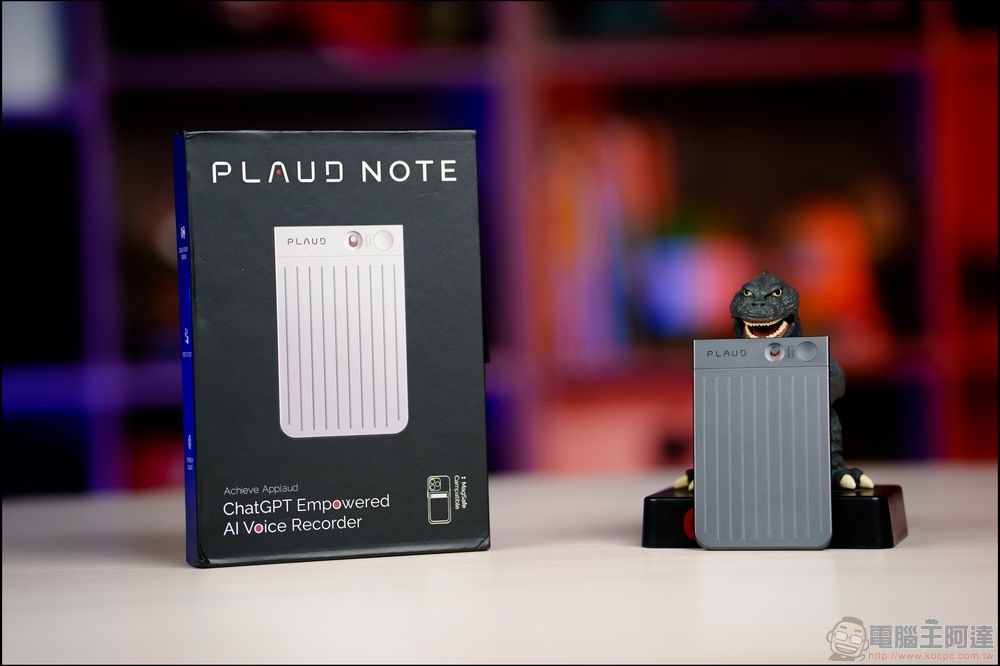
We’ve also made a video — if you’d like to learn more, you can watch how Plaud Note works:
Pros: Accurate, easy to use, works across devices, and handles all call or meeting recording scenarios.
Drawbacks: It costs money to purchase, has a monthly subscription fee, and lacks translation and customization features.
Buy Plaud Note here.
HiDock H1
If Plaud Note is the most essential companion for salespeople who are always out and about, then HiDock H1 is absolutely the ultimate companion for office workers.It’s an incredibly versatile hub—just one cable to your laptop or computer lets you connect up to three external monitors. It also pairs with your phone via Bluetooth, so you can answer calls right through the HiDock H1 (and decide whether to record them). Any calls you can make on your computer or phone—whether through phone, LINE, Telegram, WeChat, or other apps—or meeting software like Zoom, Teams, or Google Meet, can be fully recorded (and if you want, you can even carry it into a conference room with your laptop to capture in-person meetings as transcripts and summaries). The built-in HiNotes service then transcribes your meetings or calls into text and highlights the key points.The most important thing is that the basic transcription and summary feature is free forever.:
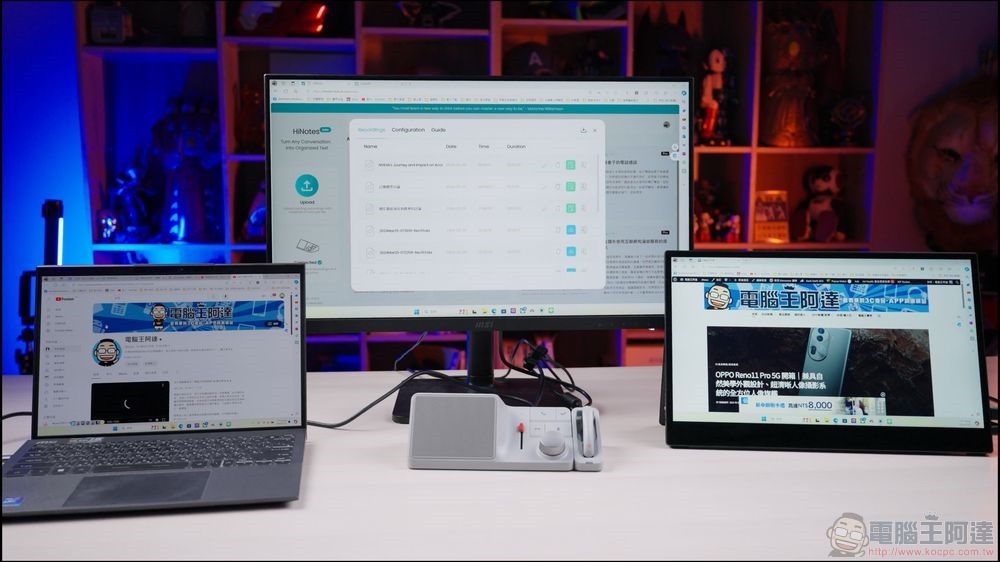
We also have an unboxing and usage video. If you’re interested, feel free to check it out:
Advantages: Free lifetime access to HiNote service, accurate and easy to use, works in almost all scenarios, currently the best solution in my opinion.
Disadvantages: You have to spend money on hardware. It can recognize multiple languages, but it doesn’t have translation functionality (you have to pair it with Gemini yourself).
HiDock H1 pre-order link
Magmo Pro
Magmo Pro can be considered “founding father”-level hardware for iPhone recording gear. Its first generation, the original “Magmo,” pioneered the breakthrough of sticking a device on the back of your phone to record phone, LINE, and Messenger calls. However, the first generation was relatively basic — you had to connect it to a computer to listen to recordings, which wasn’t very convenient. The Magmo Pro is the second-generation product. Besides its versatile recording capabilities, it finally added app transfer functionality, allowing you to send recordings to your phone to listen to them. They originally planned to include a lifetime free recording transcription feature, but unfortunately that development failed (it was awkward to use, had extremely low accuracy, and very short time limits). If you need transcription, it’s recommended to use the BUZZ or HiNotes services instead.
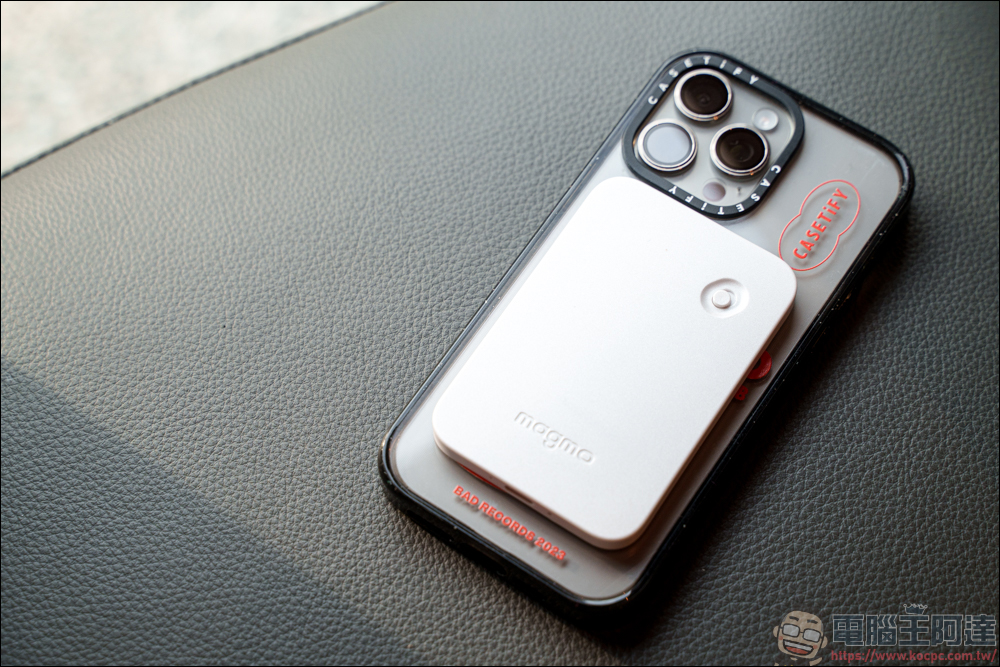
Advantages: cheap, can record all phone calls, LINE calls, and Messenger calls on the phone, then transfer them to a phone or computer via a cable or an app.
Disadvantages: poor speech-to-text capability; it is recommended to pair it with BUZZ or transcribe text from other applications.
Buy Magmo Pro here (click me)
Transcribe AI
“Transcribe AI: Voice to Text” is a really handy AI note-taking app. What sets it apart from typical speech-to-text tools is that beyond transcription, it also offers AI summaries and highlight features—basically organizing the entire voice content for you, which is super convenient. More importantly, it even includes translation. You can record audio or videos in English or other languages, and it will transcribe them into Chinese for you. However, due to iPhone’s inherent limitations, it can only transcribe the text content from recorded audio files. The annual subscription costs nearly NT$3,000, and you get the first three days free after downloading. It occasionally goes on a limited-time free promotion, so everyone can follow our fan page—we’ll let you know when it’s free!
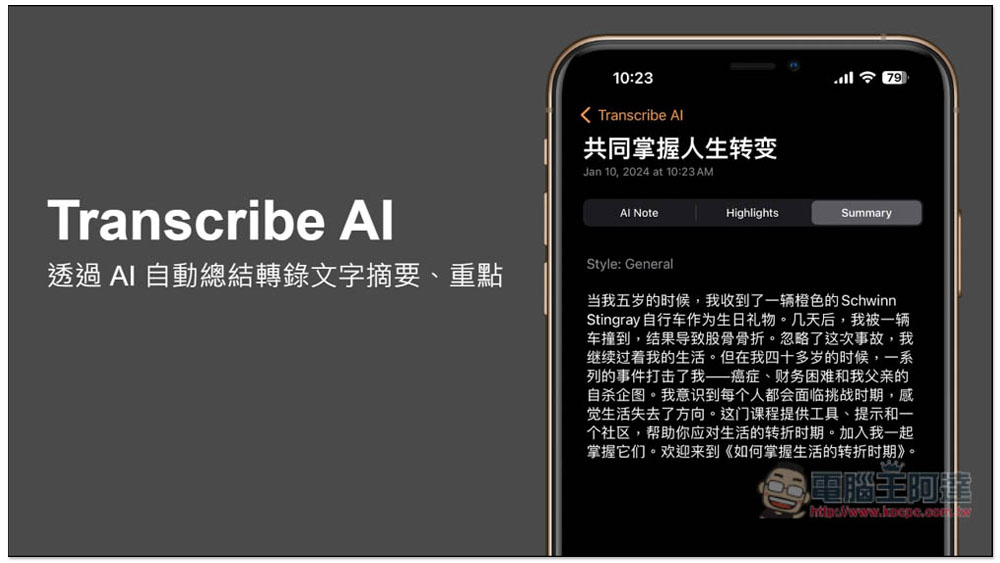
Click here to go to the Transcribe AI: Voice to Text download page.
Free AI Audio-to-Text Software
Next, regarding free transcription services: these tools are all open source (but require self-installation), or they offer very generous free hours. Since they don’t charge you, they can’t cover everything—the most basic limitation is the lack of phone call recording (if you need that, just spend money on a recording card). However, they can convert your everyday recordings into text, and then you can use ChatGPT or Gemini (recommended, since it’s free) to summarize them.
CapCut
Many people use CapCut to edit videos, but what you may not know is that CapCut also has a very powerful built-in speech recognition feature. You simply drop the audio or video file directly into CapCut, select “Text,” and then use the subtitle recognition function.
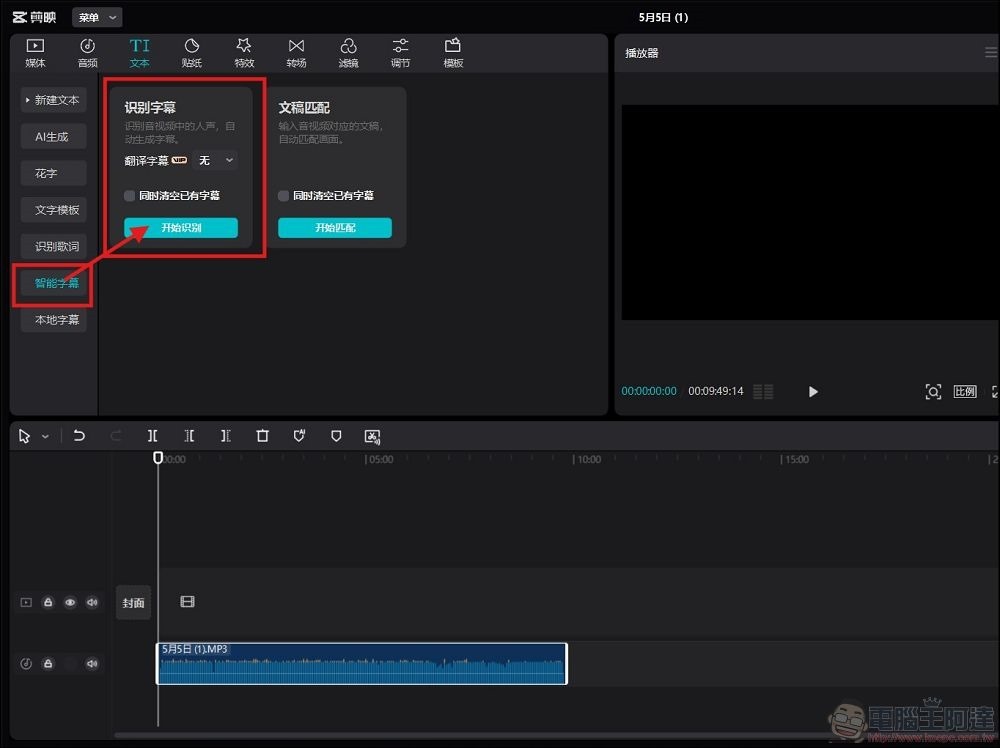
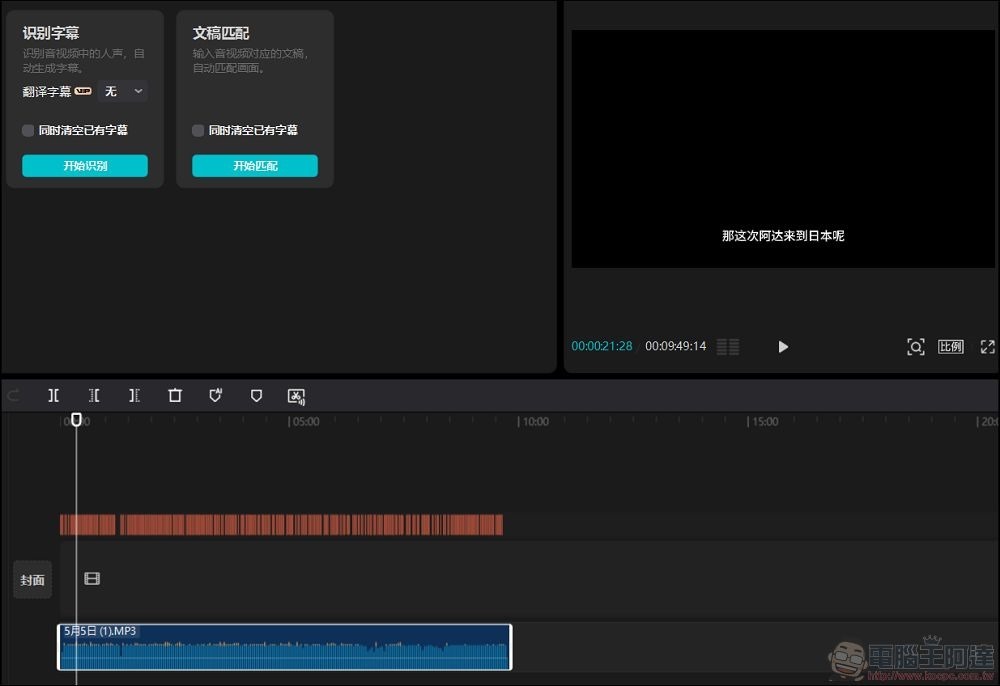
After recognition, the upper-right window will display text content aligned with the timeline. In practice, it tends to have issues with polyphonic characters and nouns, but accuracy is around 80–90%.However, the converted content will be in Simplified Chinese, and it will be sent to the cloud for recognition, so if that bothers you, don’t use it.:
When exporting, remember to only select “export text” and choose TXT as the format (SRT will have time prefixes, which most people probably don’t need). After exporting, find a Simplified-to-Traditional Chinese conversion website to convert the content into Traditional Chinese characters. That way, you’ll have a transcription of the recording.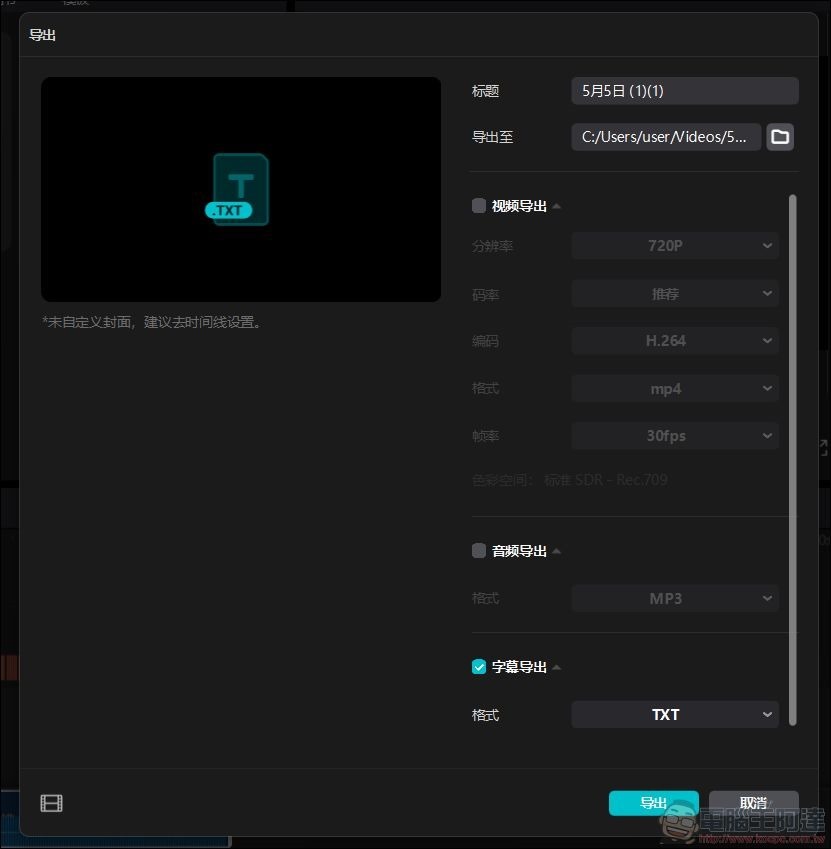
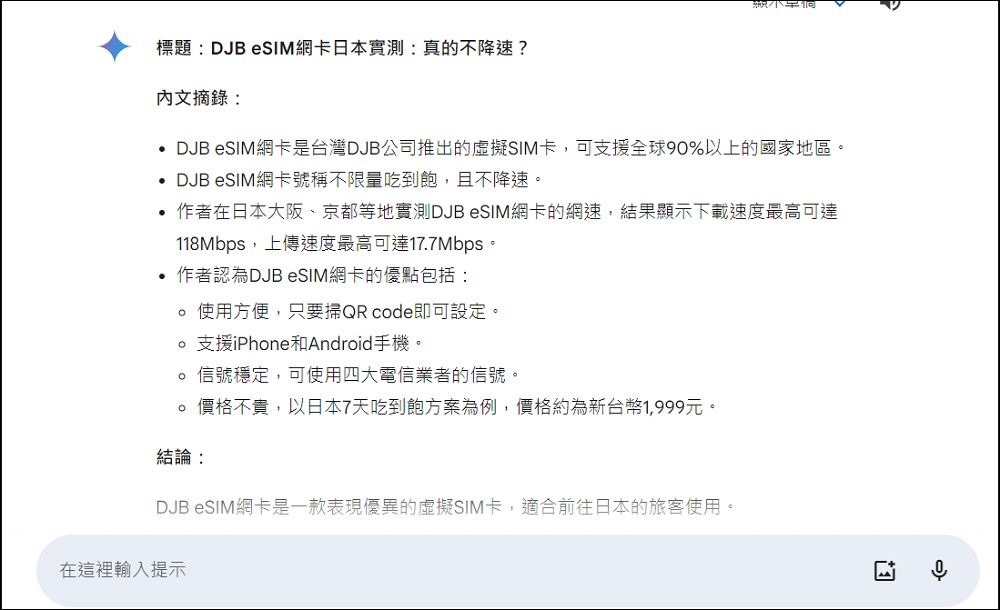
If you need a summary, just pass it to ChatGPT or Gemini (free) to do the summarizing, though the whole process is a bit tedious:
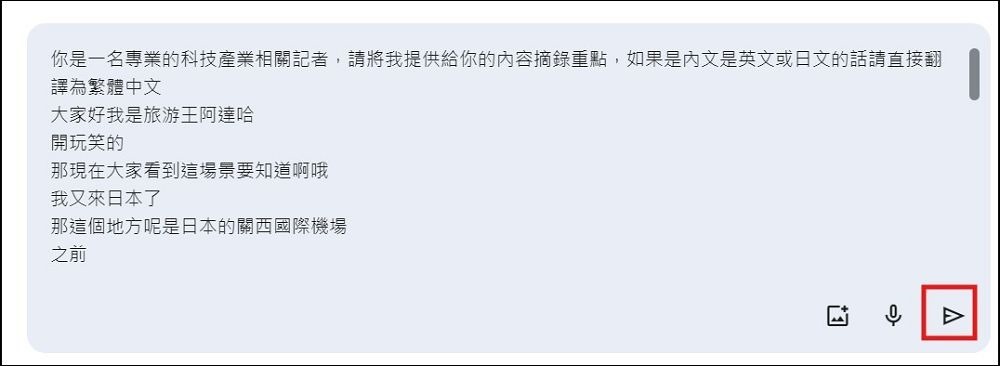
If you want to learn about the detailed features of CapCut, you can watch this video:
BUZZ
BUZZ is an open-source speech recognition software based on OpenAI Whisper that transcribes audio files from videos, phones, or voice recorders into text. It supports multiple languages, is highly accurate, free, and doesn’t upload your data to the cloud. However, you need to install it on your computer to run it, and your computer specs can’t be too low (it might run a bit painfully).
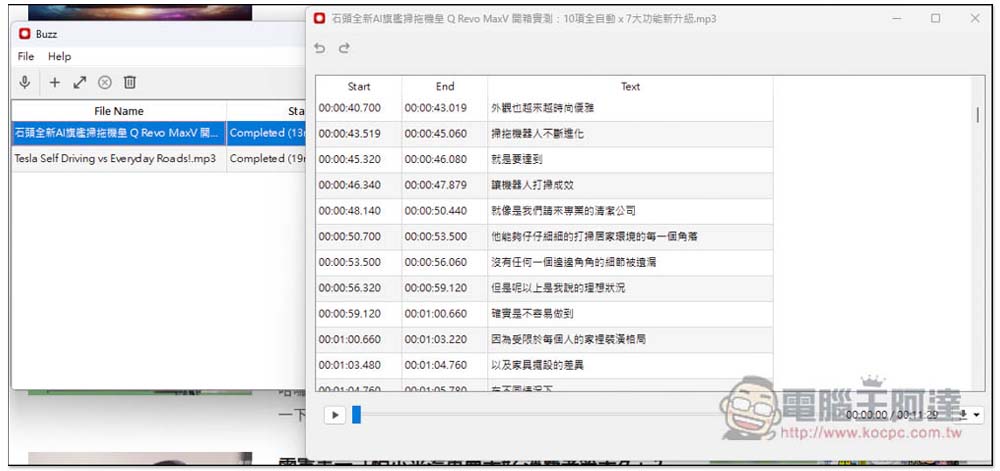
When using it, just select the largest-scale language model. Personally, I think the recognition accuracy is over 95%; the main errors tend to be with proper nouns and similar terms. After converting, you can also just feed the text file into Gemini to extract key points. For those who want a more detailed guide on how to use it, check out the tutorial at the link below:
HiNotes
HiDock offers a free service. If you haven’t purchased the HiDock H1, you can get up to 10 minutes of free transcription, and you can also summarize the recording. If you don’t mind the hassle, you can also manually split the audio file into multiple segments and transcribe them bit by bit. The free version only allows uploading files via a desktop browser. If you have purchased the HiDock H1, you can upload any audio file to HiNotes for transcription, with a maximum of four hours per file:
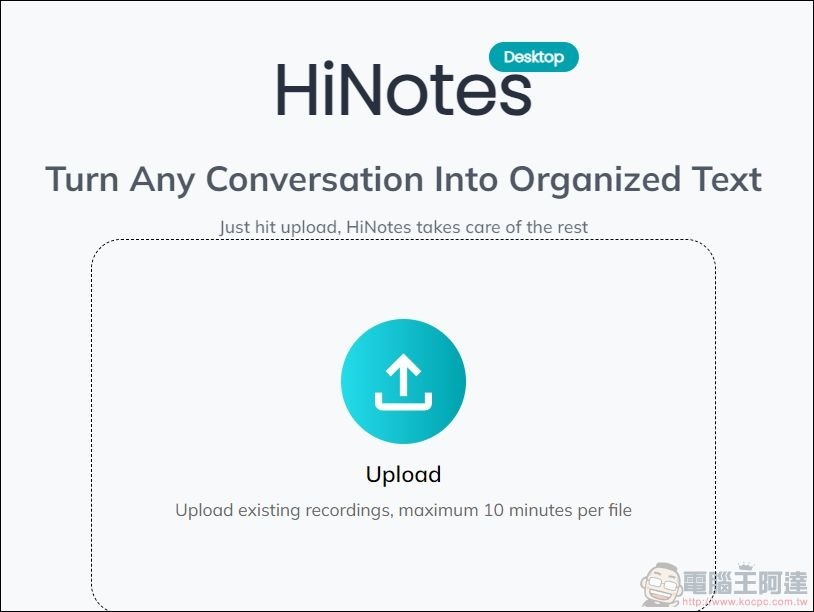
HiNotes Service – Click Here.
Sound TYPE AI
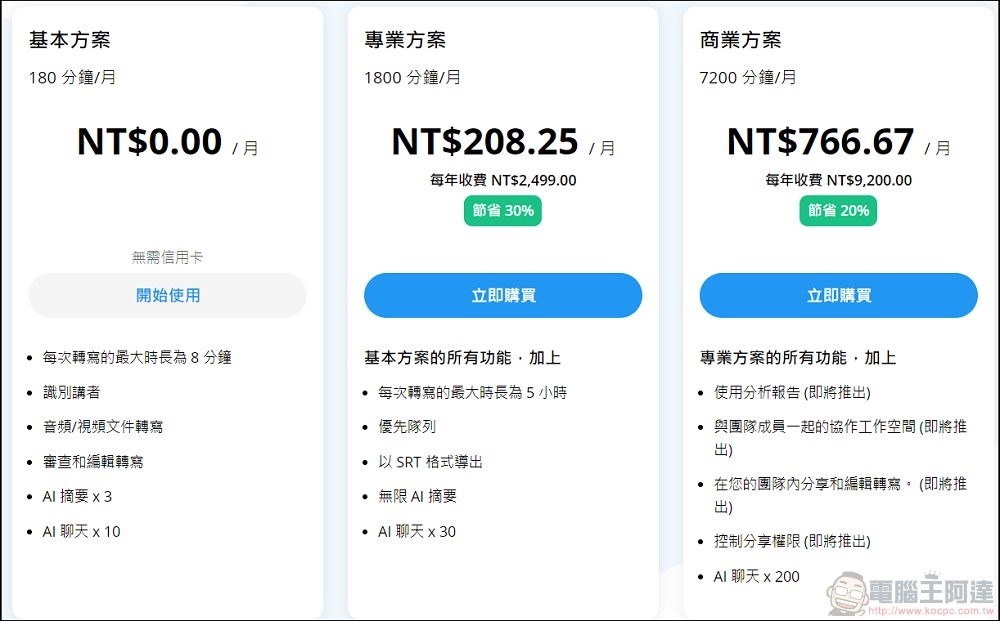
It can transcribe text and summarize key points. Upon registration, you get 180 minutes per month (but each segment is only 8 minutes). In theory, you can keep switching accounts to continue using it. There’s an app available:
Sound TYPE AI service, click here
Conclusion
That’s all for this sharing on audio-to-text and summarization. As the saying goes, “Paying saves you hassle, saving money costs you effort.” It depends on how you choose. If you ask for my recommendation, for most people who want convenience without high costs, I’d suggest getting a HiDock H1. Unless you have special needs, the current lifetime transcription and summarization service is very convenient. If you really need phone call functionality, then get a Magmo with HiNotes, or just go for a Plaud Note – also a great option. If you don’t have that budget, you can also use CapCut or BUZZ to do it yourself. Just sharing for your reference.
Source: KOCPC Chinese