


Google Maps has just been updated, adding convenient support functions to the Widget desktop tool available in iOS 14 (seeOur usage sharing teaching), I didn’t expect that there would be many new features immediately following “unlocking”. Among them, many people should have been a little envious before The dark mode “interface” available in the Android version– Yes, in fact, the dark mode of the map itself has been available for a long time (otherwise the navigation eyes will go blind in the middle of the night). In addition, there is also a new function that cooperates more deeply with the iOS system. Continuing below, let’s take a look at the report that the iOS version of Google Maps also has a dark interface, and iMessage location sharing has become more practical.
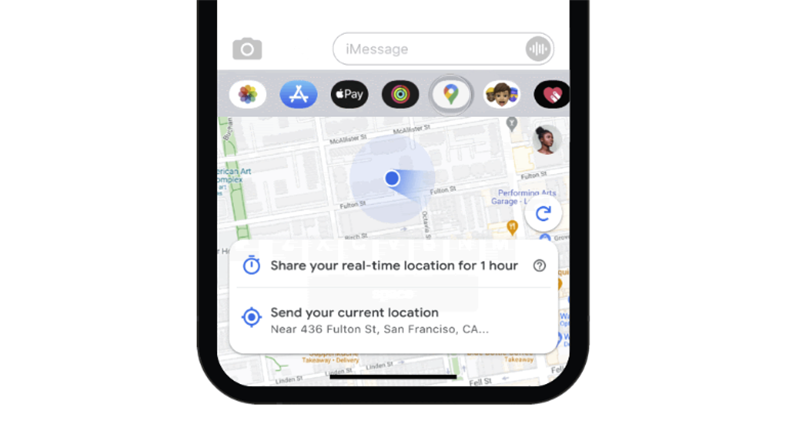
▲Image source: Google
Google Maps for iOS also has a dark interface, making iMessage location sharing more practical
For iOS users, the recent Google Maps gadget update should be quite easy to use, right? Now it seems that these are not the only new features they have prepared for Apple users. Today, the official blog introduces iOS widget support and other features that will be launched this month – I wonder if you have noticed any new features in Google Maps recently besides widgets?
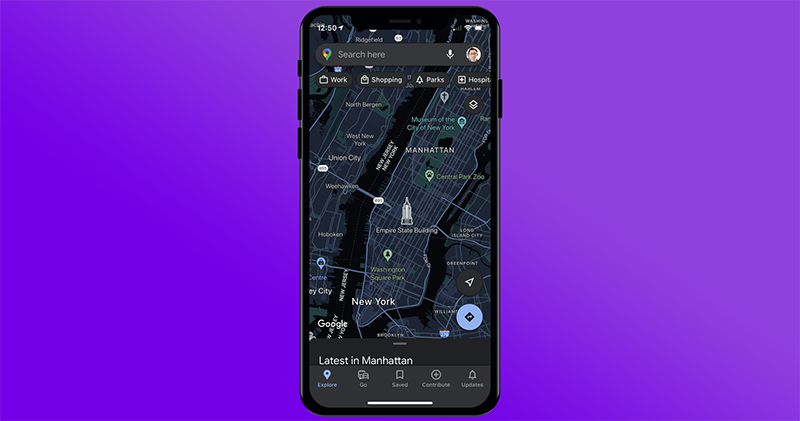
▲Image source: Google
This wave of new features from Google can be regarded as quite corresponding to the iOS system experience. In addition to the widgets that are very convenient to access, the iMessage support function also adds the function of continuously sharing the current location from the original single-time transmission of location. Friends who use Apple’s own messaging service can also see each other’s locations instantly and continuously through Google Maps’ map service.
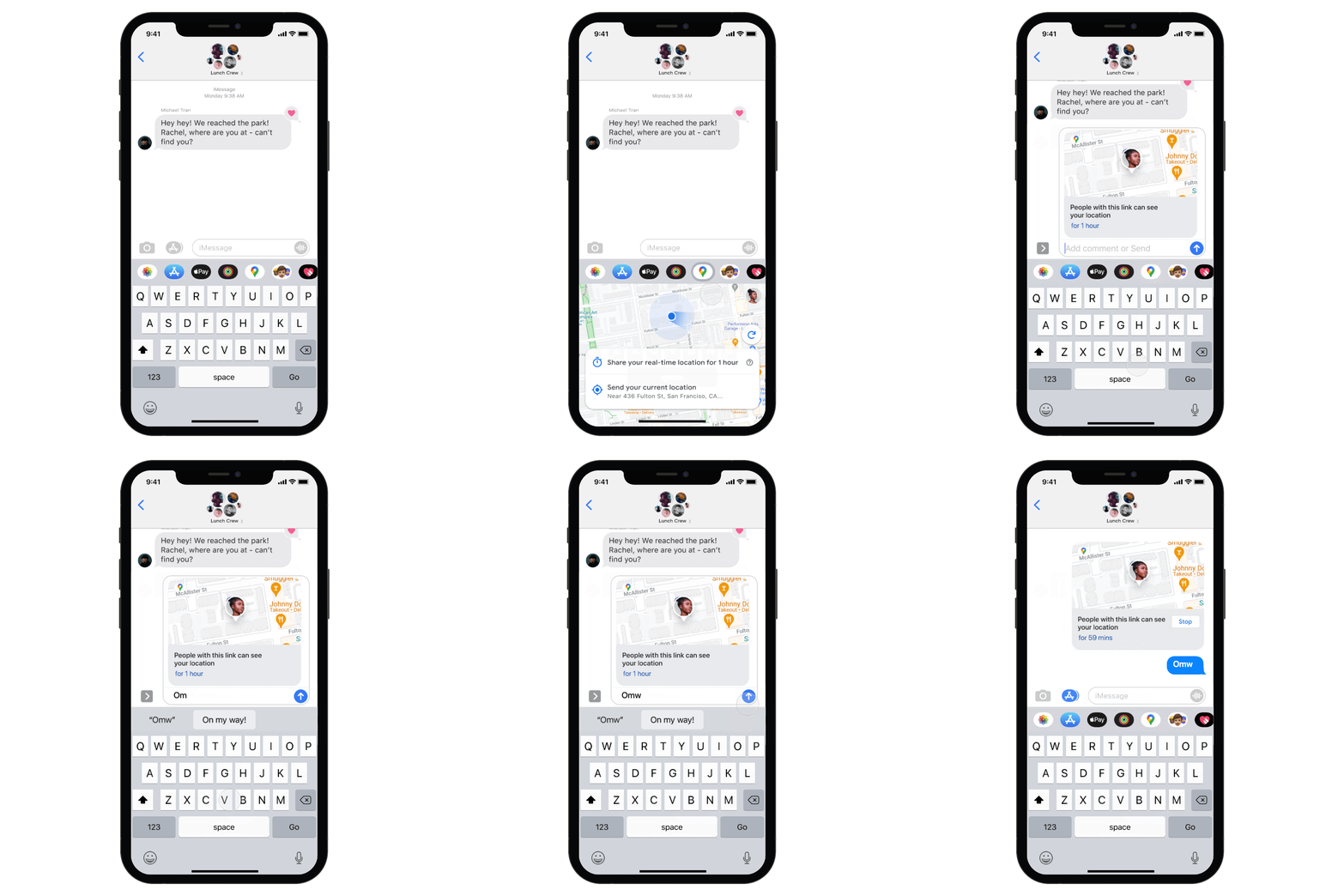
In addition to the new feature(s) corresponding to the iOS system. Google also confirmed through its official blog that the dark theme user interface, which has been previously launched on the Android version, will also be available for the iOS version of Google Maps within this month. I wonder if you have received these functions? You can also share your experience.
Pictures/sources cited in this article
Further reading:
Source: KOCPC Chinese