


As early as mid-February this year, LINE took the lead in launching the “chat room emoticon” function for users of the LINE community. This time, LINE also announced that this function has been fully opened and can be used in all kinds of LINE chat rooms, whether it is 1-to-1 chat rooms, 1-to-many group chat rooms or the previous LINE community! Members of the chat room can give emoticons to each message in the chat room, whether they want to like, love, laugh, etc.!
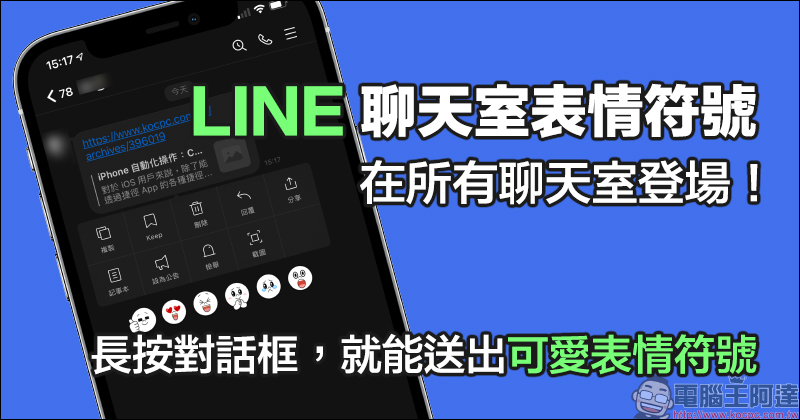
LINE’s “Chat Room Emoticons” are available in all chat rooms: long press the dialog box to send cute emoticons!
Today (2nd), LINE announced that LINE users with LINE iOS/Android dual systems can use the new chat room emoticon feature as long as they update the LINE App to version 11.11.0 (inclusive) or above! Just like comments under Facebook News posts, LINE users can now send cute emoticons to individual chat messages. If you are not sure which version of your LINE App is and whether it can apply this new feature, it is recommended to directly update the LINE App to the latest version.

▲Picture source:LINE Taiwan official BLOG
The way to use emoticons in chat rooms is quite simple, with almost no difference from before in LINE communities. Users only need to press and hold the text message or picture they want to respond to with a like. When the message pop-up function menu is opened, the system will also pop up button selections for various emoticons.
But there is one thing you should pay special attention to:The emoticon function in the chat room can only respond to messages within seven days, so if the message is too old, there is nothing you can do!
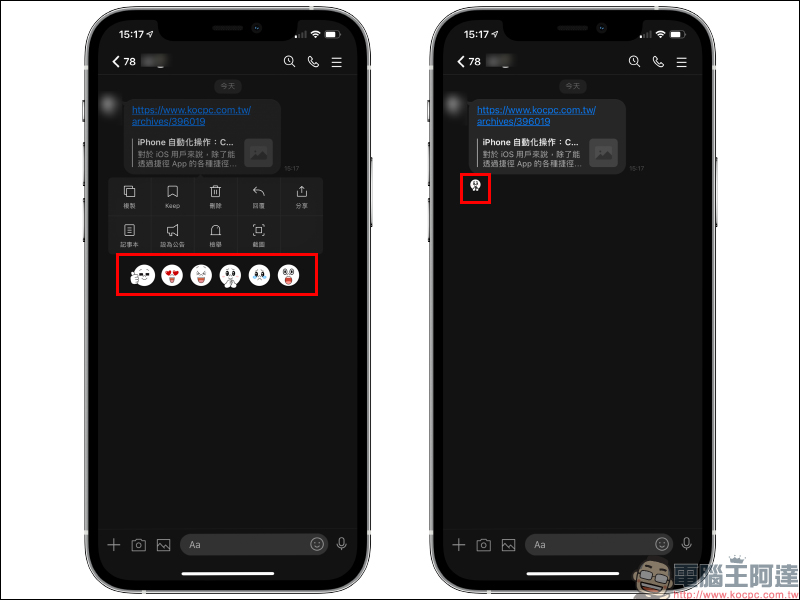
Not only 1 to 1 chat rooms are open. Even FamilyMart’s group purchase LINE group and the previously opened LINE group can now respond to specific messages. You might as well take this opportunity to give the other person a proper expression and acknowledge him! Want to see who responded to this message with emojis?
Then you can click on the emoticon under the message. At this time, the list under “Response” is all the members who left the chat room emoticon in this message.
In addition, chat room emoticons can also be recycled after being sent, which avoids the daily problem of accidentally pressing with a swipe.
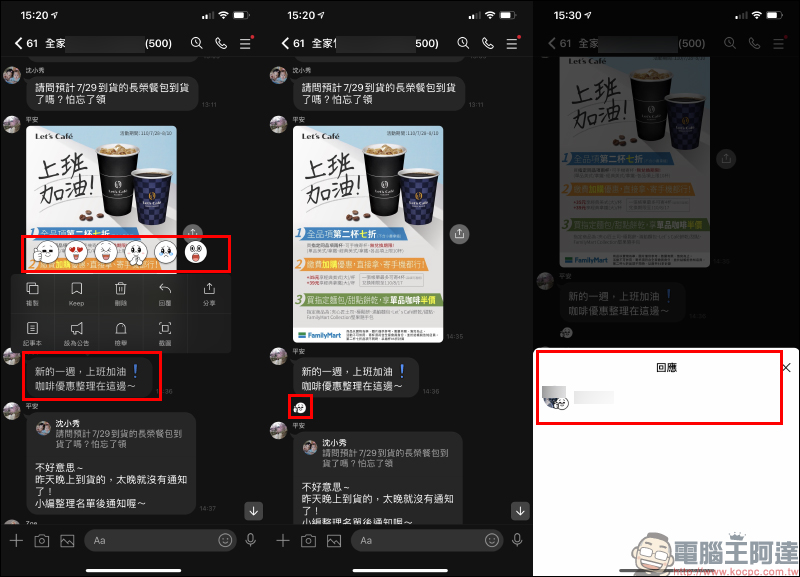
In fact, in addition to being more convenient for one-to-one chats with friends, this function can also be used in group chats to count the number of voters, decide what to eat for dinner, and other issues. It is also very useful.
Source:LINE Taiwan official BLOG
Further reading:
LINE received a message from the future, are you the time traveler? (Real reason & solution teaching)
Source: KOCPC Chinese