


After Microsoft Edge switched to open source Chromium as its core architecture, I have to say that it has become much easier to use. In addition to supporting all Chrome extension plug-ins, the Microsoft team has also been very diligent in updating and adding many practical features in a short period of time. After I switched to Edge a few months ago, I have been using it and I have no intention of returning to Chrome.
Recently, some unique expansion plug-ins have appeared in the Edge plug-in store. “Translator” is one of them. It supports the four major translation engines of Google, Bing, Baidu, and DeepL. It is the most complete translation expansion plug-in among all the current translation expansion plug-ins. It is also simple to operate. More importantly, it is not available in the Chrome store. Readers who are also Microsoft Edge users highly recommend trying it.
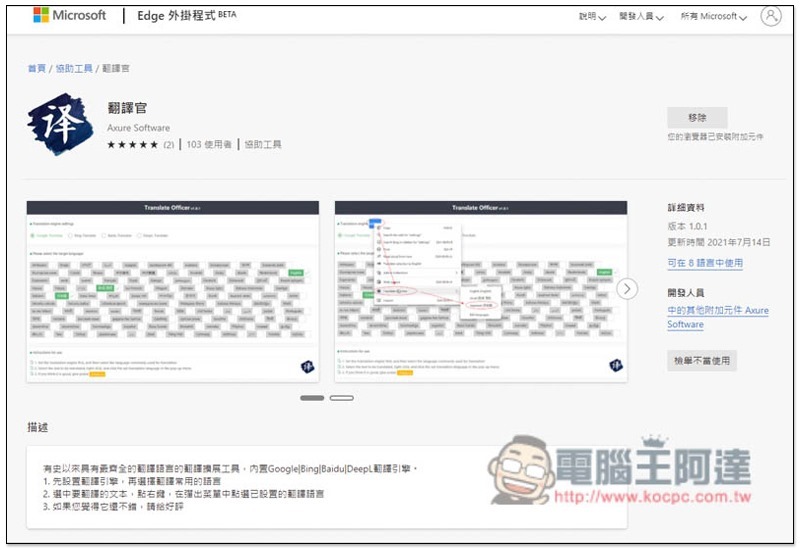
Translator Microsoft Edge extension plug-in introduction
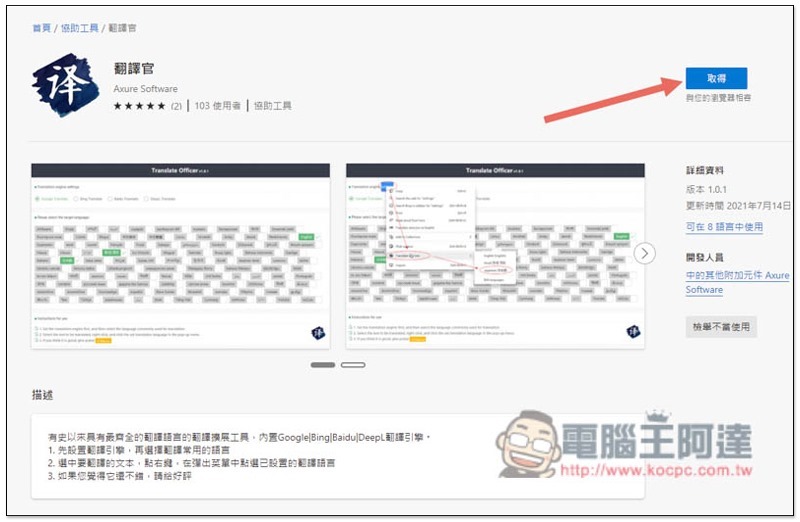
After Microsoft Edge users enter Microsoft’s Edge plug-in store page, click “Get” on the right to install it:
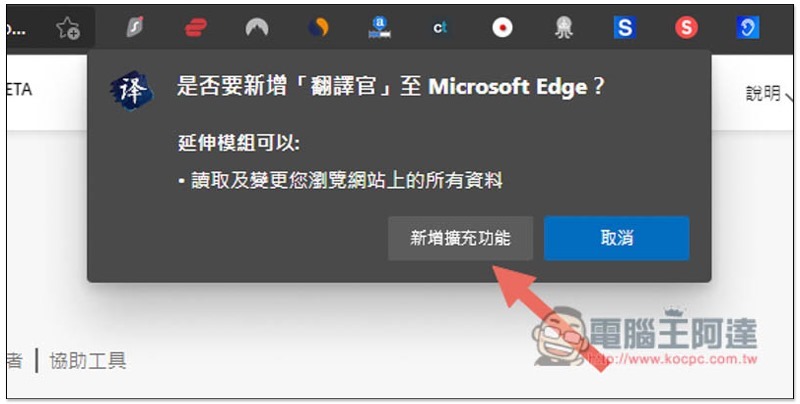
This message will pop up above, click “Add extension”:
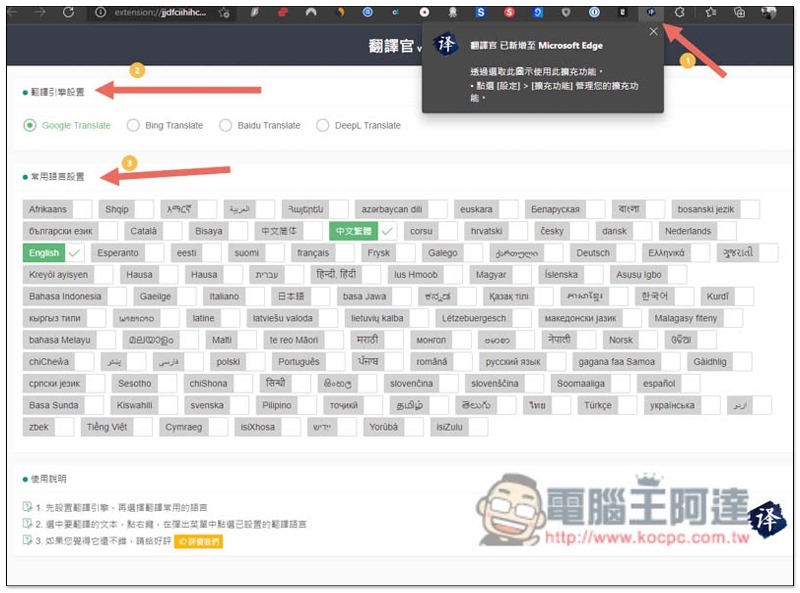
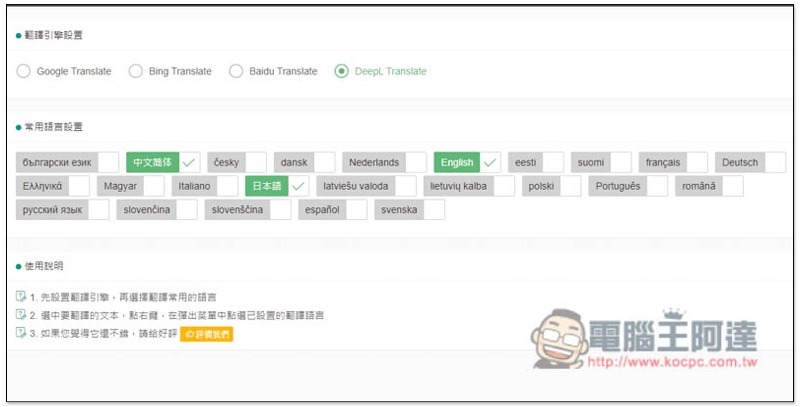
After the installation is completed, in addition to the function icon appearing in the upper right corner, the settings page will also automatically open to select the translation engine you want to use (Google Translate is the default) and the commonly used language settings, that is, which languages you usually need to translate:
The method of use is also very simple. After selecting and highlighting the paragraphs you want to translate, open the right-click menu and you will see an option to “Translate text to”. This is the function of the translator. Select the language you want to translate in the next menu. Any languages enabled in the settings will be listed:
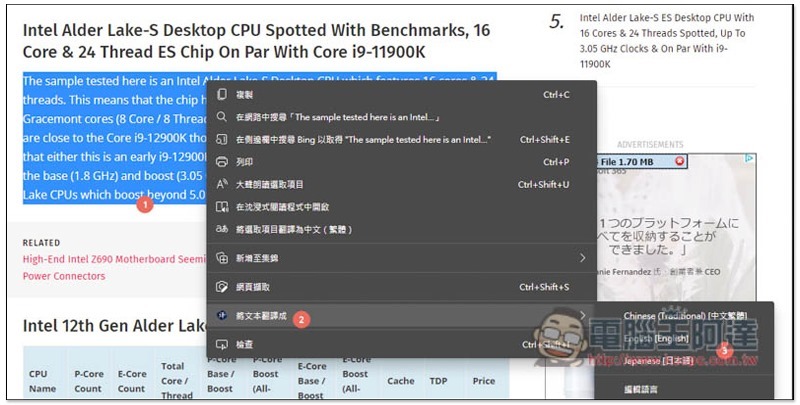
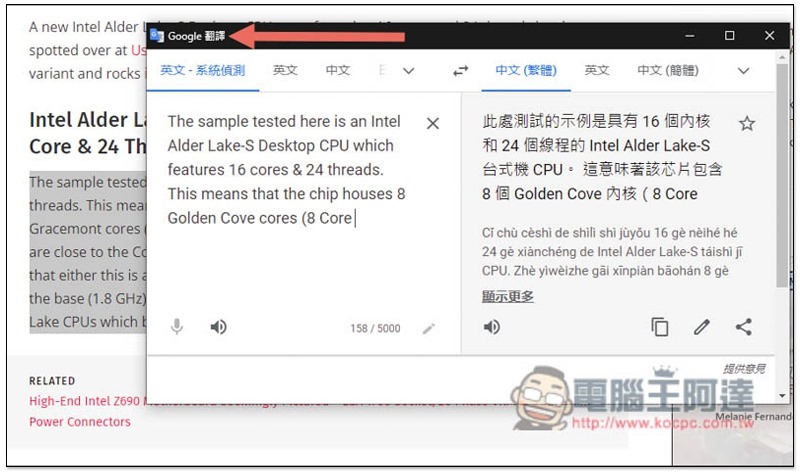
The translation engine I set is Google Translate, so a small window of Google Translate will automatically open to display the translation results:
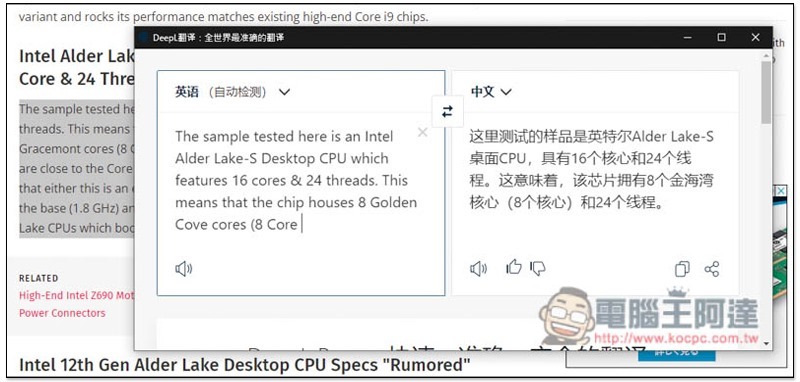
The advantage of supporting multiple translation engines is that if you feel that the translation you are currently using does not make sense, you can quickly switch to other engines and see how the translation results are different. For example, DeepL translation is different from Google Translate:
However, not every engine can translate many languages. DeepL translation supports relatively few, and Chinese is currently only simplified:
Source: KOCPC Chinese