


Recently, some netizens said that when they received a new message notification on LINE, they found that the time the message was sent was actually from the “future” time. What is the reason why the message comes from a certain point in the future? In fact, it is not that I accidentally gained super powers and traveled through time and space to become a “time traveler”. Today I will share the real reason behind this phenomenon and how to solve this kind of time confusion.
LINE received a message from the future, are you the time traveler? (Real reason & solution teaching)
Many people must have imagined that they can travel through time and space to do many things. However, it may be a bit scary if one day you find that a LINE message from a friend shows that the time of transmission is from the future. Recently, some netizens said that they have received new messages from the future, but this is not because they accidentally traveled through time and space, nor is it because LINE or their mobile phones are broken. In fact, the reason behind it is not complicated.
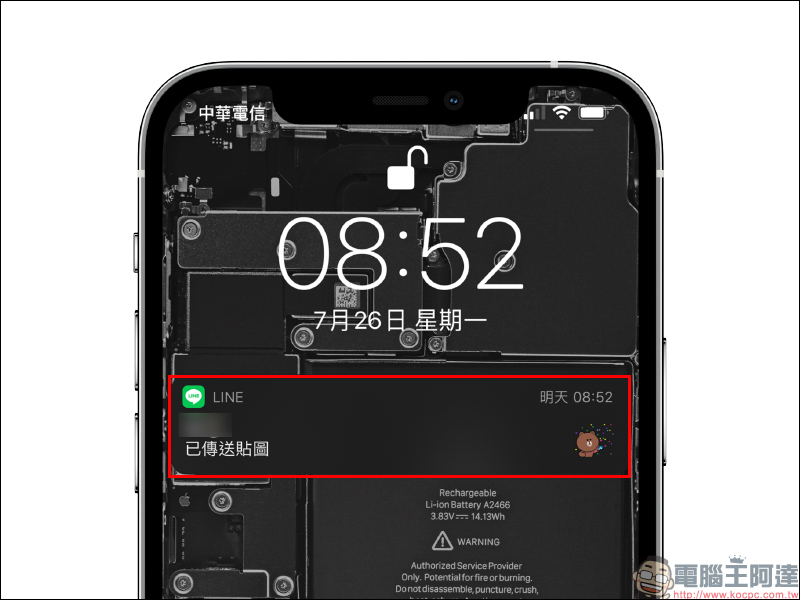
If you find that LINE’s new message notification is sent from the future, in fact, notifications from other applications will also show that it is from the future.
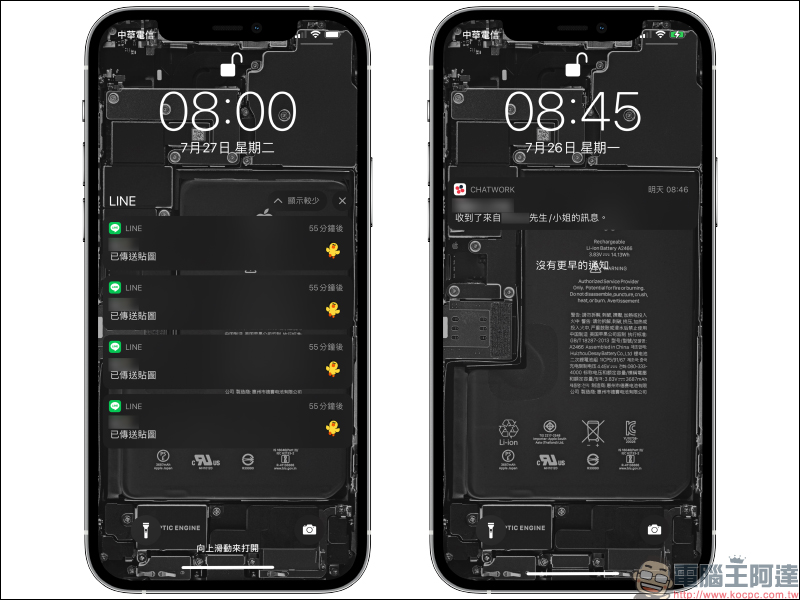
The reason why this “from the future” message notification problem occurs is actually because the system time of the mobile phone is wrong. Normally, mobile phones with either iOS or Android systems will automatically adjust the time via network connection by default when setting the time. However, this phenomenon may occur if the user adjusts the settings without noticing.
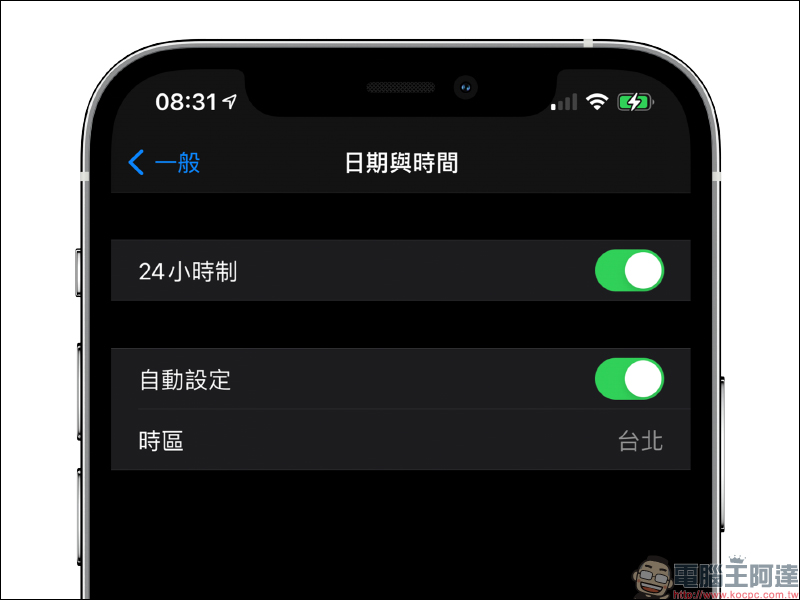
Taking iOS as an example, you can go to “Settings” > “General” and then “Date and Time” to confirm whether the option to automatically set the time is turned off.
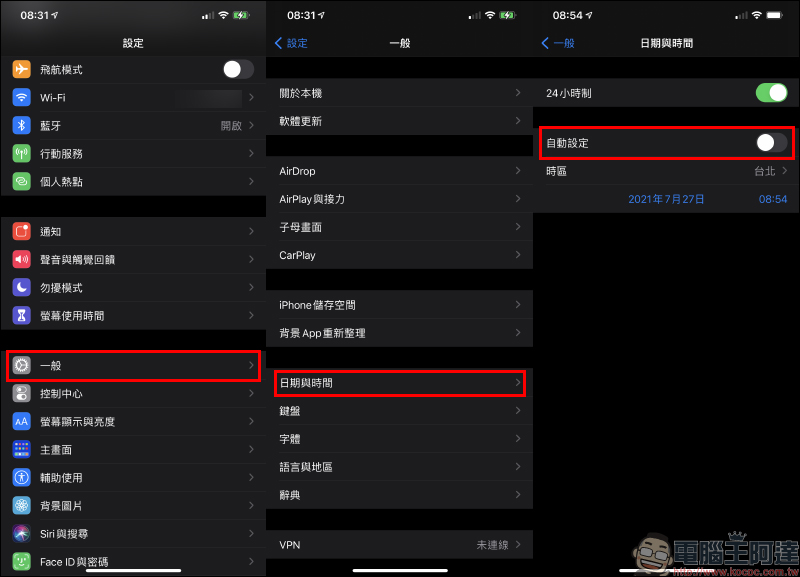
If you find that the “Automatically set” time is turned off, just turn it on. At this time, the system will synchronize the time setting according to the network connection, which can also solve the problem of confusing notification times.
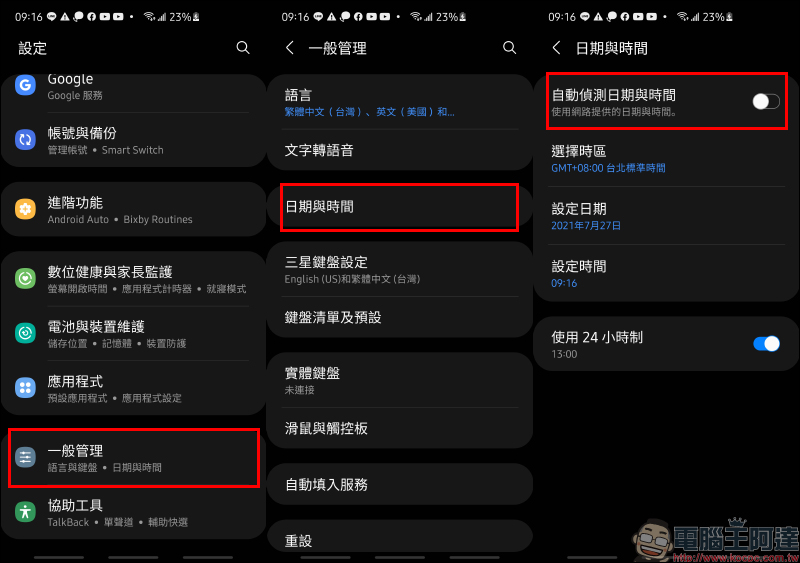
As for Android phones, the solution is basically the same, and the same is to turn on “automatic date and time detection” in the settings.
After clarifying the real reason why LINE sends messages from the future, many users must also think that LINE does not have a “recall message” function? Originally, as long as the above operation was performed within 24 hours after the message was sent, the message, whether read or unread, could be retrieved. So can users “go back in time” to recall messages that have expired by adjusting the system time on their mobile phones?
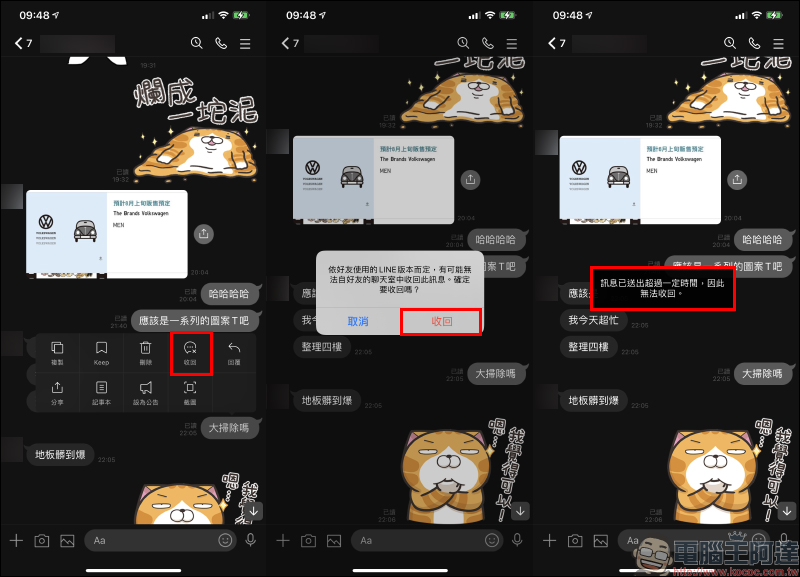
The following author will also test it for you. Is this method feasible to recover the LINE message originally sent the night before? First of all, at the correct time, the message was more than 24 hours old, so you can’t see the “retract” button when you press and hold a sent message in the chat room.
However, if you manually adjust the system time to within 24 hours after the message is sent, you will see the “Retract” button at this time. But actually after clicking to retract the message, a window will pop up saying “The message has been sent for a certain period of time and therefore cannot be retracted.”
Therefore, please don’t think that you can use this method to recover old messages! After all, at the real point in time, the message cannot be taken back.
Further reading:
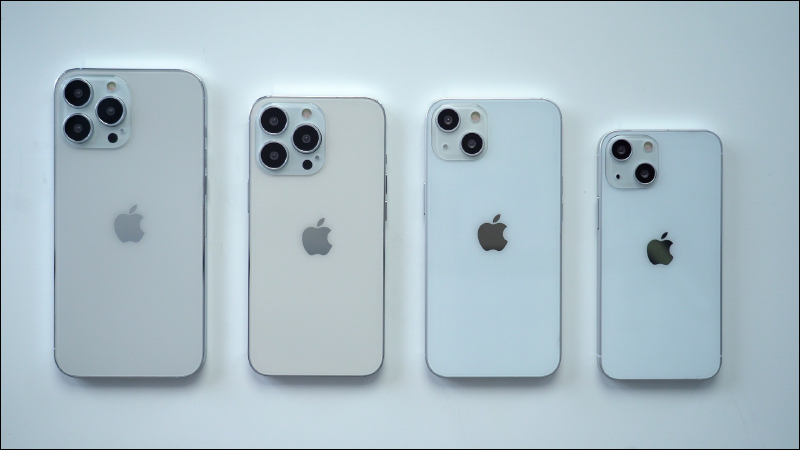
It is rumored that iPhone 13 may be upgraded with up to 25W fast charging, but the charger still has to be purchased separately.
Source: KOCPC Chinese