


Last week LINE launched the 11.11.0 app update, optimizing some interfaces, adjusting emoticons for LINE communities, and adding setting options for community deletion of data. Just earlier today (19th), LINE 11.12.0 App update was released. This time, in addition to optimizing the menu interface of the chat room, more importantly, the chat room can finally select part of the text content in the dialog box! Let’s take a look at what new features and new experience optimizations are added in this LINE 11.12.0 version update!
LINE 11.12.0 update released: chat room long-press menu interface optimization, support for partial text selection and other updated content
Earlier, LINE announced the release of the LINE 11.12.0 update. This update has many interesting interface optimizations and new features. Keep checking to see what updates there are!
Chat Room|Long press menu interface optimization, supports partial text selection (iOS&Android)
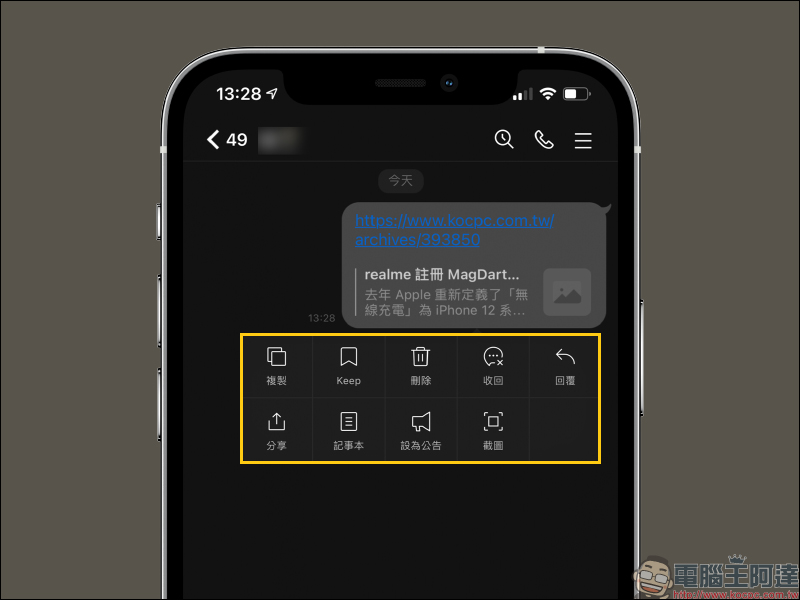
After this update, the menu that originally popped up after long-pressing the chat room dialog box has become larger and easier to read. It is easier for users of mobile phones of various sizes to copy, save messages to Keep, delete, retract, reply, share and other operations. This part of the update is for general chat rooms, official accounts, LINE communities, and LINE official accounts. The items displayed are slightly different depending on the type of chat room.
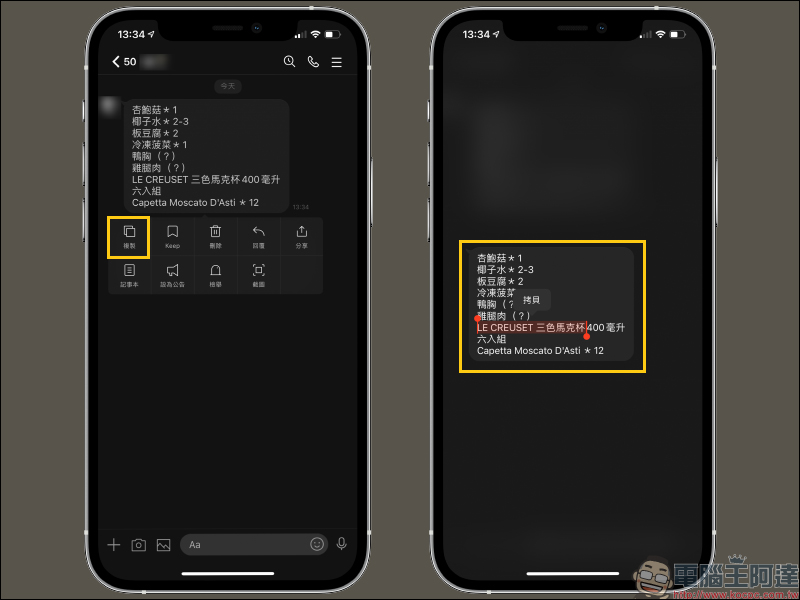
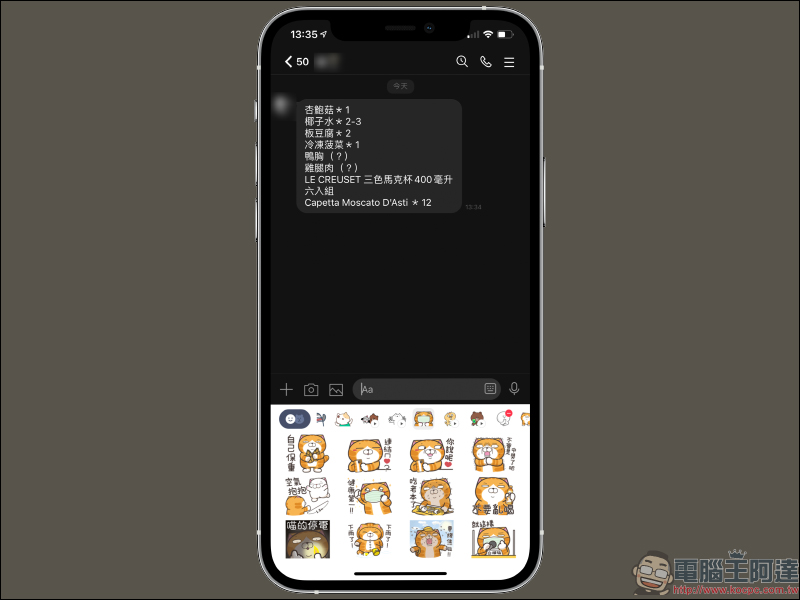
In the past, when copying text messages in LINE chat rooms, you could only copy the entire message at one time. This was a bit inconvenient for those who only wanted to capture part of the text content in the message. They had to paste it into other text input fields and then reselect it. However, after this update, as long as you long press the dialog box you want to copy to open the function menu, then select “Copy” and then “Copy”, you can copy part of the text!
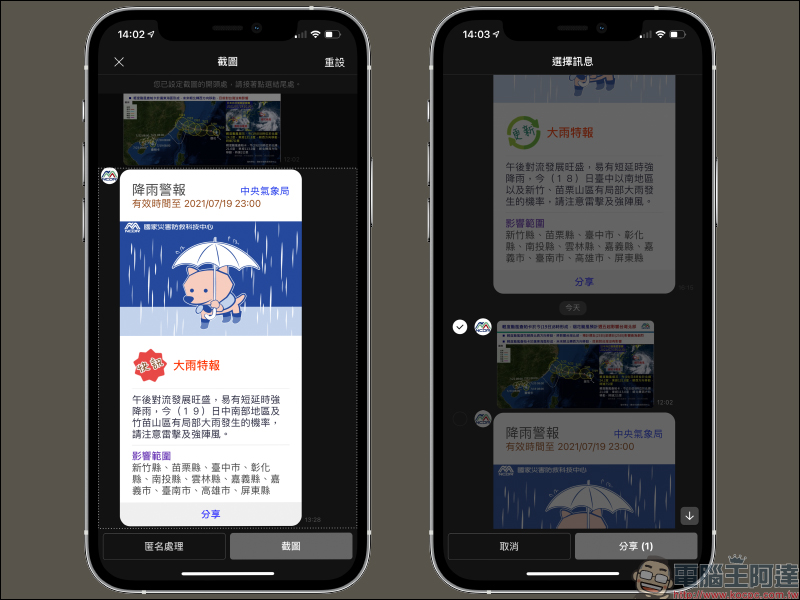
In addition, the LINE chat room screenshots and the menu button interface for selecting messages have also been redesigned.
LINE stickers/emoticons|LINE STORE stickers/emoticons download process optimization (iOS&Android)
After this update, after purchasing LINE stickers or emoticons in LINE STORE, you can directly download the stickers/emoticons in the sticker field of the chat room and use them, making the whole process easier.
Keep|”Add File” position adjustment, file selection interface optimization (iOS&Android)
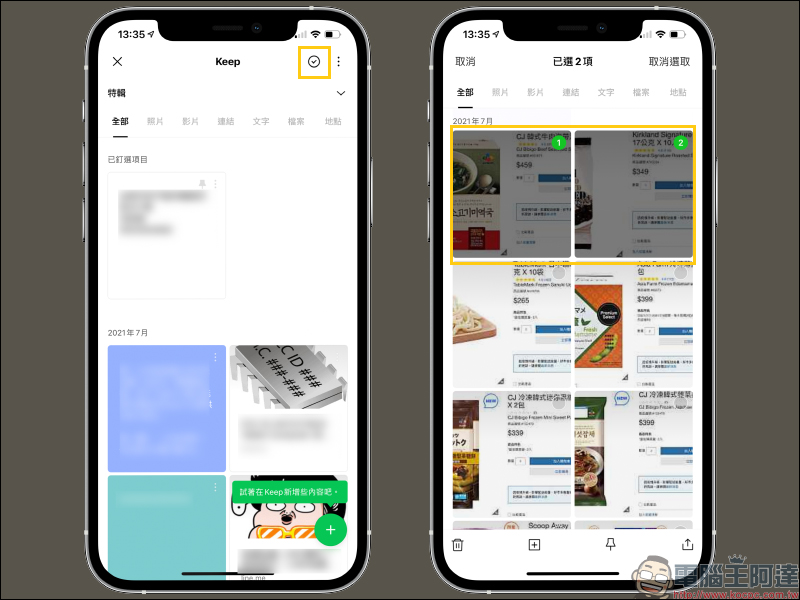
After the update, there are also some changes in LINE’s Keep interface. Just click the green “+” button in the lower right corner of the Keep page to select the category (text, photo, video, file or special) you want to add. In addition, if you want to select an item for Keep, you only need to click the small check button in the upper right corner, and then you can start selecting directly!
Source:LINE Taiwan official BLOG
Further reading:
The Norwegian government has passed a new law requiring that photo retouching and use of filters require annotations, otherwise you will be fined or even jailed.


Source: KOCPC Chinese