


Google began testing the ability to change Gmail user names last year, which is the string of characters in front of gmail.com. The launch was also announced on the official blog at the end of March 2026.However, it was only available to US Google account users at that time.Recently, some foreign netizens discovered that Google seems to have quietly opened up to the public. I just tested the Google account at hand, and indeed everything can be changed!
This means that for those who are not satisfied with their Gmail account, you can now change it to your favorite username, and the old name will still be retained. You can still log in with the old name and receive relevant emails.
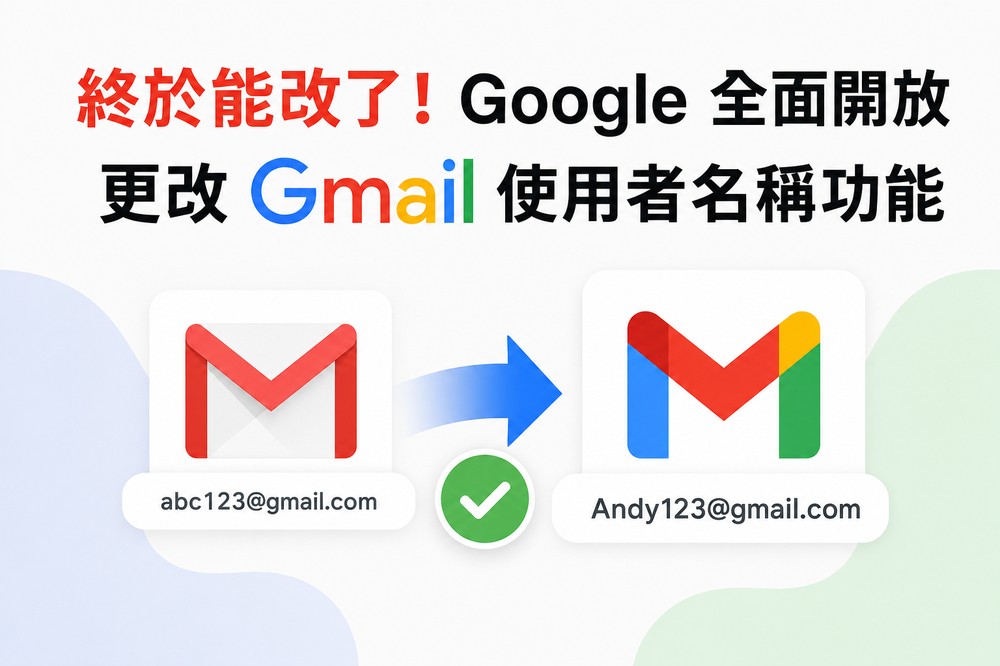
It is possible to rename your old account randomly, but check these restrictions before changing it.
The first thing you need to know is that this is not creating a new Google account, nor is it simply changing the sender name in Gmail, but adding a new gmail.com email address that is associated with your Google account.
For example, abc123@gmail.com can be changed to another new address that is more formal, easier to remember, or more suitable for work contacts, such as Andy123@gmail.com. As long as the new name is not used by others or reserved by Google, it can be changed.
After the change is completed, the new Gmail address will become the primary Google account email address. In principle, the account address you see in Google products in the future will be changed to the new address. But this does not mean that the old address has been deleted.
Your old Google Account email address that originally ended in gmail.com will become your backup email address.
This also means that emails sent to the new address and the old address will go to the same Gmail inbox. The data saved in the account will not be affected, including photos, messages, and emails in the inbox.
The same is true for login. The official description mentions that users can use their old and new email addresses to log in to Google services, such as Gmail, Google Maps, YouTube, Google Play, and Google Drive.

This is quite good. It greatly reduces the anxiety of changing the address. You don’t have to worry about not being able to log in with the old address after changing it.
If you’re not satisfied, Google says you can always change back to your previous Google Account email address. But be aware that you can only create one new gmail.com Google Account email address every 12 months, and you can only create a maximum of 3 new Gmail addresses in total, and a maximum of 4 addresses at the same time.
How do I change my Gmail username?
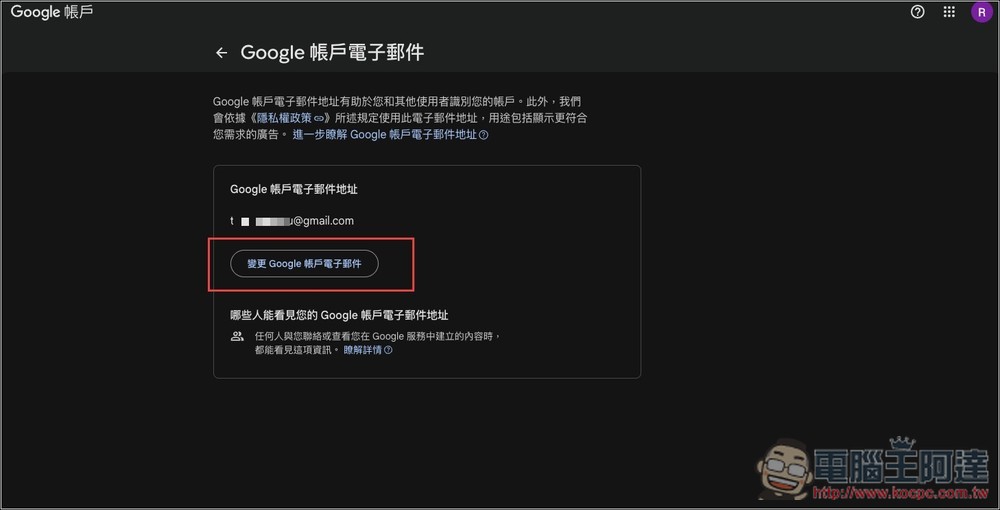
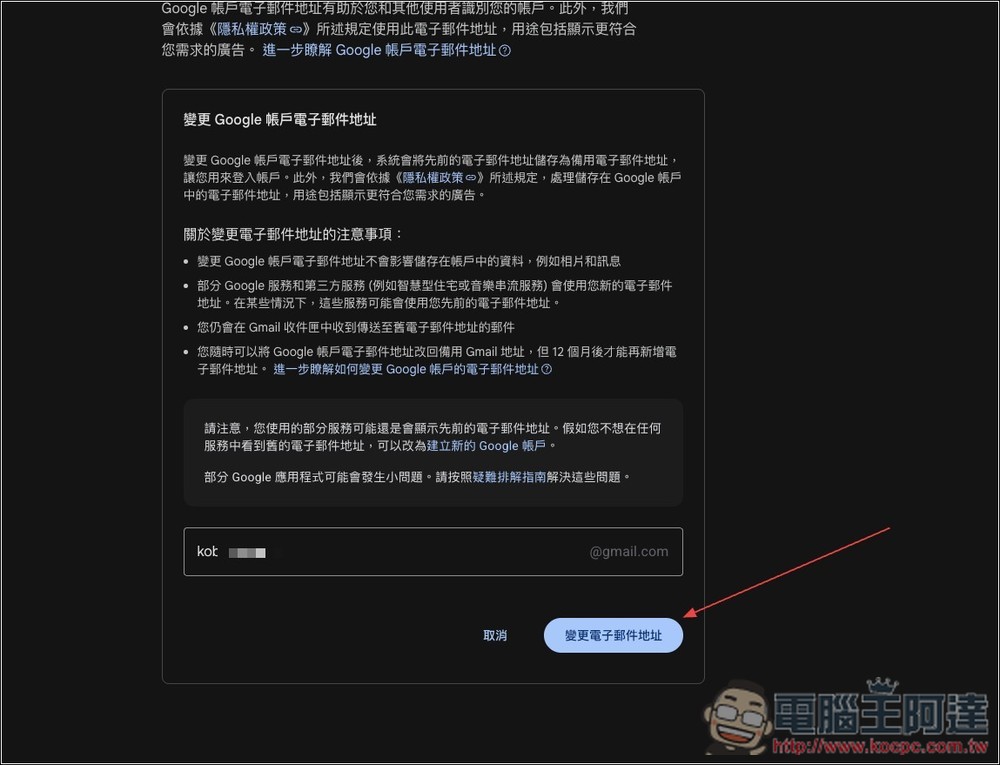
The modification method is also very simple, enter https://myaccount.google.com/google-account-email, log in to your account, and you will see the screen below. If you want to change your username, click “Change Google Account Email” below:
Then there will be some changes explained, such as the change will not affect the account information, some services will use the new email address, you can still send emails that require receiving the old email, etc. If you regret it, you can change it back at any time, but you can only add a new email address after 12 months. If you have no problem, just enter the username you want below:
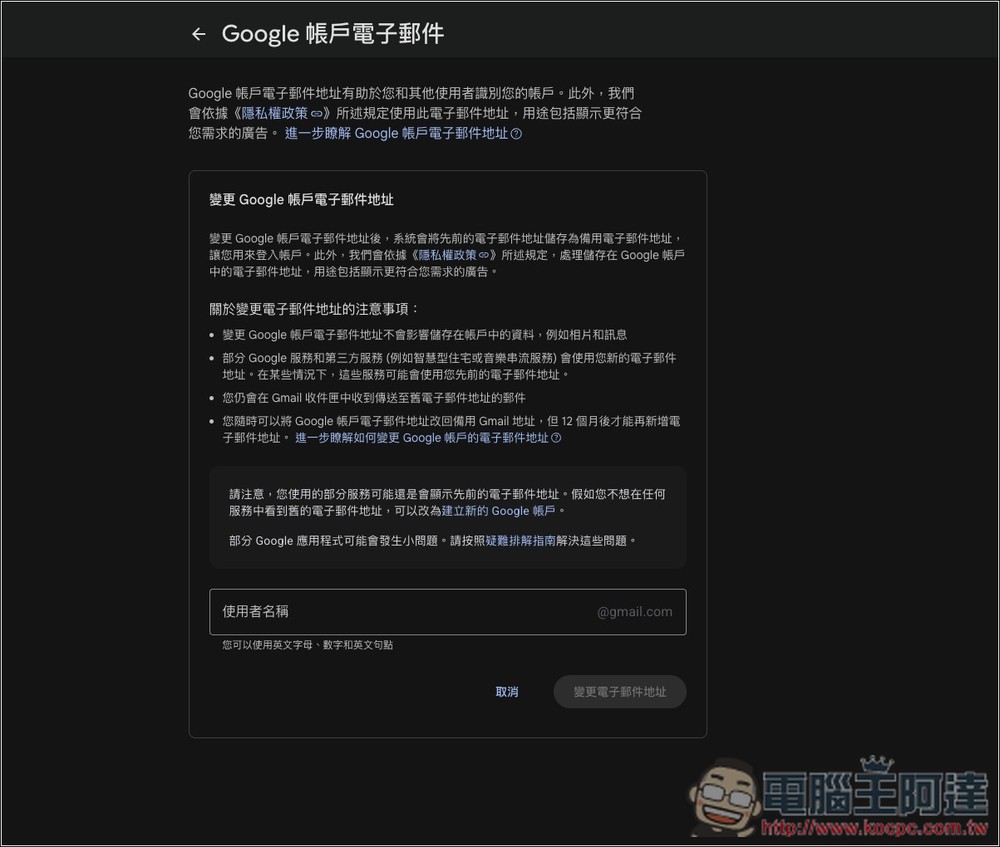
After entering, click “Change Email Address”:
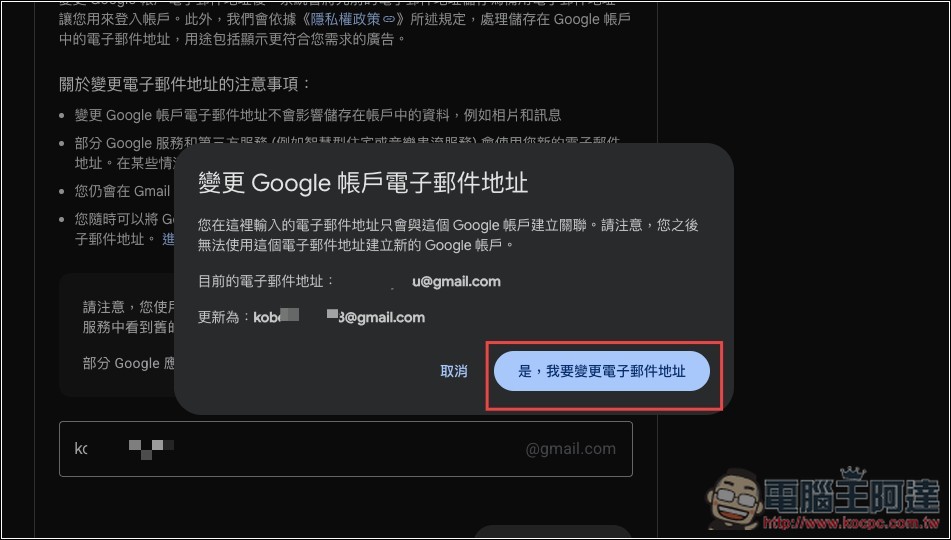
Finally, a confirmation window will pop up again, reminding you that the new email address will be associated with this Google account. You will not be able to use this email to register a new Google account. If there is no problem, click “Yes, I want to change my email address”:
Source: KOCPC Chinese