


Since Widgets can also be placed on the iOS home screen, I believe that many friends who love customized iPhone interfaces have already tried many Apps. If you are someone who likes to check system information, you will definitely love this Usage: System Activity Widgets. It provides many high-quality system information widgets, ranging from battery, memory, network, storage space, to iPhone hardware information, etc.
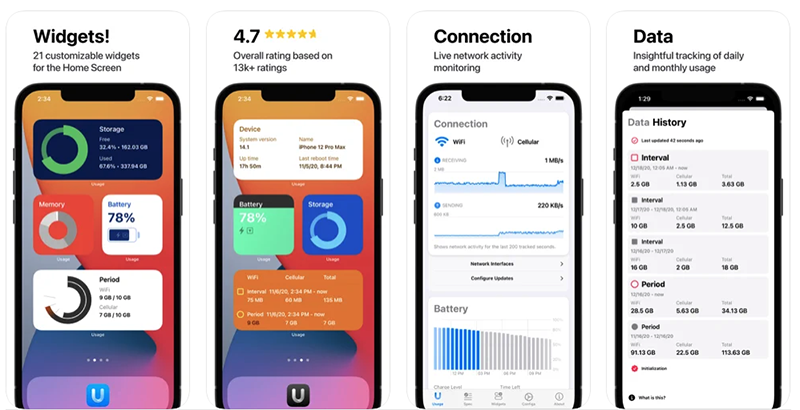
Usage: System Activity Widgets App Introduction
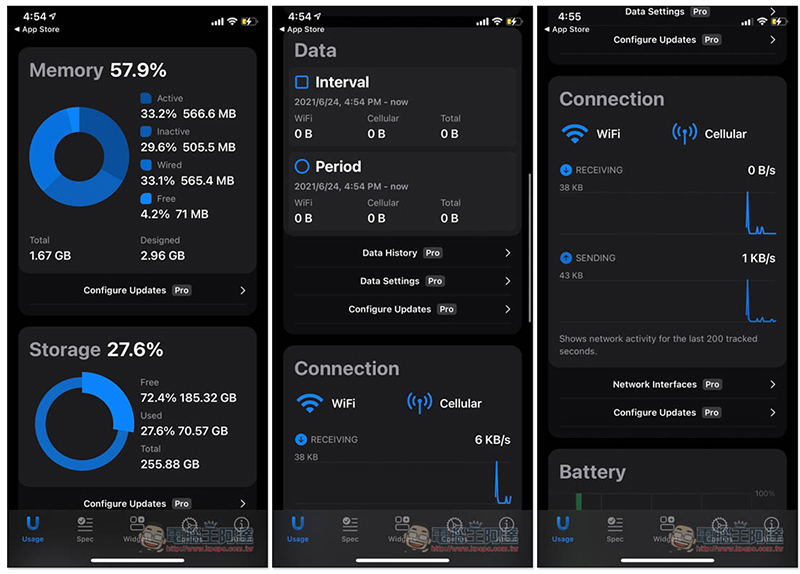
After opening the Usage: System Activity Widgets App, the homepage will list various system information on your iPhone, including Memory, Storage, Date & Connection network information, Battery, and Device information:
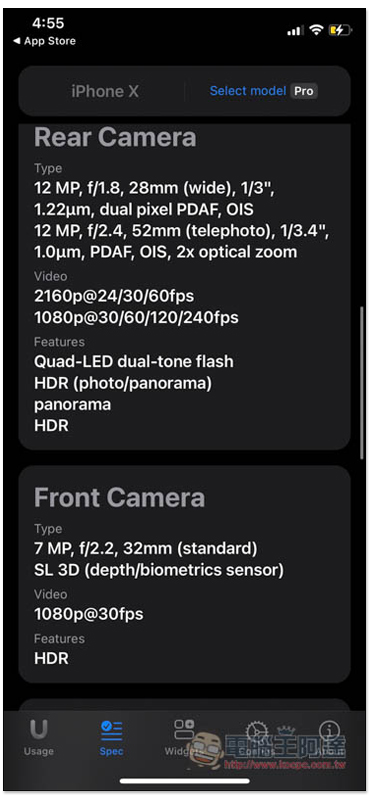
Spec will list all the hardware information of your iPhone, including the camera, in great detail:
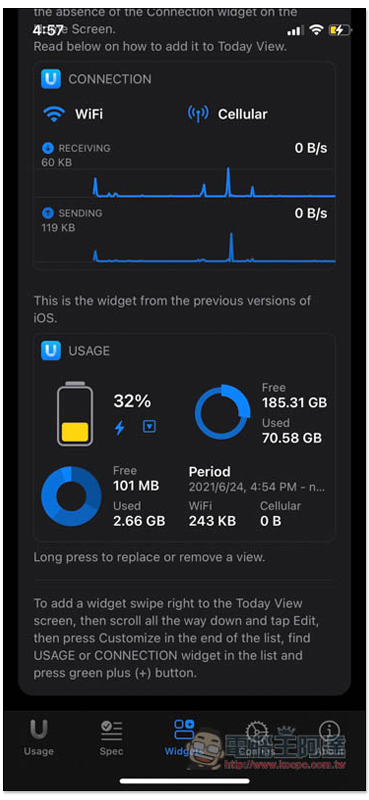
Widgets are the focus of this article, but unfortunately, there are relatively few widgets available in the free version. Basically, there is only one choice for each system information, and the icons are not as good as those in the paid version, which can be viewed in the Widgets column. In addition, there is a Legacy Widgets at the bottom. Here you can set the iPhone home screen to slide to the “Today Display Mode” on the far left. The content displayed by this Widgets has four grids:
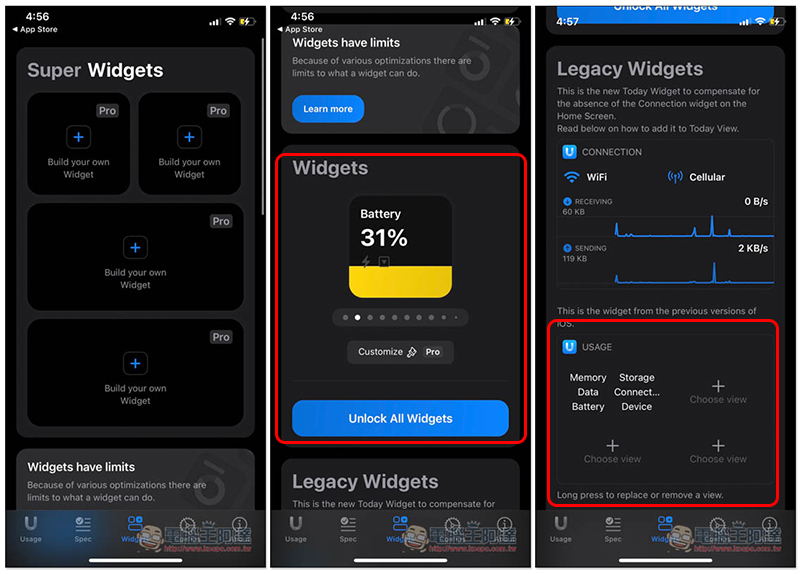
Like I set up battery, storage, memory and network connection information:
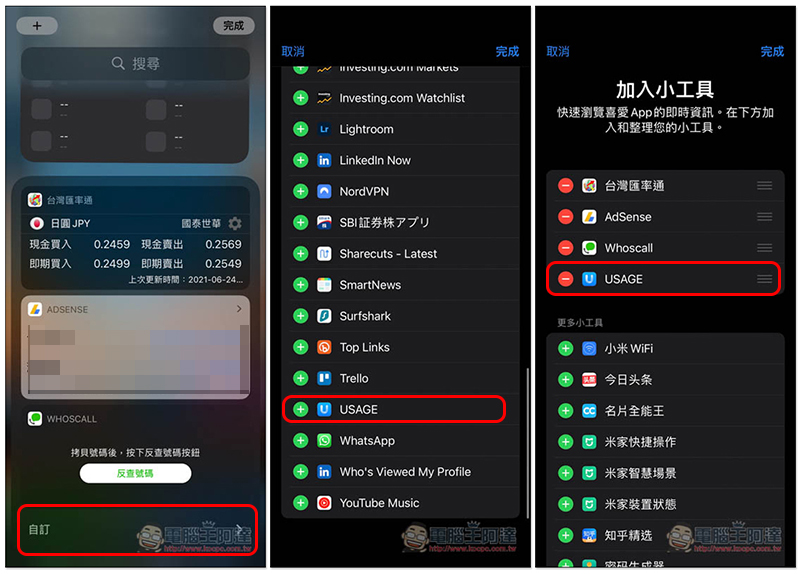
After sliding to the today display mode on the far left of the main screen, slide down to the bottom, click Customize, you can find USAGE in the list, and add it:
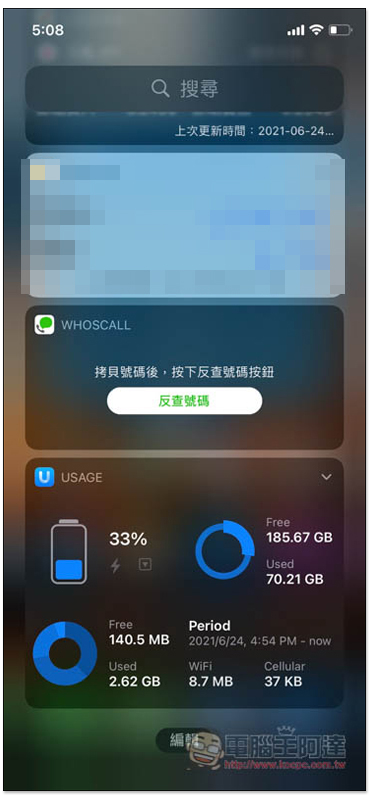
This is how you join successfully:
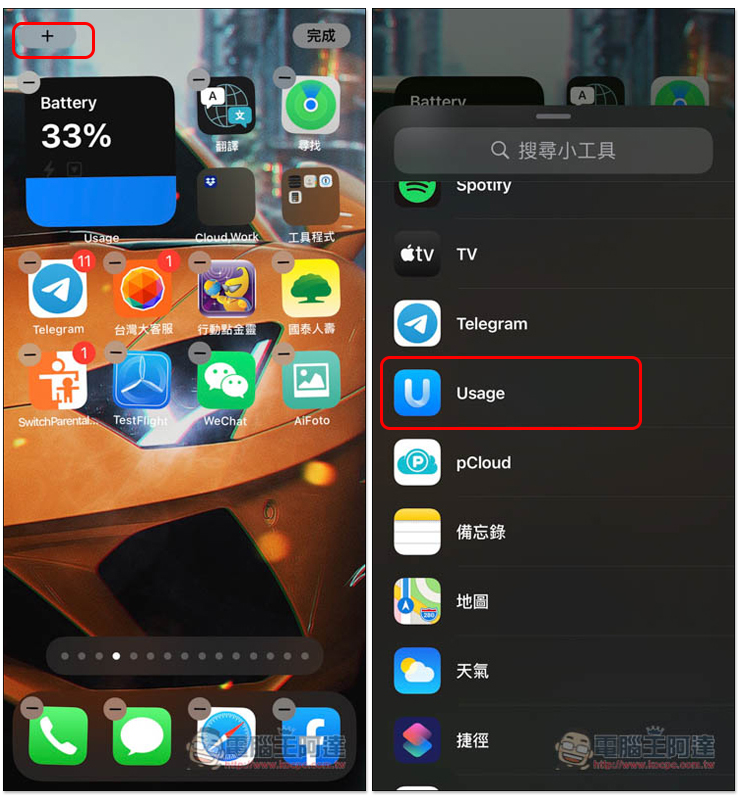
The method of adding widgets to other main screens is the same as other apps. Long press any blank space, enter the jumping screen, press + in the upper left corner, and you can find Usage in the list:
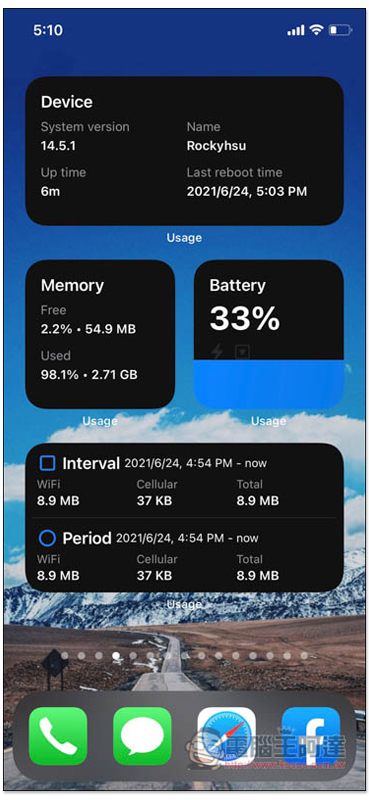
The pictures below are the styles that can be used in the free version. They are all with black background. Although they look good, they are a bit monotonous. Friends who like it can actually consider upgrading to the paid version. The price is not expensive, and you can also pay a permanent one-time payment:
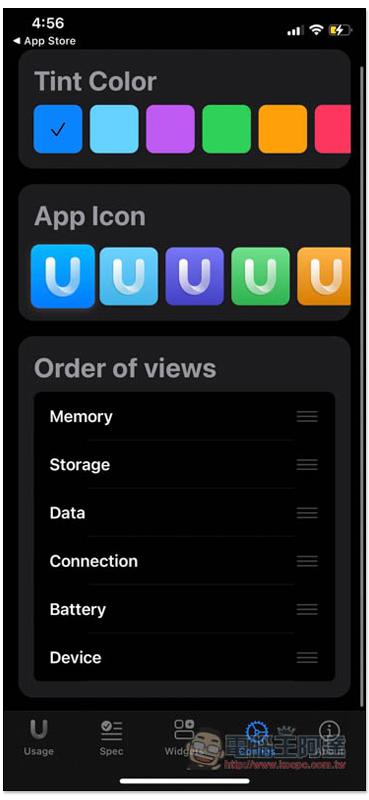
The display order of system information in the App can also be modified by yourself, as well as the color part:
Source: KOCPC Chinese