


Although it is not the fastest mover, Apple has upgraded its music streaming service to cross-generation specifications “at once” – the sound quality has been improved to 24-bit/192 kHz high-resolution fidelity compression that even its own AirPods Max is still limited by Bluetooth connection. Audio) experience is brought to Apple devices. Moreover, it can also be supported by ordinary headphones, and can also be used on the new Android version of the app in the future (!).
The point is, all these improvements don’t require original subscribers to pay a penny more. In the past two days, the author also briefly tried the spatial audio of Apple Music. A brief conclusion: Many people may not be able to hear the difference with Lossless, but I personally think that everyone can really experience the difference with Spatial Audio, because you can hear the difference even if you use the iPhone speaker directly! Continue reading Apple Music officially supports lossless and spatial audio: how to use it and how to find Dolby Atmos songs? This article teaches you how to report content.

Apple Music officially supports lossless and spatial audio: how to use it and how to find Dolby Atmos songs? This article teaches you
In fact, Dolby Atmos/Dolby Atmos is not a new thing, but through the official support of the Apple Music service, I think the biggest advantage is that users will be able to more easily find music creations that support this specification. After all, there is no point in having a powerful experience without attractive creations.
Without making a move, Apple, which will make people deeply feel the power of their overall “ecosystem”, is already cooperating with artists and music brands – not only will they try to bring new tracks that support spatial audio experience to Apple Music, but also remake classic songs into songs that support Dolby Atmos.
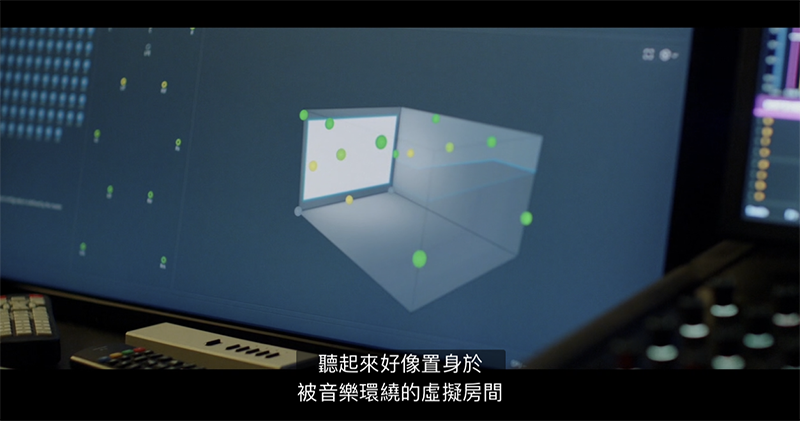
▲Image source: Apple
Apple has even extended its cooperation to work with Dolby to better create Dolby Atmos songs – the goal is to double the number of recording studios that support this technology in the mainstream market, and provide courses and support for independent artists; Apple Logic Pro will also be updated later this year to bring relevant support. In addition, Dolby Atmos audio playback has been supported since the iPhone XR. It is obvious that Dolby Atmos will become more popular in the future after Apple Music launches this support.
I heard it’s better to experience it yourself! Tracks that support spatial audio experience can be found here
After officially opening this support at WWDC 21, Apple initially compiled a series of music content for “spatial audio experience” – which was previously leakedI thought there would be a special press conference on space newsThe content of the trailer has now been pinned to the top of the Apple Music homepage, so it is easy to find music to experience.
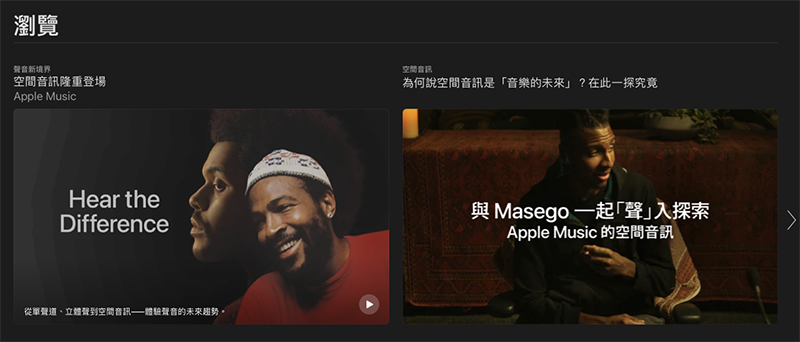
▲Image source: Apple
This series of experiences coversHot songs、rock、hip hop、jazz、rural、classicalandJazzand other music types (you can go directly by clicking on the previous link). Then you must listen to personal recommendations first “tailor-made” This playlist is because Apple Music host Zane Lowe will take you step by step from nostalgic mono, to a stereo sound experience, and finally, to “spatial audio” that you may never go back to once you listen to it.
It is recommended that you can also go through Zane Lowe’s video chat with creators, and hear why they think a spec like this would be a fresh start for mono versus two-channel – here’s alsoYou can read his articles. Personally, I think it gives creators more space to express their new ideas for listening.
How to make sure your Dolby Atmos experience supports spatial audio
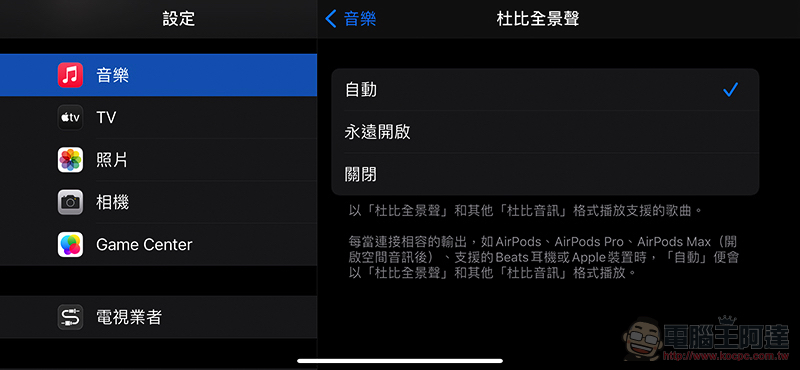
Very simple! Just upgrade to iOS 14.6 or macOS 11.4 or later system version and confirm Apple Music “Dolby Atmos” in settingsSelect as“Always on”, to get the Dolby Atmos experience on your Apple devices with Apple Music.
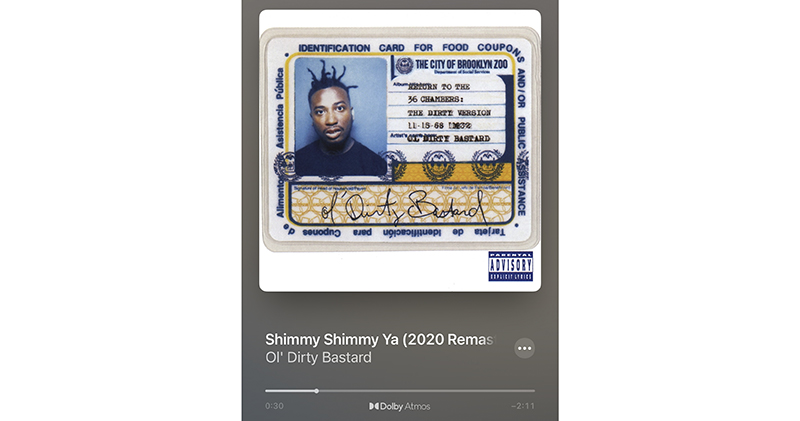
▲Picture: Songs marked “Dolby Atmos” at the bottom will support three-dimensional stereo sound effects of spatial audio.
The key point is that even through the speakers of the iPhone or even other three-party stereo headphones (of course, certification will ensure the effect! iPhone XR and above are recommended), you can listen to Dolby Atmos songs with a more stereoscopic experience that adds three-dimensional space environment concept audio; if you are not used to it and prefer the normal stereo effect, you can choose “Turn off” to return to normal stereo – but can you go back?
HomePod can also listen, but (for now) you still have to rely on Apple TV
If HomdPod wants to listen to Apple Music content that supports Dolby Atmos, it needs to be connected to an Apple TV upgraded to tvOS 14.6. And since HomePod has been confirmed to directly support lossless sound quality through updates in the future, maybe we can look forward to the possibility of direct support (right – unless the TV must be used as the direction of the sound field?).
What is the function of “auto” Dolby Atmos?
You may be wondering, when should the “Auto” in Apple Music’s Dolby Atmos settings be used?
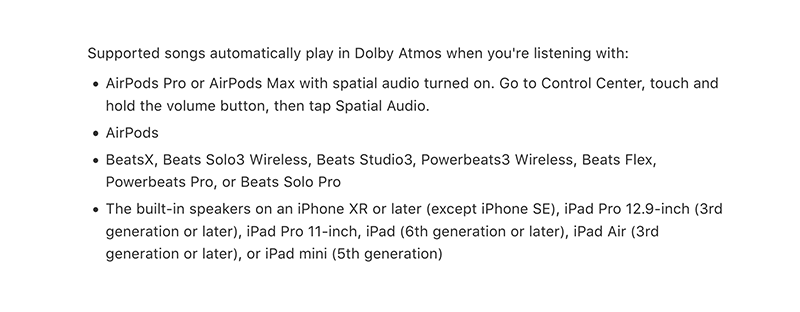
From the current point of view, Apple should provide its own products that can achieve a certain sound field effect (including headphones and mobile phones, supported products are as shown above) to automatically activate this support when playing audio content that supports Dolby Atmos. So it doesn’t mean that these Apple products that support the automatic function can support Dolby Atmos – after all, this specification can actually work with ordinary stereo headphones!
As for iOS 14.6, the automatic function should mainly hope to avoid problems caused by unsupported speakers (like mono speakers?) you connect to the experience.

Interestingly, in my test, I actually turned off the “spatial audio” of AirPods Pro / AirPods Max, and then turned on Dolby Atmos in the settings. I can still hear that the sound field is significantly different from ordinary stereo sound. When the spatial audio in the menu is turned on and off continuously, there will be no music pause when switching to Dolby Atmos. It is speculated that this means that spatial audio and Dolby Atmos (at least on the Apple Music side) should not be required to be linked.

In fact, the author initially speculated that this may be related to the spatial audio head tracking function that will be added to Apple Music soon – that is, turning on spatial audio mainly activates head tracking. But later it was discovered that Apple TV+, which first supports spatial audio functions, can also turn off the “Follow iPhone” head tracking function.
What’s more interesting is that if I switch “Spatial Audio” on and off in the shortcut menu at this time, there will actually be a difference in dynamic sound field effects similar to switching between Dolby Atmos and normal stereo. After browsing the settings for a while, it seems that the TV app does not have an option to specify normal stereo.

The significance of the above series of very geek tests may be that even for a spatial audio video experience, dynamic sound field and head tracking are not tied together. It is estimated that “spatial audio” should be Apple’s general term for dynamic sound field experience, and it is also a master switch that will allow users to activate or deactivate multiple (currently multi-channel technology, head tracking) functions at one time to achieve the desired spatial audio experience.
I’m a little curious as spatial information continues to develop in the Apple ecosystem, whether there will be more options to integrate multiple services in the future. As for whether Apple Music’s spatial audio, like TV+, can also be opened to general stereo to support head tracking, it is also unknown – I hope it can, after all, head tracking is really good for creating a sense of space.
Dolby Atmos support for Apple Music small details
At the end of the spatial audio function experience, let’s mention a few situations you may encounter when using it. If you are like the author, you want to switch between stereo and Dolby Atmos to hear the difference, but find that there seems to be a significant difference in volume. You can avoid this problem by going to the music settings and turning on “Volume Balance”.

In addition, if you have previously downloaded several music tracks using Apple Music, it is also recommended to delete them and re-capture them (remember to turn on “Download in Dolby Atmos format”) to ensure that the additionally downloaded music tracks can support the latest specifications.
How to enable Apple Music lossless/fidelity compressed audio
After upgrading to iOS 14.6 and macOS 11.4, basically the music app on your device can support high-resolution lossless sound quality up to 24-bit/192 kHz.
The way to turn it on on iOS is to go to “Settings > Music > Audio Quality”; on macOS, you can select the sound quality for different connections or streaming/downloading conditions in “Preferences > Playback” in the music app. Since the highest specification “high-resolution fidelity compression” requires a DAC to truly hear the effect, and the flow and capacity are huge, it is recommended not to choose it if you are not an audiophile.
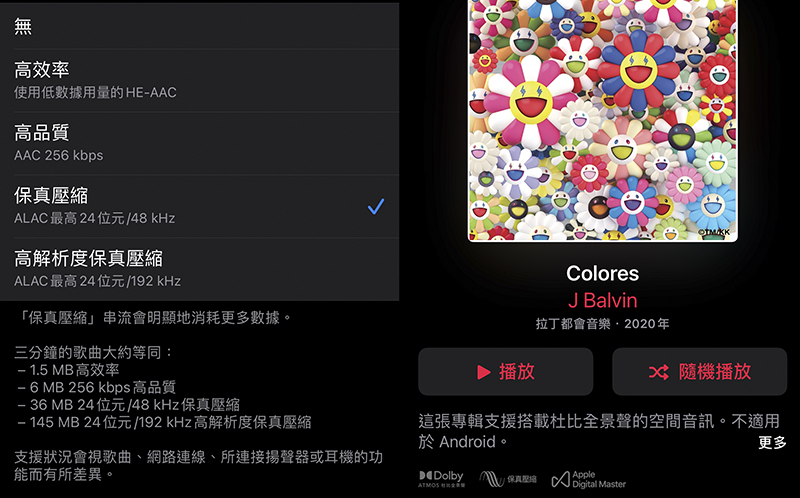
▲Picture: Only if the words “Fidelity Compression” are displayed below the album, high-resolution lossless is supported.
That is to say, although I still use AirPods to listen to music mostly, so theoretically I should not be able to hear the difference in “fidelity compression” due to the limitation of Bluetooth signal, but I still chose XD – basically I want to say that this waste of data is not bad (eh, is it so). Otherwise, you should just choose the ACC 256 kbps high quality that you are currently using, which is enough.
For detailed instructions on Apple Lossless, please refer toOur previous coverage。
Conclusion: The spatial audio effect is obvious and easy to use. It is recommended to try it!
Frankly speaking, because I have fallen in love with the convenience of AirPods, I don’t feel much about the improvement in sound quality – but for those who care, there are now more streaming music platforms like Apple Music to choose from. But for the spatial audio experience part of the Dolby Atmos format, I personally feel that there is a significant difference!
In addition to some music that uses surround effects, I personally think the classical music types that support this experience are worth listening to! With the support of spatial audio, it will be a bit like listening to a performance live, and the positioning between musical instruments and harmonious singing will be clearer (Bizan). And if you switch from spatial audio back to traditional stereo, although the sound will hit the eardrums more directly, the entire sense of space and three-dimensionality suddenly become much narrower.
Although the author’s impression is that I have heard songs with good sound field simulations in the past, but after listening to a round of Dolby Atmos songs, it really makes people feel that “stereo” has the opportunity to promote the evolution of the music industry just like mono became a traditional term. I believe that as long as the new generation of creators can make good use of it, they will indeed have the opportunity to achieve the effect of strengthening the connection between music fans and creators.
Dolby Atmos, which provides high-resolution lossless sound quality and a richer listening experience, provides more possibilities for the expression of musicians’ creative intentions and emotional details. With these good raw materials, Apple has also cooked up a good dish with the integration of spatial information, making everyone more willing to accept the benefits of this experience. Now that the evolved formats and platforms are in place, it’s up to the creators to use them.
Further reading:
Adobe Lightroom Classic, Illustrator and InDesign also support M1 Mac
Source: KOCPC Chinese