


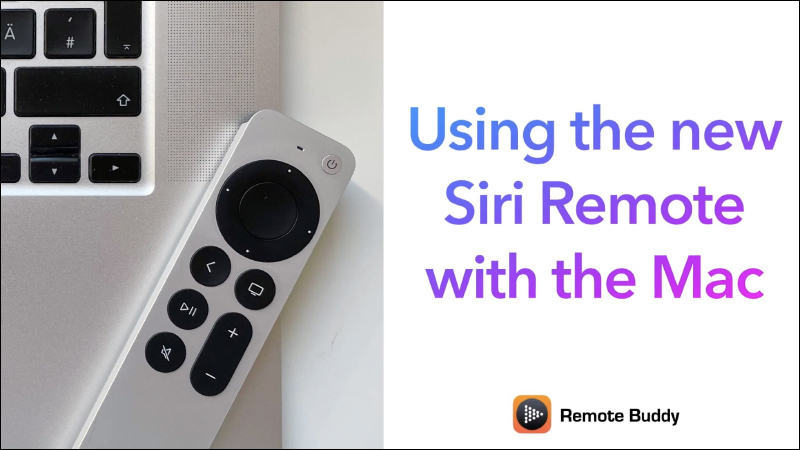
Last month, Apple introduced a new wheel-controlled remote control for Apple TV 4K, the Apple TV Remote, which is equipped with a new point-touch trackpad that allows users to click on content, slide through playlists, and use circle gestures on the outer circle to find the desired picture. However, the compatible devices of the Apple TV Remote are not limited to Apple TV 4K and Apple TV HD. In fact, as long as it is paired with the Remote Buddy App, it can be easily used as a trackpad or virtual keyboard on a Mac computer to perform multimedia playback, presentations and other operations.
▲Picture source: IOSPIRIT GmbH
The new Apple TV Remote supports controlling browsers, presentations and multimedia playback on Mac (with Remote Buddy App)
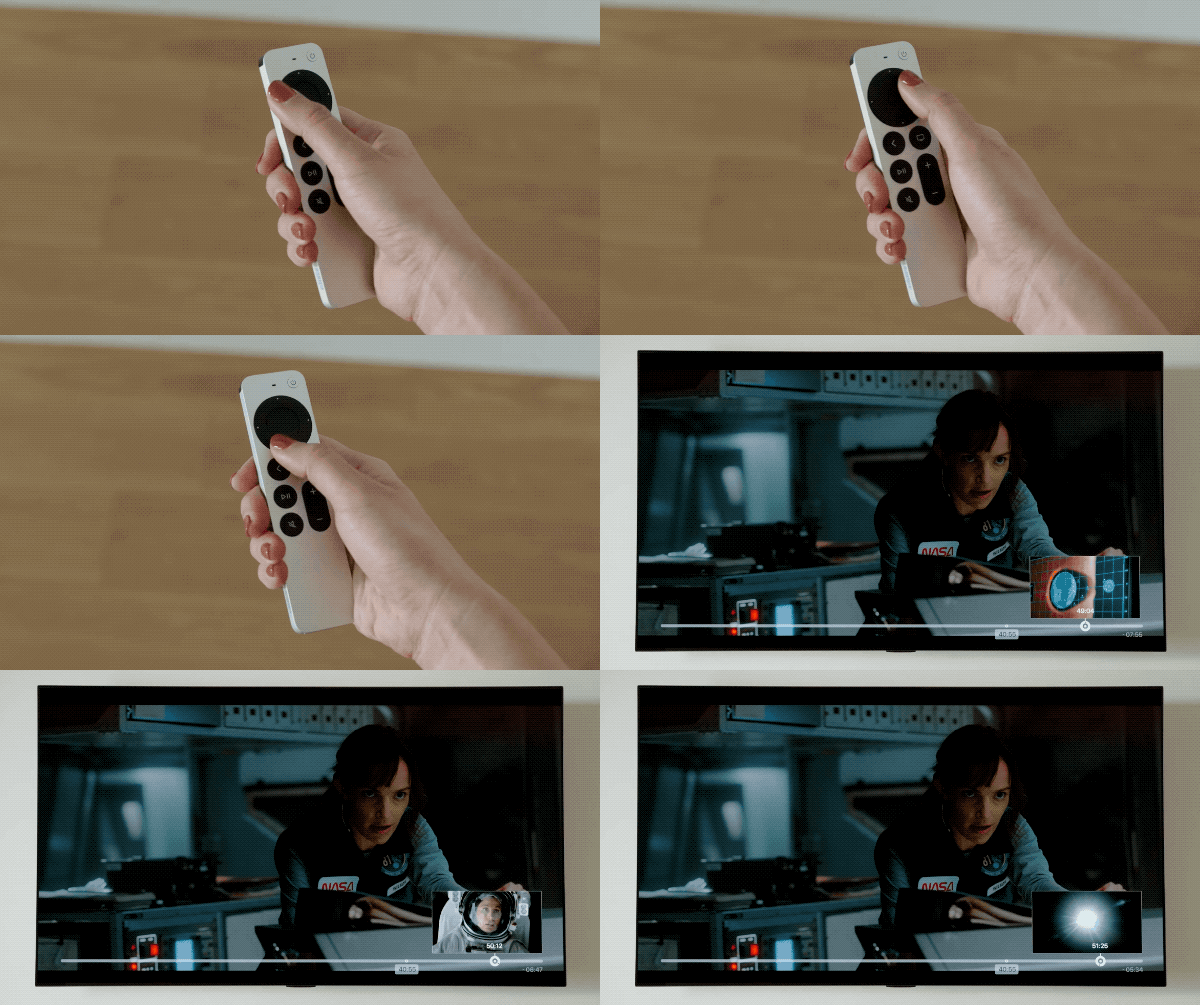
Some time ago, Apple introduced a new Apple TV Remote to the Apple TV series. The biggest feature is the use of a new touch touchpad, which allows users to quickly adjust video playback sections, browse playlists and other operations with one hand. According to the compatible device description on Apple’s official website, Apple TV Remote is compatible with Apple TV 4K (2nd generation), Apple TV 4K (1st generation), and Apple TV HD. The Apple TV Remote is currently on sale on Apple’s official website in Taiwan, with a recommended price of NT$1,590. If you buy it now, it is expected to be shipped as soon as late June.
▲Image source: Apple
However, if you only use the Apple TV Remote when using Apple TV, maybe the average person will still evaluate whether it is worth buying? But with the recent launch of Remote Buddy 2.0, it adds many new features and supports the latest Apple TV Remote. With the Remote Buddy App, you can perform various convenient operations on your Mac computer. First, the most basic control of quick switching of video playback segments:
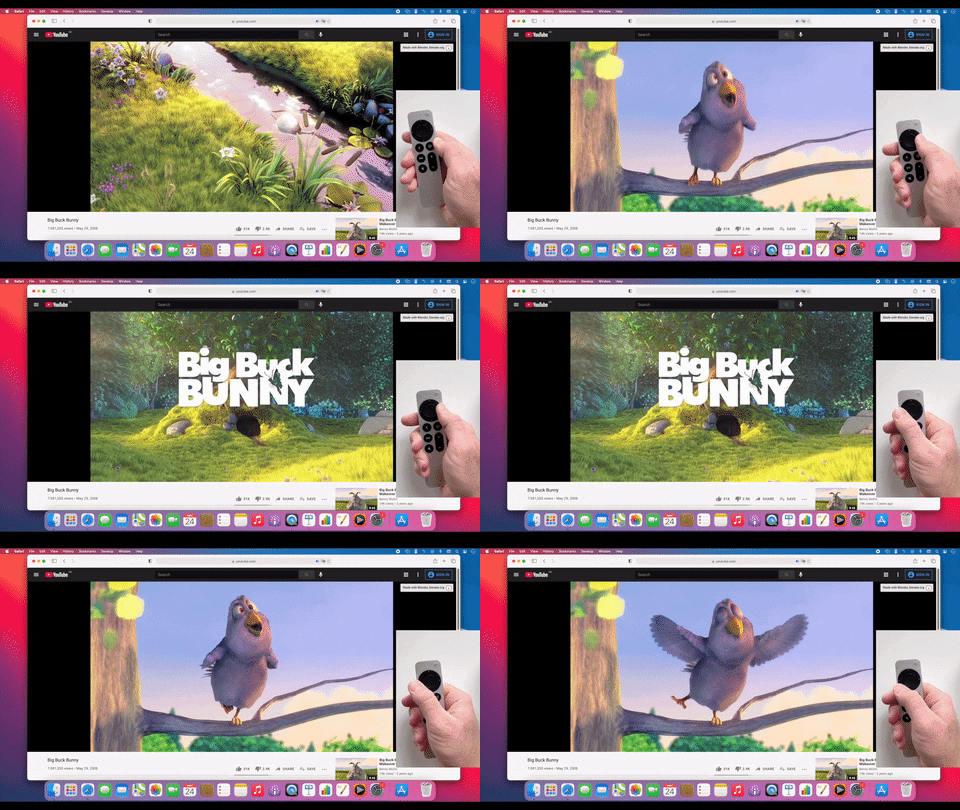
▲Picture source: IOSPIRIT GmbH
Or slide the outer ring of the remote control’s touchpad on the browser to quickly slide the browser page:
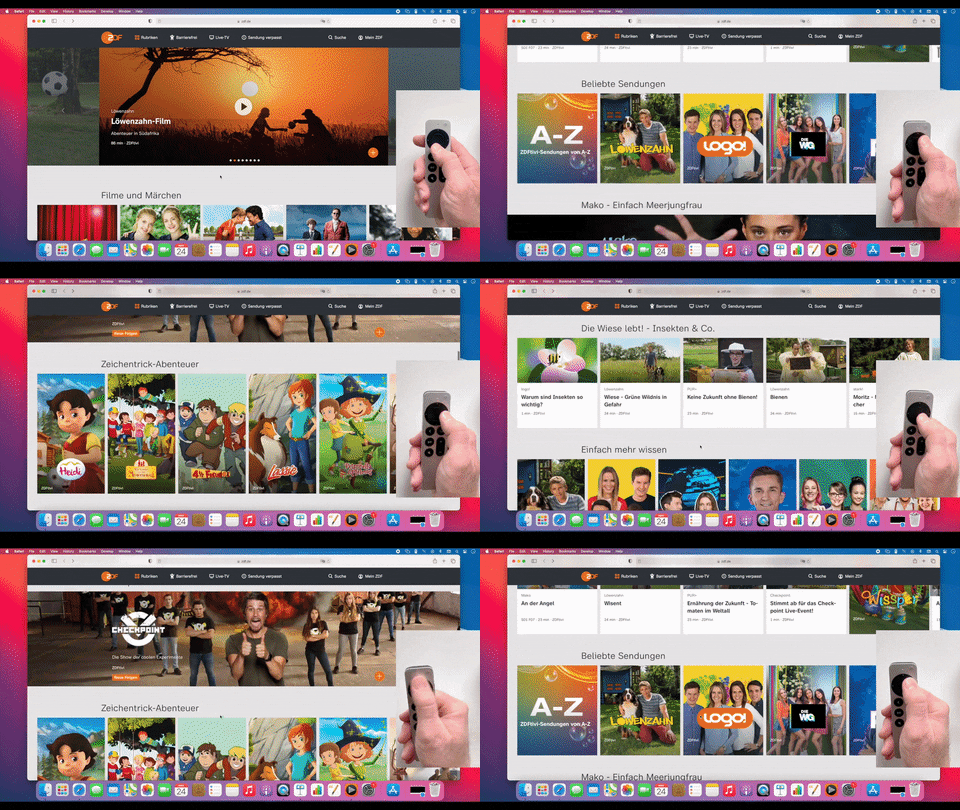
▲Picture source: IOSPIRIT GmbH
It can also be used as a presenter during presentations:

▲Picture source: IOSPIRIT GmbH
Just click the Apple TV Remote side voice button to quickly switch between trackpad, remote control, and virtual keyboard modes on your Mac:
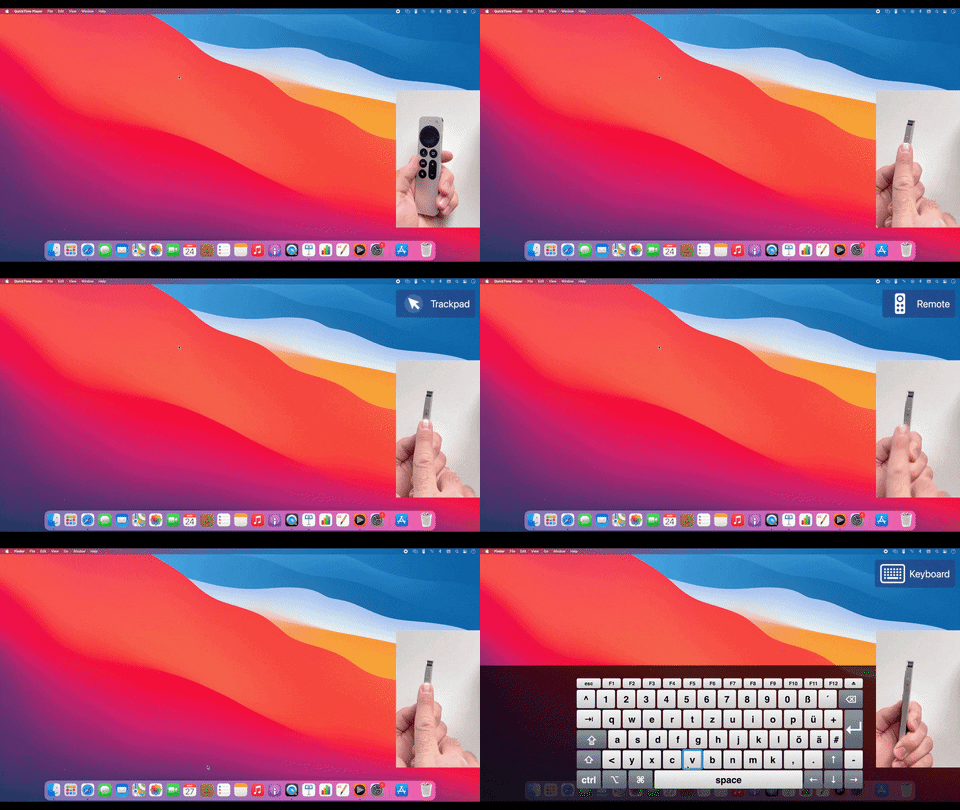
▲Picture source: IOSPIRIT GmbH
Of course, a variety of application operations are also supported on Mac computers:
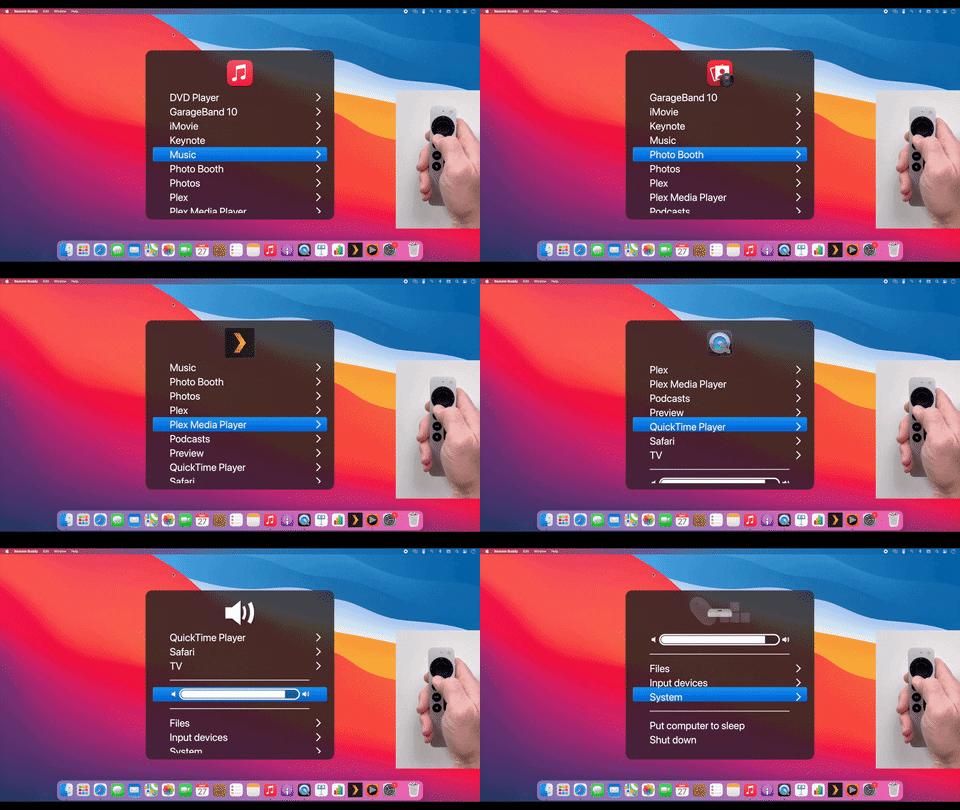
▲Picture source: IOSPIRIT GmbH
The setting method is also quite simple. First download the Remote Buddy App on your Mac computer:
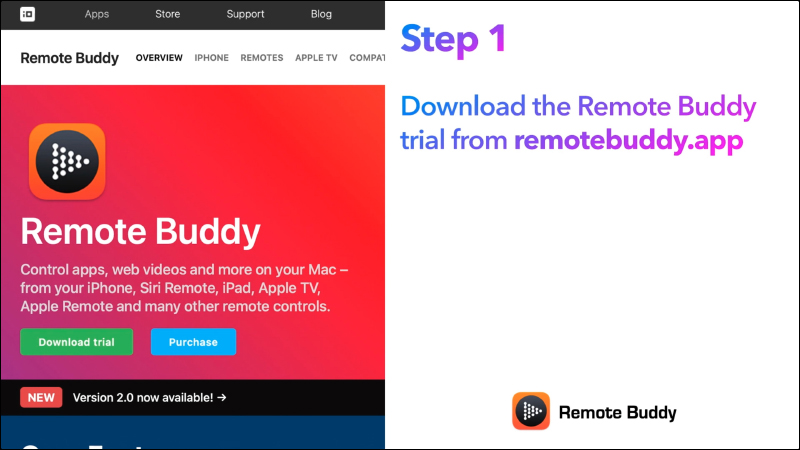
▲Picture source: IOSPIRIT GmbH
Then pair the Apple TV Remote with your Mac computer:
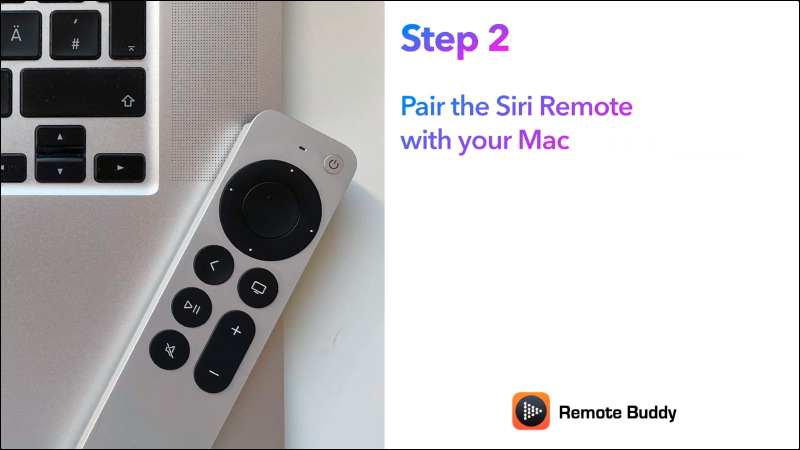
▲Picture source: IOSPIRIT GmbH
The pairing process is also very fast. First open the app to add the device:
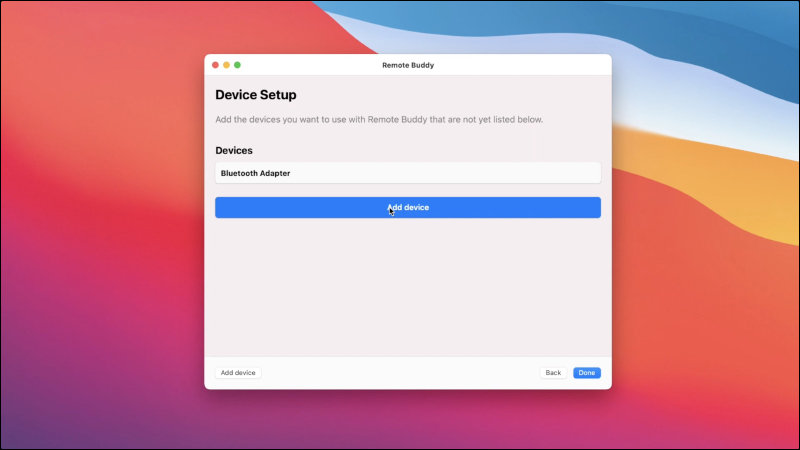
▲Picture source: IOSPIRIT GmbH
Then find the Siri Remote (Apple TV Remote) device:
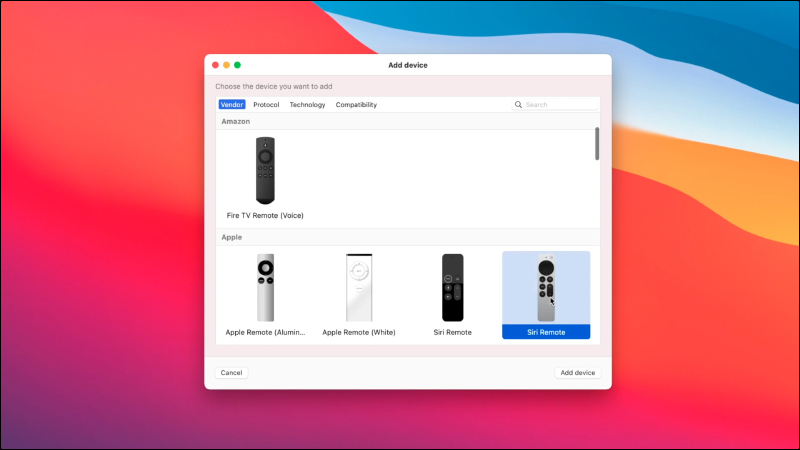
▲Picture source: IOSPIRIT GmbH
To pair, just press and hold the following two buttons at the same time:
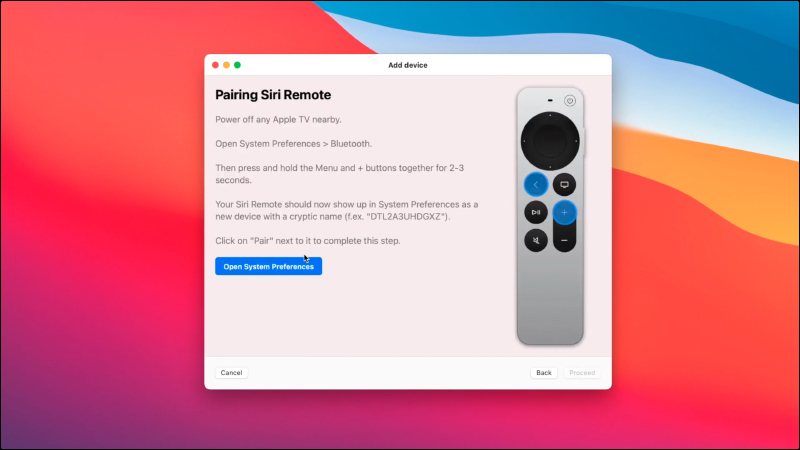
▲Picture source: IOSPIRIT GmbH
Then you can click Connect in the Mac Bluetooth settings:
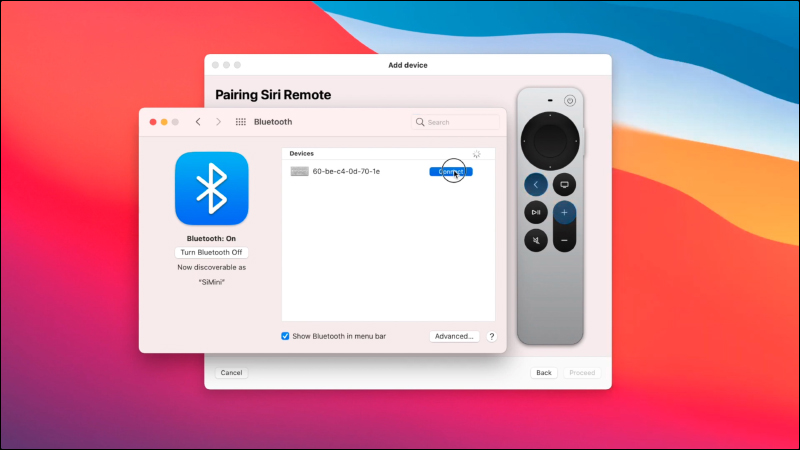
▲Picture source: IOSPIRIT GmbH
When the pairing completion screen appears, you can start using the Apple TV Remote on your Mac!
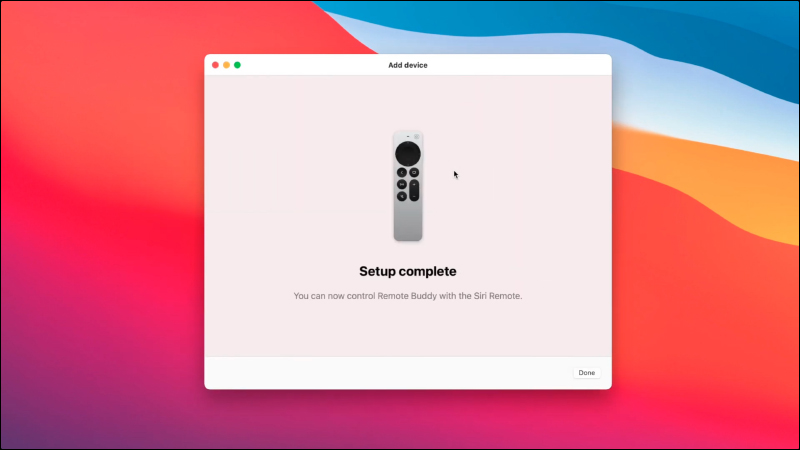
▲Picture source: IOSPIRIT GmbH
Remote Buddy Mac App Download:Click here to go
(Free trial for 30 days, then you can pay for it)
Source: IOSPIRIT GmbH
Further reading:
Self-made Lianhe Scanner Android App: Super fast start scanning the Lianhe QR Code, no ads, easy to complete the SMS registration

Source: KOCPC Chinese