


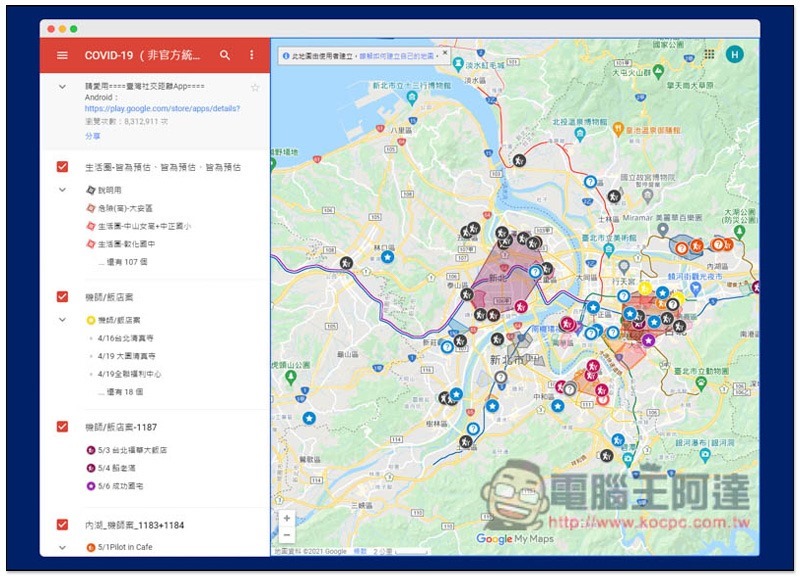
During the recent severe epidemic situation in Taiwan, the number of new confirmed cases every day has increased, and the footprints of confirmed cases have become more complicated. Even though we have previously shared unofficial reports made by enthusiastic netizensWeb version of Google Maps Footprint map of confirmed cases (click here to go), however, it is still somewhat inconvenient for users of mobile devices such as smartphones to watch through mobile phones. Recently, there is an “Epidemic Map” App jointly developed by engineers from different fields. It uses a map-like interface to allow users to intuitively view the footprints of local confirmed cases, including the location and time.

Epidemic Map App, quick query on the footprint map of confirmed cases
Although many enthusiastic netizens have created a web version of the unofficial Google Maps footprint map of diagnosed patients, for many people who want to conveniently view the footprints of diagnosed patients on their mobile phones, it would be more convenient if there is an app that is easy to use and easy to operate. The “Epidemic Map” App introduced this time is a very good choice. It is currently available in the app store for both iOS and Android systems.
Epidemic Map App free download:
iOS version (App Store)|Android version (Google Play Store)
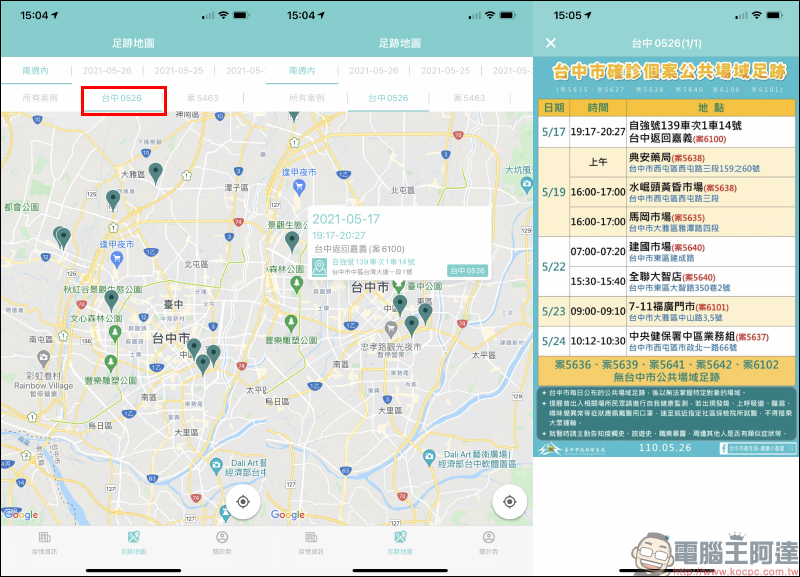
After opening the “Epidemic Map” App for the first time, the main screen will first display the epidemic information from the Ministry of Health and Welfare. However, to use the most important “Footprint Map” of the App, you need to allow access to location permissions. It is recommended that you enable it so that you can more conveniently view the footprints of nearby confirmed cases at any time. The app will organize the footprints of confirmed cases across Taiwan in the Google Maps interface and mark them with labels. Users can intuitively zoom in, out, and move the viewing location within the app to understand the situation no matter where they are or in other cities.
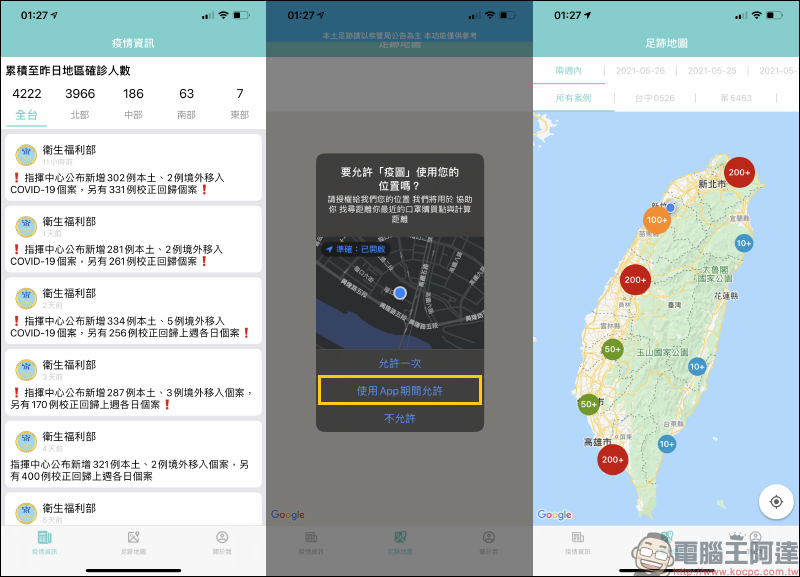
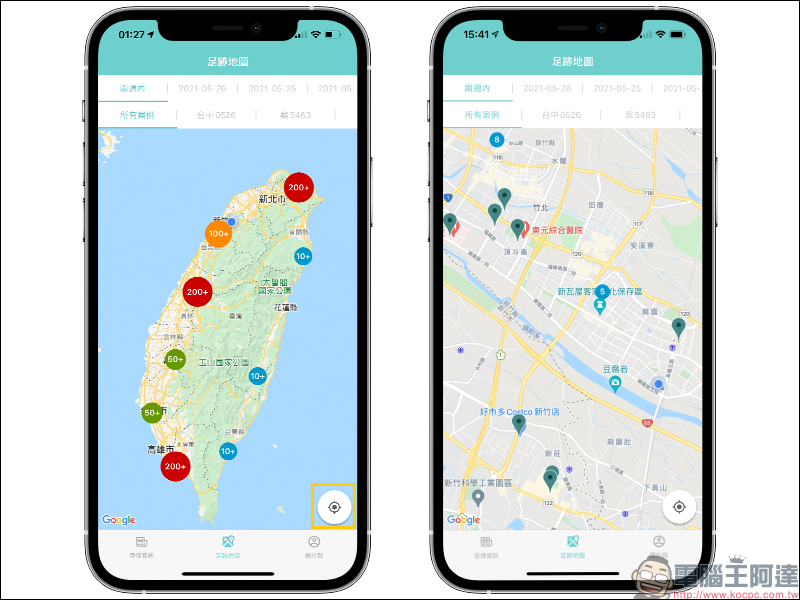
If the user wants to view nearby confirmed footprints based on their current location, they can quickly switch by clicking the positioning button in the lower right corner of the map on the footprint map page. After clicking on it, you may find that during the past period, many people only cared about the “numbers” of the daily number of new people and the number of corrected returns, but little did they know that these confirmed cases whose footprints have been published may have stayed somewhere in their daily life circle at some time.
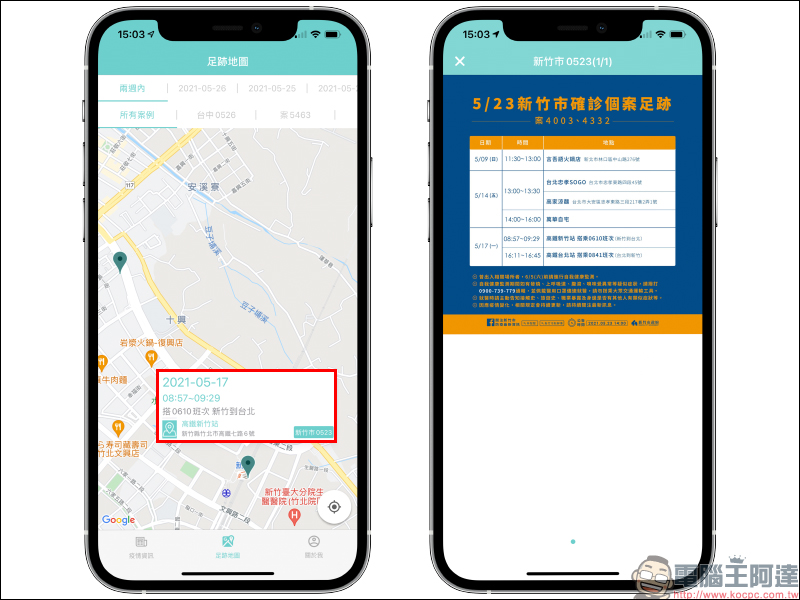
If you only know the location but do not know the exact time and path of the case, it will increase unnecessary panic among the people. However, the Epidemic Map App will also display information including date, time, route and other information at the location of the confirmed case’s footprint. Users can also click on the footprint to further view the complete case footprint announced by the Ministry of Health and Welfare.
If there are different confirmed cases active in a certain location at the same time, they will also be integrated together on the map. Then you can click on the location to view the complete footprints of the different confirmed cases:
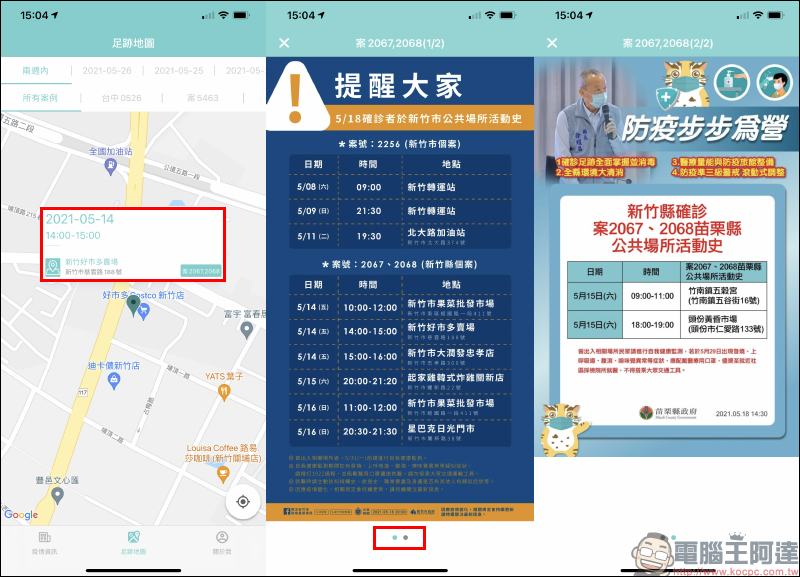
In addition, if the case’s activity history indicates whether wearing a mask, not wearing a mask, or how long a short stay was, the Epidemic Map App will also directly record it in the description:
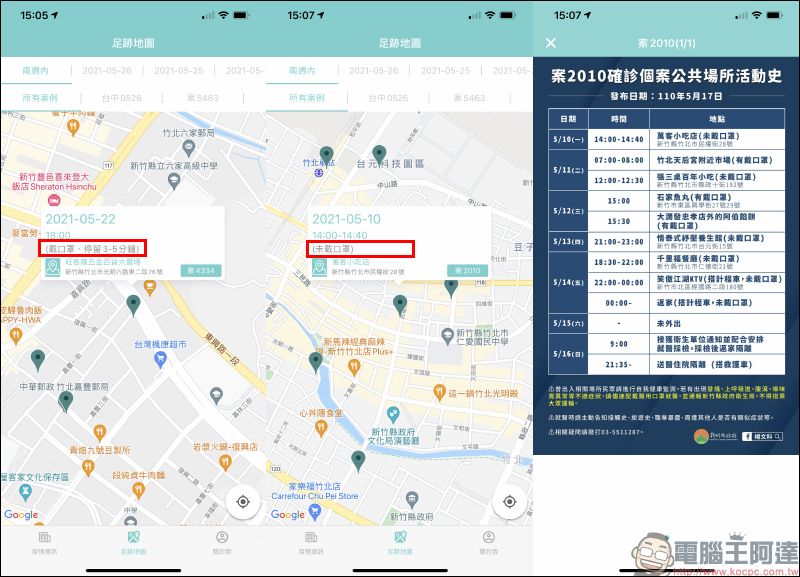
If the user wants to view the footprints of a single confirmed case on a single day or a single day, they can also click on the filter function above to fully understand all the footprints of a specific case.
In addition, the Epidemic Map App will also collate epidemic information released by the Ministry of Health and Welfare, including simple information such as the cumulative number of confirmed cases in each region in Taiwan. However, it is recommended to check the latest and most complete epidemic informationThe official LINE account of the Ministry of Health and Welfare (LINE ID: @mohw) (click me to add a friend)。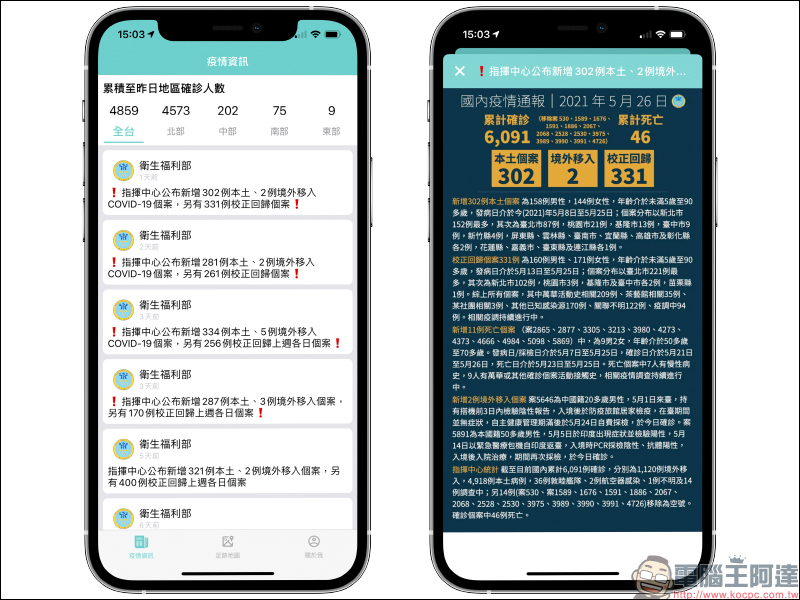
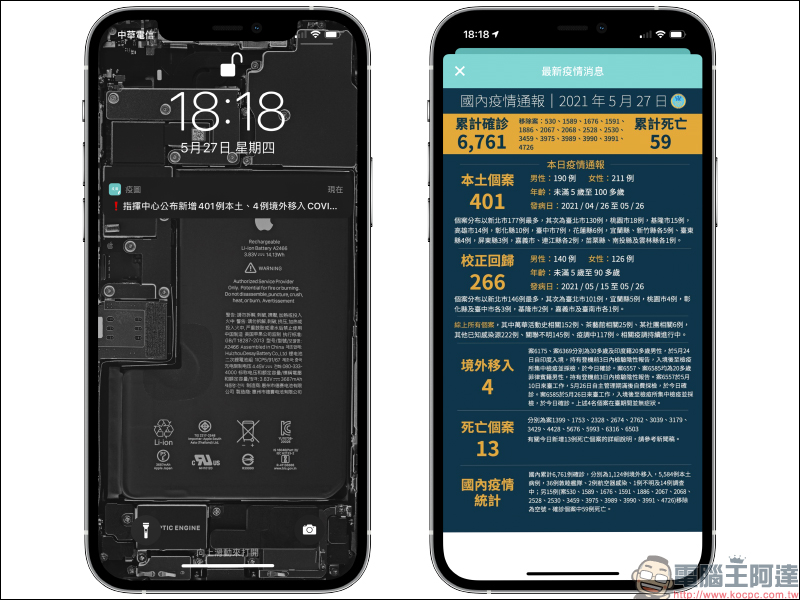
The Epidemic Map App will also send push notifications to users’ mobile phones to update the epidemic information released by the command center.
Finally, I would like to once again appeal to everyone to avoid going out as much as possible in the near future. Wear masks when going out, wash hands frequently, avoid gathering in crowded places, and install the “Taiwan Social Distancing” App (iOS version|Android version). In addition, when entering indoor public places, text messaging is indeed required. The following extended reading also summarizes the methods recommended by Android and iOS users to quickly complete the registration.
Epidemic Map App free download:
iOS version (App Store)|Android version (Google Play Store)
Further reading:
Android APP for epidemic prevention and control: quickly scan and send a text message to complete the registration for the epidemic prevention and control system!


Source: KOCPC Chinese