


There are many solutions to choose from for image de-memorization. You can either use the professional de-memorization software Photoshop, or you can directly use free online de-memorization websites to complete the process. Compared with memorization software, online memorization websites have the advantage of being cross-platform and free of downloads. Today I will share a good online memorization website called Purephotos.
PurephotosMemorize online

Official website address: https://purephotos.app/
Purephotos is a newly launched online background removal website. You only need to go throughChrome browserUpload the pictures you want to process, and Purephotos will automatically remove the picture background, which has the advantages of fast speed and high image quality. At the same time, Purephotos also has other functions to help you better process pictures, such as face recognition, color correction, picture noise reduction, PSD document export, picture beautification, etc.
Purephotos currently provides free and paid plans. The free plan supports up to 100 pictures per month, which is enough for ordinary users. And if the number of pictures that need to be processed per month is between 100 and 1,000, you need to pay US$0.25 per picture. For more than 1,000 pictures, you will be charged $0.20 per picture.
In addition, a good advantage of Purephotos is that it supports saving processed pictures as .PSD files, which facilitates users to perform post-PS editing and processing. Purephotos also provides multiple .PSD picture templates for free to help users quickly complete the design of professional images.
Before starting the Purephotos picture memorization tutorial, when preparing the pictures to memorize, you can choose fromfree photo websiteDownload CC0 picture materials. Of course, you will also use pictures taken by yourself. Try to choose high-quality materials with prominent figures, etc., so that you can memorize them more thoroughly.
Purephotos Tutorial on removing pictures from memory
The first step is to visit the Purephotos official website,Click here to visit, select “Start Now” on the official website homepage to log in with your Google account.
The second step is to upload the pictures you want to memorize in the Purephotos management background. You can drag and drop the pictures directly, or you can choose to “Import from computer” photos. It supports up to 500 photos at a time.
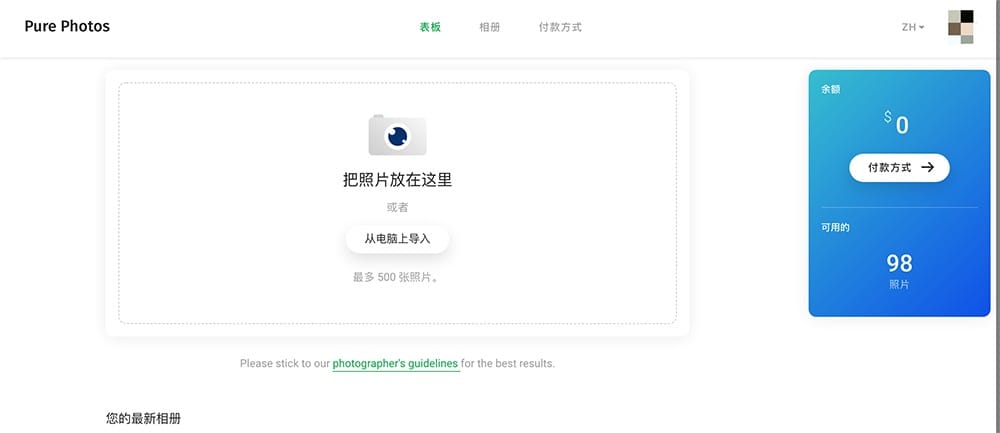
The third step is to set the image processing options, “Remove Image” or “Export to PSD” to facilitate PS editing, then select “Start”, Purephotos will automatically upload the image and start processing.

Step 4: In the “Album” menu, you can view the pictures that have completed background removal and the pictures that are being removed.
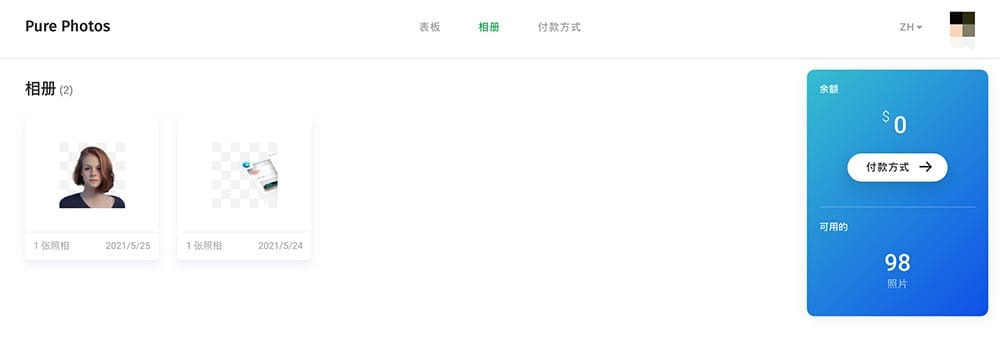
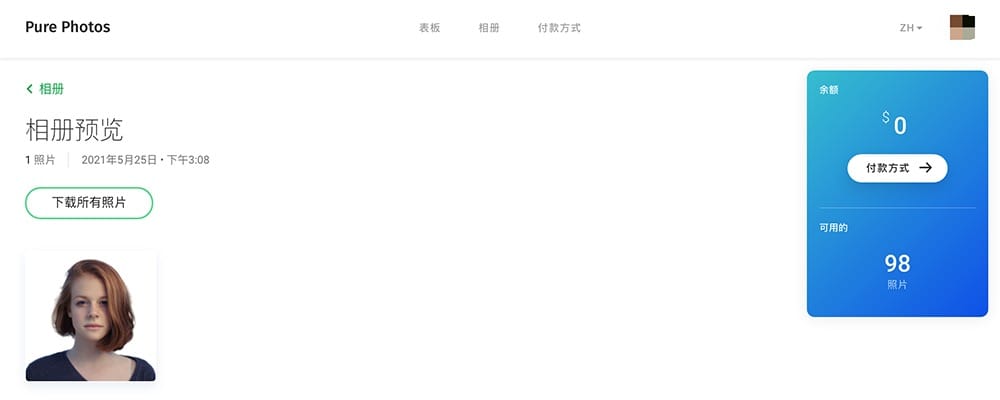
Step 5: Select to memorize the completed pictures, and select “Download all pictures” on the picture preview page to complete the download.
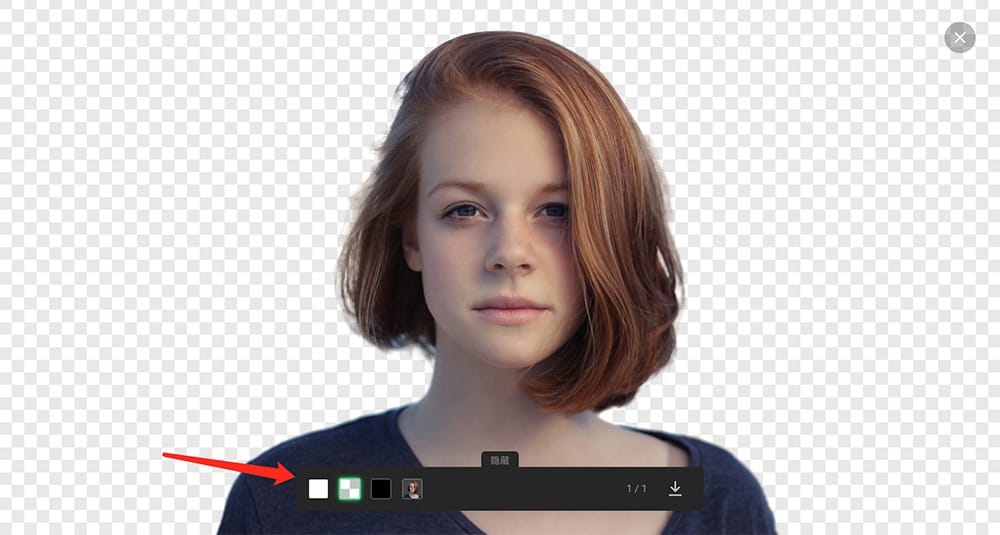
In the sixth step, you can also preview the background removal effect of the image online, or add a background color (white, transparent, black). If you are very satisfied with the processing effect, you can click the “Download” button in the lower right corner to complete the download.
total Knot
The Purephotos online back removal website can now be as fast and thorough as Photoshop back removal. You don’t need to install any professional back removal software at all. You only need to complete online back removal through a browser, and it can be used on mobile devices such as computers and mobile phones, which is very convenient.
Source: KOCPC Chinese