


When most people use computers to surf the Internet, they probably use the Chrome browser, and you may know some common operations. As the version is constantly updated, today’s Chrome actually hides a lot of practical functions. This article has compiled 5 of them that I think are pretty good. Keep reading!
5 useful hidden features of Chrome
Before we get started, make sure you have upgraded to the latest version of Chrome, as there are some features that may not be available in older versions. If you don’t know whether it is the latest version, please open the… menu in the upper right corner and enter Help -> About Google Chrome. If there is a new version, an update prompt will pop up.
- Experimental feature: chrome://flags/
1. Turn PWA web pages into apps
The Chrome version a long time ago actually had the PWA function, but for some reason it is still in the experimental menu. In any case, if the webpage you frequently visit is a PWA, you can use this function to convert it into a single application without using other software.
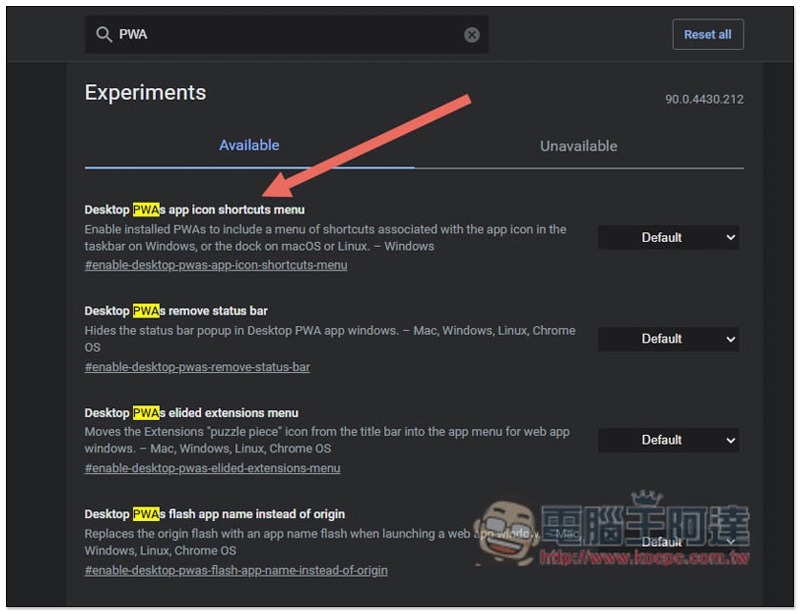
After opening the experimental menu, enter the PWA keyword, and you will see an option for “Desktops PWAs app icon shortcuts menu”:
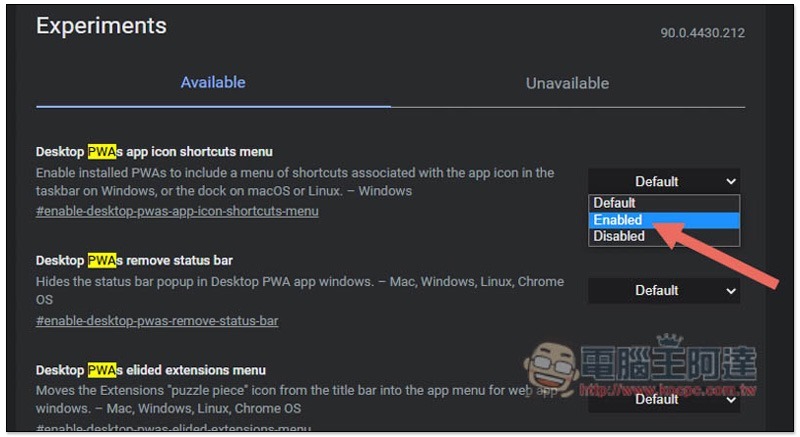
Switch Default on the right to Enabled, then restart Chrome:
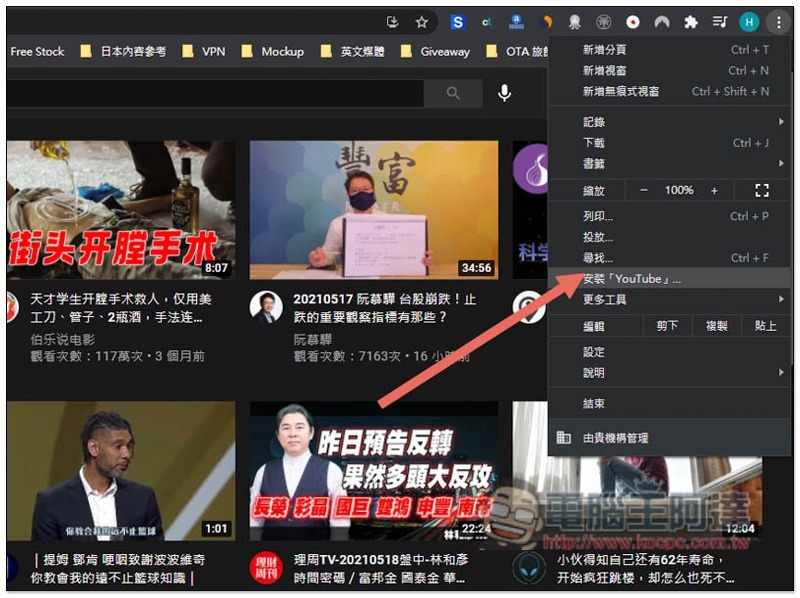
Then after opening any PWA webpage, the option “Install “xxxx”” will appear in the menu in the upper right corner. I will take YouTube as an example:
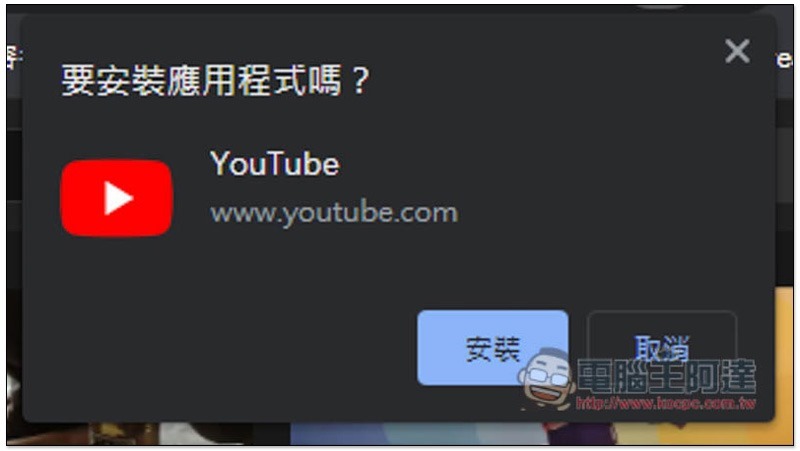
After clicking, a prompt will pop up above asking whether you want to install this application:
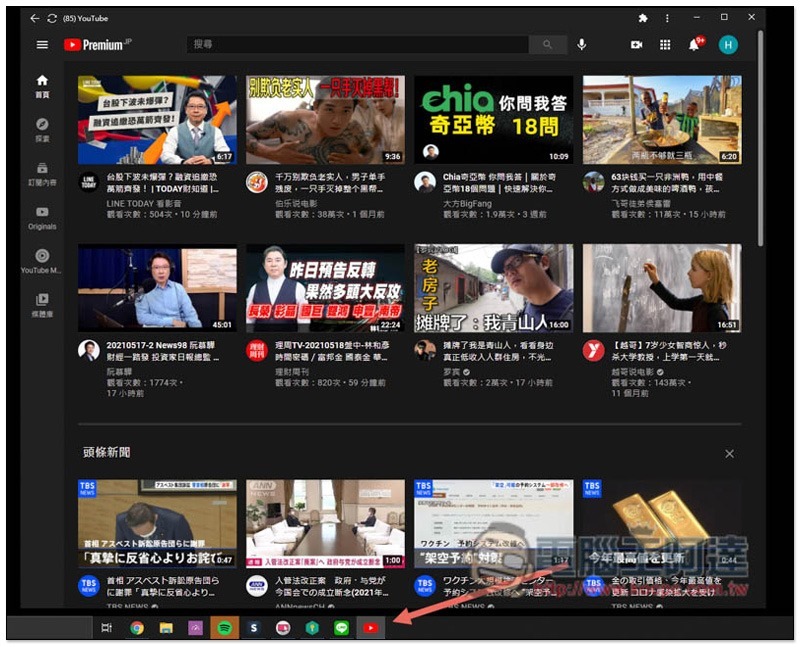
YouTube will then become a standalone application instead of a web page:
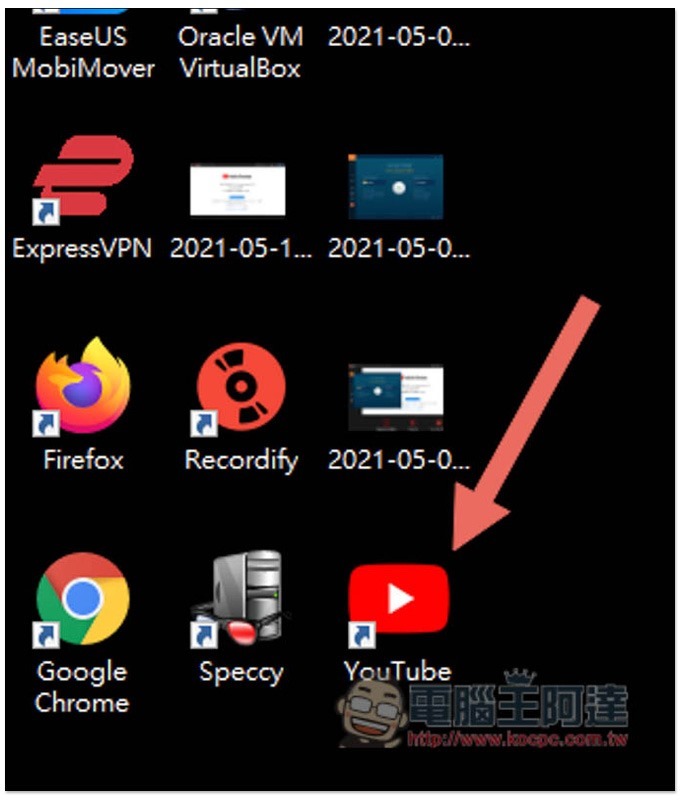
Small icons will also appear on the desktop:
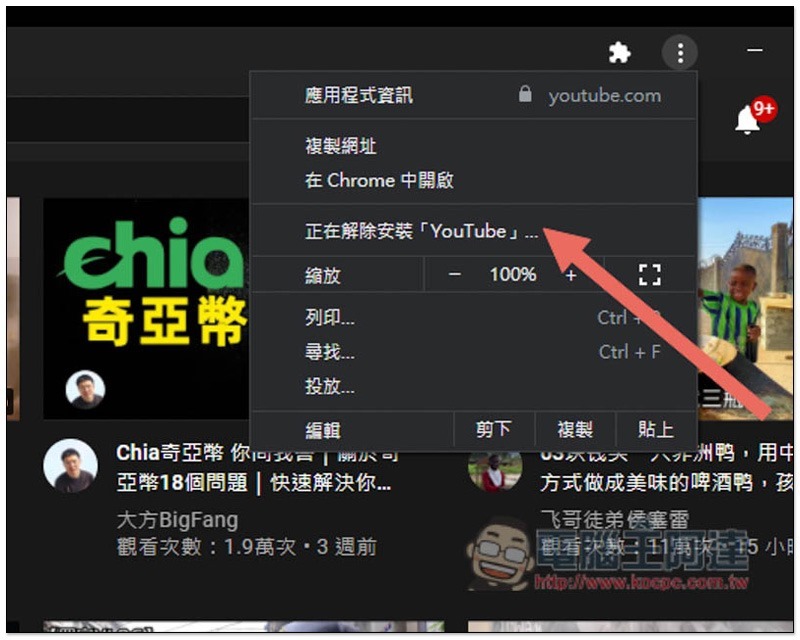
Removal is also very simple. Open the… menu on the upper right and you will find the “Uninstall” option:
2. Improve Chrome download speed with one click
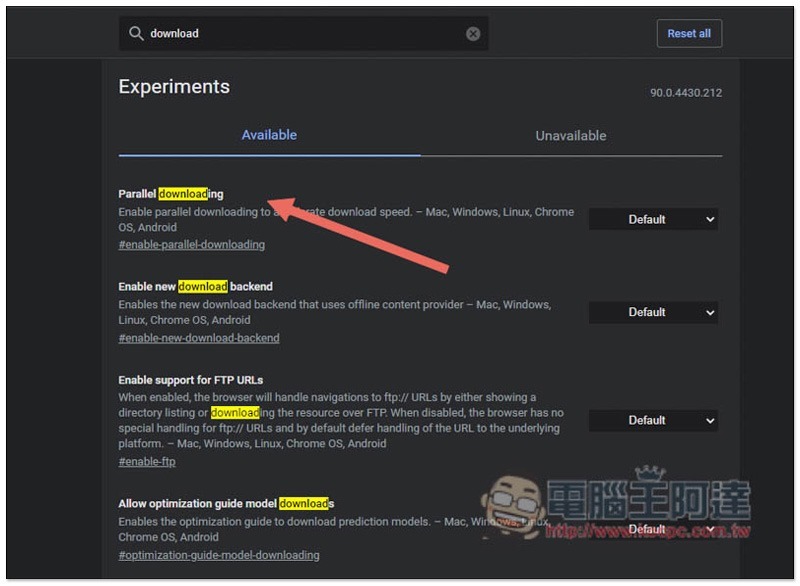
The download default for Chrome browser is single-threaded, so for people with slow Internet speeds, it may feel a little slow. In the implementation function, there is an option to change it to multi-threaded, thereby improving the download speed. The larger the downloaded file, the better it will be.
You can find this option by typing a keyword like “Parallel downloading” into the implementation search field:
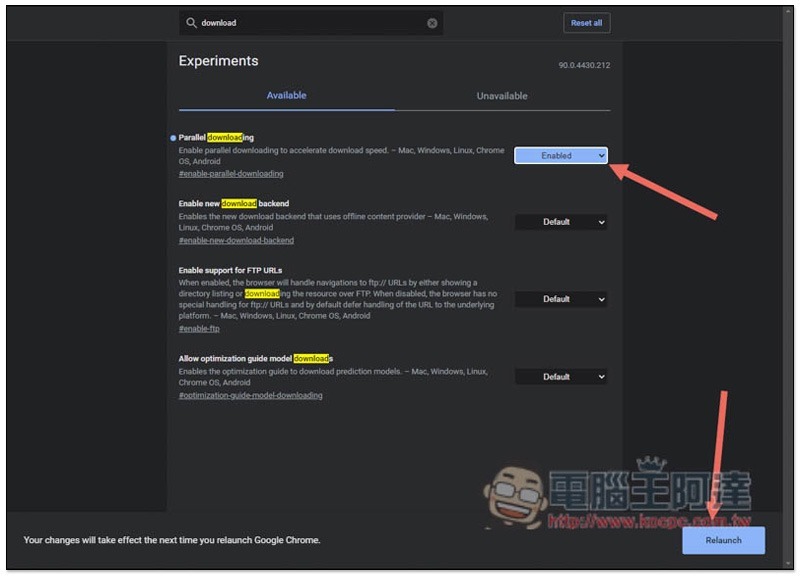
Change it to Enabled and restart Chrome, and you’re done:
3. Reading mode allows you to read online articles more attentively
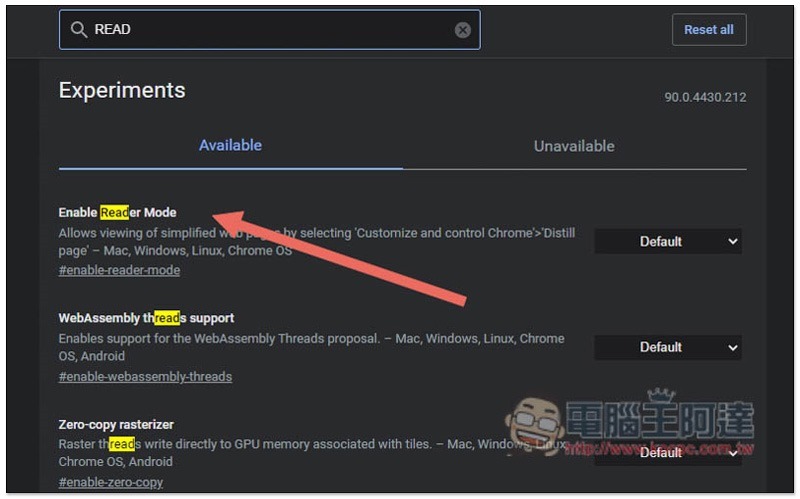
Although there are many free tools related to reading mode in Chrome extension plug-ins, if you don’t need too many additional functions, just use Chrome’s built-in reading mode without additional installation.
Search for keywords like READ in the experimental features to find the Enable Reader Mode option, change the right side to Enabled and then restart Chrome:
After entering the webpage where you want to enable reading mode, a small icon of reading mode will appear on the right side of the address bar:
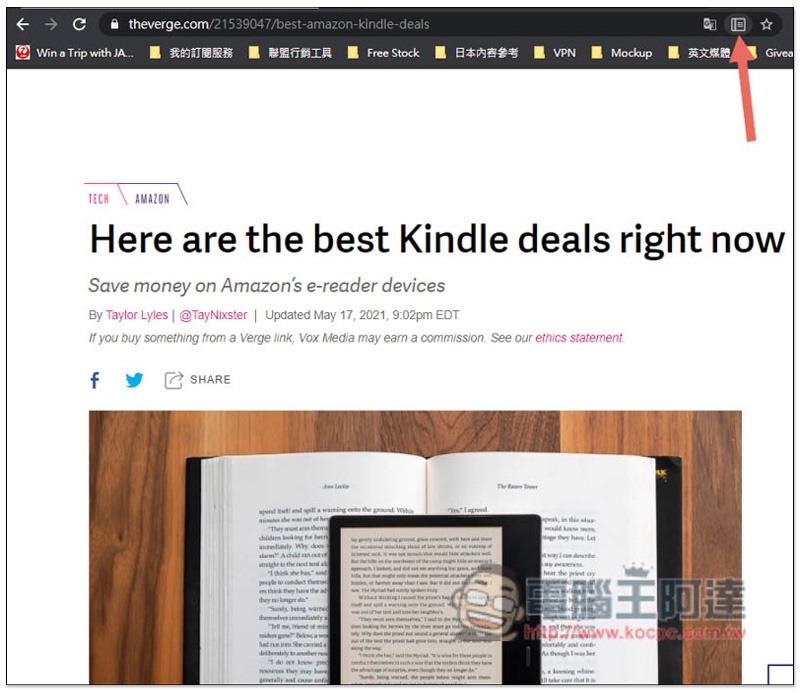
Click to activate:

4. Enable web page pagination preview to help you quickly find the pagination you want to use
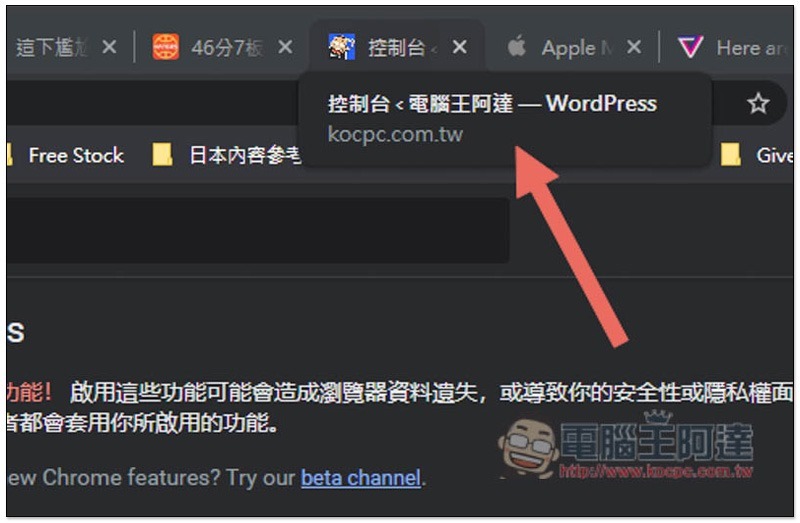
When more and more pages are opened on a web page, the title of the web page will be reduced to only a few words, which is very difficult to read. If you often encounter this problem, you can turn on the “Page Break Preview” function to make it easier for you to find it quickly.
Before it is opened, only the title of the web page will be displayed after moving the mouse over the page tabs:
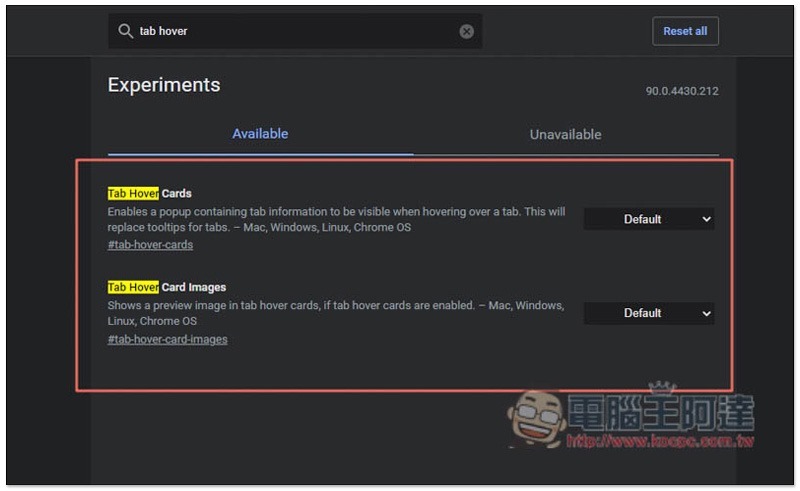
After entering the experimental function, searching for Tab hover will show two results:
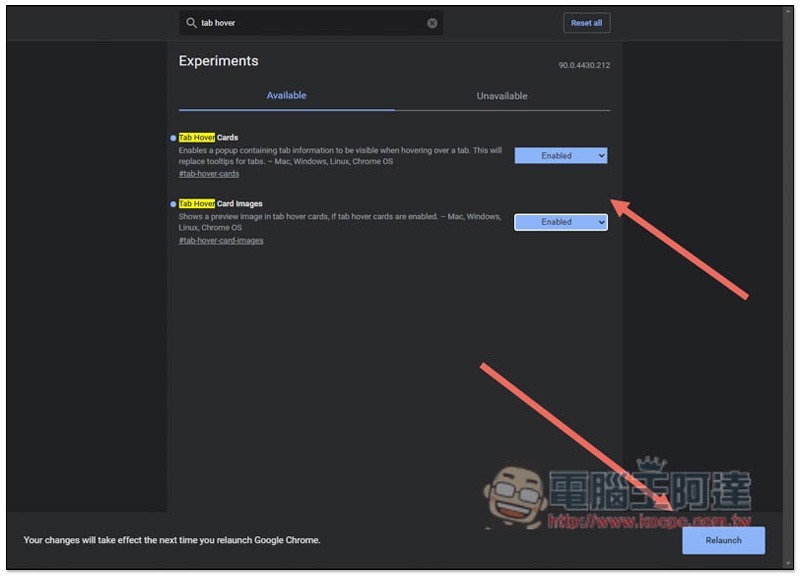
Change both of these to Enabled, then restart Chrome:
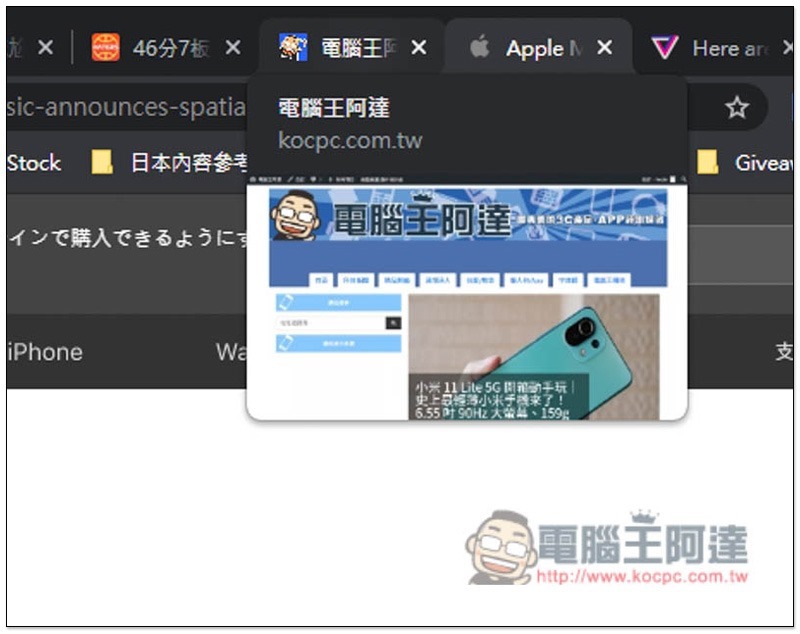
Then, when the mouse is moved to a page of the web page, a small preview of the page will appear below:
5. Force dark mode
Although Chrome currently supports dark mode, it is only limited to the application interface and each web page remains unchanged. If you are a big fan of dark mode and want all web pages on the Internet to have dark colors, then Chrome has a feature that can satisfy you.
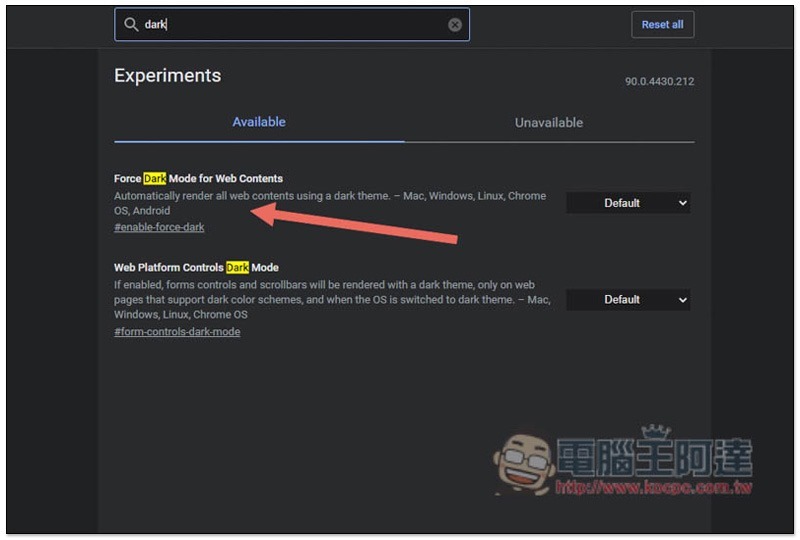
Searching for the dark keyword in Experimental Features will find Force Dark Mode for Web Contents:
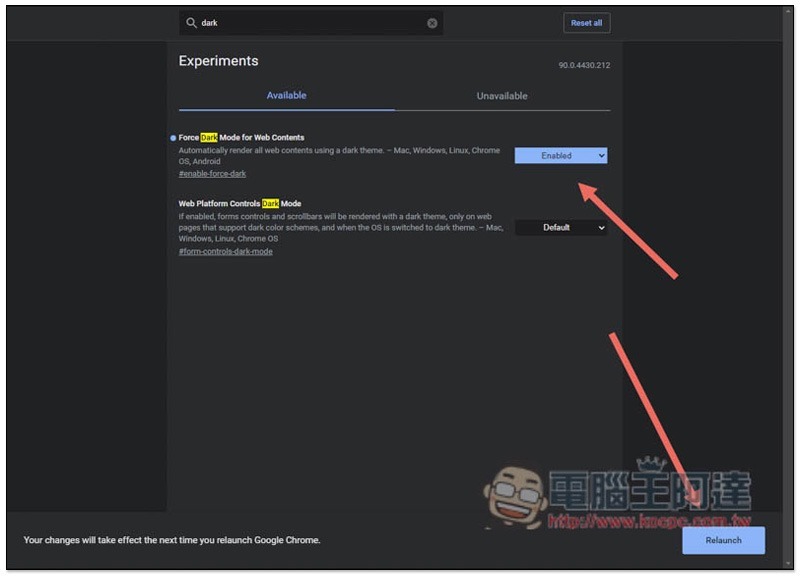
Change to Enabled and restart Chrome:
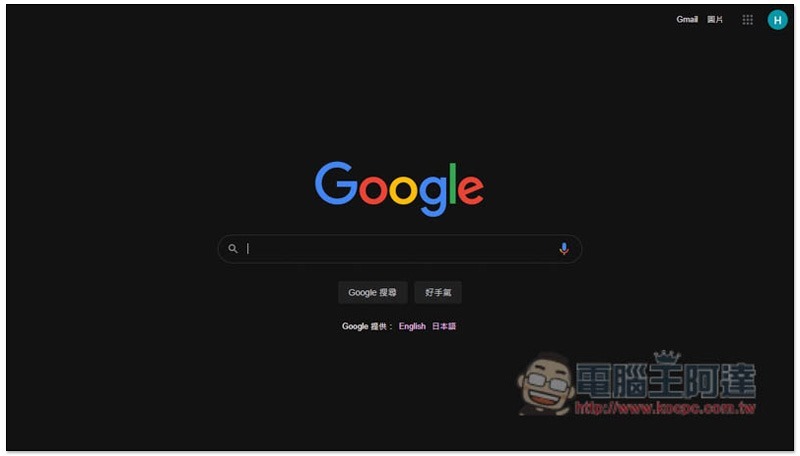
Any webpage you open will turn into a dark color. The following picture is a Google search:
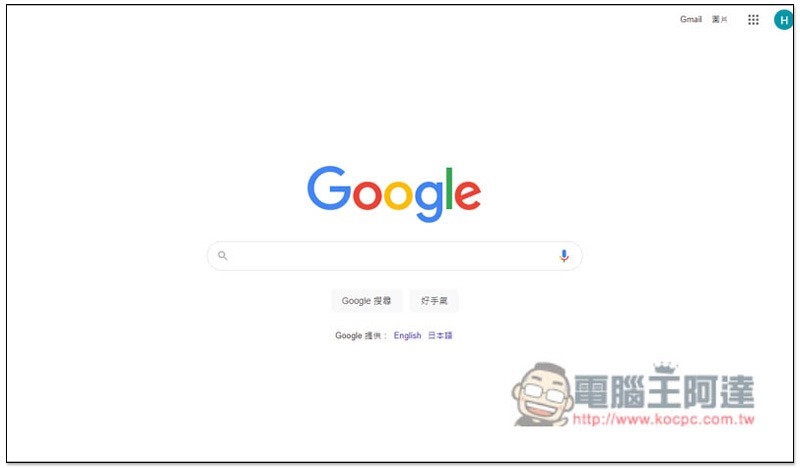
The original Google search should have a white background:
Computer King Ada’s website has also changed to a dark color scheme. Because it is forced to be dark, some color combinations look uncomfortable. I personally don’t like them very much:

Summarize
The above are the 5 hidden functions of Chrome compiled this time. In addition to these, there are actually many other Chrome options. I will recommend other good ones to everyone when I have time.
Source: KOCPC Chinese