


Although the YouTube Premium subscription fee is not very expensive, it is still a bit burdensome for some people, so they will install the YouTube ad blocking extension to block YouTube video ads. However, you may want to be careful if you install “Adblock for Youtube™”.
Recently, the security company Island named the very popular “Adblock for Youtube™” extension on the Chrome Web Store. Research pointed out that although it can indeed block YouTube ads, the internal structure has a JavaScript injection path that can be triggered by remote settings. So far, more than 10 million users have installed it, and it has even received the Featured label. If there is a security risk, the impact will be huge.
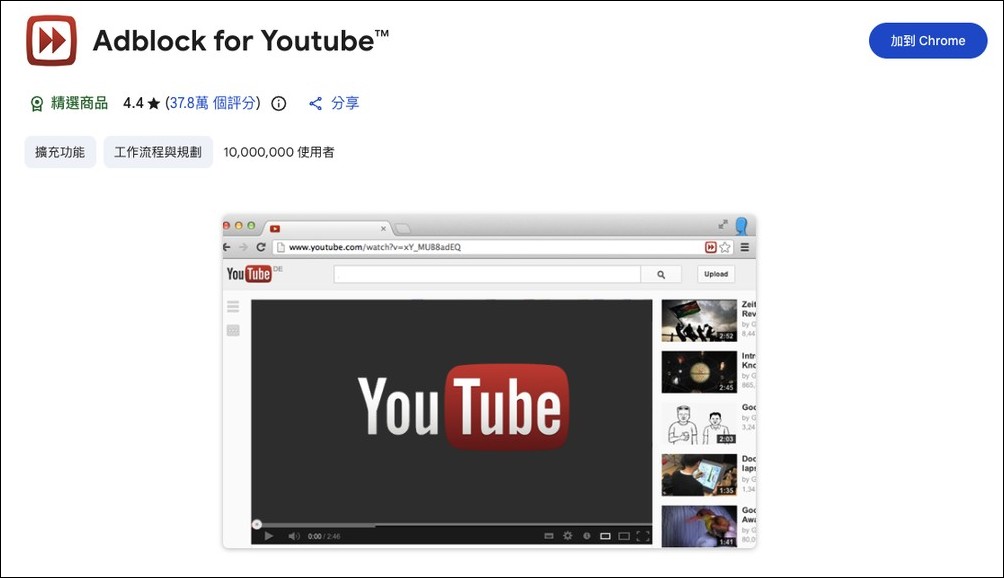
Adblock for Youtube™ ad-blocking extension discovered remote script injection path, study says just one server-side setting may change behavior
According to foreign media The Hacker News reports,Island researcherspointed out that the “Adblock for Youtube™” extension does not simply capture general ad filtering rules. It will also connect to api.adblock-for-youtube.com approximately every 24 hours to obtain the settings provided by the server.
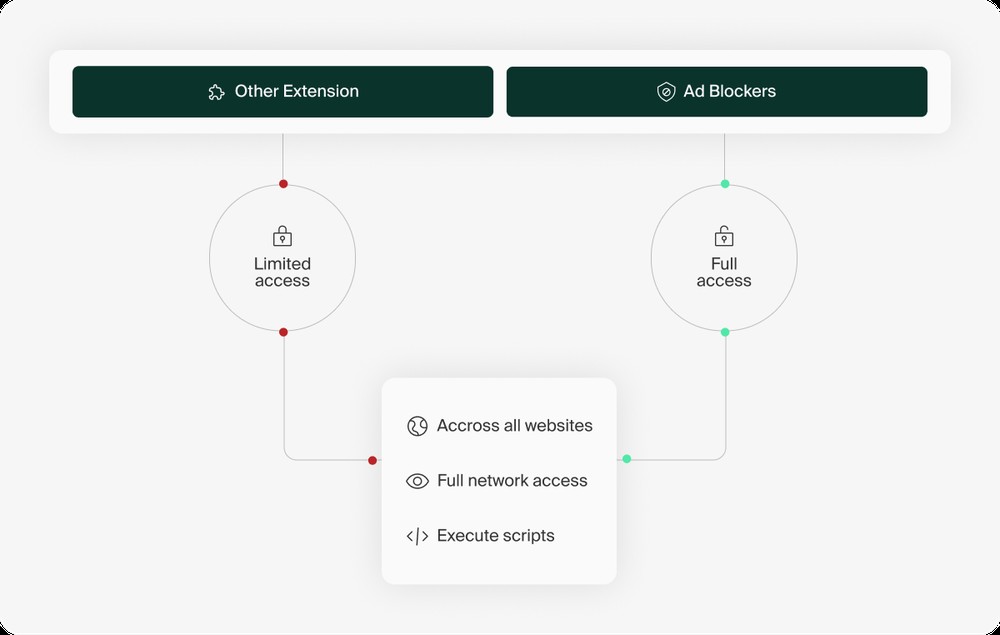
In addition to the general network filtering rules and CSS selectors, the returned data also contains a field called scripletsRules. This means that the server can decide whether the scriptlet built into the extension should be executed, which section should be executed, and which parameters should be passed in.
Scriptlets themselves are not surprising; many ad-blocking tools utilize small pieces of JavaScript to handle ads, trackers, pop-ups, or specific elements on a web page.
What is really worth noting is whether these scriptlets can continue to be specified and adjusted by the remote server after the user installs the extension, and even pass JavaScript code as a parameter to let it execute in the web page.
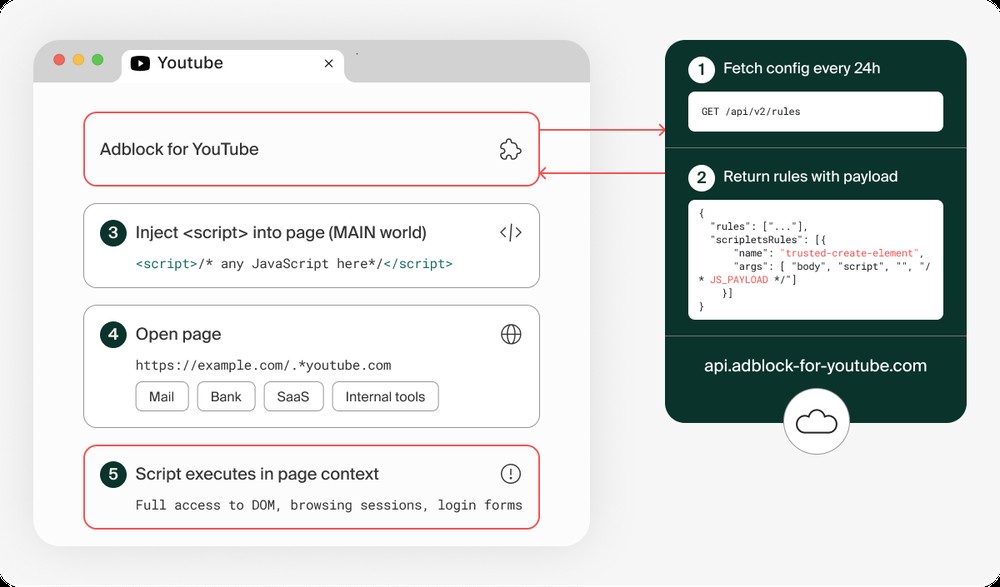
Island pointed out that one of the scriptlets named trusted-create-element can create HTML elements in the page. If the element type passed in by the server is script and the content is JavaScript, it is possible for the code to be executed in the page environment.
However, The Hacker News later added that trusted-create-element was not written by AdBlock Ltd. but came from AdGuard’s open source scriptlet library. What is really questioned is the server-side configuration that can access this injection path.
To confirm that this was not a purely theoretical possibility, Island also conducted a further controlled proof of concept.
The researchers used a local mock server to simulate the extension’s original connection to obtain the API response of the rule. The extension function itself has not been modified during the entire process, including permission settings, URL checking, scriptlet library and injection logic, all remaining the same.
During the testing process, the researchers first allowed the extension to pass the check mechanism naturally on the YouTube page, and then opened a Salesforce page with youtube.com in the complete URL string.
Since the full URL contains youtube.com, the extended function is passed. The researchers demonstrated in the PoC, reading the Salesforce account data currently visible to the user and sending the data back to the local mock server.
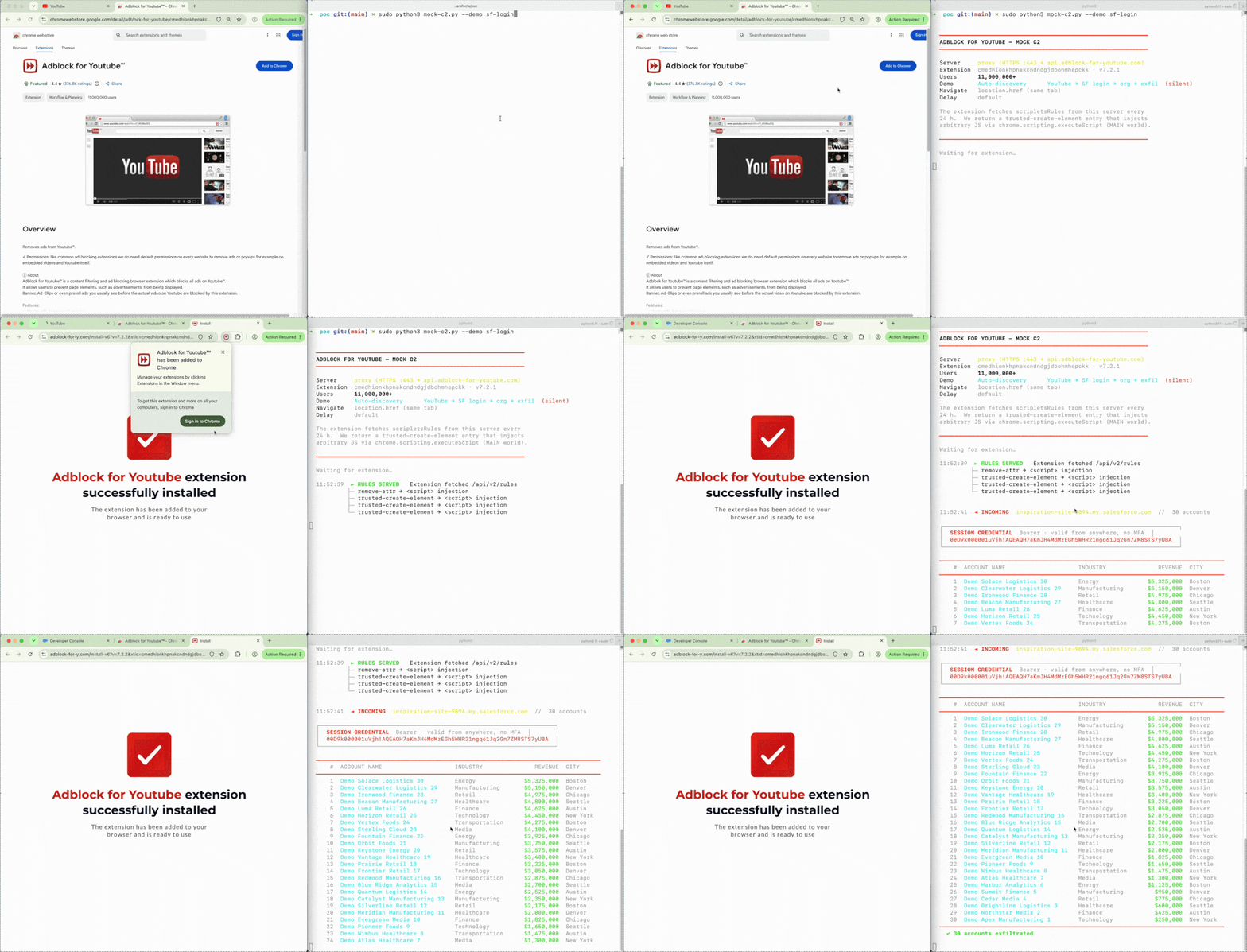
It should also be emphasized here that Island is proving “this path does exist” in a controlled environment this time, which does not mean that this extension has been confirmed to be used to steal user data.
After the incident was exposed, AdBlock Ltd founder Mathias Rochus also responded to The Hacker News, stating that this extension has never used this capability and will not use it in the future.
He mentioned that the company is ready to send an update to the Chrome Web Store, which mainly includes two corrections: first, the page inspection mechanism will be changed to verify YouTube’s hostname, instead of just looking at whether there is youtube.com in the complete URL string; second, the server-side settings will no longer be able to create or inject executable scripts into the page.
How can users protect themselves?
The most direct way is to first go to chrome://extensions/ to check whether you have “Adblock for Youtube™” installed, and confirm whether the developer is AdBlock Ltd. and whether the Extension ID is cmedhionkhpnakcndndgjdbohmhepckk.
If you don’t use it often, or you just installed it a long time ago and forgot to remove it, it is recommended to delete it directly.
If you still want to continue using it, you must at least confirm that it has been updated to 7.2.3, and pay attention to whether there will be more complete correction instructions later. Since there is currently no evidence that malicious payloads have been sent to users, there is no need to reset all passwords immediately.
However, if you have logged into sensitive services such as the company’s backend, online banking, CRM, cloud drives, etc. during the installation of this extension, and you are still not confident about this extension, you can first log out of other work sessions of important accounts, check recent login records, and confirm that two-step verification is turned on.
As for corporate or team environments, it is recommended to suspend or block this Extension ID first, and then evaluate whether to reopen it for use after the new version of the code, the Chrome Web Store update status, or the official correction instructions are clearer.
Source: KOCPC Chinese