


Facebook changes its algorithm from time to time. I believe many people have discovered that some Facebook fan pages that have been tracked by likes often do not receive the latest news. If you have liked fan pages and want to continue to track the latest news, please be sure to confirm the tracking settings of these fan pages! Today I will quickly share with you how to correctly set up FB tracking on mobile and computer versions. Once set up properly, you can avoid missing the latest news from the fan page!
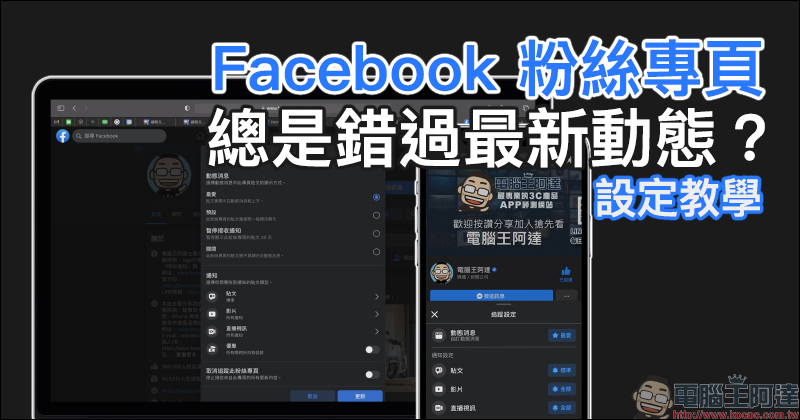
Keep missing the latest news on your Facebook fan page? Follow and preview (setting tutorial)
Presumably many users have many liked fan pages on Facebook, and it is quite common for some people to even like hundreds of fan pages without knowing it. However, Facebook often changes its algorithm, which directly affects the content users see when scrolling through news feeds. Some fan pages that you want to follow and follow can easily be ignored because of this small change. For example, on YouTube channels, you must often hear channel creators calling on viewers to “like”, “subscribe”, and “turn on the bell” to receive the latest information. In fact, the same principle is true on Facebook. If you don’t want to miss the latest news posted by these Facebook fan pages, remember to check whether your “tracking settings” have set it to preview!
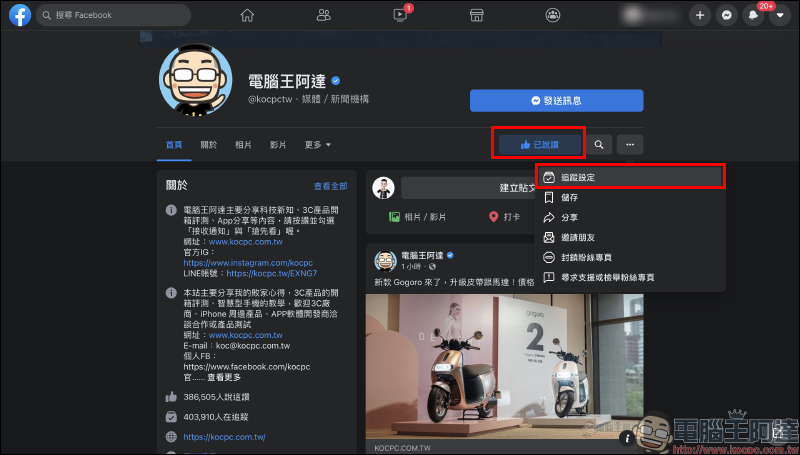
Here, the author first uses the PC version of Facebook as a demonstration. After the user first confirms that the fan page has been liked, click the “…” button to expand the function menu and select “Tracking Settings”:
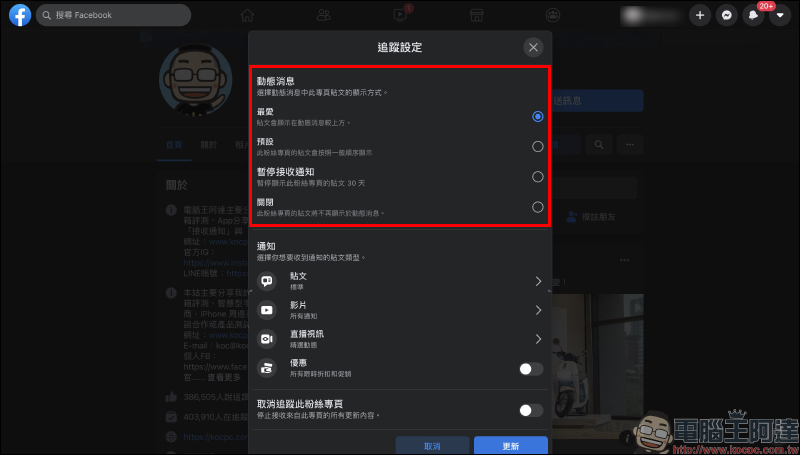
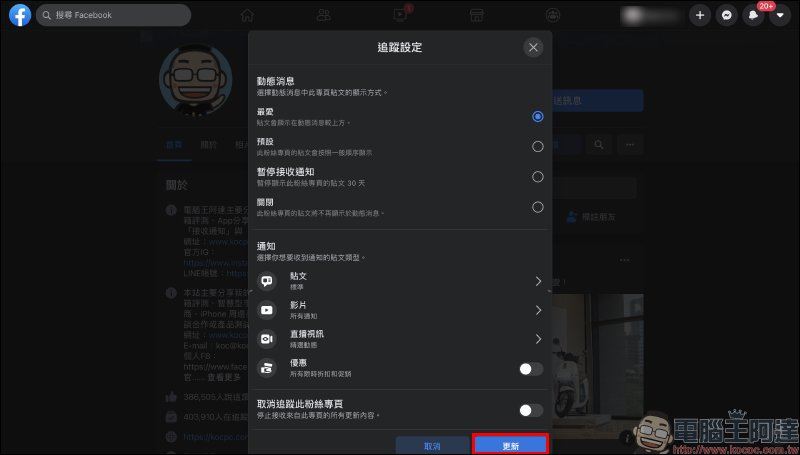
The tracking settings are roughly divided into two major settings: “dynamic messages” and “notifications”. “Dynamic Messages” are the posts that you usually see on the Dynamic Messages page. If the general user has not changed it, it will be displayed as “Default”, which means that the posts will be displayed in the normal order. This is why you often miss some fan page posts that you want to care about! If you don’t want to miss the Facebook fan page’s posts, it is recommended to directly select “Favorites” so that the posts will be displayed at the top of the news feed and you will be less worried about missing them.
In addition to dynamic messages, “notifications” directly notify users of new posts through push notifications when the user has not viewed dynamic messages. Users can set different levels of settings for “posts”, “videos”, and “live videos”, and can also choose whether to turn on discount notifications for limited-time discounts and promotions.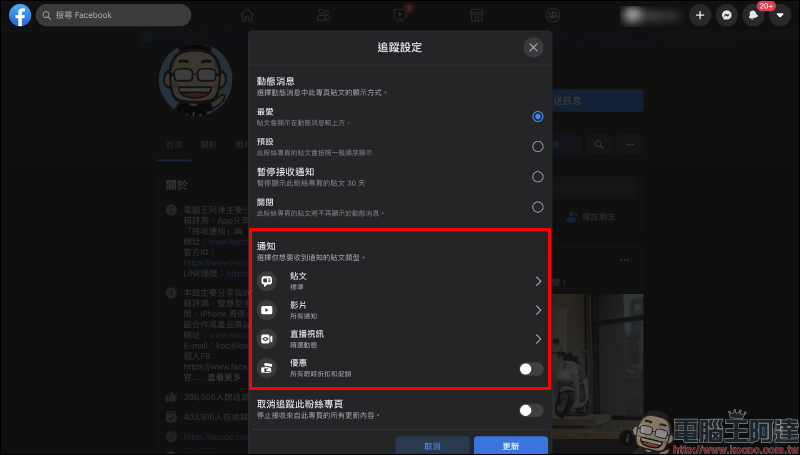
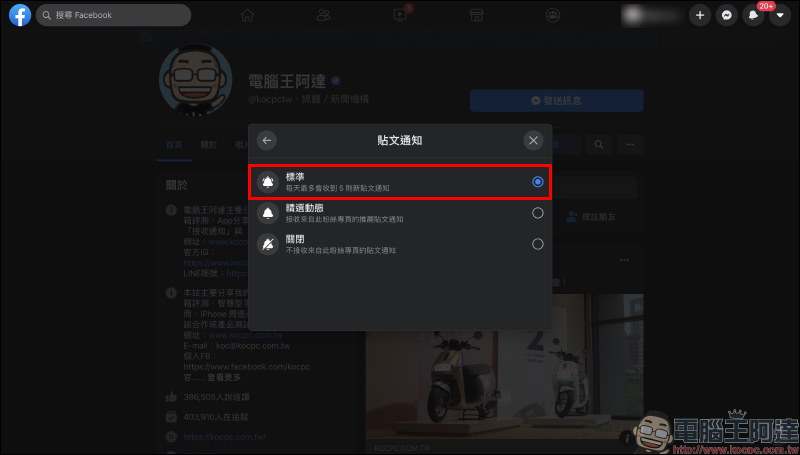
Take “Post Notification” as an example. If it is only set to “Selected Updates”, you will only receive notifications of recommended posts from this fan page, and it is easy to ignore some posts. Therefore, it is recommended that you directly set the post notification frequency to “standard”. However, you don’t need to worry too much about the frequency being too frequent, because if the Facebook fan page of Computer King Ada sets post notifications to “Standard”, it will only receive up to 5 new post notifications per day.
After completing the “Tracking Settings” settings on the PC version of Facebook, be sure to click the “Update” button at the bottom. You must click Update to save and update the above tracking settings.
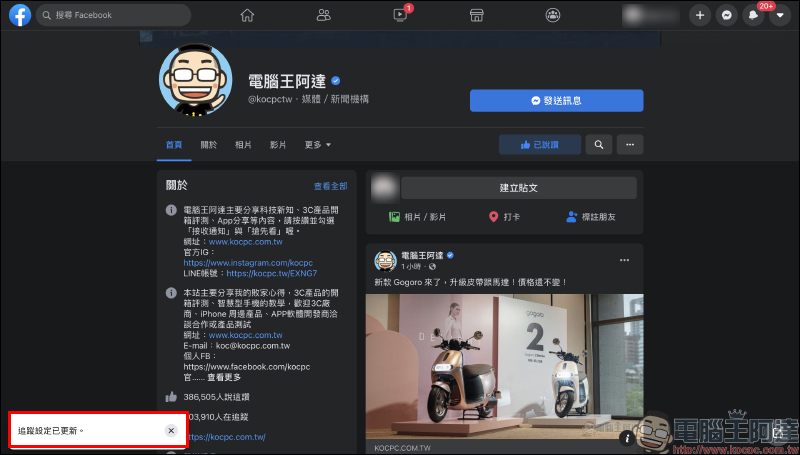
Click “Updated” and “Tracking settings have been updated” will be displayed at the bottom of the window:
In addition, the Facebook mobile app can also set tracking settings for specific Facebook fan pages! Although the layout is different, the setting process is roughly similar. Users first go to the Facebook fan page they want to set up and click “…”, then click tracking settings to set the dynamic message and set it as “favorite”:
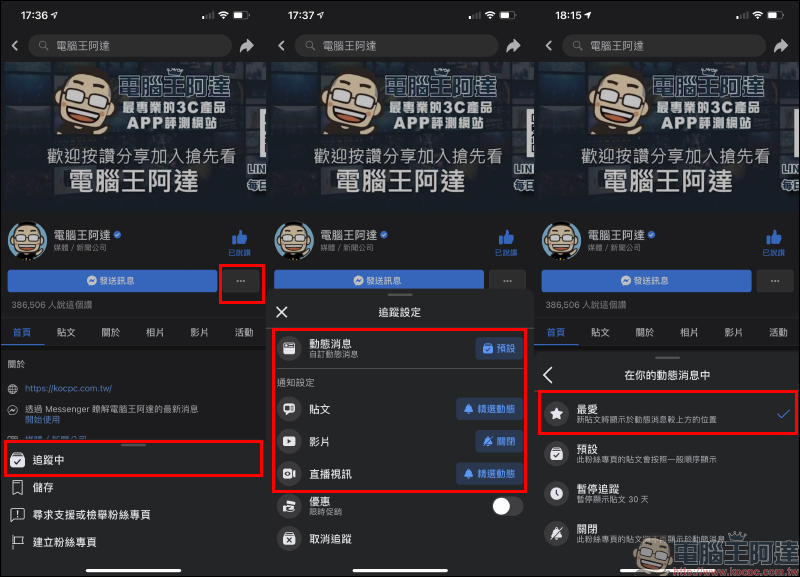
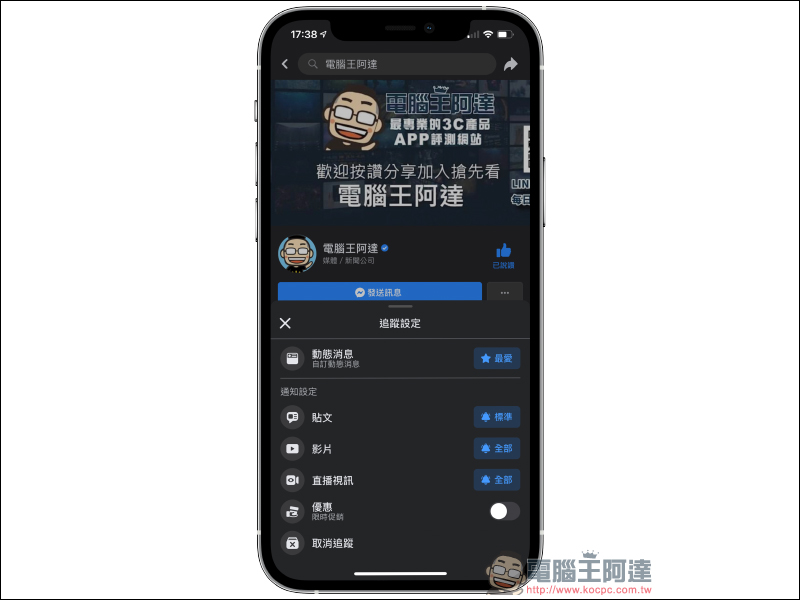
After changing the settings, the system will automatically update the settings and pop up a notification at the bottom of the screen. Then in “Notification Settings” users can also set notifications for posts, videos, and live videos:
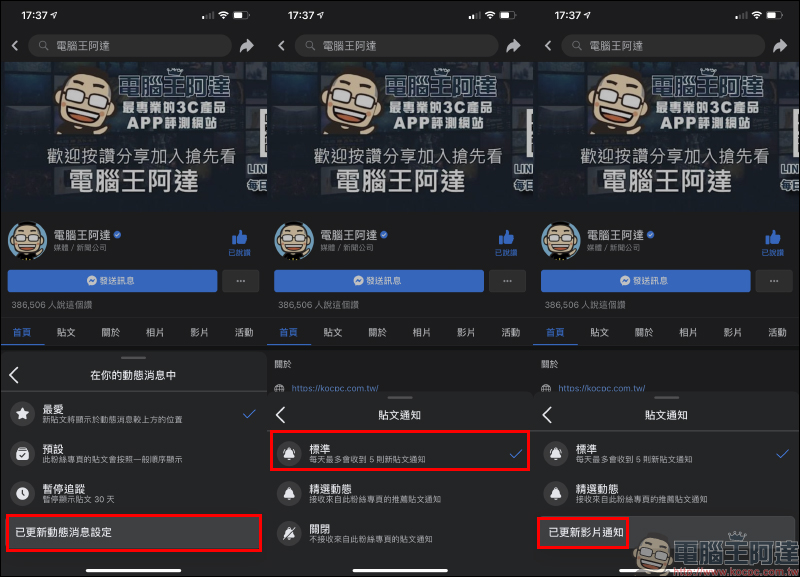
If you set “News Feed” in Facebook’s tracking settings to Favorites, “Notification Settings” to Standard, and Video and Live Video to All, you can minimize the chance of missing the latest news!
Compilation of communities on various platforms of Computer King Ada
- Facebook fan page:Click me to like and follow
LINE
- LINE@ official account:Click me to add friends
- LINE community (Computer King Ada Technology Chat Group):Click me to join the community
Telegram
- Telegram channel:Click me to subscribe
- Telegram bot:Click me to subscribe
- Telegram chat group:Click me to join
Further reading:
4 Recommended Websites for Downloading YouTube Video Cover Pictures (Teaching)
Source: KOCPC Chinese