


Looking back at WWDC 2020 last year, Apple announced that it would add many new features to Apple Maps in iOS 14, such asLast year before Taiwan’s National Day holiday, “real-time” dynamic information was added to the existing public transportation information.. In addition, last year it was also mentioned that a new function of “speed limit” reminder will be launched in the future to notify drivers when approaching a speed camera. Recently, this function has also been quietly opened in Taiwan. Continue reading for the complete setting tutorial of Apple Maps’ “speed camera” reminder function officially opened in Taiwan.
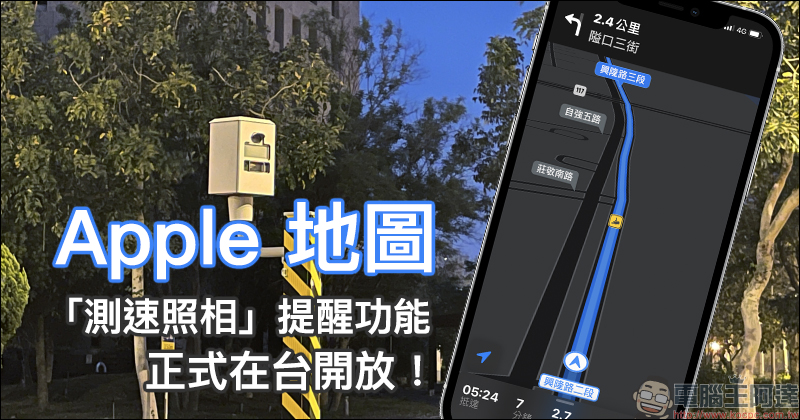
Apple Maps’ “speed camera” reminder function is officially launched in Taiwan! (setting tutorial)
For motorists, they are inevitably most worried about accidentally speeding and being photographed and issued a ticket. Therefore, we have introduced in the past such things as “Aegis speed camera」、「Omnie CUE ” These are two free and practical speed camera apps. But now even Apple Maps has added a speed camera reminder function, and iOS users in Taiwan can already use it!
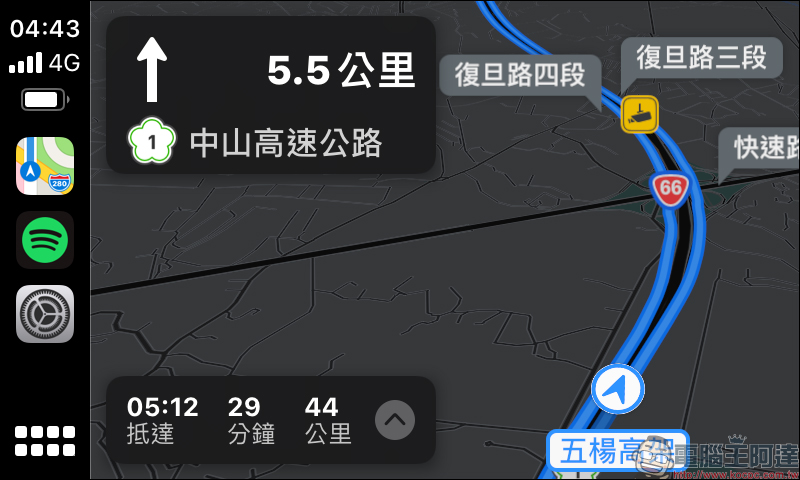
When an iPhone user connects to Apple CarPlay and turns on the navigation function of Apple Maps, if there is a speed camera ahead, a yellow speed camera icon will be added on the route to remind the driver, and a voice reminder will be given “There is a speed camera ahead” when the vehicle approaches.
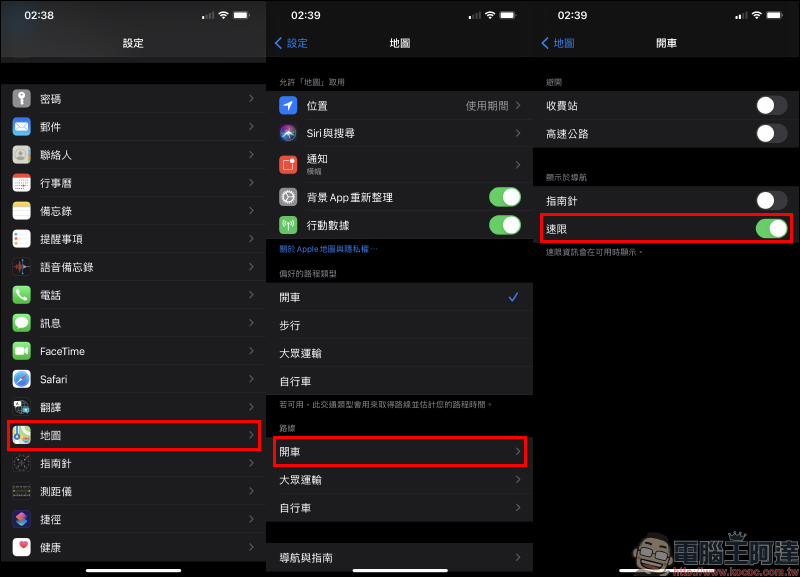
How to enable this feature? First, open “Settings” on your iPhone, then select “Map” and then click the “Drive” option of the route. Finally, display the “Speed Limit” function in the navigation and turn it on:
The author also tested it on the road for a period of time and confirmed that when the path is close to a speed camera on national highways and provincial highways, there will be an icon of the speed camera, and when approaching, a voice will remind you that there is a speed camera ahead.
However, based on actual measurements in the past few days, it can only be said that there is still room for improvement in terms of map information. Some speed cameras are not displayed on the map (they are omitted). There are also situations where speed cameras are displayed on the map, and indeed there are speed cameras, but the system does not give a voice reminder when approaching.
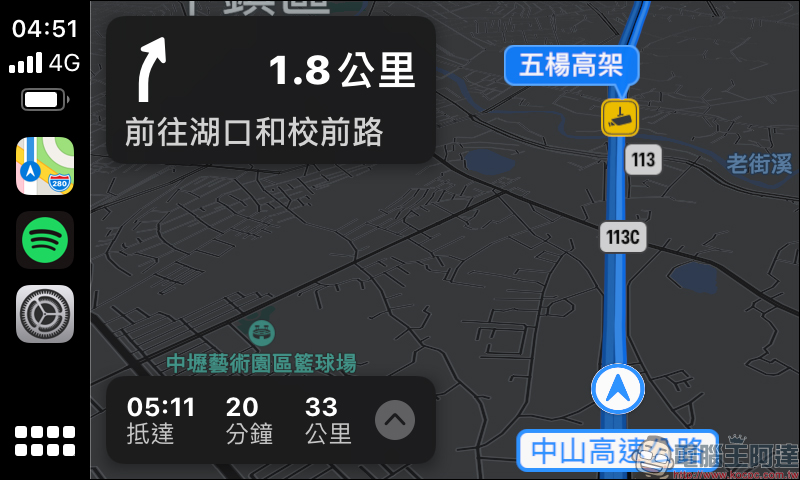
In addition, Apple Maps Navigation can also display speed cameras and voice reminders on ordinary roads, but there is still room for improvement in the map part. But in terms of user experience, the current speed limit reminder function of Apple Maps in navigation can only remind “there is a speed camera ahead”, and cannot remind the distance from the speed camera, or even the most basic “speed limit.” For drivers, they have to pay special attention to speed limit signs to avoid speeding, or simply use a speed camera app such as Aegis!
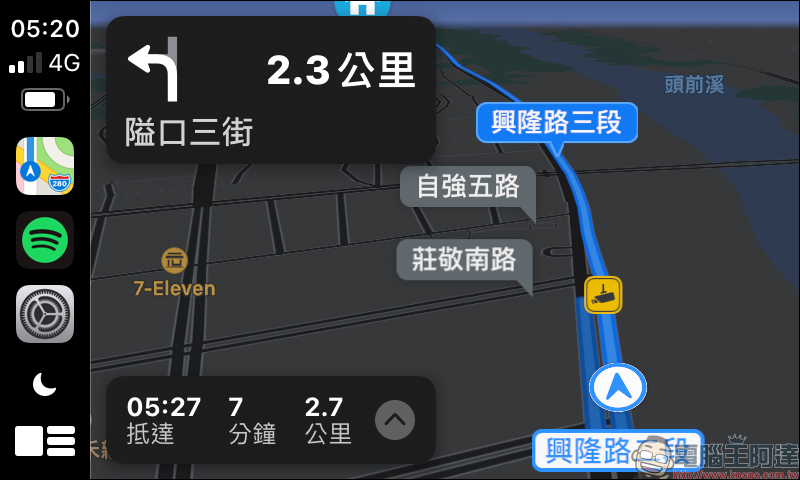
If the vehicle does not support Apple CarPlay and is accustomed to using iPhone’s Apple Maps directly for navigation, the author’s actual testing has confirmed that the speed camera can also be displayed in driving navigation that does not generally use CarPlay:
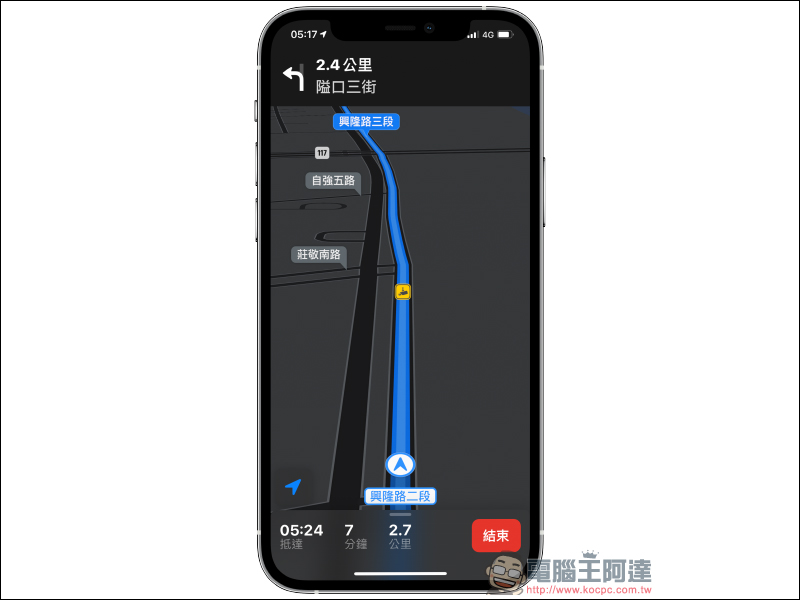
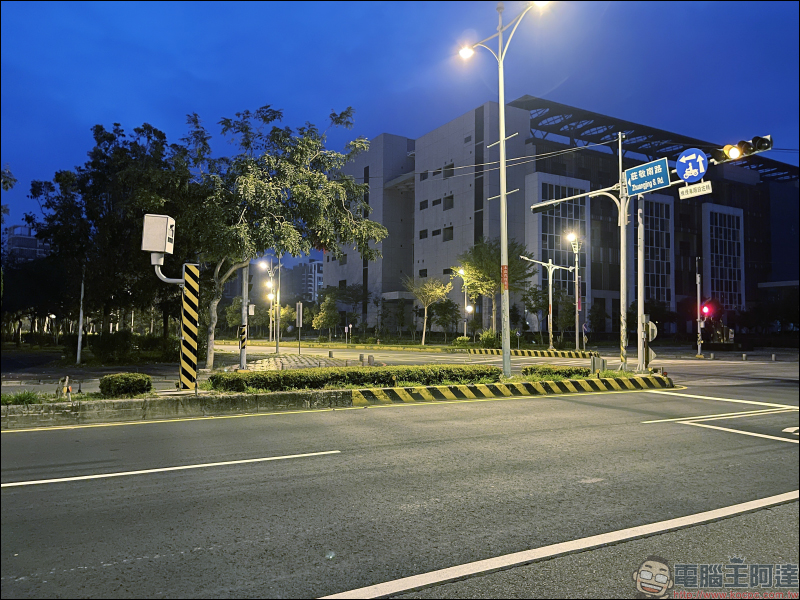
Although Apple Maps Navigation more or less misses some speed camera reminders, as long as there is a reminder to take a speed camera ahead and a speed camera icon is displayed on the map, the accuracy of actually having a speed camera there is quite high. If you compare the location of the speed camera indicated in the picture above, and match it with the picture below, you can see that there is indeed a speed camera at this location.
Further reading:
The latest leaks of the iPhone 13 Pro series: Rumor has it that it will launch “matte black” and a new anti-fingerprint coating mid-frame


Source: KOCPC Chinese