


Nowadays, many people have many important memories stored in their mobile phones, such as “travel photos or videos” with family, significant other or best friends, “documents” needed for work or class, and even “messages” with clients, and some of them may happen to us to some extent.Accidentally deleted, or if you want to recover after deletion, you can use this professional data rescue software UltData for Android to quickly help you retrieve important lost photos, videos, messages, contacts, call logs, recordings, WhatsApp, etc. on your phone.
If you have an old mobile phone that you plan to throw away, you can actually scan it with this one, and you might be able to find some important content. (There is a 40%off discount code at the end of the article)
UltData for Android official website and download page
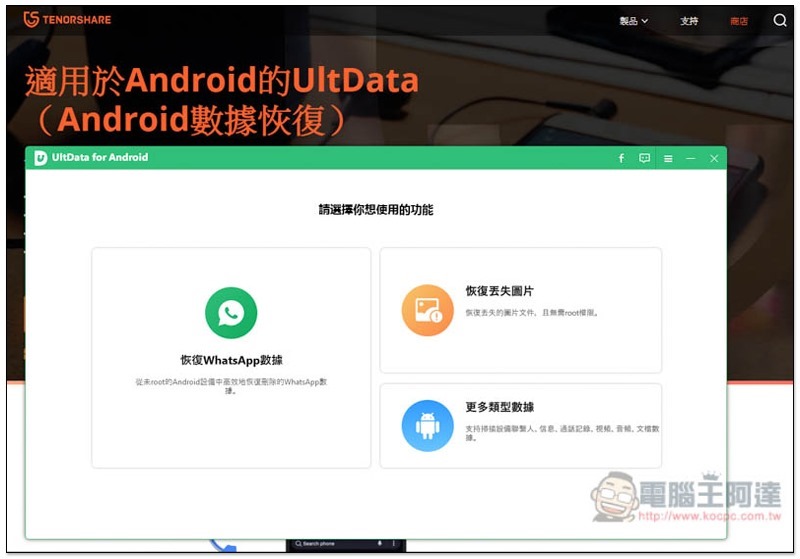
UltData for Android operation teaching and experience
UltData for Android has both free and paid versions. The free version can scan data on your phone, so you can try it out first. When you find the data you want to recover, you can then consider whether to purchase the paid version.
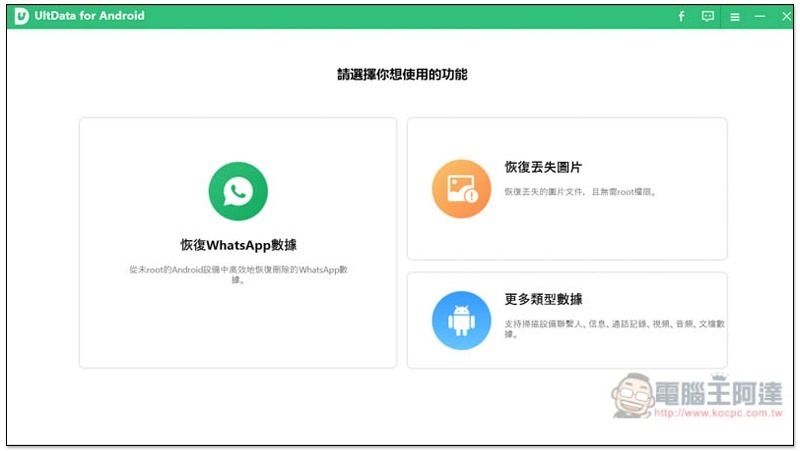
The operation interface is very simple. There are three scanning modes, “Recover WhatsApp Data”, “Recover Lost Pictures” and “More Types of Data”. Click the data mode you want to recover:
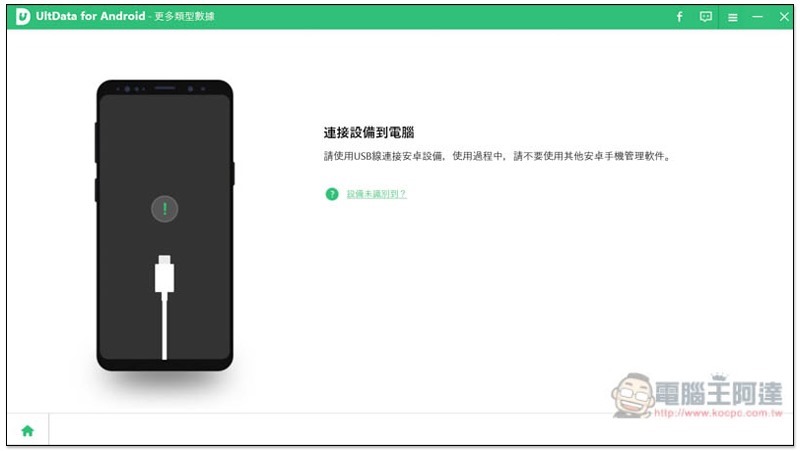
At this time, please connect your Android phone to the computer:
Before starting the scan, you must turn on the developer mode first, and a tutorial prompt will pop up on the screen. However, the setting function names of each brand are a little different, so if you can’t find it, you can Google keywords, such as: Huawei mobile phone developer mode, and you should be able to find relevant tutorials:
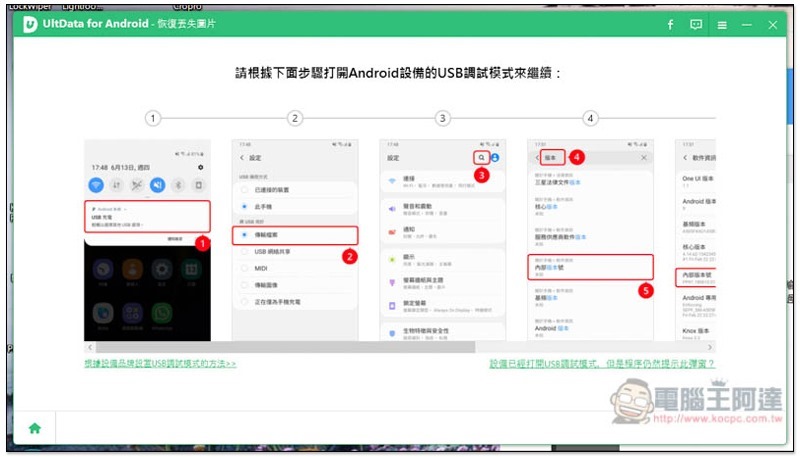
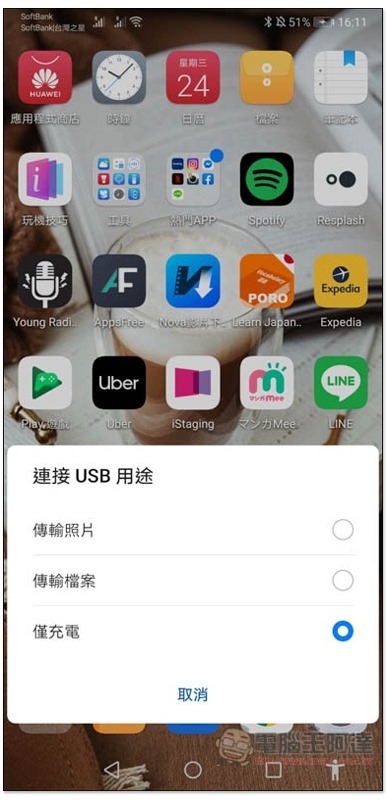
My phone is a HUAWEI P20 Pro, so I will use this one as a demonstration. After connecting to the computer, the phone screen will pop up “Connect USB Purpose”, please select “Transfer Files”. If you don’t see this small window, you can slide from top to bottom to open the notification bar and you will see the settings:
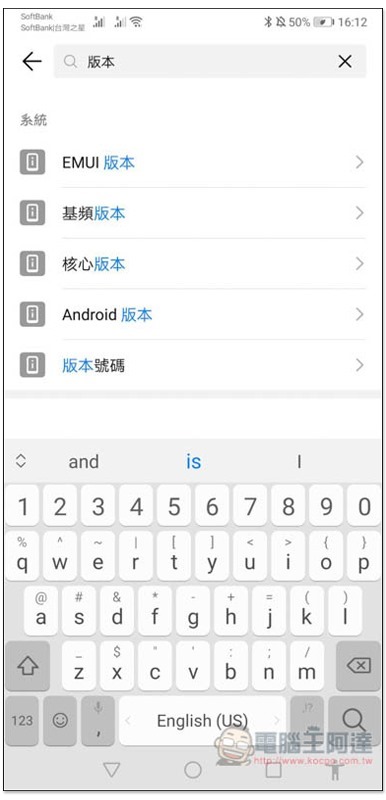
Then go to the phone settings and enter “version” in the search box. Many version results will appear. Just click on any one on your Huawei phone (if yours has an internal version number, please click on this one):
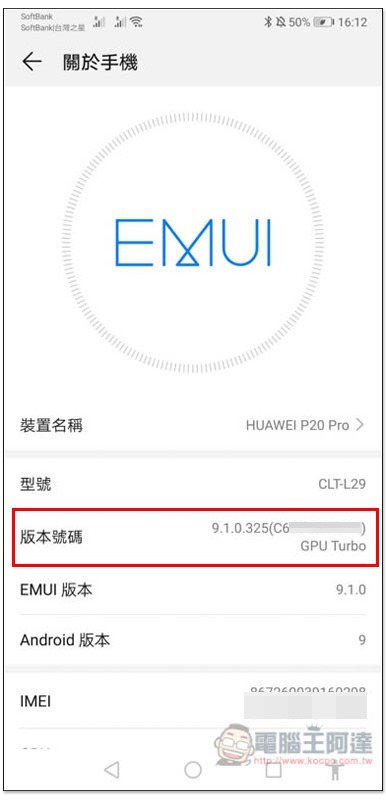
You will enter the “About Phone” menu, click “Build Number” or “Build Number” 7 times, and a message that you have become a developer will be displayed:
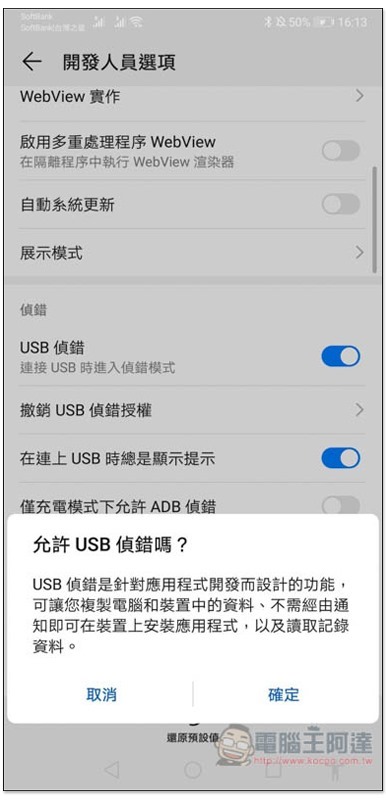
There will be an additional “Developer Options” in the settings. After entering, turn on “USB Debug”:
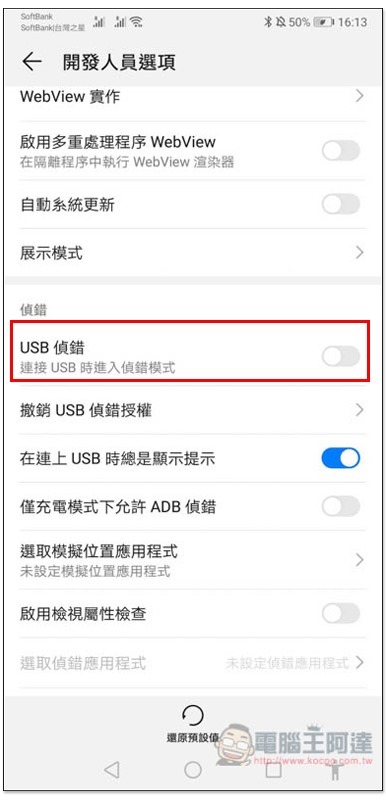
Click “OK” and the mobile phone settings are completed:
Recover lost pictures
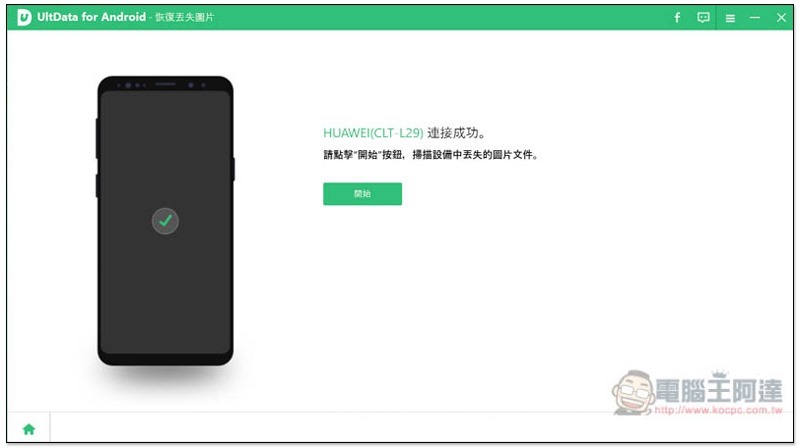
The software screen will also display “Connection successful”. Press Start to enable scanning. Let’s look at “Recover Lost Pictures” first:
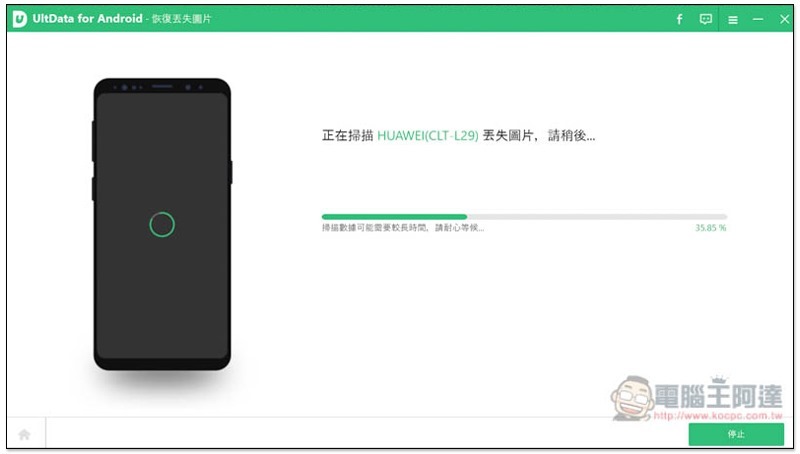
The length of the scan depends on how many pictures and information you have on your phone. If there are not too many, it will be completed in a few seconds. But if your phone has been used for several years and has tens of thousands of photos, it may take a few minutes, but it will not be too long:
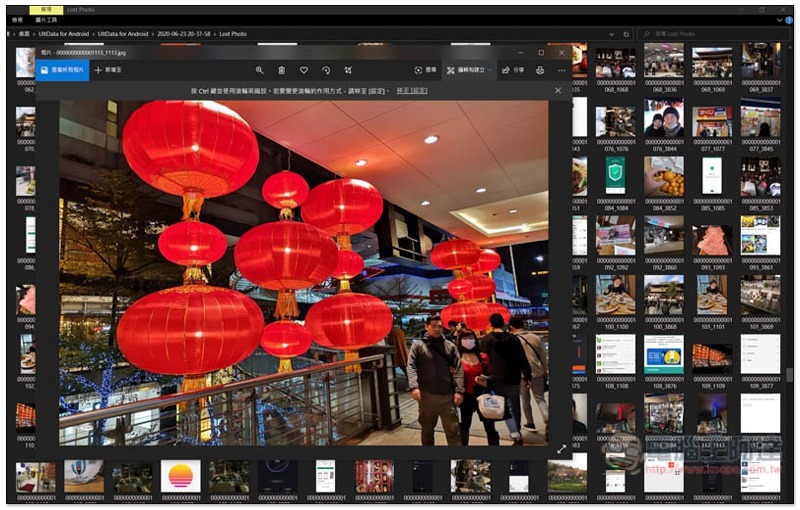
After completion, the screen will list all the photos that you may have deleted by mistake or may have been deleted. The lantern in the picture below was taken during the Chinese New Year at the beginning of this year. It was permanently deleted after being transferred to the computer. I didn’t expect that I could still find it. However, just like computer data rescue software, the pictures found in this set will have small pictures and large pictures, and they are not necessarily arranged together. Therefore, I would recommend clicking “Select All” in the upper left corner to export “all found pictures” at once, and then slowly find where the big pictures are and delete the unnecessary ones. This will be faster:
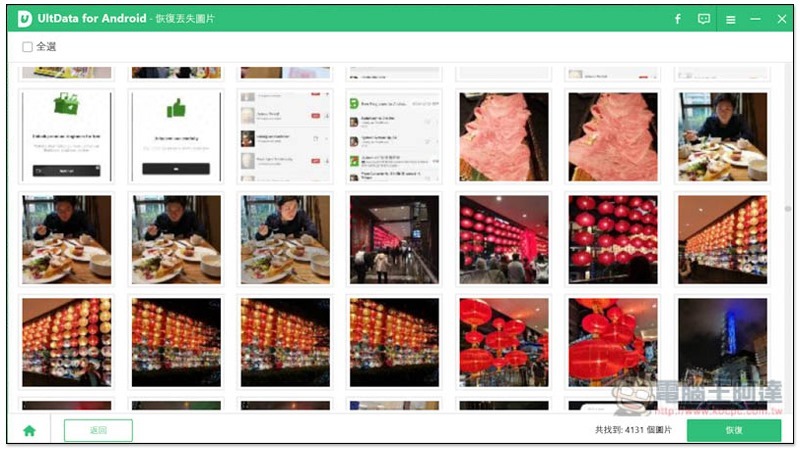
You may be thinking, there are too many pictures? That’s right, I found a whopping 4,131 images on my phone, but the export is quick, taking about a minute, so tens of thousands of them shouldn’t take too long.
I only exported these pictures at the beginning, and the results were all small pictures:
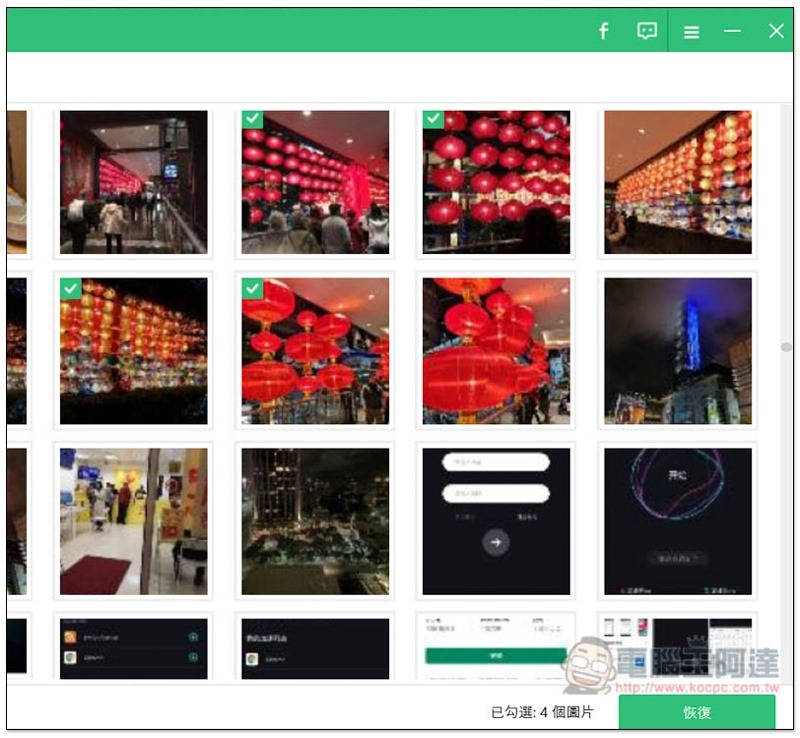
After clicking Restore in the lower right corner, you will be asked to choose the path to save:
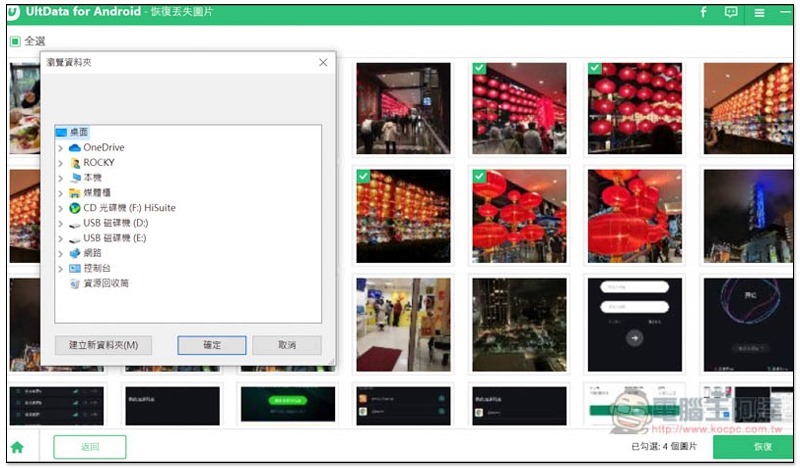
In the end, of course, I exported them all at once, and quickly found the big picture I wanted:
More types of data patterns
“More types of data mode” can recover six data types: contacts, messages, call logs, documents, videos and audios. Check the ones you want to scan, and then click on the lower right corner to start:
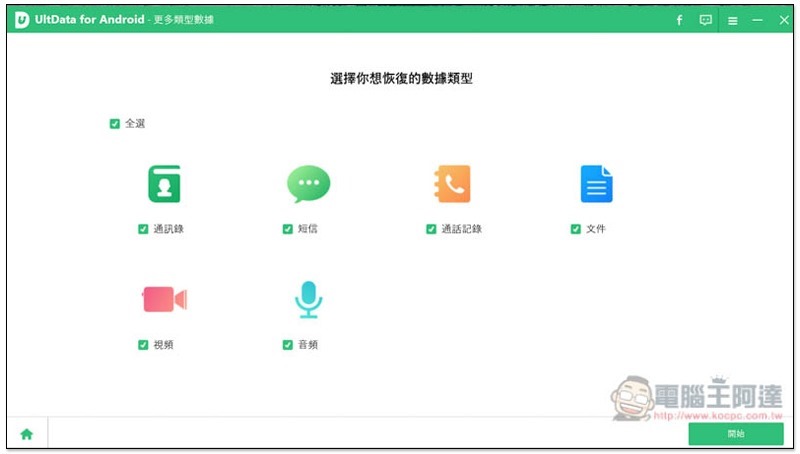
Then it will start scanning. It will take the same length of time. Depending on how much data you have on your phone, it will basically be much faster than the pictures. I haven’t deleted this type of data since I started using this P20 Pro, so I can’t find anything:
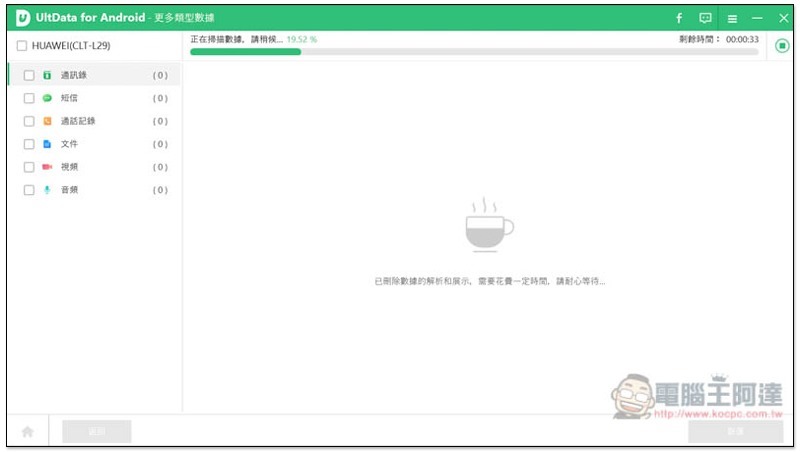
As for WhatsApp, few people in Taiwan use it, so I won’t demonstrate it here. Friends in need can try it out on their own.
In addition, rescue software does not necessarily mean that the pictures, photos or other data you want can be retrieved. After all, the software system of each mobile phone is different, or your data is too old, so it is recommended to scan with the free version first and confirm that it is found before purchasing the paid version.
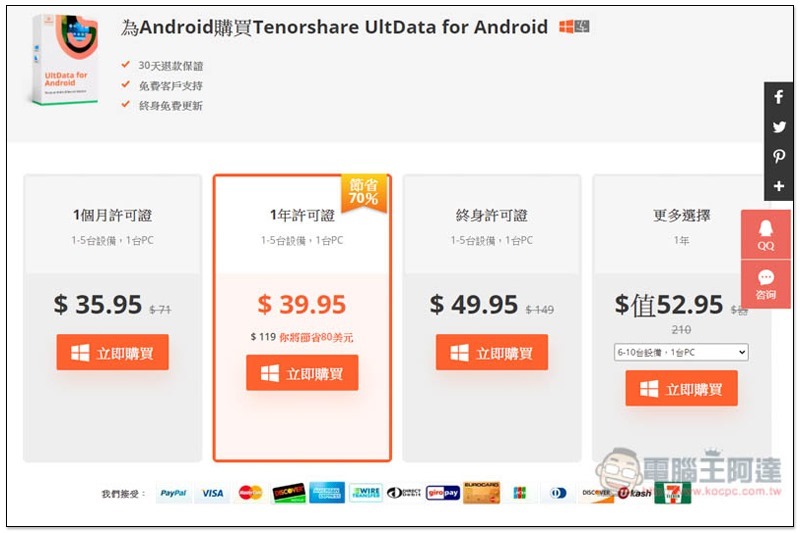
There are four options for the paid version. I recommend buying the “lifetime license” directly. Although it is more expensive than one month or one year, this version can be updated for free for life, which means that even if you change to a new Android phone or upgrade to a higher version of the Android system in the future, you can use it to recover lost data. With a set of professional Android phone rescue software by your side, you will definitely have a lot of peace of mind:
in conclusion
UltData for Android is really a very good rescue software with a simple operation interface. Even people who are not very familiar with technology products can quickly get started and recover lost data easily. Some people may think the price is too expensive, but in fact this serial number can authorize 1 to 5 devices. The representative said that you can also find other people to purchase together. If you find enough people, you can get it for less than NT$300, which is quite a value.
Enter at checkout「H6F4A」You can get an extra 40% off, there are only 10 people available, first come first to win.
UltData for Android official website and download page
Source: KOCPC Chinese