


As more computer software is installed, the right-click menu functions of files will also increase. Although some are indeed more convenient to use, such as anti-virus software to quickly scan the file for viruses, most of them are unlikely to be used. At this time, you can consider using this free small tool ShellExView to close all the unused ones, so that your right-click menu can be changed cleanly and it is easier to find the functions you want to use.
Introduction to ShellExView Free Gadget
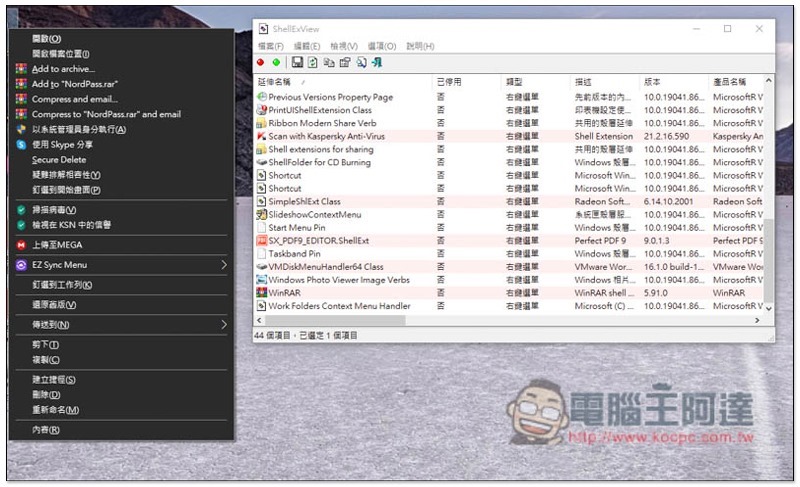
The picture below shows the functions of my current right-click menu. There are so many. Among them, the most commonly used one is virus scanning. MEGA and WinRAR are almost never used. Especially WinRAR, which takes up 4 options in the right-click menu. Many people may be like me. They install this set just for decompression. Compressed files are basically not used. Turning it off can make the entire menu much shorter:
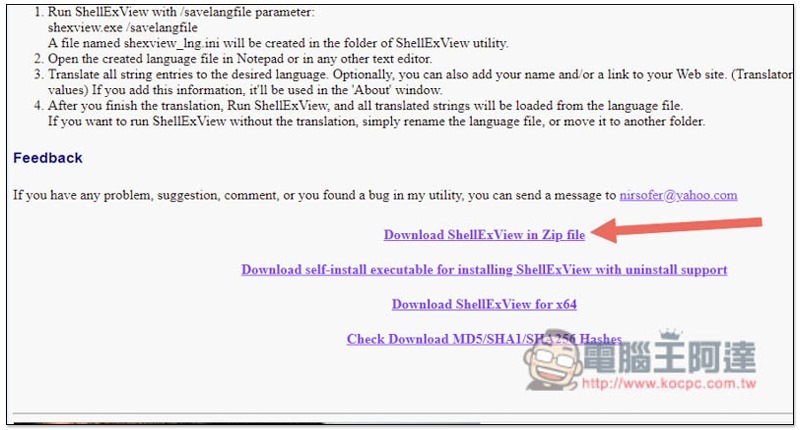
Click here to go to ShellExView official websiteScroll down the next page and download the Zip file. You can use it directly without installation. In addition, this default set only has an English interface. Those who want to use Chinese need to download the Traditional Chinese language file:
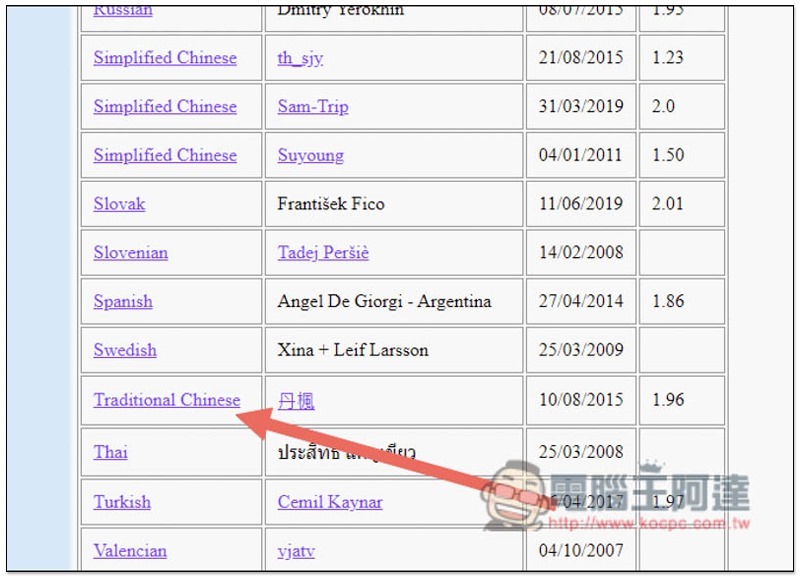
Scroll down on the same page to find Traditional Chinese and click to download:
There is only one .ini file for the Traditional Chinese language file. Move it to the folder of ShellExView:
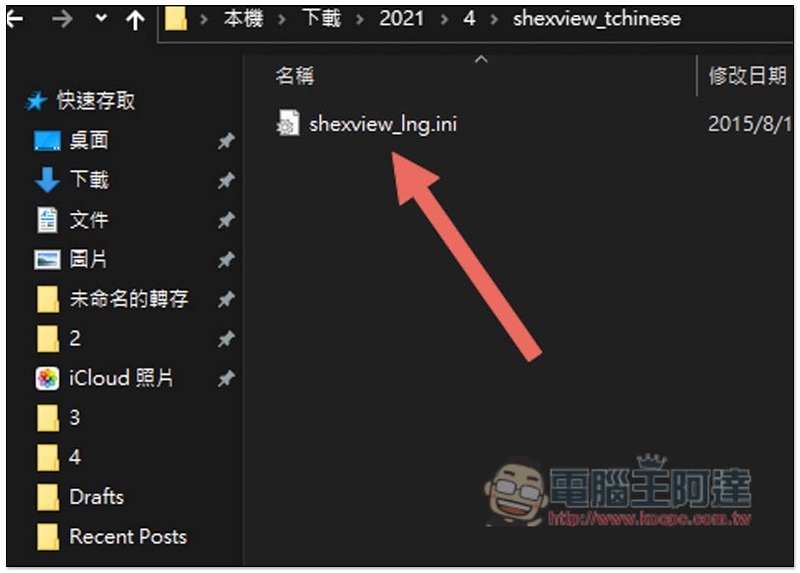
As shown below:
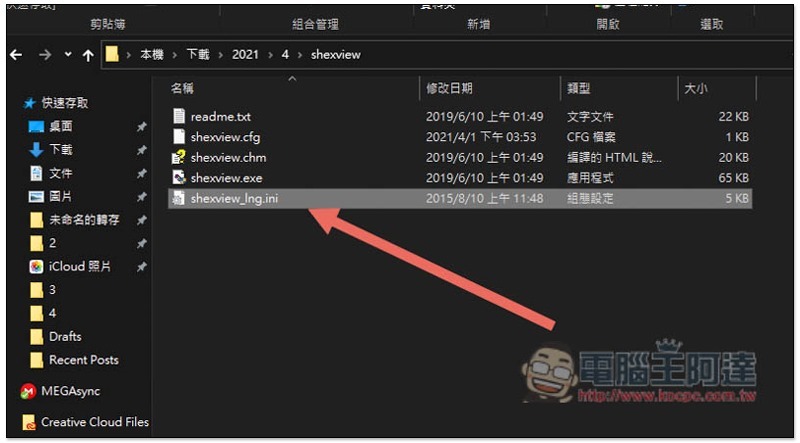
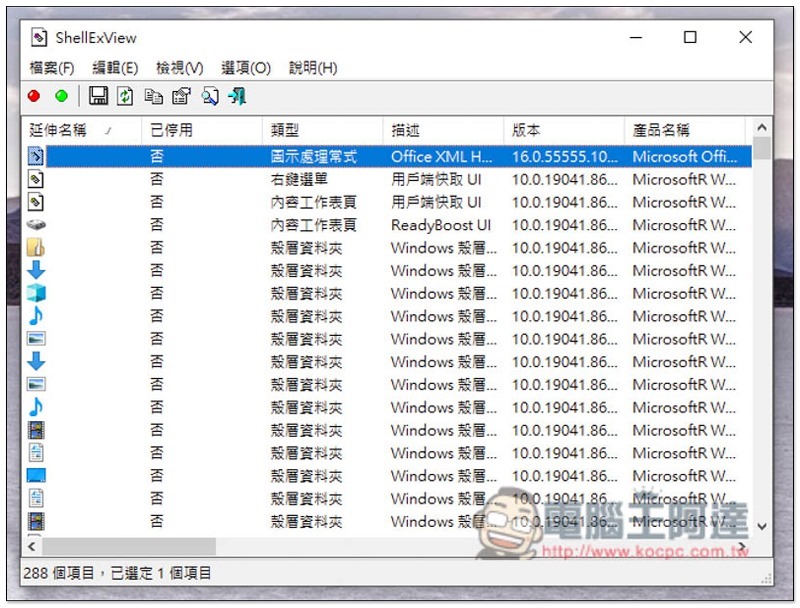
After opening it, it will be Traditional Chinese:
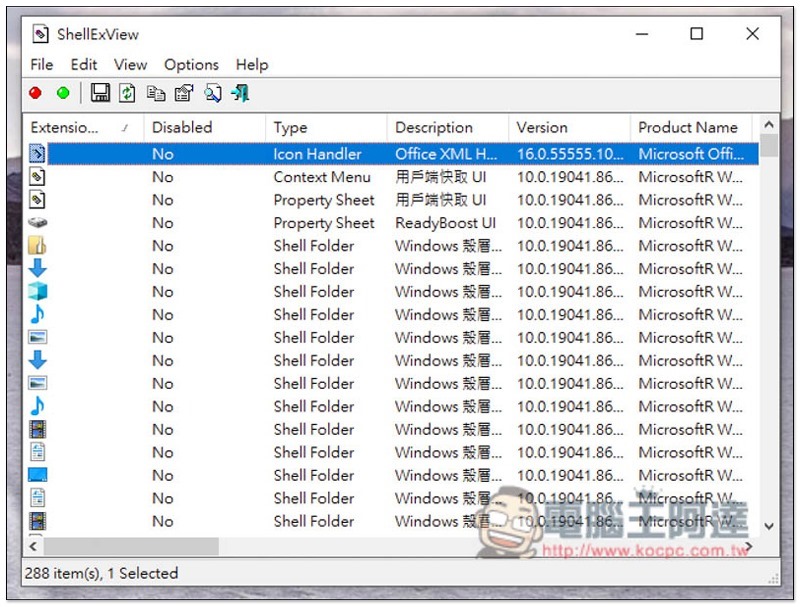
The picture below is the default English interface:
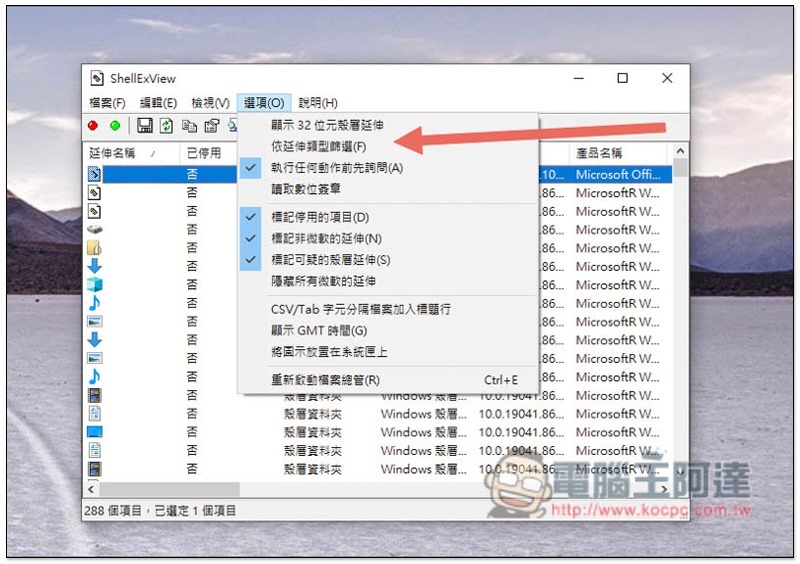
This set of tools has many functions. In this article, I will only explain the modification of the right-click menu. First open the options above and click “Filter by extension type”:
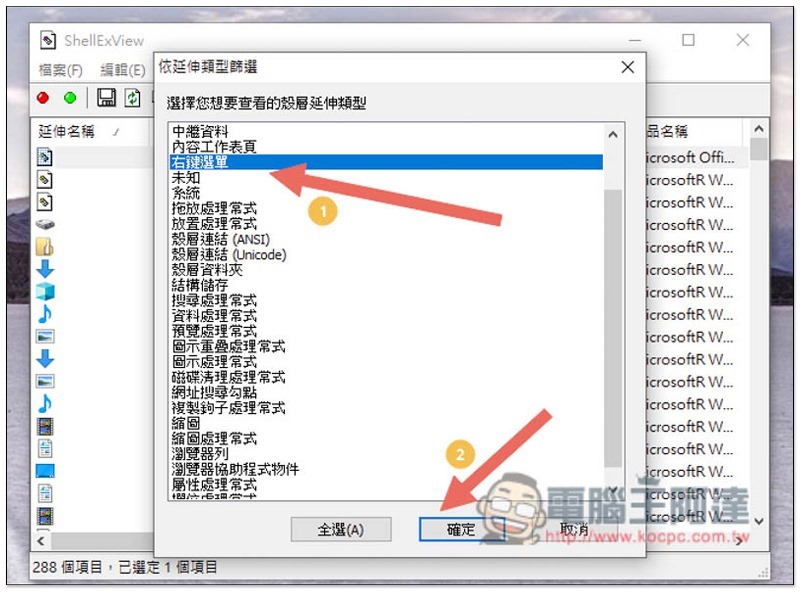
Just select “Right-click menu” and click OK:
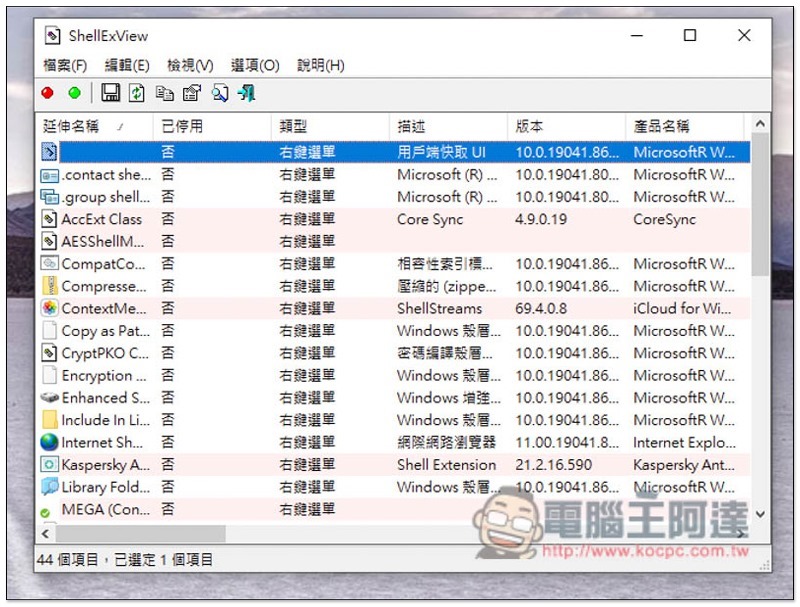
The list below will only show the functions of the right-click menu on your computer:
Now find the feature you want to turn off, right-click and select “Disable Selected Items”:
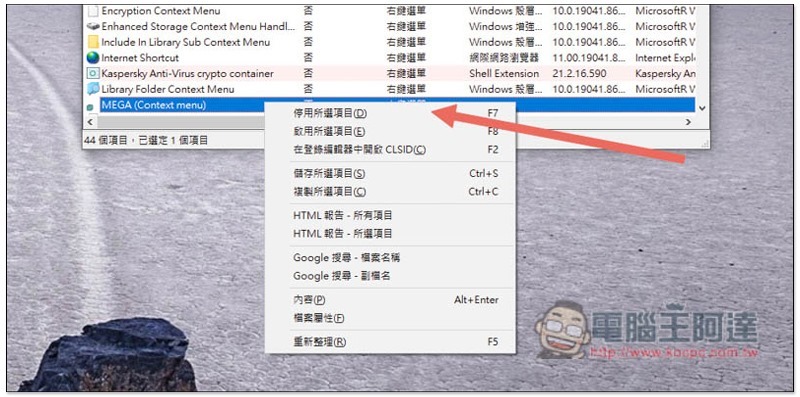
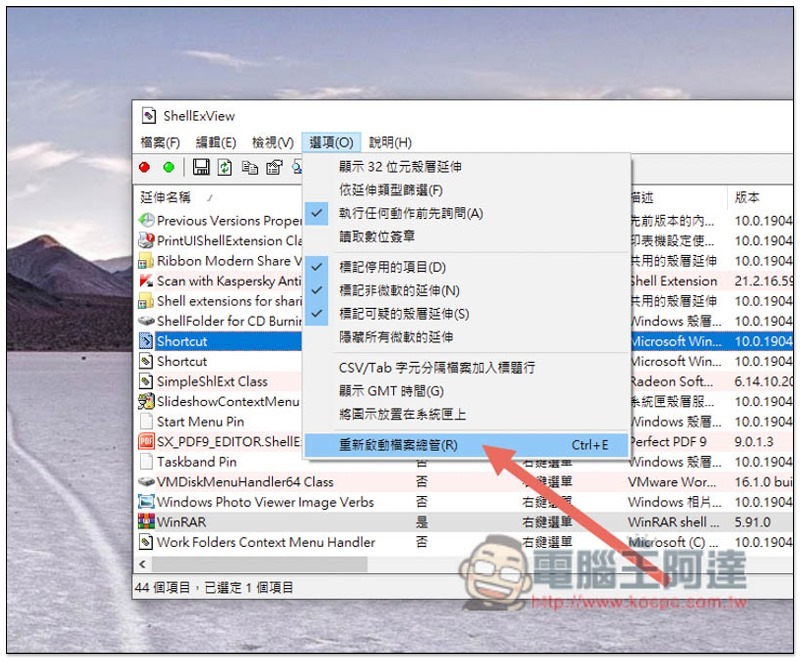
After all are deactivated, you need to restart File Explorer for it to take effect. Open the options menu above again and click “Restart File Explorer”. If your computer screen keeps flickering when restarting, turning off ShellExView can solve the problem:
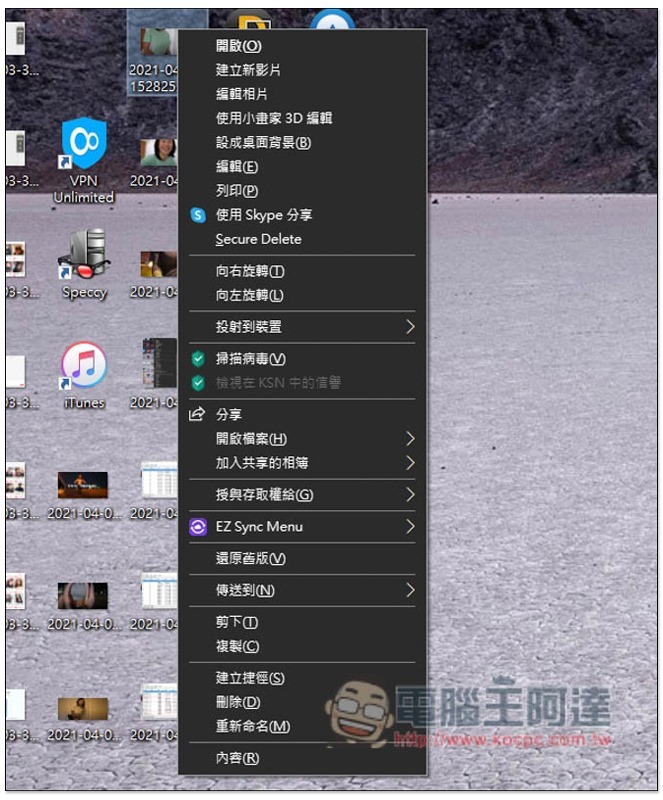
I turned off both MEGA and WinRAR, and sure enough they disappeared from the right-click menu:
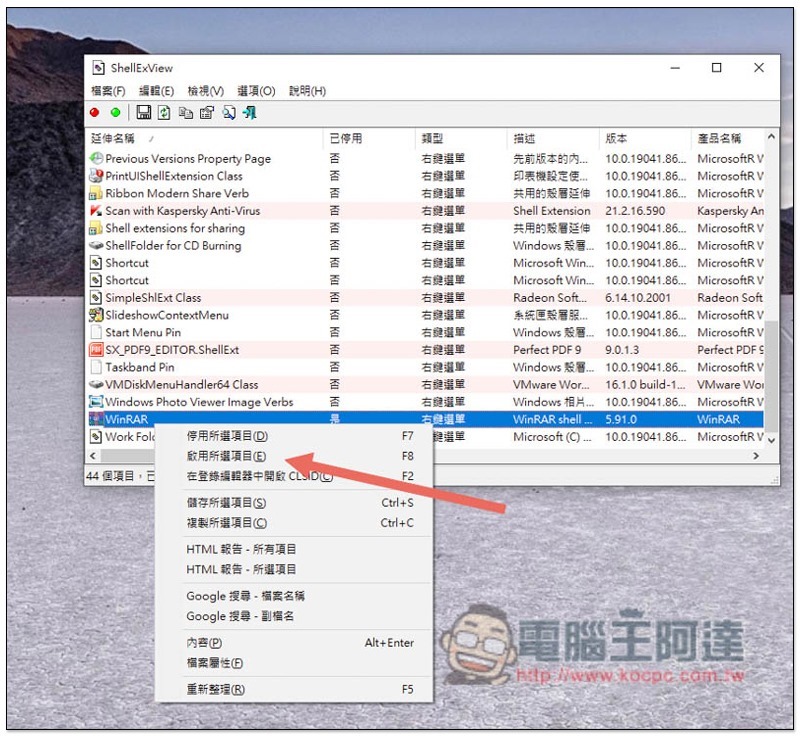
It is also very simple to restore, right-click and select “Enable selected items”, and then restart File Explorer:
If you want to know what other functions ShellExView has, you can go to the official website.
Supplementary information
- ShellExView official website:Click here to go
Source: KOCPC Chinese