


Many people are accustomed to putting a clock on their desk to remind themselves when they are working and to keep track of the current time. Instead of buying another desktop clock, weIt has been introduced that iPhone users can use the built-in automated operation settings of iOS with the Clock App to achieve the effect of automatically turning on the clock display when the iPhone is charging.. At that time, many Android users were quite curious about whether there was a way to achieve the same function in the Android environment? Today, let’s share the instruction on how to automatically turn on the page-turning clock display when charging on Android!
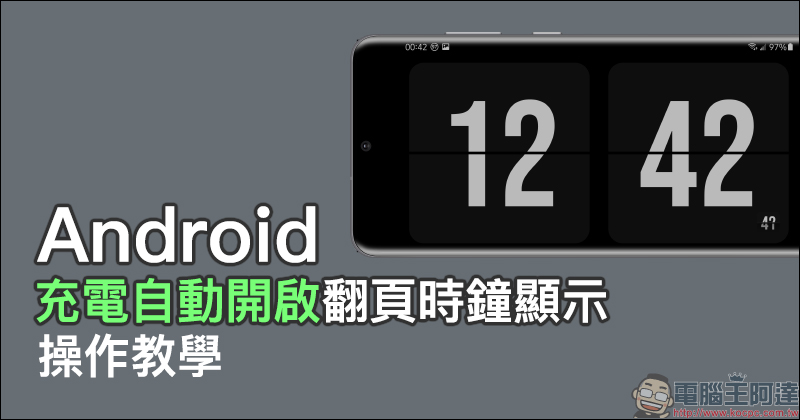
Android “Charging automatically turns on clock display” operation tutorial
For many Android phone users, the screen size of mobile phones has become larger in recent years, and it is more suitable to use the phone as a tool to check the time during work and rest. Of course, there are quite a variety of clock display apps available for download in the Google Play Store. However, what should you do if you want to automatically open the clock display app when your phone is connected to the charging cable and starts charging? We have previously introduced the technique of automatically turning on the clock display when charging on iPhone. Today we will introduce how to achieve the following effects on the Android version:

Wow clock
There are currently quite a few clock display apps to choose from in the Google Play Store. Here I choose one that is similar to the previous tutorial article on the iPhone version.“Wow Clock” App (Click here to download). Wow Clock App also uses the classic flip clock, and also provides traditional digital analog clock display:
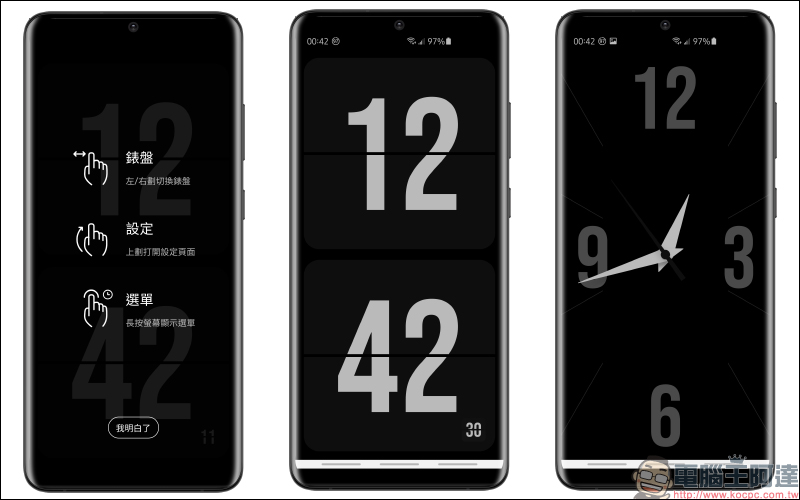
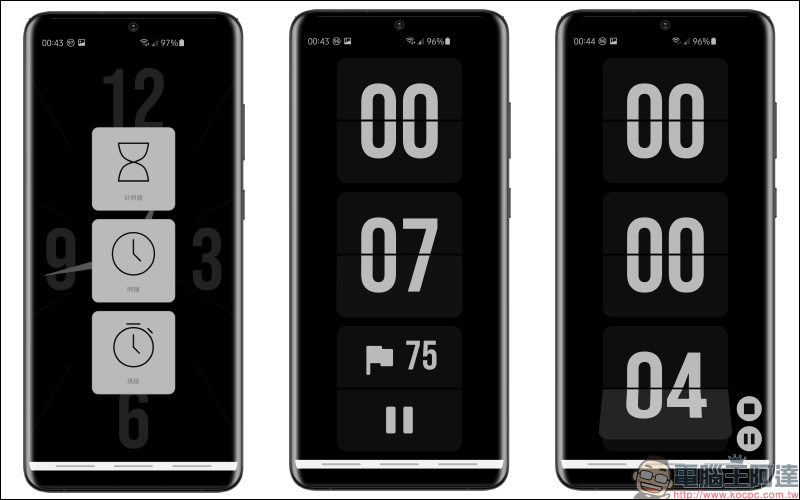
In addition to displaying time information such as date, Wow Clock App also supports timer and stopwatch functions:
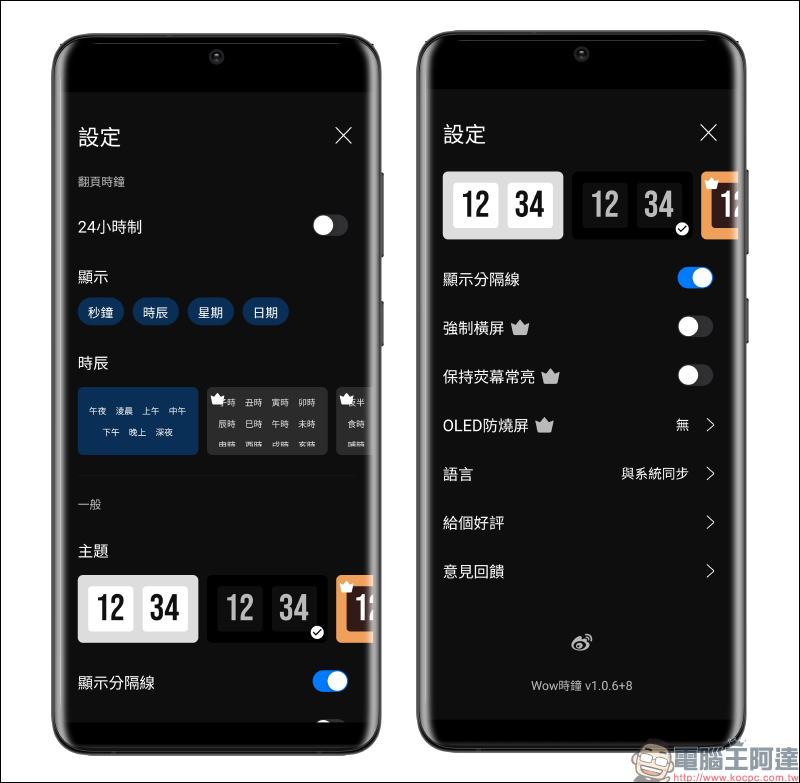
On the settings page, users can set the display mode of the flip clock according to their personal habits. Basically, the free version is quite good.
Wow Clock App download:Click me to go to (Google Play Store)
aProfiles
After selecting the flip clock app to be displayed, download the automated operation app “aProfiles” (click me to download). In order for it to start automated operations in accordance with the behaviors and automatic rules set by the user, the user needs to agree to some access permissions according to the App instructions when opening the aProfiles App for the first time.
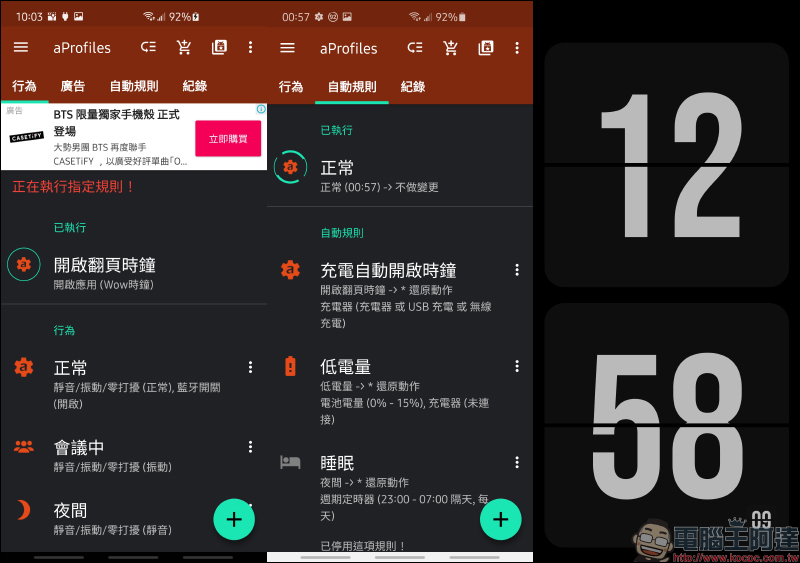
In fact, the automated setting logic of aProfiles App is quite simple. Taking the goal we want to achieve this time as “automatically opening the Wow Clock App when the phone is charging” as an example, the user must first establish a “behavior” and then set the “rules” for the automated operation. When the charging condition is met, the Wow Clock App will automatically open.
We first click “+” in the “Behavior” category to create a new behavior. The user can enter the name and icon of the behavior, and then “Add Action” under the behavior. In the Add Action section, check “Open Application”:
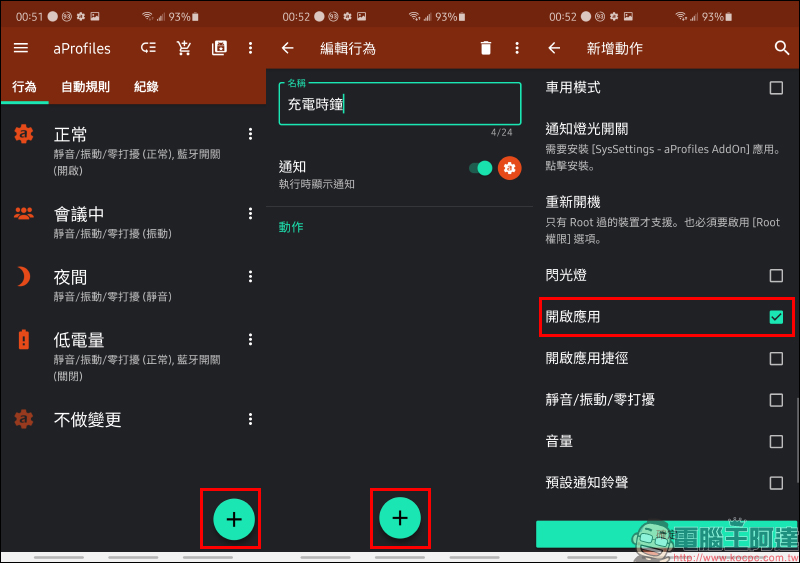
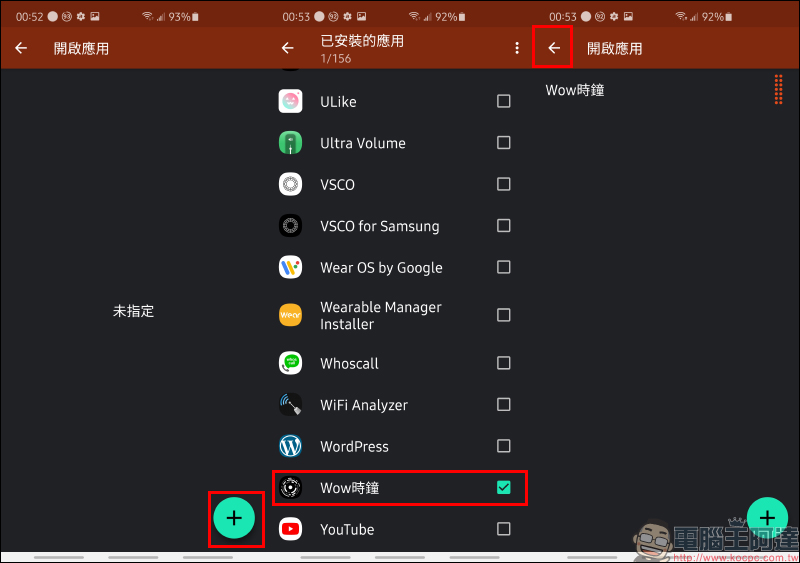
After entering the next step, the user can choose which applications to open. Here, single or multiple apps can be opened at one time. However, this time we will introduce a relatively simple opening of the flip clock app, so here you only need to check the Wow clock.
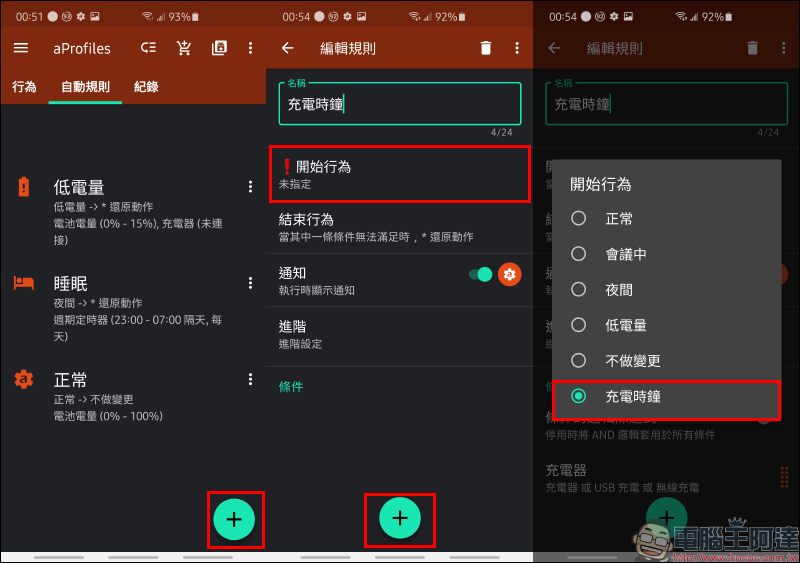
After successfully creating the behavior setting of “Open Wow Clock App”, switch to the “Automated Rules” tab to create a new automation rule. In the edit rule, you can edit the name of the created rule, then select the “Charge Clock” behavior set earlier in the “Start Behavior” and click the “+” below to add conditions:
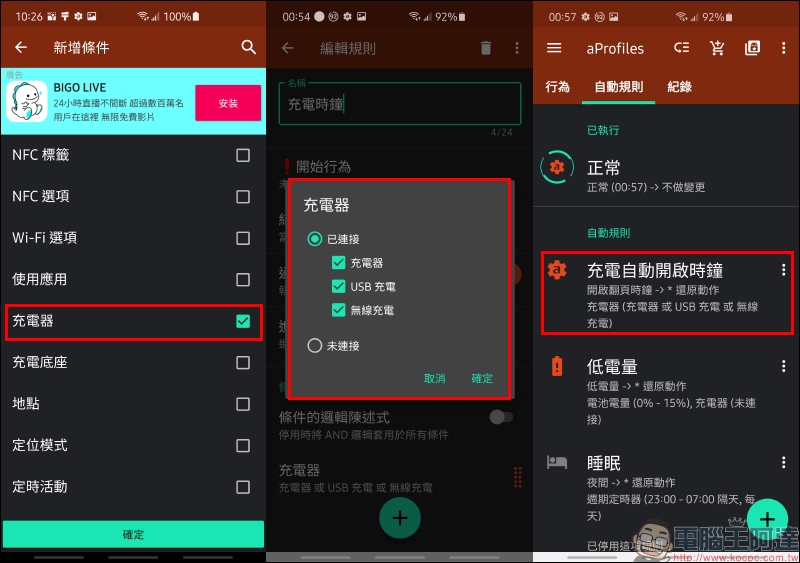
Select “Charger” in the new condition and confirm, and the automatic rule is set!
After completing the above settings, as long as the user starts charging while the screen is awake and unlocked, the screen will automatically open the Wow Clock page-turning clock app:
aProfiles App Download:Click me to go to (Google Play Store)
Further reading:
ZMI ZMI GaN gallium nitride charger 33W quietly launched: can charge Apple, Android, and Switch, priced at only about 340 yuan
Source: KOCPC Chinese