


For many office workers who usually work during the day, if they want to make good use of their time to achieve their exercise goals, the easiest way to achieve them is to walk! Walking more every day will burn more calories over a long period of time than sitting in the office. Today I will share a Step Counter POPOPO pedometer app that I highly recommend. In addition to meeting the practical function of counting steps every day, it also has a super cute interface that supports iOS 14 desktop gadgets and can be placed on the iPhone home screen to remind you of your daily exercise goals at any time.

Super cute! iOS 14 Desktop Gadget Step Counter POPOPO Pedometer App
For the sake of health, in addition to paying attention to daily diet control, it is also necessary to develop the habit of exercise in your leisure time. The “Step Counter POPOPO” free iOS App I am sharing this time has a simple and easy-to-read interface design, and it supports iOS 14 desktop gadgets. It is highly recommended for users who want to record their steps every day!
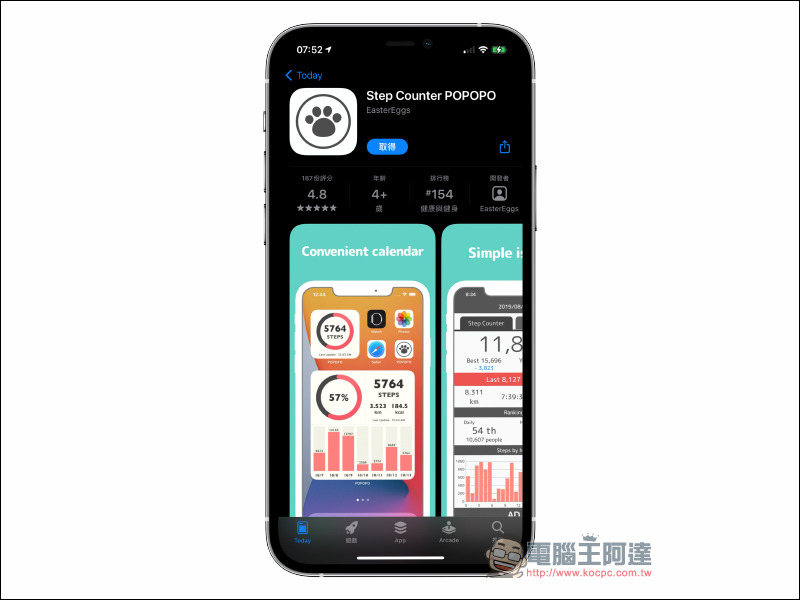
Step Counter POPOPO App Download:Click here to go to (App Store)
When you download the Step Counter POPOPO App and open it for the first time, you need to allow the App to access the user’s movements and fitness records. You must also allow the “walking” item when accessing health data, so that the App can obtain the user’s health data for recording!
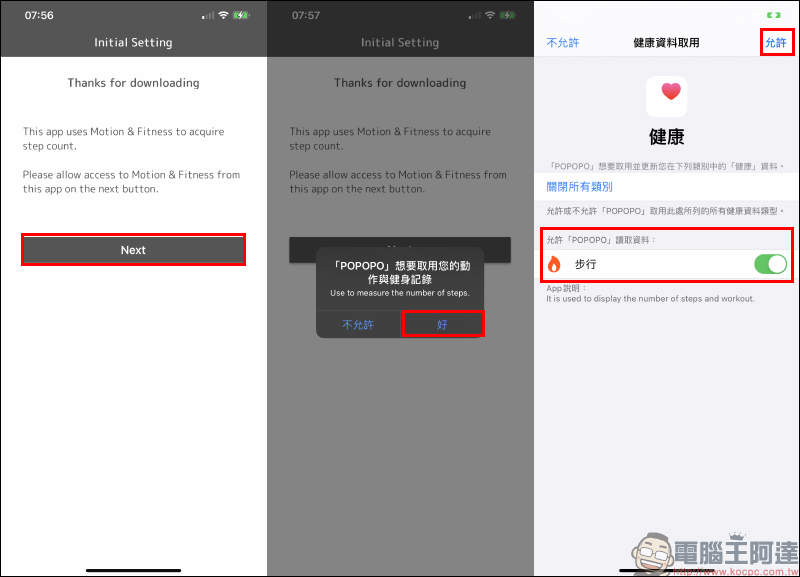
Although this App has an English interface, its functions are generally easy to understand. If you only want to use iOS desktop gadgets, you must first follow the steps and click Next to reach the main screen of the App.
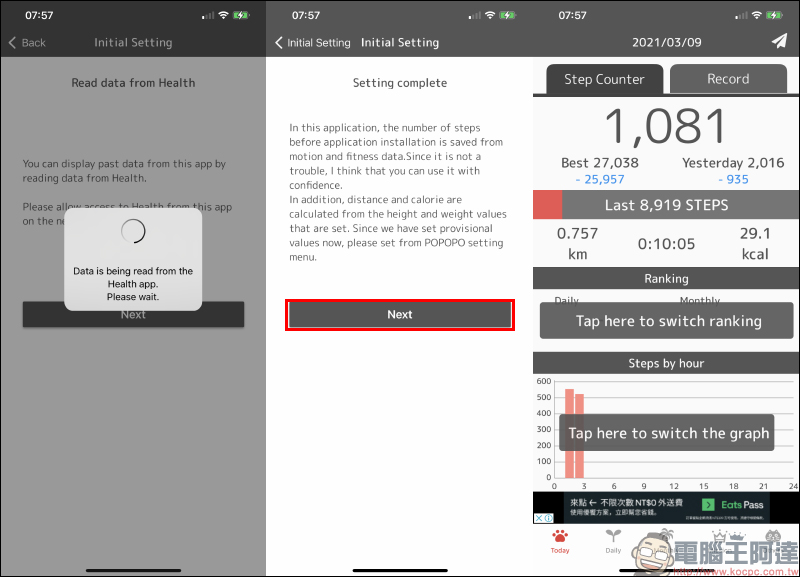
After opening Step Counter POPOPO to the home screen, you can go to the iOS home screen to add desktop gadgets! Find “POPOPO” in the list of new gadgets and select your favorite desktop gadget layout:
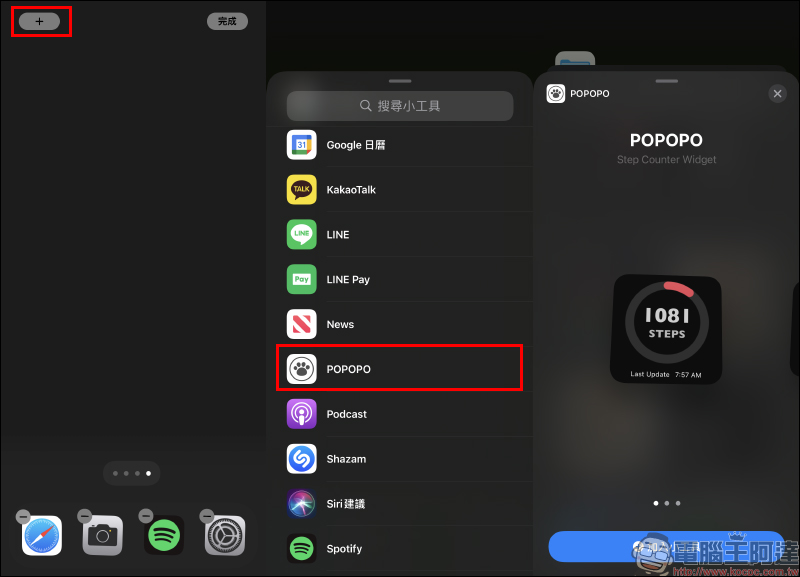
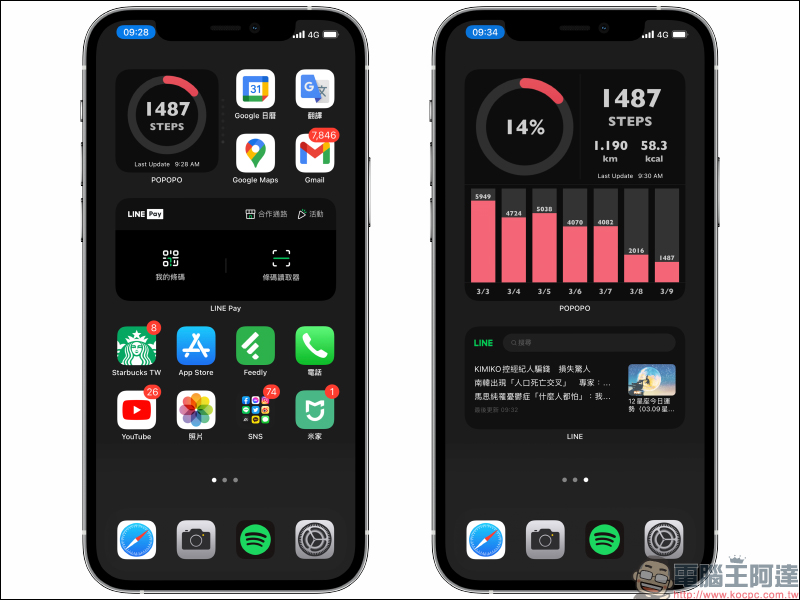
Currently, POPOPO offers three different sizes of small, medium and large formats to choose from. You can choose according to your personal typesetting habits. The smallest layout can display the current number of steps walked; the medium-sized layout can display the number of steps, walking distance, calories burned, and today’s goal achievement rate; the largest layout has additional daily walking step records for the past 7 days:
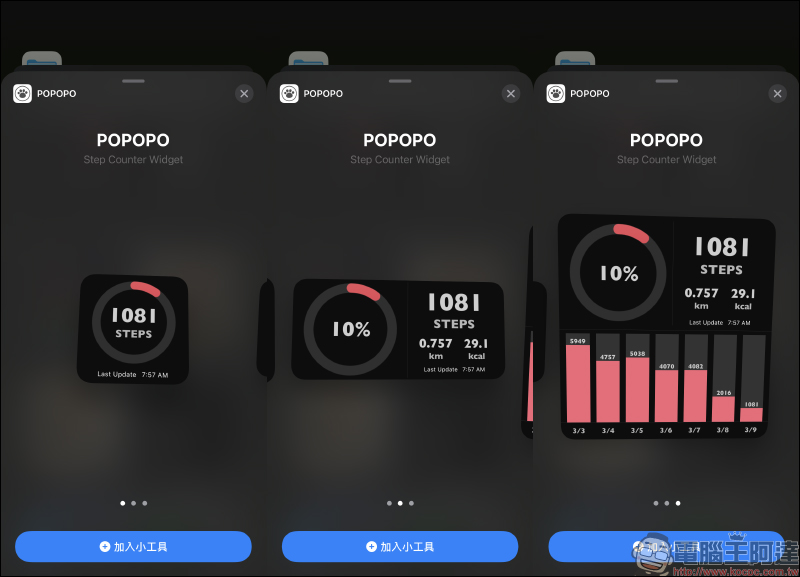
The rendering effect of POPOPO desktop gadget is as follows:
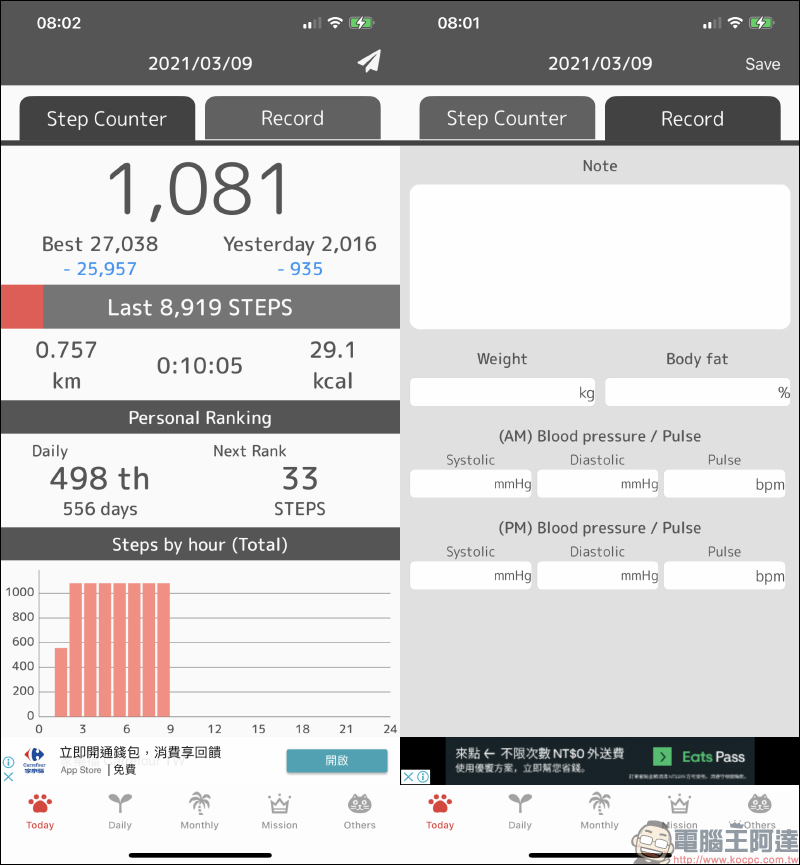
In addition to the basic pedometer function, POPOPO can actually record more detailed data on its own. For example, users can record their weight, body fat, blood pressure and other health records every day. At the same time, these data will also be integrated into daily records for easier management.
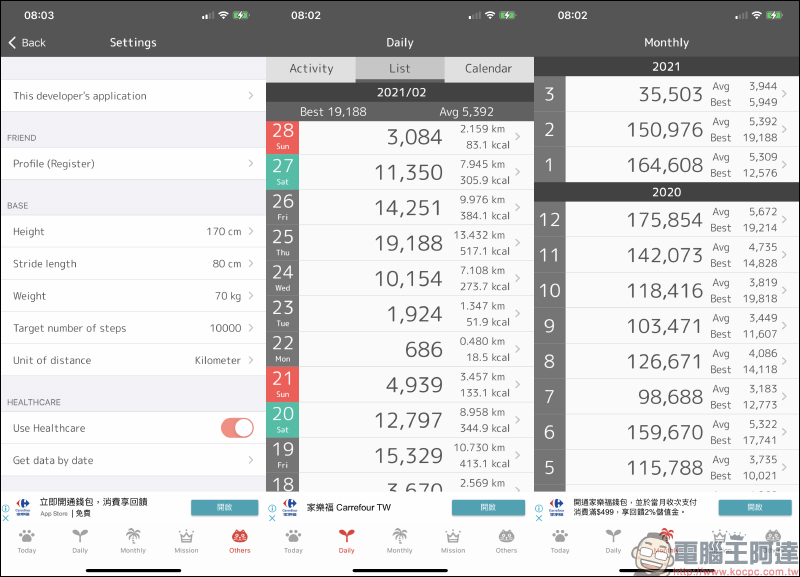
On the settings page, users can set their height, weight, pace, daily walking target steps, etc. In addition, the number of steps recorded daily and monthly will also be displayed in the app. In addition, POPOPO will access the user’s previous health information in the system, so even the previous step information can be fully displayed:
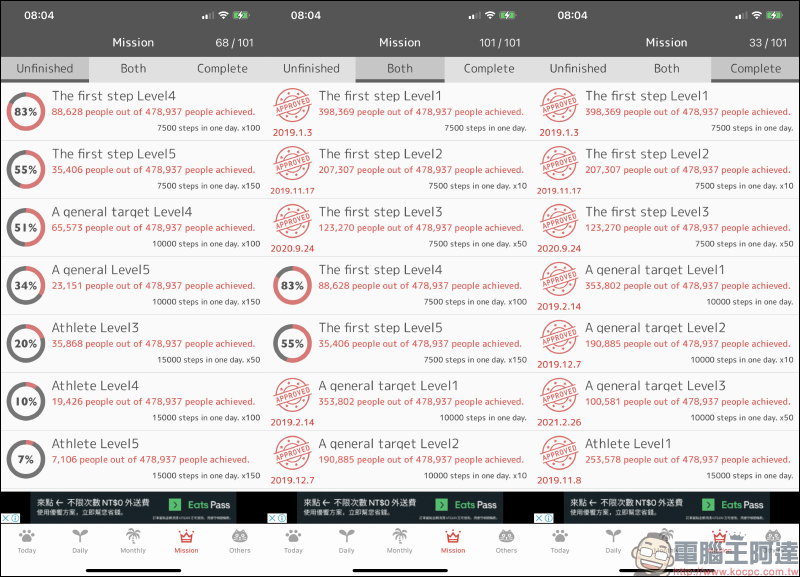
POPOPO also has multiple built-in task goals, giving users a greater sense of accomplishment in achieving their goals. Overall, for users who need a pedometer and wish to display it conveniently in daily life, POPOPO has a beautiful interface and rich health information recording functions. It is indeed a good app.
Step Counter POPOPO App Download:Click here to go to (App Store)
Further reading:
Tips for instantly deleting “All Alarms” app on iPhone

NASA 2026 spaceship tickets are open for free booking, free application for landing on Mars

Source: KOCPC Chinese