

• About Us
King of Computer Media
  • Home
  • Tech News
  • AI News
  • Apps & Tutorials
  • Mobile & Telecom
  • Lifestyle
  • About Us
No Result
View All Result
  • Home
  • Tech News
  • AI News
  • Apps & Tutorials
  • Mobile & Telecom
  • Lifestyle
  • About Us
No Result
View All Result
King of Computer Media
No Result
View All Result

Home - Internet and software applications - Facebook has pulled out the “Blog” function. Here’s how to retrieve your past works.

Facebook has pulled out the “Blog” function. Here’s how to retrieve your past works.

KOCPC Editor by KOCPC Editor
February 28, 2021 - Updated on August 4, 2026
in Internet and software applications, Latest Technology News and Reviews

Although this function is rarely used by people, I believe that there are still people who have used FB’s “blog” function, but did you know? At present, Facebook has completely eliminated the “Blog” option. Basically, no matter how you search on the page, you can’t find the page to enter the blog. If you haven’t backed up your blog before, here’s a trick to help you find the location of the “blog”, but it’s just a little troublesome.
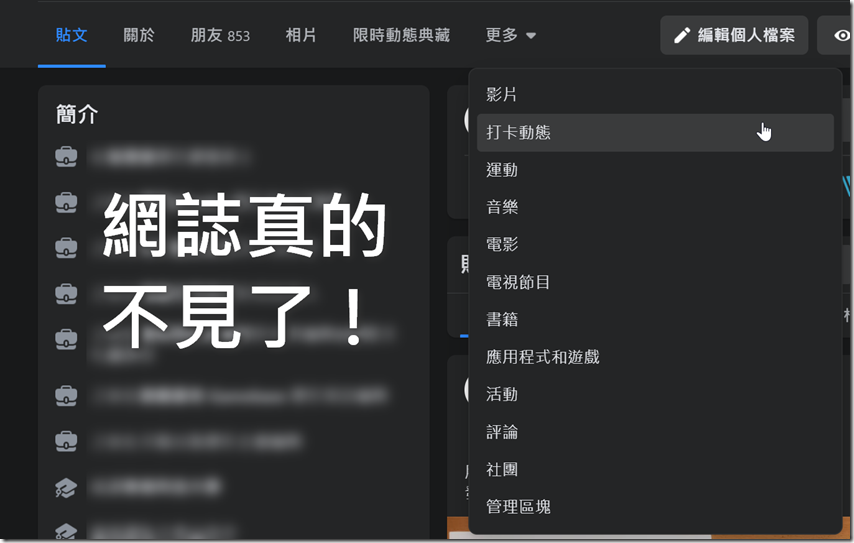
2021-02-28 17_52_59-搜尋

This function is mainly through the new “filtering function” of FB. The mobile version also has similar functions, but the computer version of the website is more complete. Below we will use the computer version for introduction.

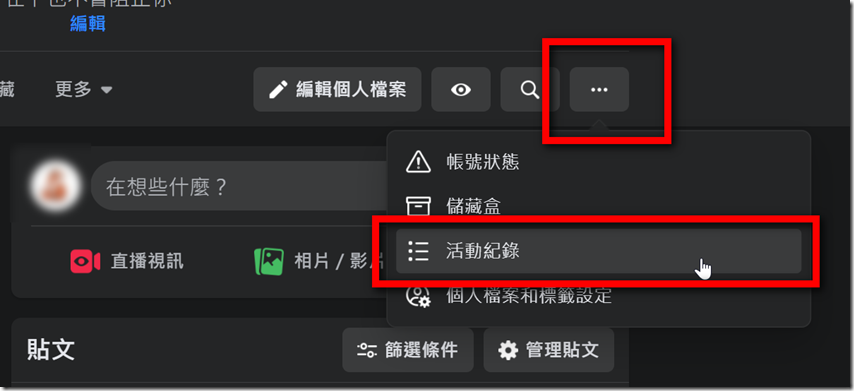
Step 01: First, on your personal information page, click “…” in the upper right corner and find the “Activity Records” inside.
2021-02-28 17_47_08-開始


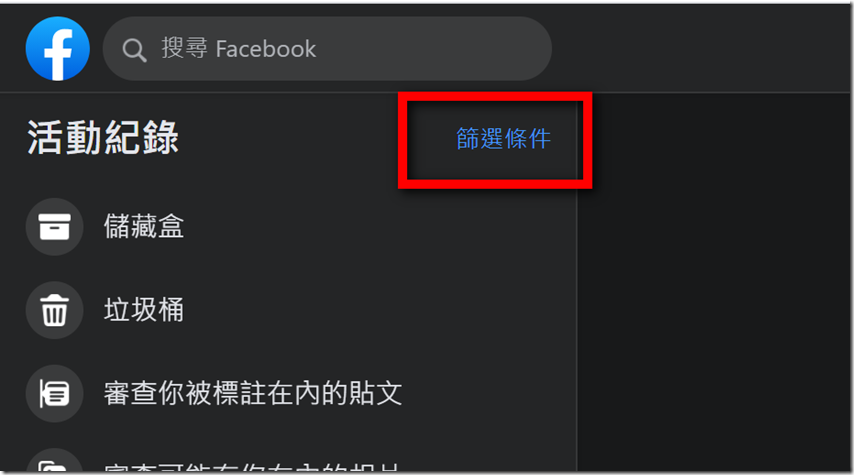
Step 02: After clicking on the activity record, the webpage will switch to another page. In the word “activity record” in the upper left corner, click “Filter Conditions” on the right.
2021-02-28 17_47_25-開始


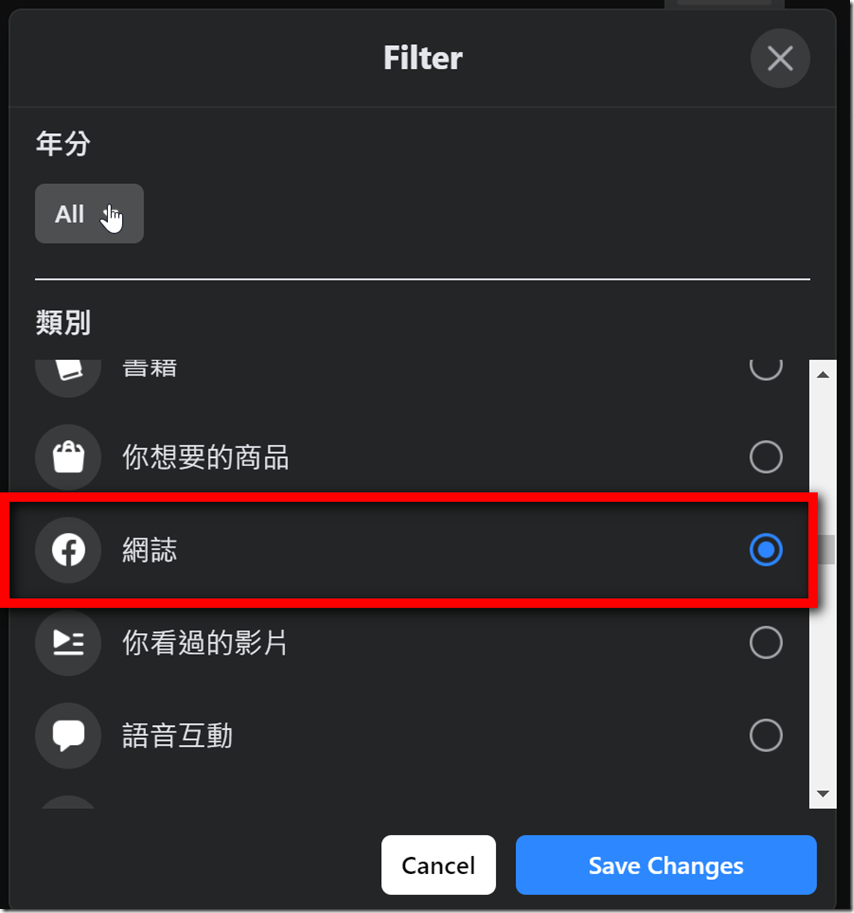
Step 03: After the selection is completed, a window will pop up on the screen, and various categories will pop up below. You can slowly search through it and find the “Blog” option.
2021-02-28 17_47_57-開始


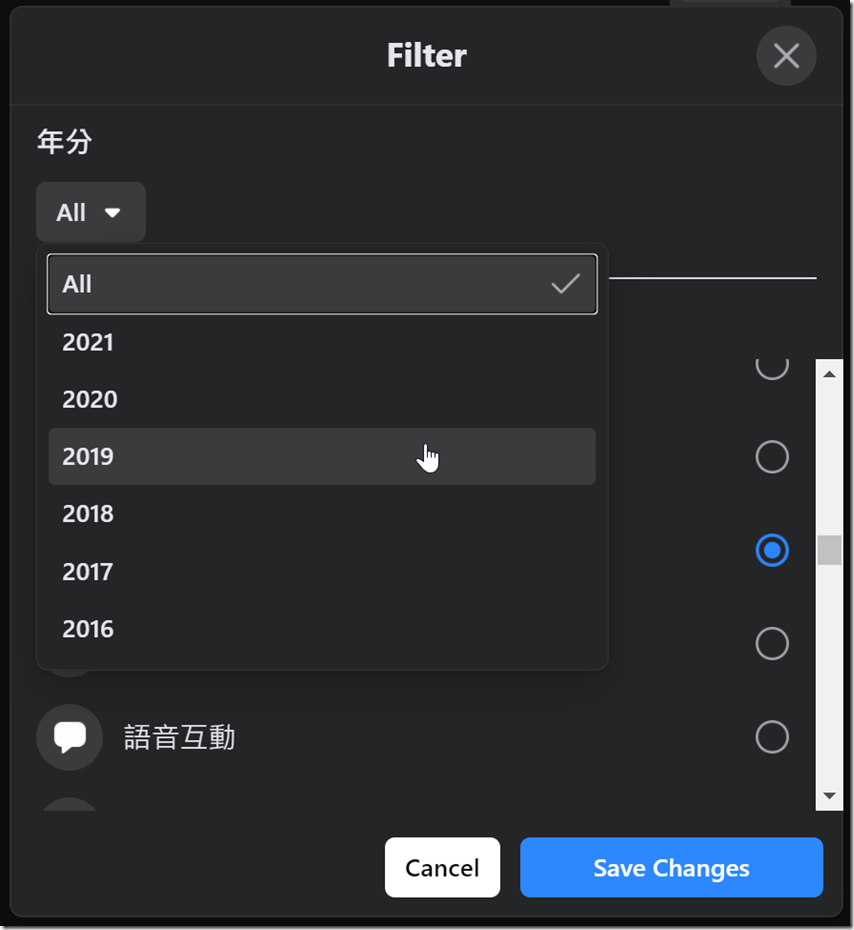
Step 04: If you used to write a blog as a diary, you can even filter the year by the year above. At least this way, you will not find a bunch of them in one go, making it difficult for you to find. After setting everything, click “Save Changes” in the lower right corner.
2021-02-28 17_48_04-開始


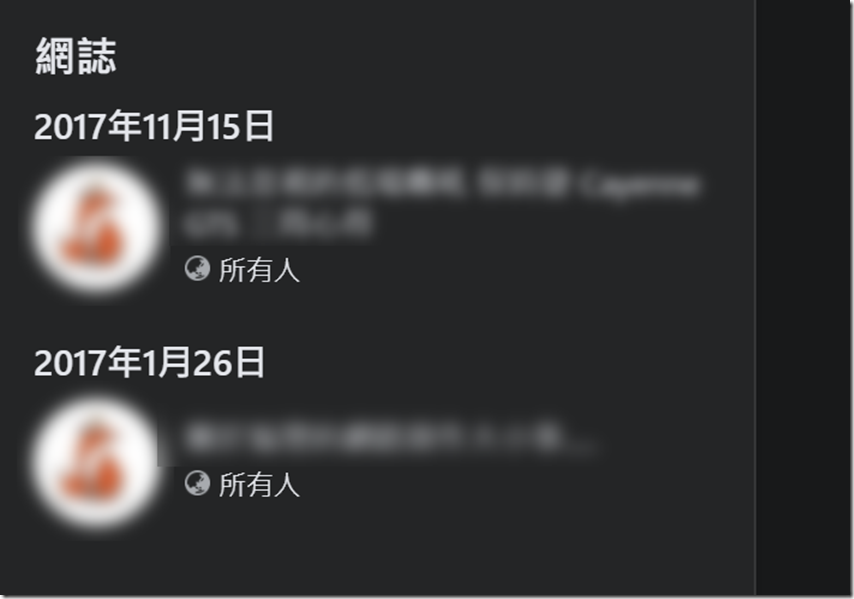
Step 05: After the filtering is successful, your past blogs will appear on the left side of the webpage, and there will be as many articles as there are articles.
2021-02-28 17_48_13-搜尋


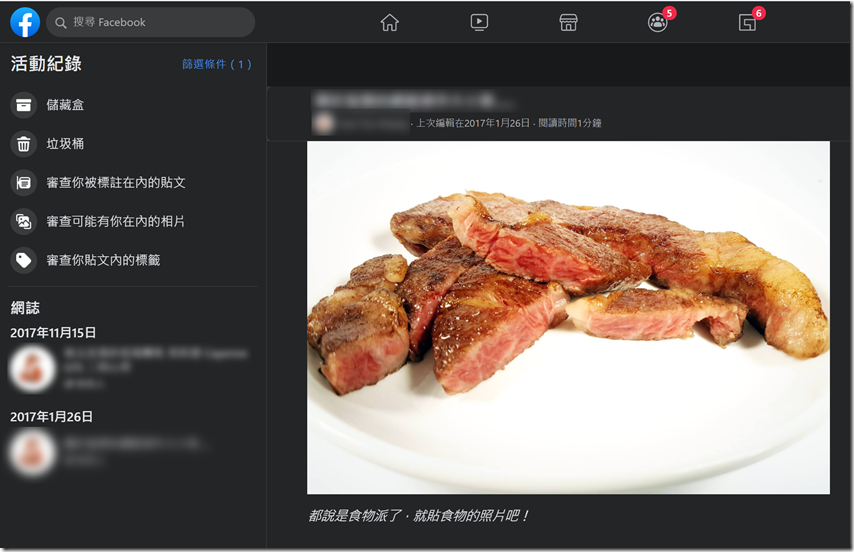
Step 06: Click on the title of the article on the blog to open the blog you wrote in the past. Currently, these data are still stored in FB’s server, but they must be searched in this way, and new blogs cannot be added. From a long-term perspective, it would be better to find a place to back it up as soon as possible.
2021-02-28 17_48_43-開始

Source: KOCPC Chinese

Tags: deactivateFacebookFB

Recent Posts

  • The Xiaomi Pad 8S Pro has passed network access certification and will debut with the self-developed XRING O3 chip.
  • The entire Google Pixel 11 lineup has been leaked! Official promotional renders of the Pixel 11 Pro XL have also surfaced
  • Are Chinese phone battery capacities falsely labeled? A brief look at the “capacity locking” phenomenon in Chinese silicon-carbon batteries.
  • NCC is leaderless, recklessly sending out national-level alert messages!?
  • What does “QR” in QR Code mean?

Recent Comments

No comments to show.
  • About Us

We welcome partnership inquiries and product review opportunities from smartphone manufacturers, iPhone accessory brands, and app developers.koc kocpc.com.tw|Privacy Policy |Hosting & Maintenance: Fast Line Taiwan, A-Chang Digital Technology

No Result
View All Result
  • Home
  • Tech News
  • AI News
  • Apps & Tutorials
  • Mobile & Telecom
  • Lifestyle
  • About Us

We welcome partnership inquiries and product review opportunities from smartphone manufacturers, iPhone accessory brands, and app developers.koc kocpc.com.tw|Privacy Policy |Hosting & Maintenance: Fast Line Taiwan, A-Chang Digital Technology