


This time I would like to introduce to you the unboxing of the HUAWEI MateBook 14, the top choice for thin and light laptops. Last year we introduced various models of the Huawei MateBook series, but there is still one missing that we have never had the opportunity to unbox. This time we finally have the opportunity to introduce to you this ultra-high CP value HUAWEI MateBook 14, a MateBook powered by AMD Ryzen™ 4000H series mobile processors. 14, so while it has high performance, it is also relatively cheap. Let’s take a look at this HUAWEI MateBook 14, which has both CP value and performance.
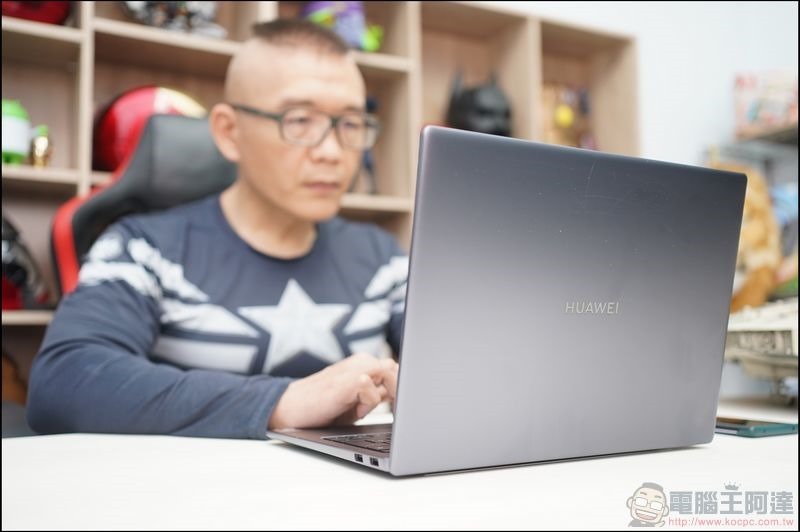
HUAWEI MateBook 14 unboxing!! Ultra-thin laptop with high CP value and high performance
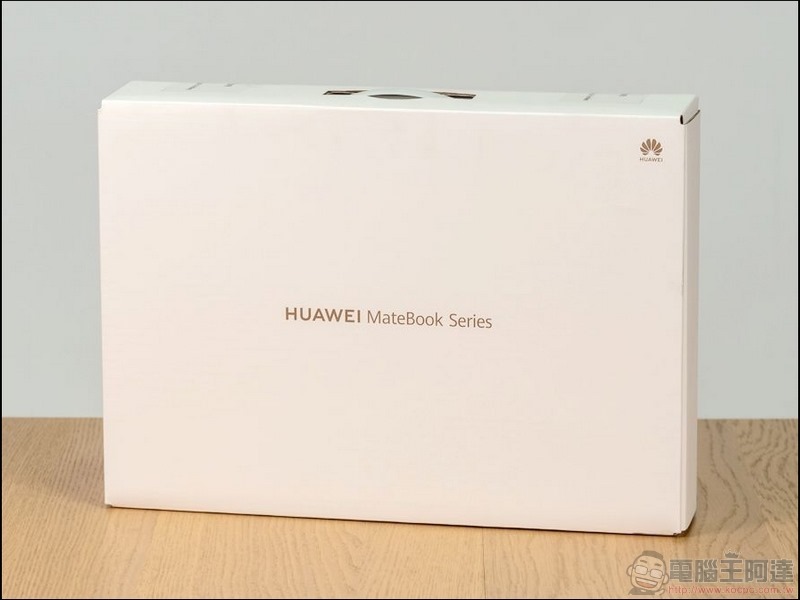
The outer packaging uses an all-white base with the same design, with rose gold HUAWEI MateBook series hot stamping words in the middle.
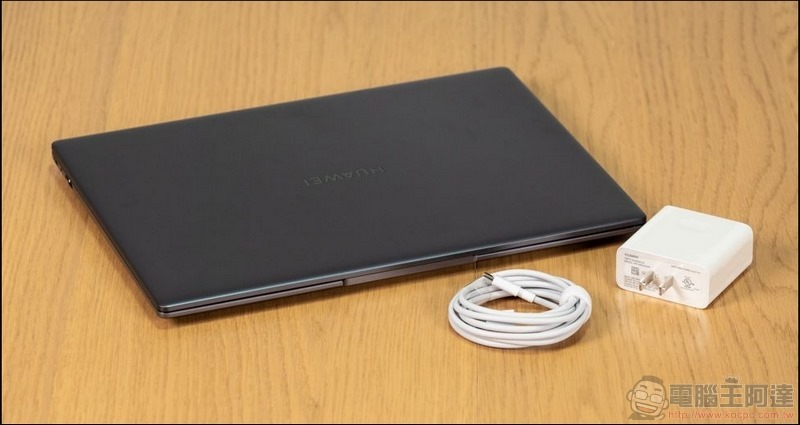
The contents include a 65W PD charger and USB Type-C charging cable.
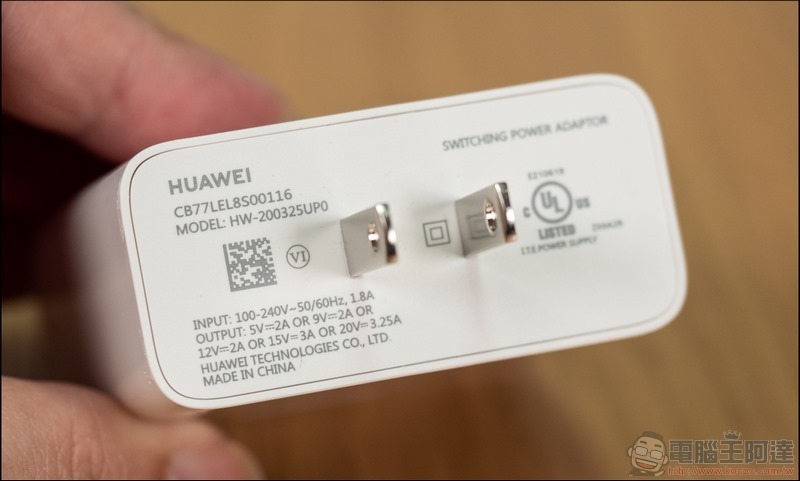
In addition to charging Huawei laptops, the 65W PD fast charging charger can also charge various tablets, mobile phones and other devices that use Type-C charging. The compact and versatile universal charger makes it more convenient to carry around.
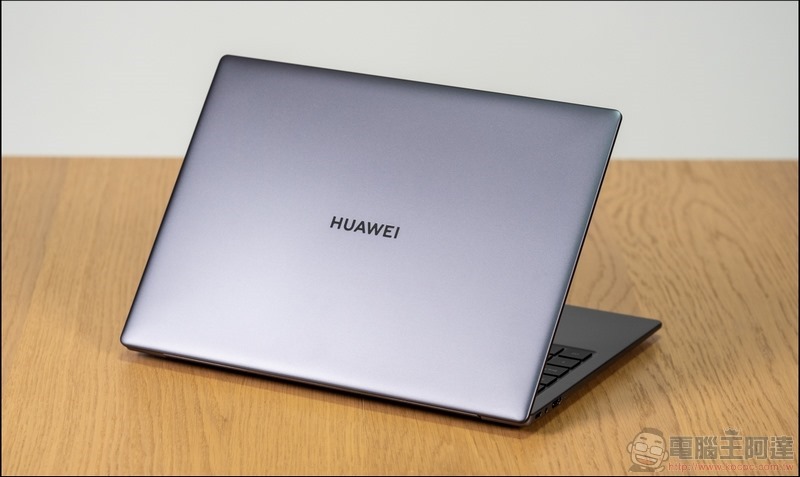
The metal material of the upper cover is frosted, and the color scheme maintains the consistent deep space gray color scheme.
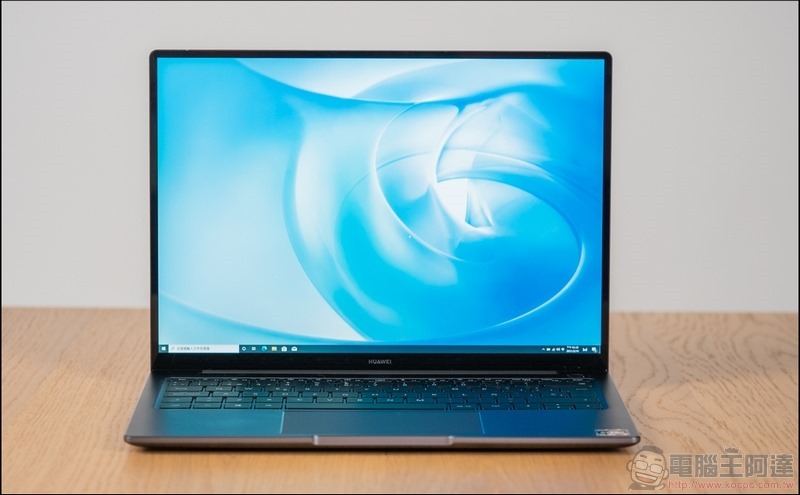
After opening the screen, you can see the 2K full screen used in HUAWEI MateBook 14, with a screen ratio of up to 90% and a screen ratio of 3:2. The high-productivity screen makes the overall working area large and comfortable.
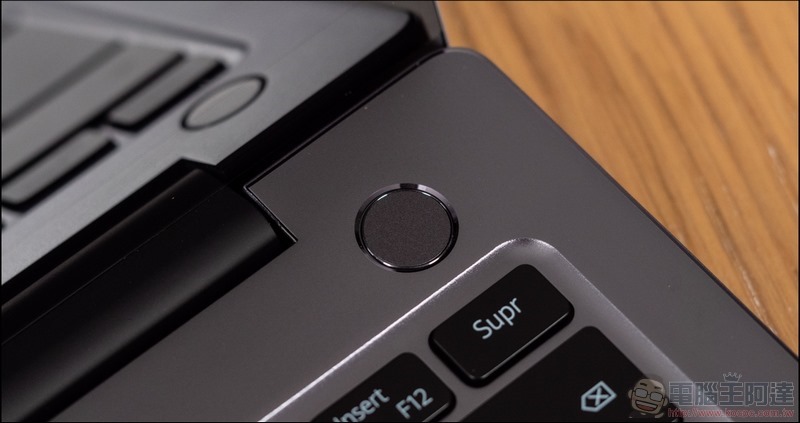
Looking down at the keyboard area, the first thing is that the power button integrates fingerprint recognition, which is very practical.
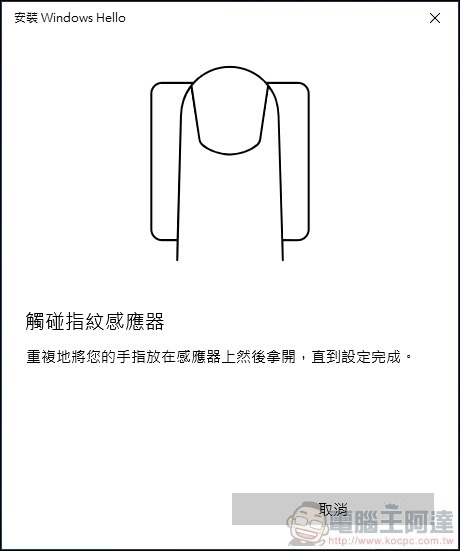
Through the settings of Windows Hello, you can log in using your fingerprint.
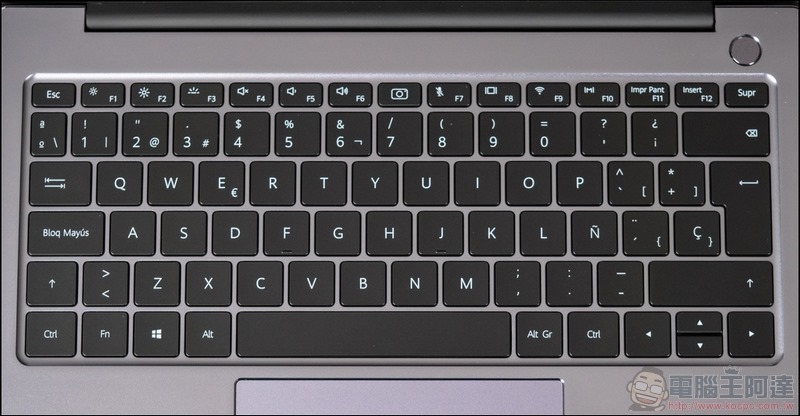
The keyboard of HUAWEI MateBook 14 adopts a full-size backlit keyboard, with three-stage backlight adjustment, optimized key travel and keycaps, which is very comfortable to use. However, it is worth mentioning that due to the overall size, the right button has some changes when it is retracted, so you need to get used to it. (The commercially available version is a keyboard with phonetic symbols)
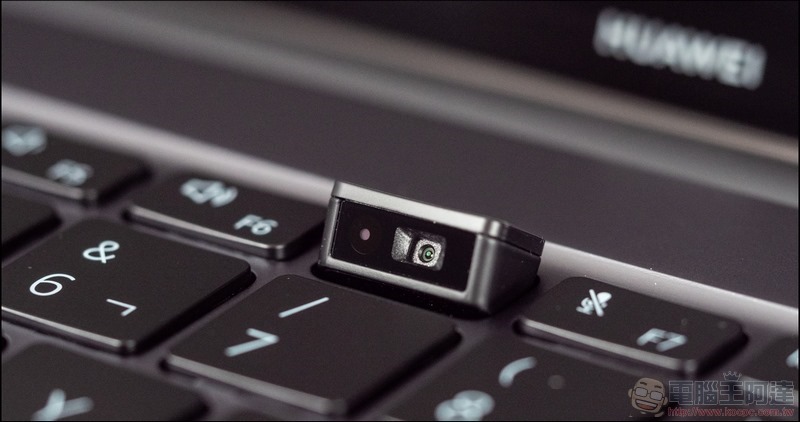
The secret of the high screen-to-body ratio is to hide the camera. There is a hidden camera (1 million pixels, 720p HD) between F6 and F7 of the keyboard. It can be popped up by just pressing it. When not in use, it can be stored by pressing it down. It is safe and convenient to use.
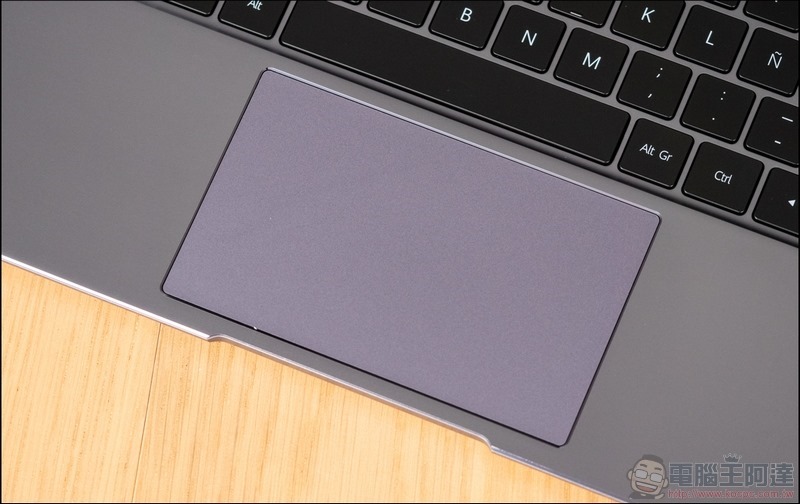
The touch area is larger, with a large gesture touch pad, making it easier to use, and it is also a sensing area for one-touch transmission.
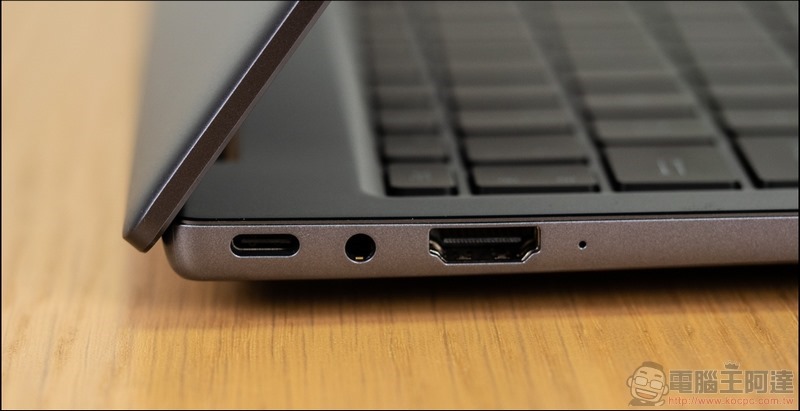
As for the I/O configuration, the left side is equipped with a USB Type-C (supports charging, data transmission and external display), a 3.5mm headphone jack and an HDMI jack.
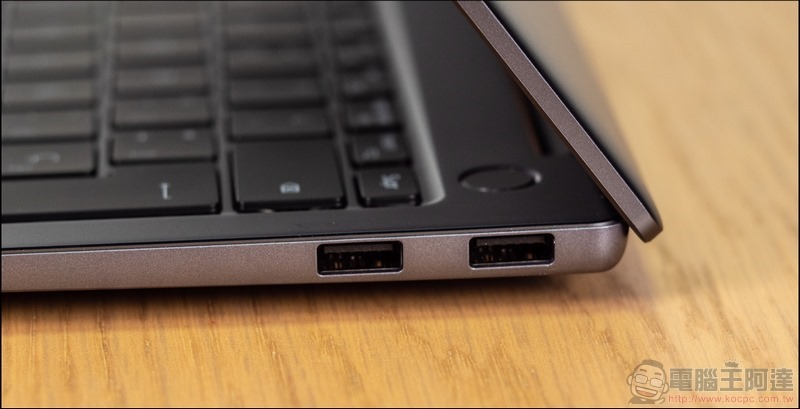
On the right side, two USB 3.2 Gen 1 are configured, which has extremely high compatibility.
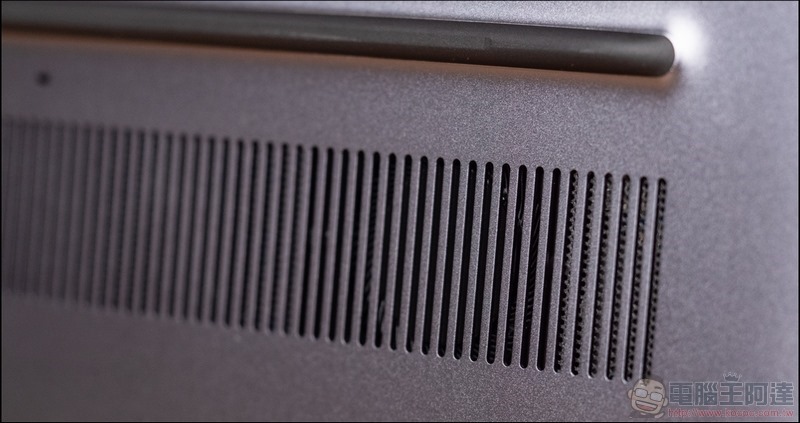
Turning to the back, you can first see the cooling holes with dual fans to ensure the direction of air flow.
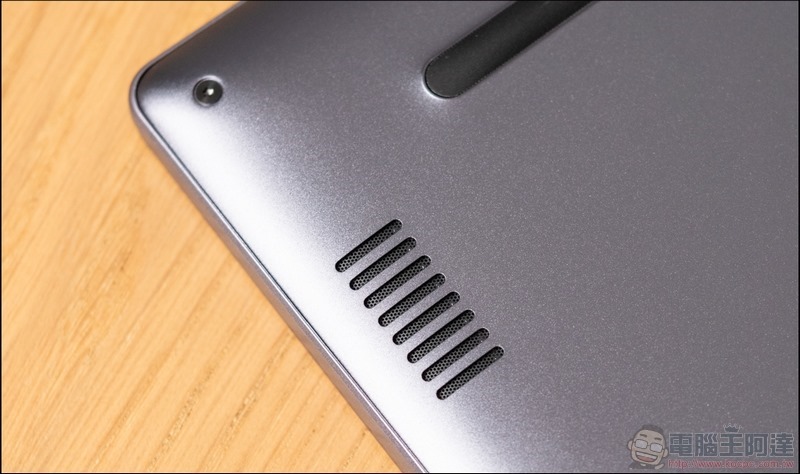
There are two 2W speakers hidden in the left and right openings.
After removing the screws on the back, you can open the back cover. The first thing you can see is the dual-fan design just mentioned. The two heat pipes in a wing-shaped design can effectively increase the heat dissipation efficiency in the shortest heat dissipation path.
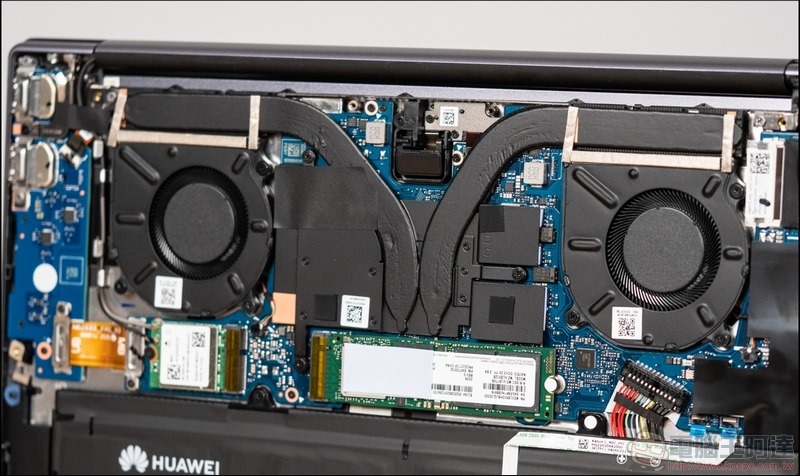
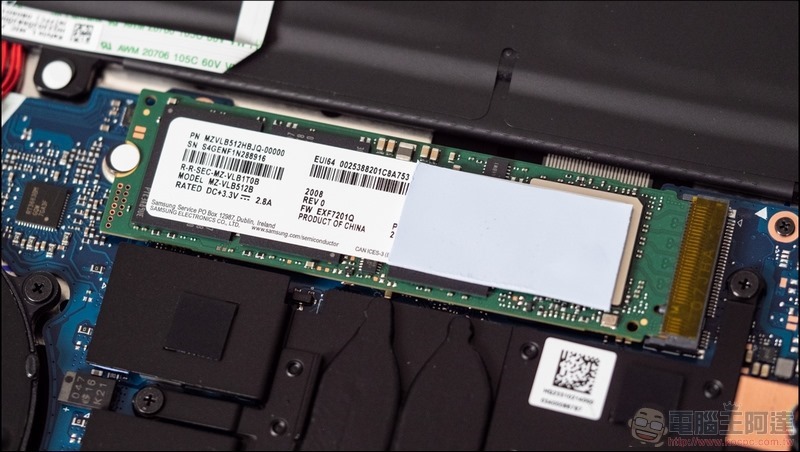
Under the cooling module, you can see that the main hard drive uses M.2 PCIe SSD 512GB.
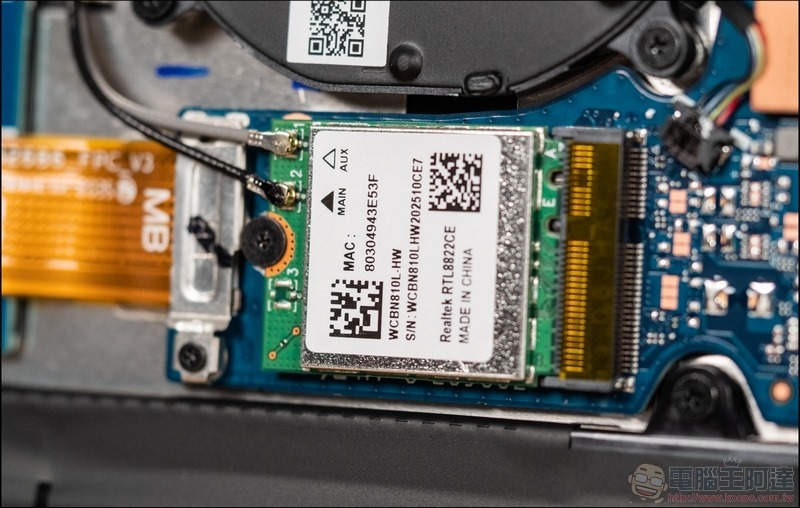
WiFi uses 2×2 MIMO dual-antenna WLAN.
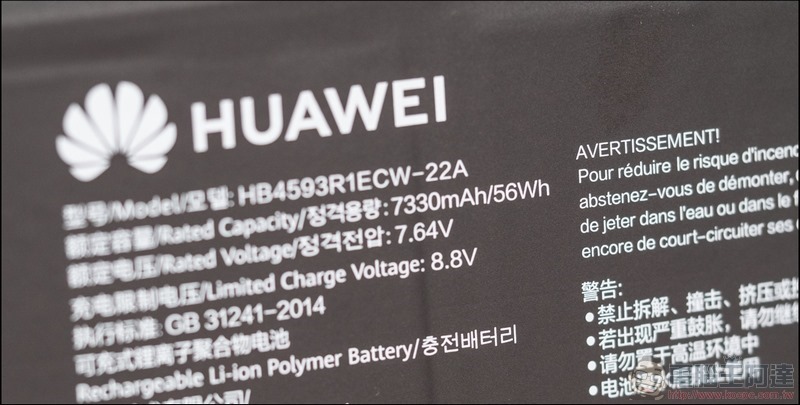
The battery specification of MateBook 14 adopts a 56Wh configuration and is equipped with Huawei’s fast charging technology. It can be charged for 15 minutes and used for 2.5hr. You don’t have to worry even if the battery suddenly runs out of power outside.
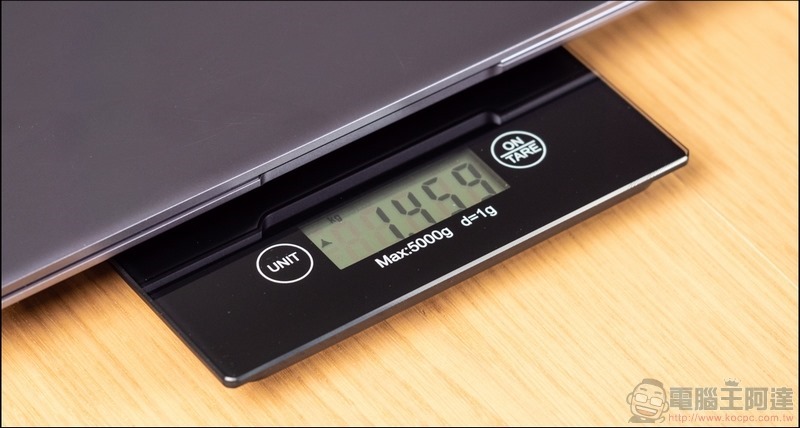
The entire MateBook 14 weighs 1.46 kilograms, making it very convenient to carry.
HUAWEI MateBook 14 performance test
HUAWEI MateBook 14 is equipped with AMD Ryzen™ 5 4600H (6C/12T) processor built using TSMC’s 7nm process.
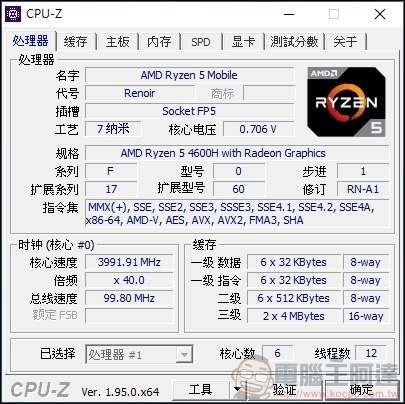
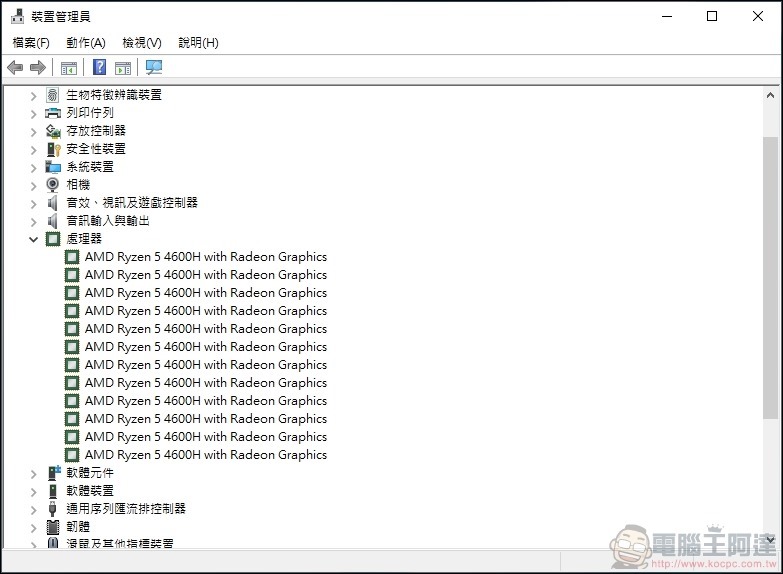
Through the device manager, you can see the AMD Ryzen™ 5 4600H six-core 12-thread configuration.
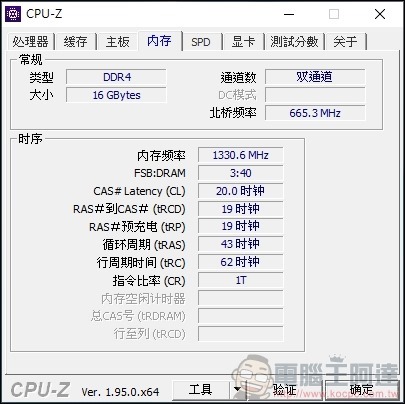
The memory part uses a dual-channel design DDR4 16GB.
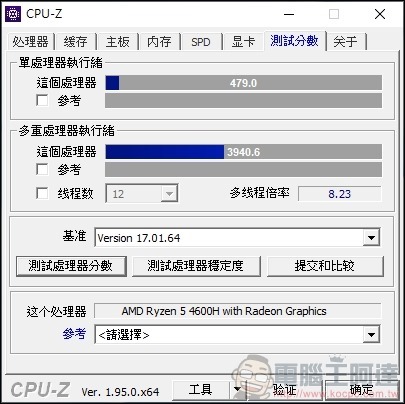
First, use CPU-Z to perform the core performance test. The single-core score is 479, while the all-core score can reach 3940.6.
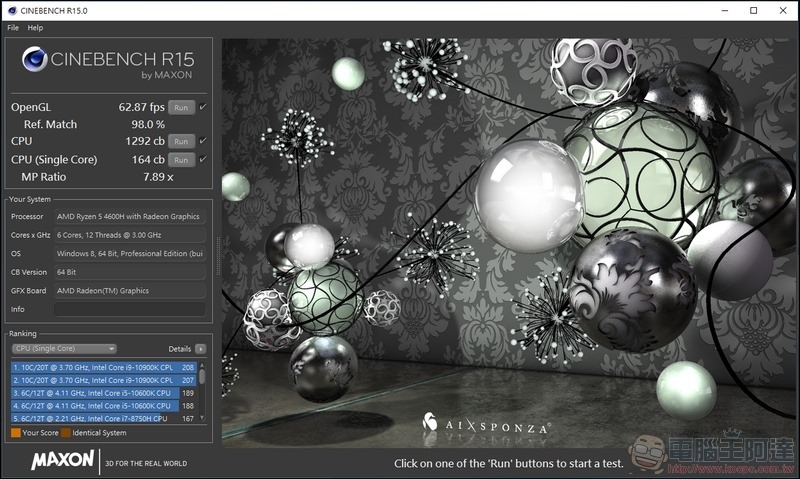
Then the CPU test was also conducted through CineBench R15. The CPU single-core score was 164 cb, while the full-core performance was 1292 cb.
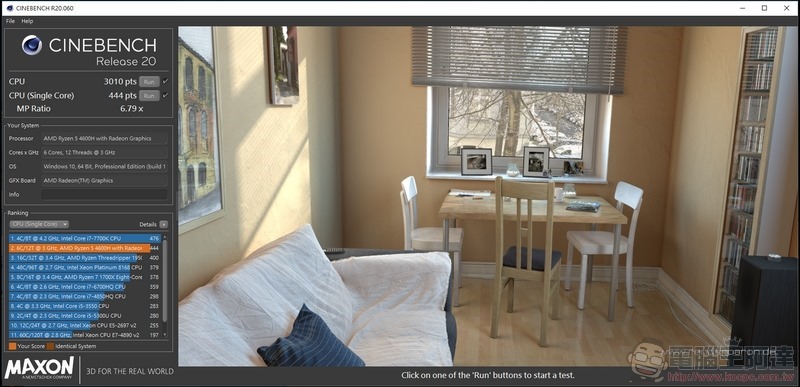
For multi-core, the CPU test was conducted through CineBench R20. The CPU single-core score was 444 cb, while the full-core performance was 3010 cb.
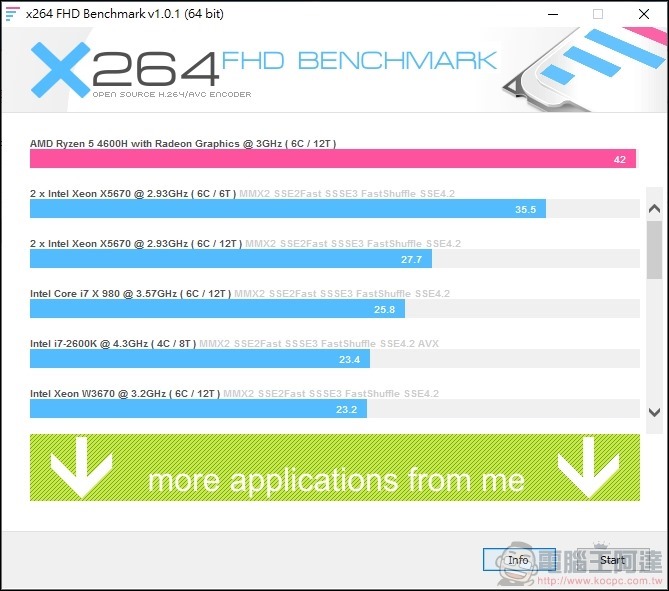
Then through the x264 FHD BENCHMARK conversion test, the performance of Ryzen 5 4600H was 42 fps.
Then through the x265 FHD BENCHMARK conversion test, the performance of Ryzen 5 4600H was 25.9 fps.
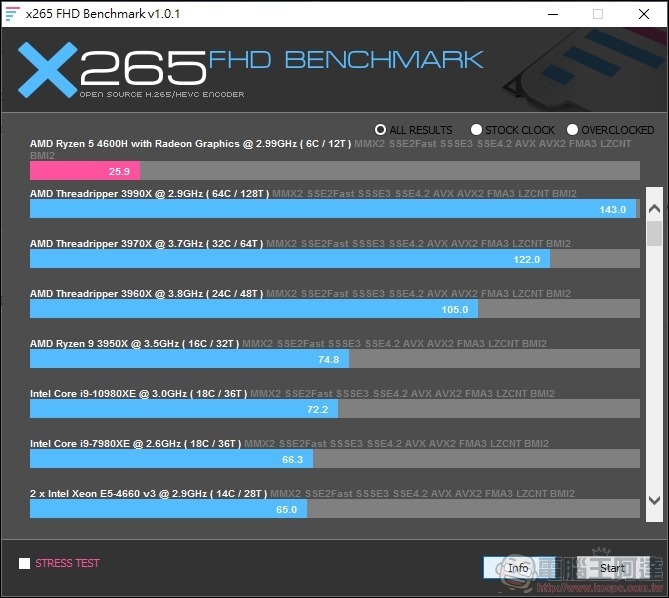
It can be seen from the above CPU performance test that although the single-core performance is not very high, Ryzen 5 4600H has the advantage of multi-processing threads and still has very high computing power in terms of overall computing performance.
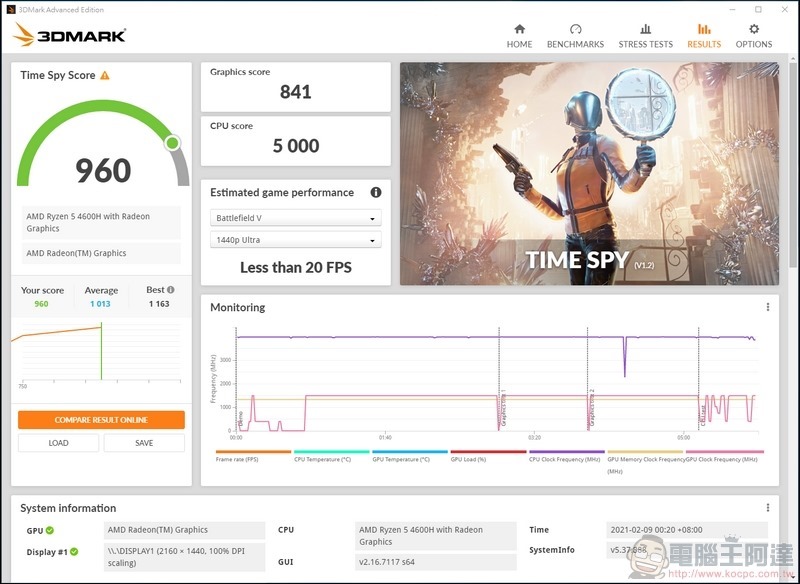
Next, let’s take a look at the built-in graphics performance of Ryzen 5 4600H. First, in the 3DMARK running score, using the Time Spy test with DirectX 12 as the core architecture, the MateBook 14 scored 960.
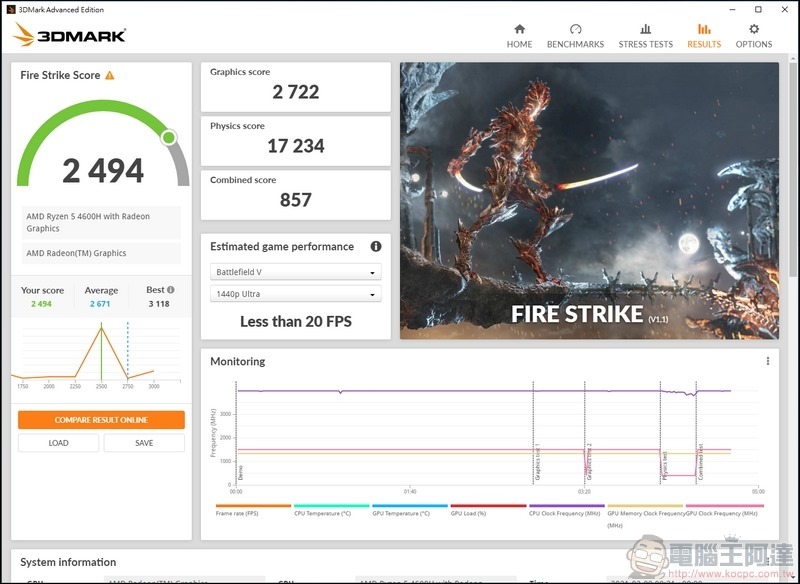
In the Fire Strike test using DirectX 11 as the core architecture, the MateBook 14 scored 2494.
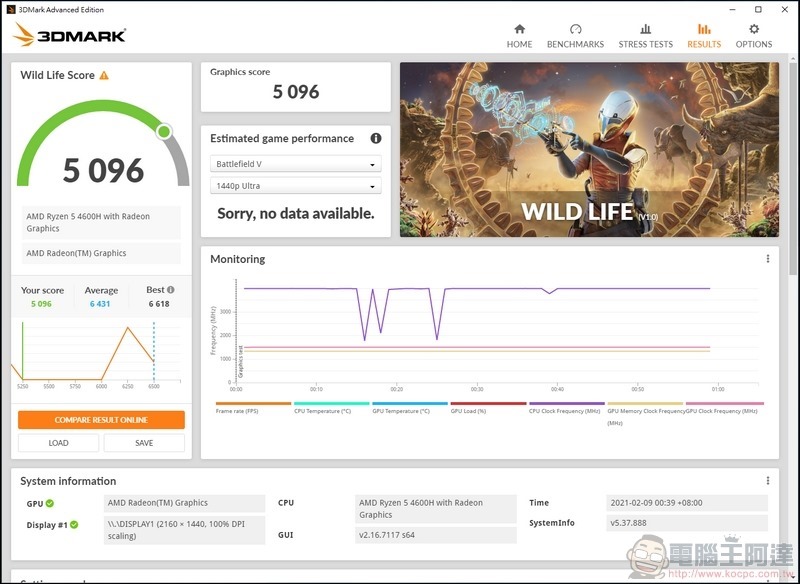
Next is the cross-platform Wild Life test, where the MateBook 14 scored 5096.
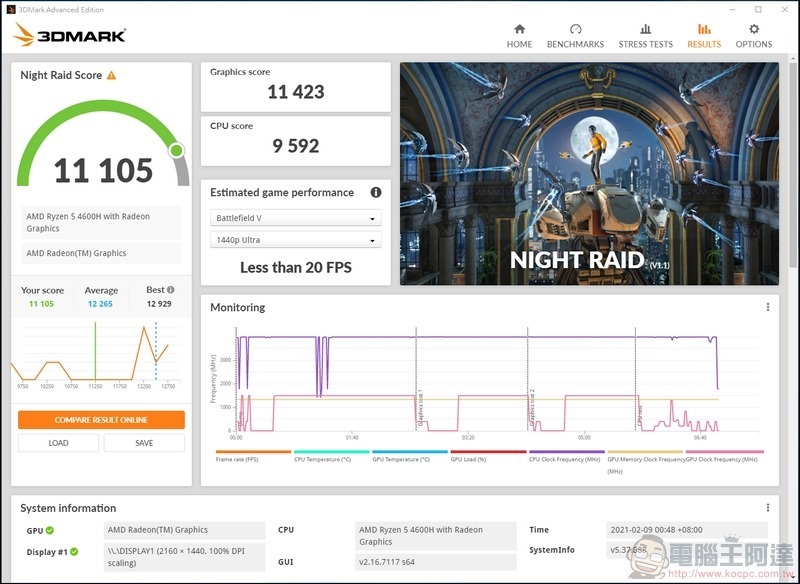
Finally, in the Night Raid test using Direct X 12, the MateBook 14 scored 11105.
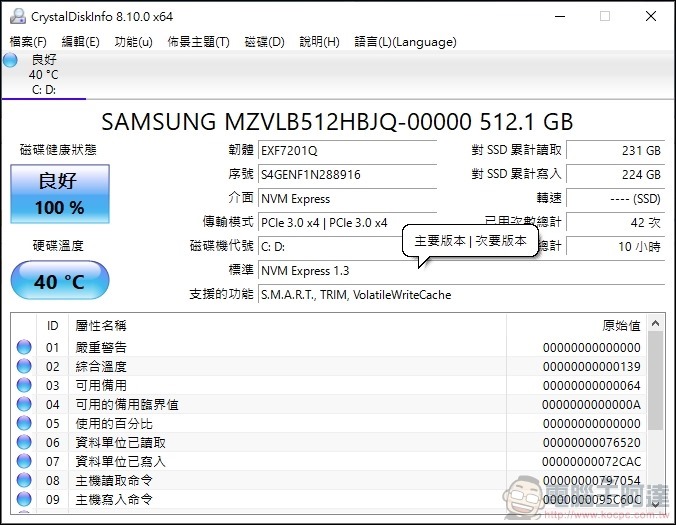
In the storage part, first use DiskInfo to check the hard drive information. The test machine is default equipped with Samsung’s 512 GB PCIe® NVMe™ 3.0 x4 M.2 SSD.
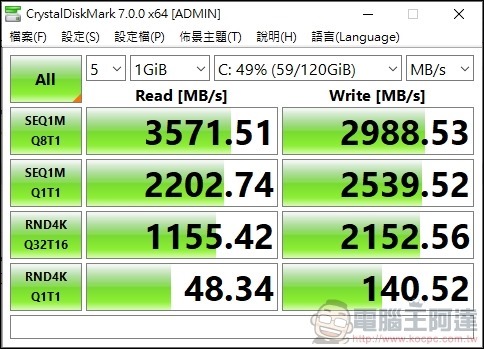
Tested through CrystalDiskMark, its read and write speeds were 3571.5 MB/s and 2988.5 MB/s.
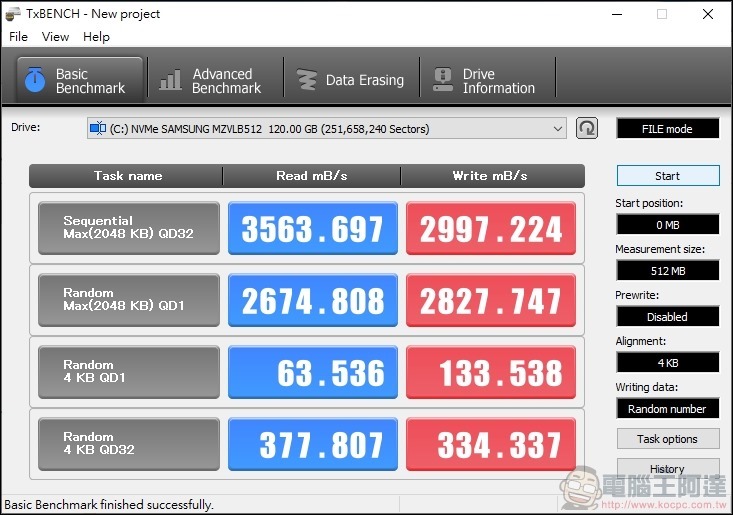
Then use TxBENCH to perform the same read and write test, and the highest read and write speeds are 3563.7 MB/s and 2997.2 MB/s.
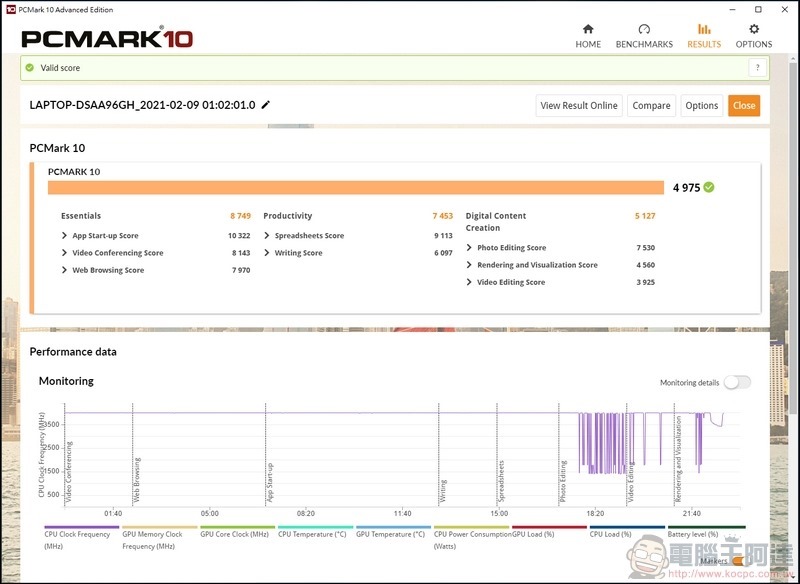
The entire machine was tested using PCMARK 10, and scored 4975 in the benchmark test for office PCs.
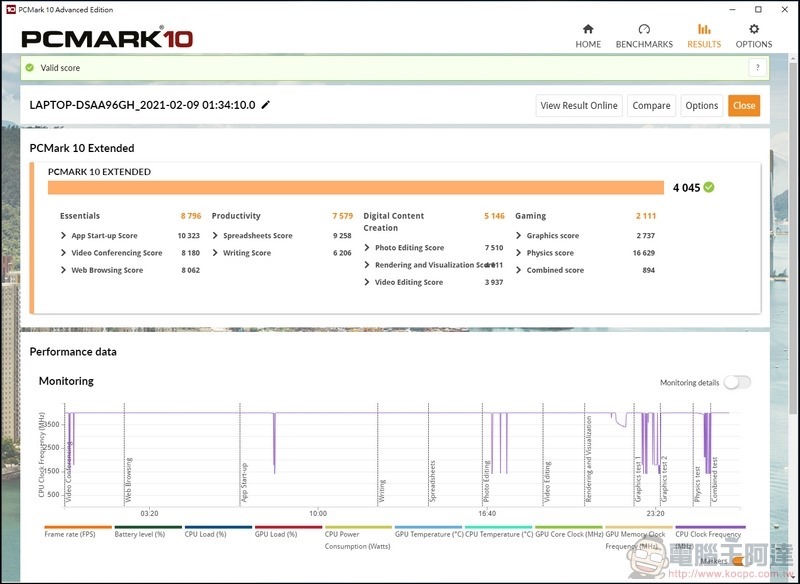
In PCMark 10 Express, a complete office PC benchmark, the score was 4045.
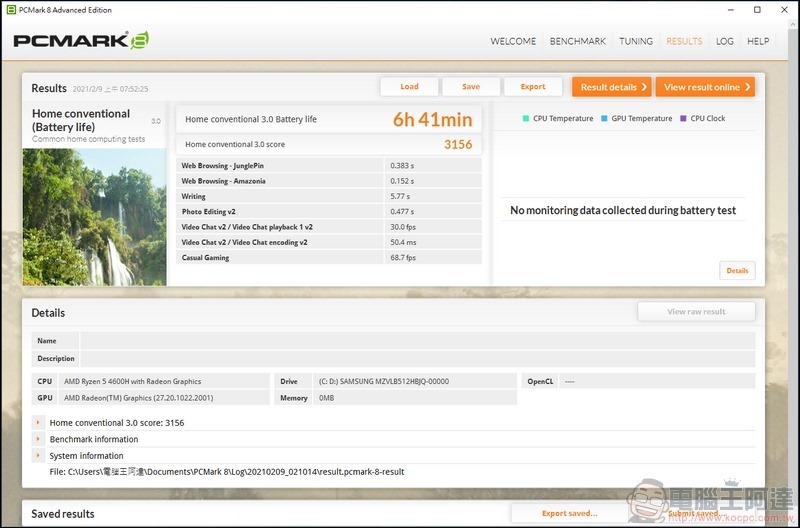
Then we conducted a battery life test through PCMARK 8. The HUAWEI MateBook 14 can be used continuously for about 400 minutes. In actual use, it can watch videos continuously for more than 10 hours. It is very convenient to use with fast charging.
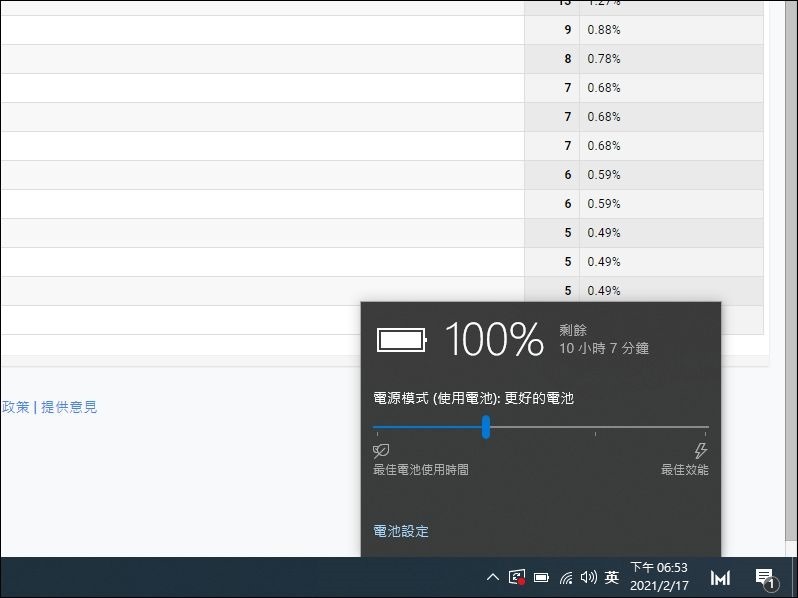
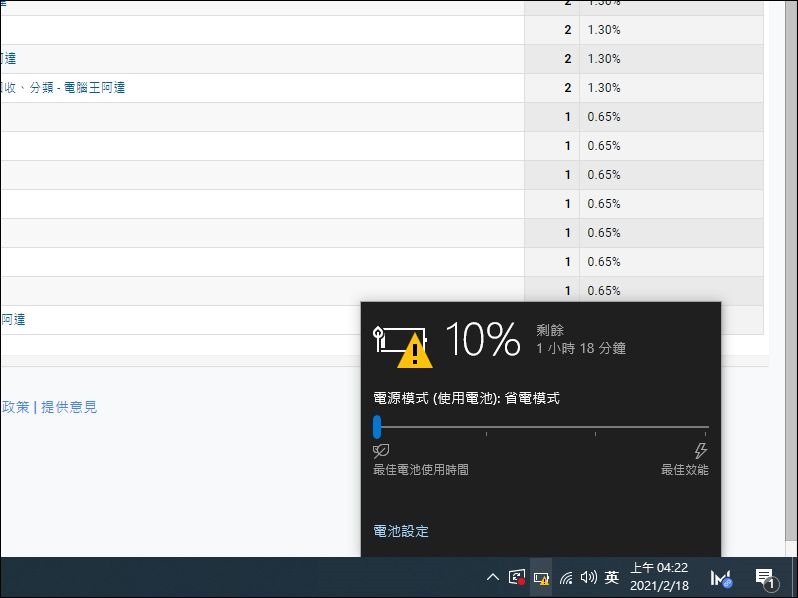
Using Google Analytics to simulate the working life under continuous network connection, the performance from 100% to 10% where the warning pops up is about 9.5 hours, which is quite long-lasting:
HUAWEI MateBook 14 software introduction
First of all, HUAWEI MateBook 14 has a built-in eye protection mode. You can enter the settings by right-clicking on the desktop.
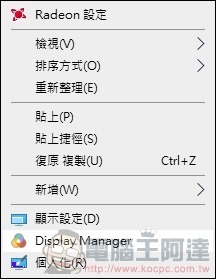
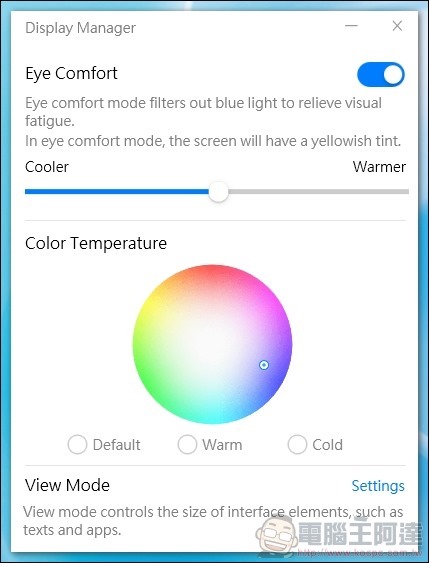
After turning it on, the picture will appear more yellowish, but you can also adjust the strength of the eye protection mode and the color of the eye protection mode according to personal preferences.
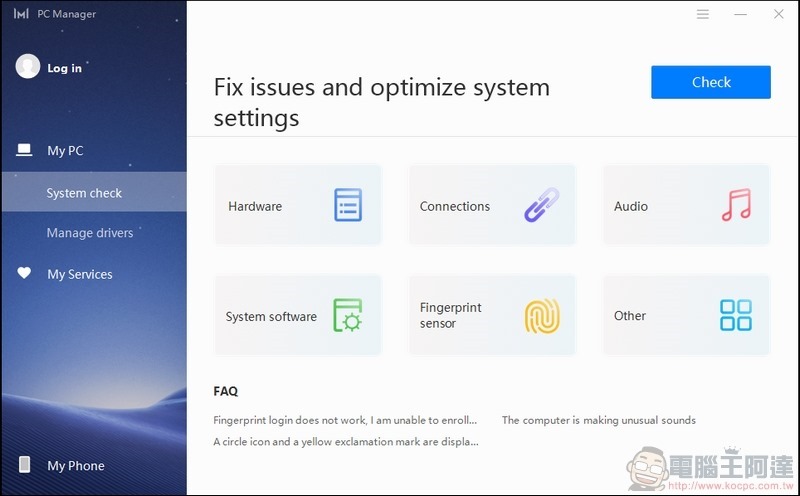
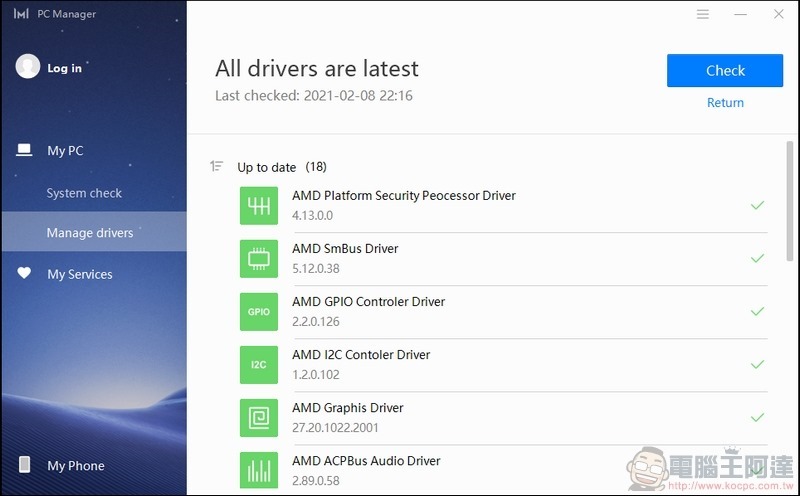
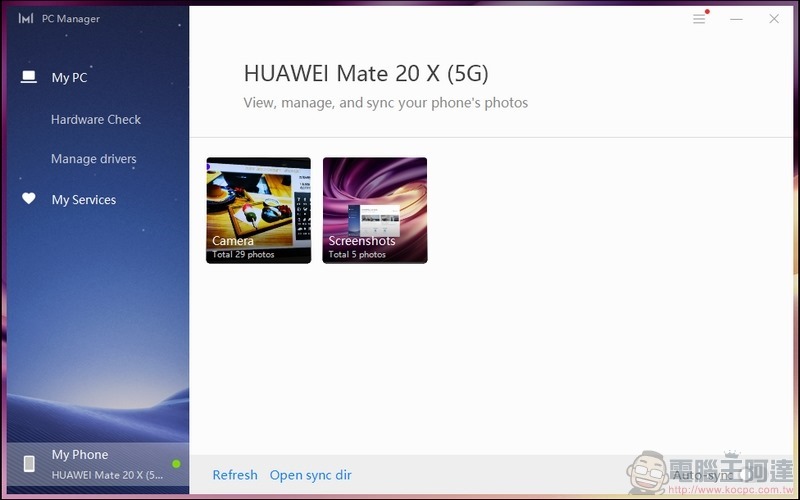
HUAWEI MateBook 14 also has a built-in PC Manager. You can use this program to update drivers and discover system software and hardware problems with one click, and update the process directly, which is very convenient.
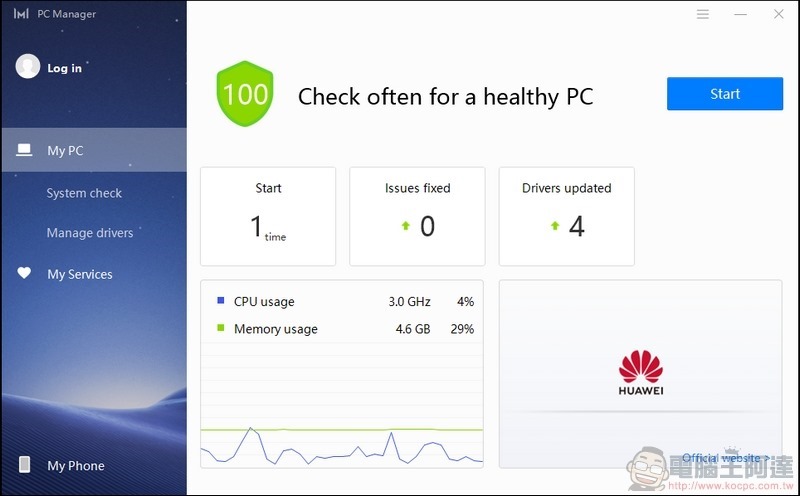
Click the START button to automatically start a health check for your computer.
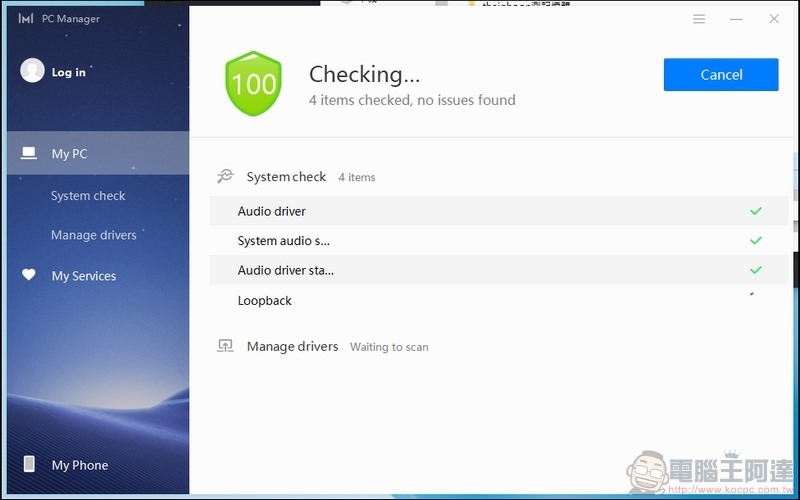
If you have any specific problems with the system or software, you can also check them in the tab below.
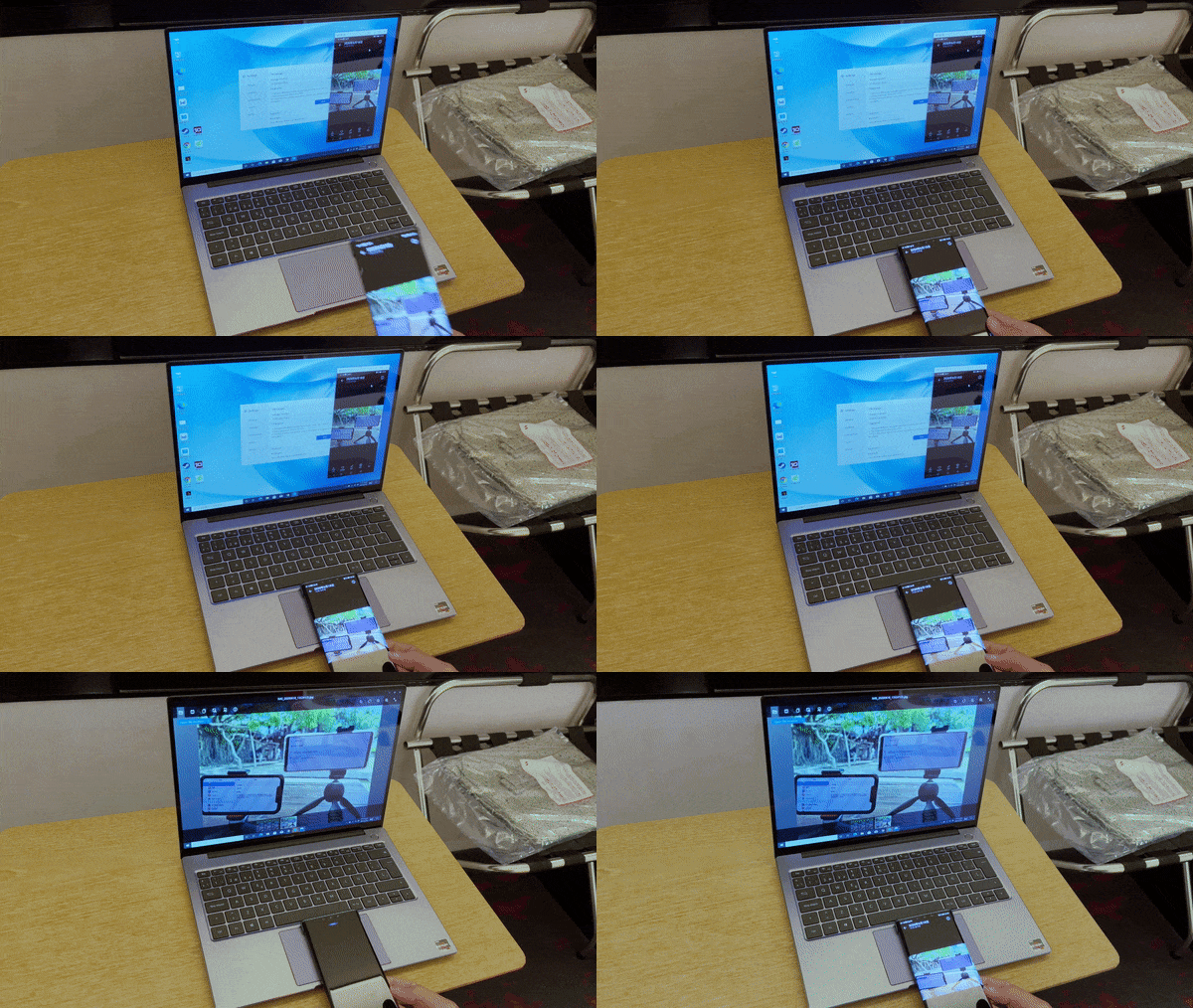
At the bottom of PC Manager is the link to Huawei’s own mobile phone: One Touch Transfer.
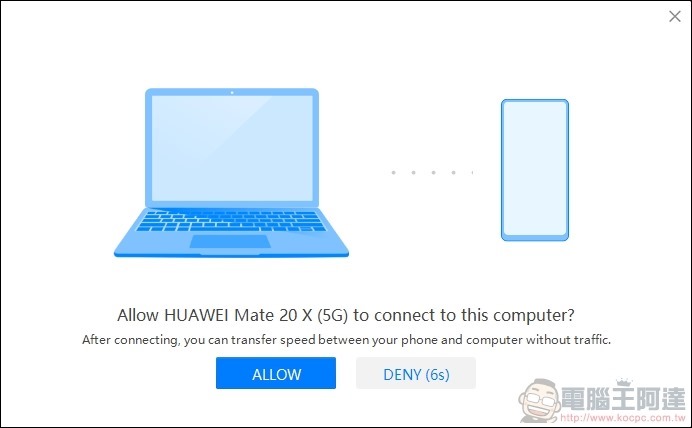
After clicking the link, the phone will be searched for and paired.
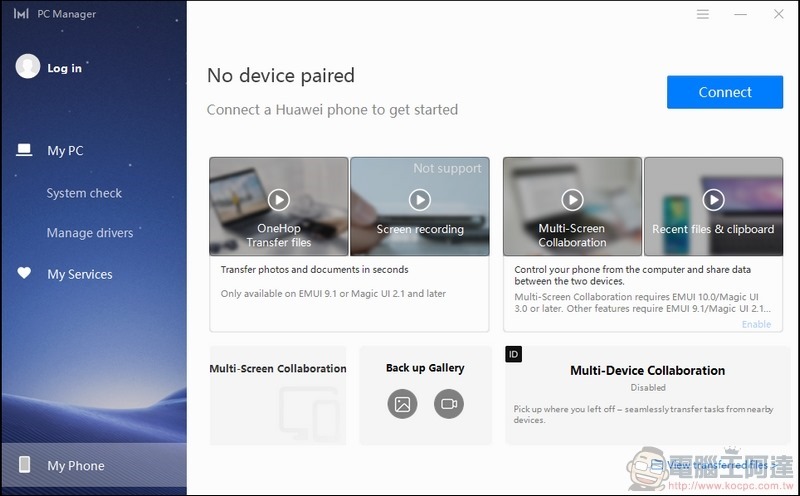
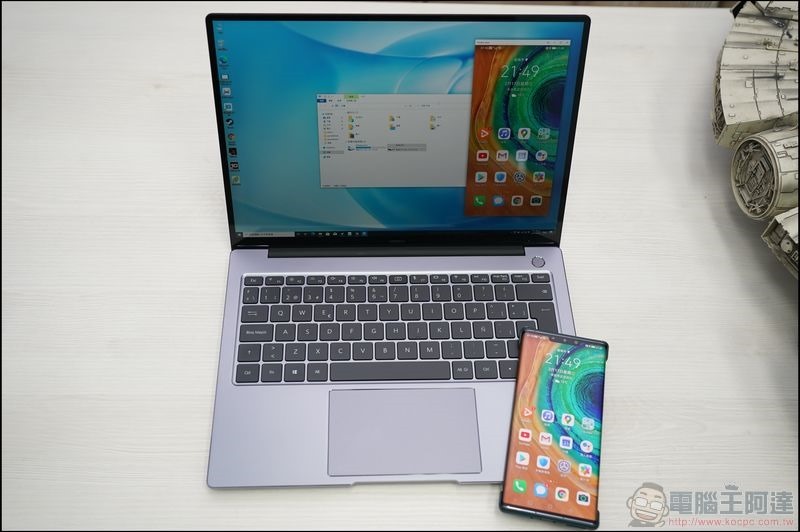
After connecting, you can start One Touch Transfer. In addition to being able to synchronize the mobile phone screen to the computer for work transfer, it is very fast to transfer all kinds of files. It also has the function of image recognition and text recognition. If there is text you want to recognize, just take a photo with your mobile phone and transfer it to the computer through One Touch Transfer and it can be quickly converted into text. It is very convenient for document processing.
You can also retrieve files directly from your mobile phone through PC Manager.
The recommended selling price of MateBook 14 is 30,900 yuan. During the Tsann Kuen member special event from 4/9 to 4/13, a limited-time special price of 28,990 yuan is offered, and six gifts worth more than 10,000 yuan are given. Friends who are short of laptops should not miss it (please click me)
Summarize
HUAWEI MateBook 14 is an ultra-thin laptop with high CP value and high performance. Although it is not equipped with a discrete graphics card, based on the powerful performance of AMD’s own APU, it can have very good computing power in both basic documents and audio and video creation. In terms of screen configuration, it has a high 3:2 ratio. The productivity screen ratio is matched with a 90% screen-to-body ratio, which is very comfortable to use, and it is equipped with ultra-high battery life and fast charging technology. You don’t have to worry about running out of power when working outside. If you are using a Huawei mobile phone, it can be said to be very convenient with the one-touch transfer function.
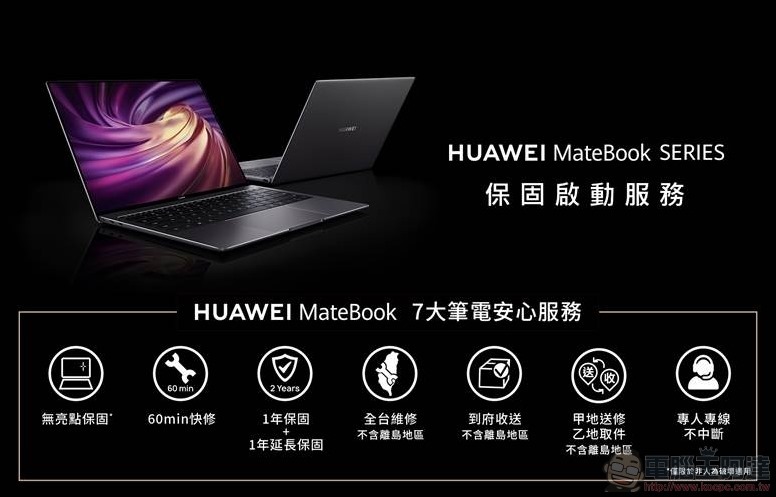
In addition to the power of the notebook itself, HUAWEI MateBook 14 now also comes with the warranty activation service of the HUAWEI MateBook series. You can enjoy 7 major notebook peace-of-mind services. Just purchase the HUAWEI MateBook series and log in online ( https://www.huaweifans.com.tw/events/register/matebook-d/ ), you can start the warranty service after re-examination, which includes 7 major services: no bright spot warranty, 1+1 year extended warranty, 60-minute quick repair, Taiwan-wide repair (excluding outlying island areas), door-to-door delivery (excluding outlying island areas), delivery and pick-up at one place (excluding outlying island areas), and dedicated dedicated line without interruption. I believe that you can use it with more confidence in the follow-up service of the notebook. Moreover, during the launch period, if you purchase HUAWEI MateBook 14, you will get a Microsoft gift 365 Personal Edition (gift recommended price NTD 2,190) and Logitech M235 wireless mouse (gift recommended price NTD 399), purchase at Huawei brand stores and Tsann Kuen stores before 2/28 (please click me) will also give you a ViewSonic 27-inch 2K thin monitor with a market price of 6,988 yuan, which is highly recommended to everyone.
Source: KOCPC Chinese