


For many years, the Shazam music search app has been a good helper for many people to hear unknown songs in their lives. After Apple officially acquired Shazam in 2018, it also brought closer integration with Siri. With the help of Shazam, iOS users can directly listen to and identify songs through Siri. In the recent 14.14 version update of the Shazam iOS App, it finally supports iOS 14’s easy-to-use desktop gadget application. For long-term Shazam users, it is more convenient to view recently recognized music records at any time!

Shazam App has been updated to support iOS 14 desktop gadgets, which can directly identify music and view search history, which is super convenient!
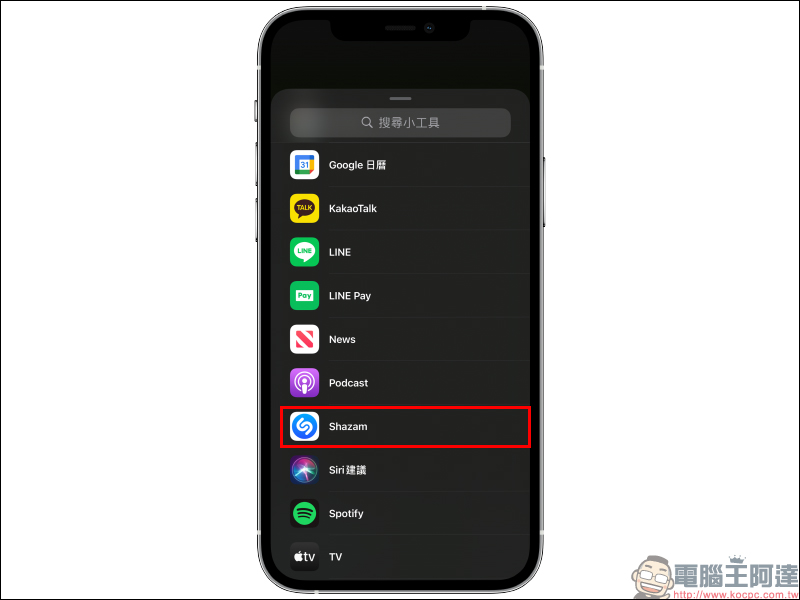
Dear iPhone and iPad users, if you want to use Shazam’s desktop gadget, don’t forget to update the system to iOS 14/iPadOS 14, and go to the App Store to update the Shazam App to the latest 14.4 version. Then you can find Shazam in the menu of new desktop gadgets. If you don’t see Shazam in the gadget menu, just open the Shazam App and search again to see the following screen.
Shazam music search app download:Click here to go to (App Store)
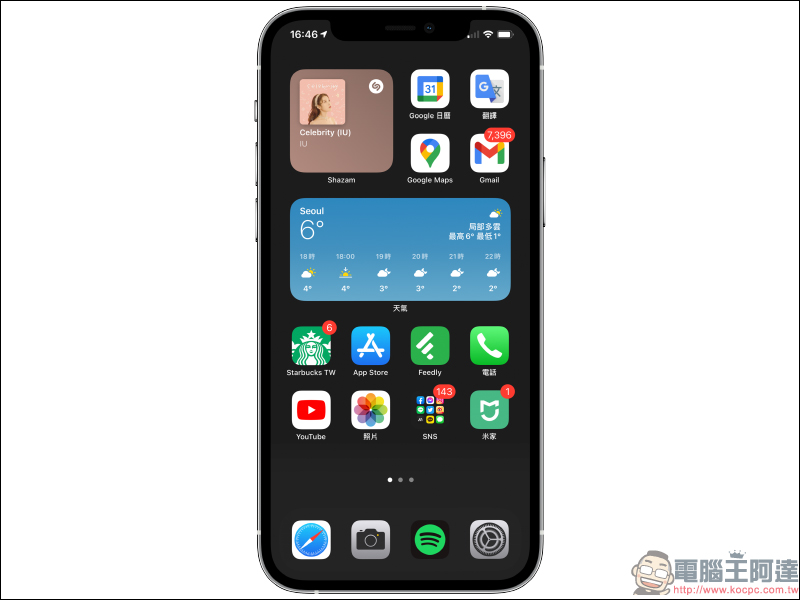
Currently, Shazam’s desktop gadgets are available in three sizes: small, medium, and large. Users can choose the gadget style that best suits their habits according to the layout of their personal home screen. The smallest size can only display the most recently recognized song, while the medium and large sizes can display more search records:

After adding the Shazam desktop widget to the home screen, the widget can not only display the user’s music search history using Shazam. If you want to directly identify new songs before clicking on the Shazam App, you can actually do it directly through the Shazam widget.
First, press and hold the Shazam desktop widget, then click the Shazam icon when the function list expands. If you directly click on the icon on the gadget without expanding it, the Shazam App will be opened directly and the previous search results will be displayed.
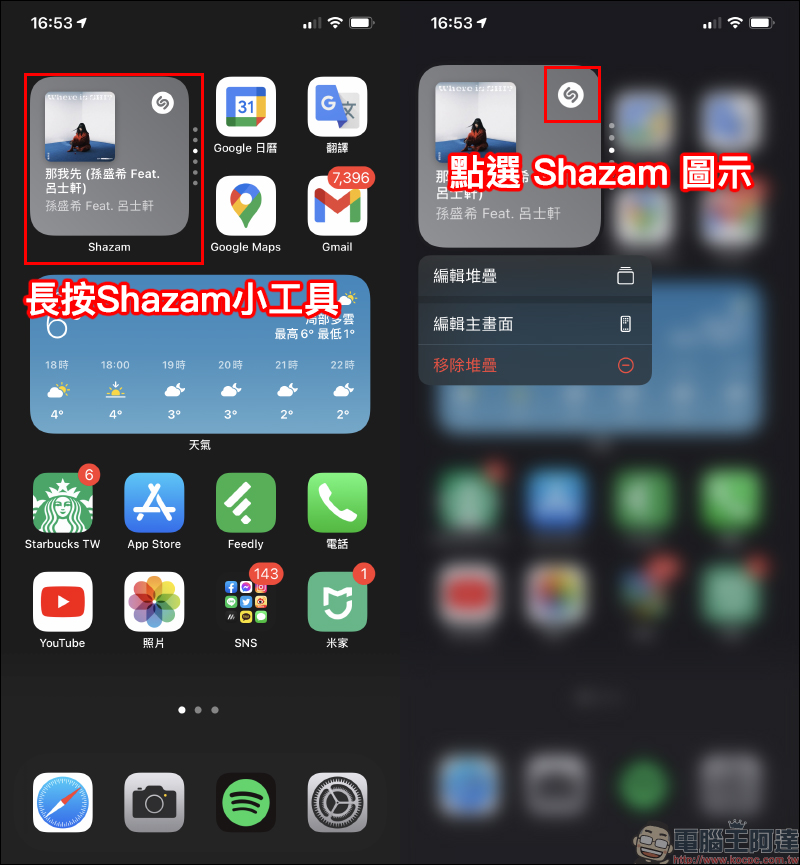
If you expand the function list and click the Shazam icon, you will directly enter the music recognition (search) after opening the Shazam App. Wait a few seconds to successfully identify the music playing around you!

When you return to the home screen, the Shazam widget screen will be updated with the last search results. However, according to actual tests, after the song is successfully recognized by Shazam, the app needs to be opened once before the gadget screen will be updated.
Shazam music search app download:Click here to go to (App Store)
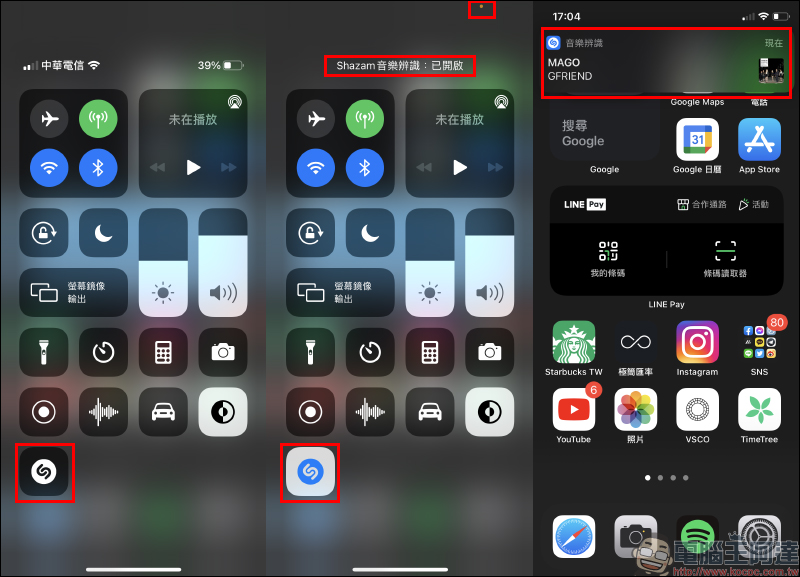
In addition to the above-mentioned methods of identifying and viewing music search records through the Shazam gadget, we have also previously shared Shazam music identification tips starting from iOS 14.2. Users only need to complete the setting steps to start music identification through the drop-down control menu.
(Further reading:Tutorial on how to use the music recognition function of iOS 14.2: search for songs with one click and jump to Apple Music or Spotfiy to play them directly!)
Further reading:
Apple Watch invoice vehicle barcode setting tutorial, one-click to quickly wake up the vehicle barcode is super convenient!

LINE application tips: How to download voice messages to mobile devices?

Source: KOCPC Chinese