


In order to facilitate quick login to the website in the future, many people now store their account and password in the browser so that it can be automatically filled in. They also think that the browser should be safe when storing account passwords. After all, they are all software developed by well-known companies, but in fact this is not the case. On the well-known foreign GitHub website, there is a set of HackBrowserData free open-code tools that can export passwords, credit card information, cookies, browsing history, and bookmarks stored in the browser with one click without logging in any data, which means that anyone can obtain it.
I would also like to remind you, please do not use this tool to do any illegal or stealing activities.。
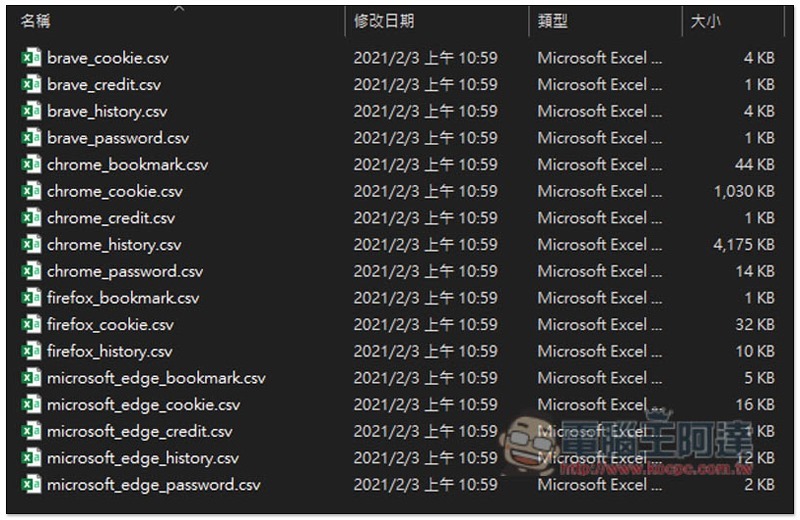
HackBrowserData is a free tool that can export important data stored in browsers with one click.
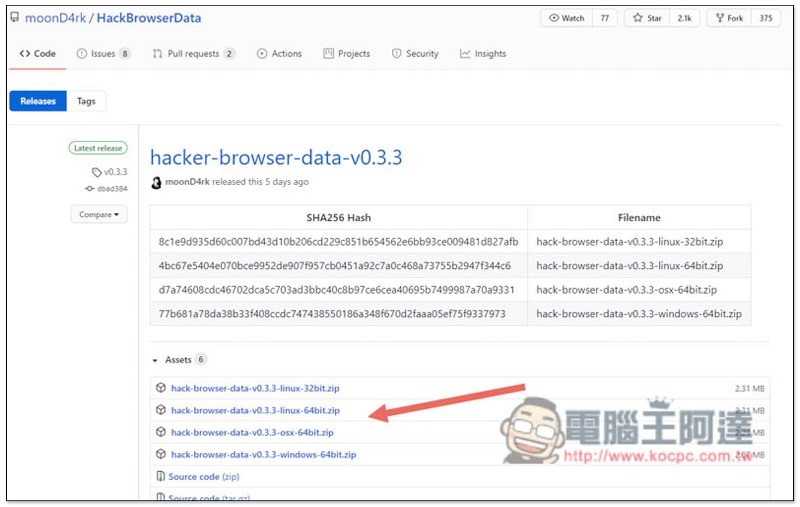
HackBrowserData is available for Windows, Mac and Linux.Click me to go to the download page, select the operating system you are using, I take Windows as an example:
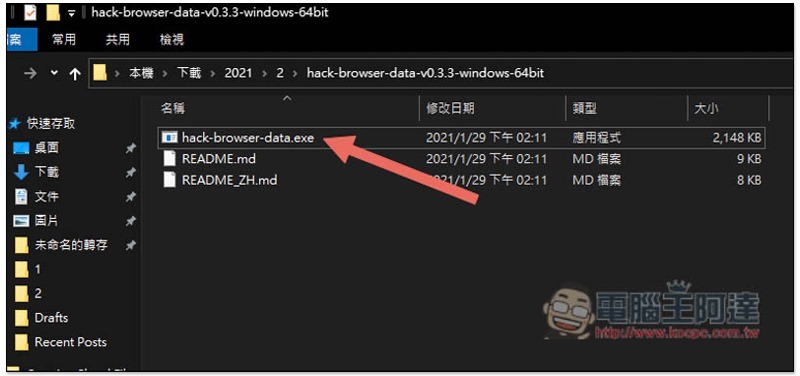
After decompression, you will get three files. Click hack-browser-data.exe directly twice:
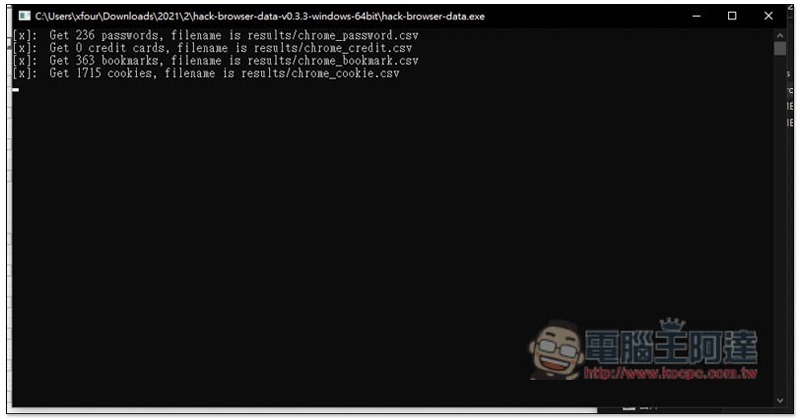
The export action will then begin, and the window will also display the number of passwords, credit cards, bookmarks, and cookies found by each browser. In the browser part, it will automatically scan what is installed on your computer and then export it at once:
After completion, there will be an additional results folder above:
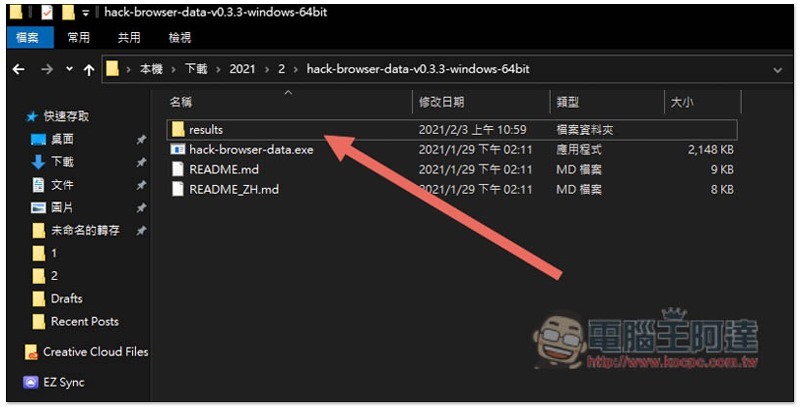
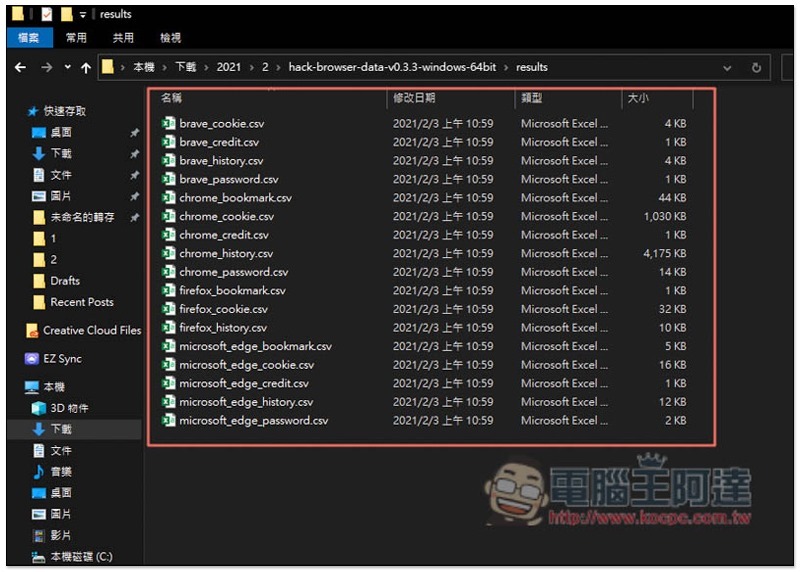
It will list the data EXCEL files scanned by all browsers, like mine, Brave, Chrome, Firefox and Microsoft Edge:
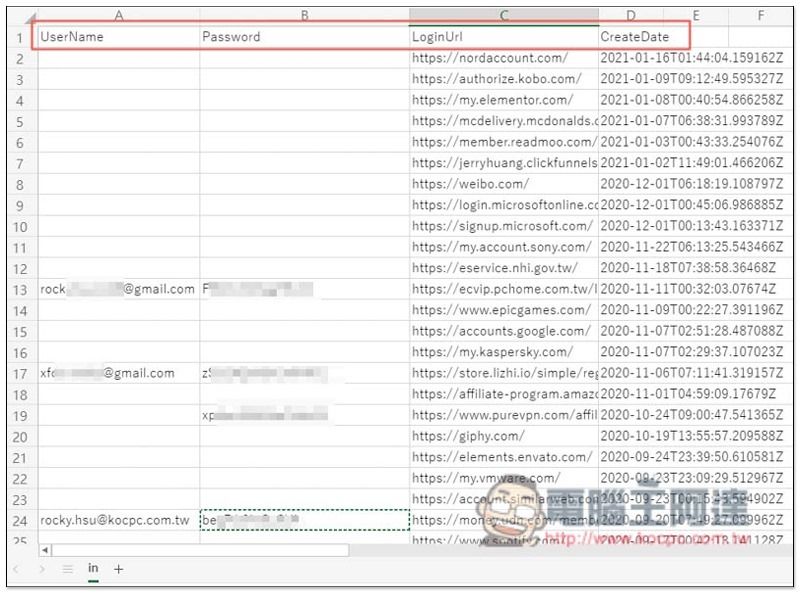
For Password, not only the account number and password are listed, but also the login link and creation date:
The credit card part includes the card number, name, and expiration date. This is really scary… I never thought that important information stored in the browser could be exported so easily without any security mechanism.
Therefore, if you want to store important information such as accounts and passwords, it is safer to choose a password management tool.
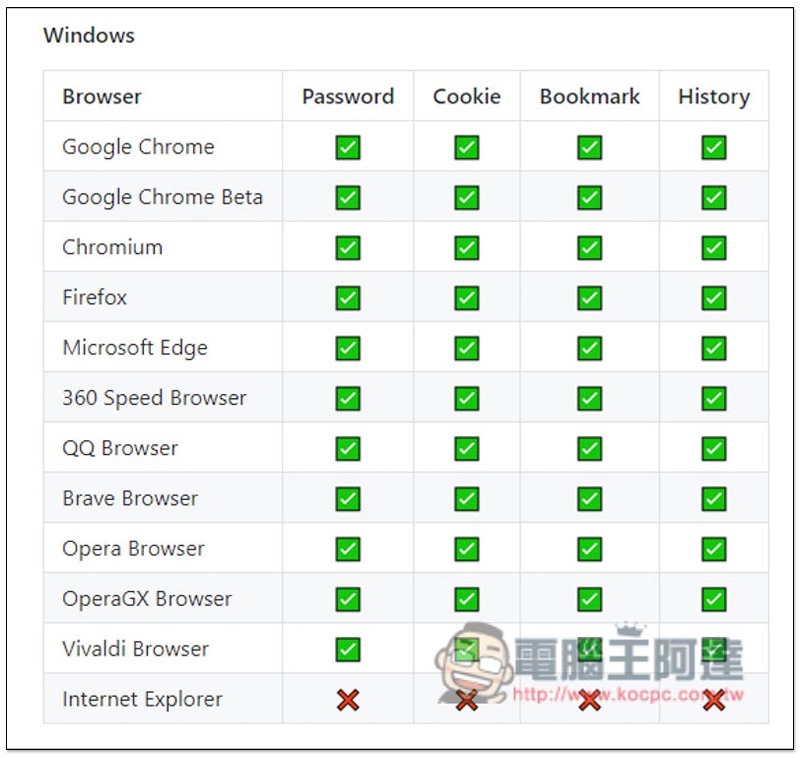
In addition, the browsers supported by each operating system are also slightly different. Windows supports Chrome, Chrome Beta, Chromium, Firefox, Edge, 360 Speed Browser, QQ, Brave, Opera, OperaGX, and Vivaldi, but IE does not currently support:
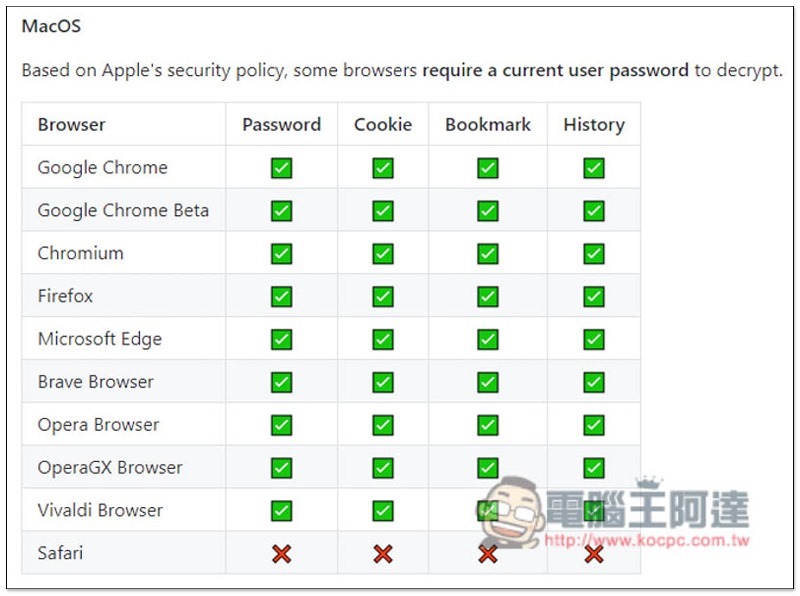
macOS supports Chrome, Chrome Beta, Chromium, Firefox, Edge, Brave Browser, Opera, OperaGX, but Apple’s own Safari is not yet available. In addition, due to Apple’s privacy policy, some browsers will require you to enter a user password. This shows that macOS is much safer:
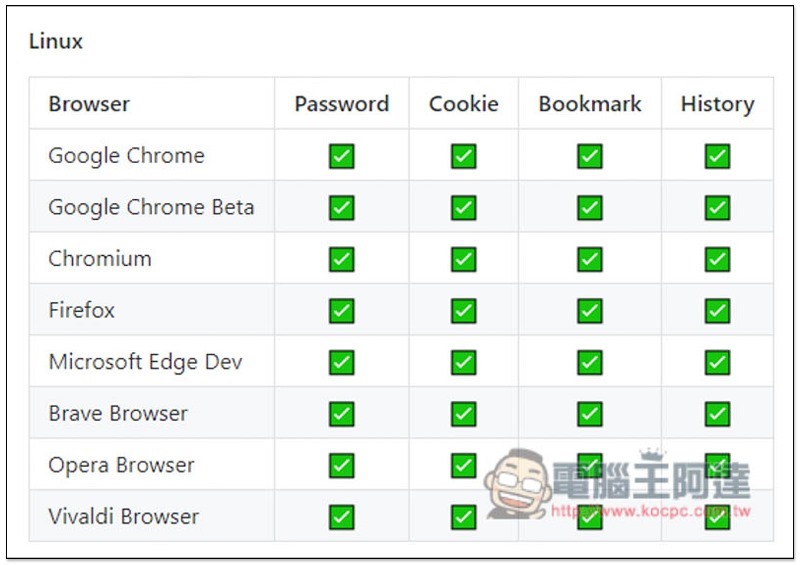
Linux supports Chrome, Chrome Beta, Chromium, Firefox, Edge Dev, Brave, Opera, Vivaldi:
Supplementary information
- HackBrowserData download page:Click here to go
Source: KOCPC Chinese