


Recently, American technology companies have been too bad and used their technological hegemony to tamper with users’ information and accounts without authorization, which has caused a backlash from many netizens. Among them, Facebook, Twitter, and WhatsApp have the most serious impact. WhatsApp has recently added new terms of service, forcing users to agree to share information with Facebook, thus triggering a large-scale exodus. Privacy-focused messaging software Telegram Recently, they announced that they have added 100 million new users this month. At the same time, they have added several new features, one of which allows users to move conversation records, videos, and texts from WhatsApp, LINE, and KokaoTalk to Telegram.

Telegram conversation record migration tutorial
In addition to being able to move personal conversation records, in fact, officials say that even conversations in LINE groups can be moved. Interested readers can try it out for themselves. This tutorial focuses on moving personal conversation records in the Android version. The iOS version actually has the same concept. Before using this new feature of Telegram, there is one requirement: “Both parties have Telegram accounts and they are in each other’s address books.” If there are no problems, just update your Telegram to the latest version and you can start.
Step 01: First confirm that you and your friend have TG accounts, then open the LINE conversation window between you and your friend, and click the menu in the upper right corner.

Step 02: Then in the menu, find “Other Settings” at the bottom.
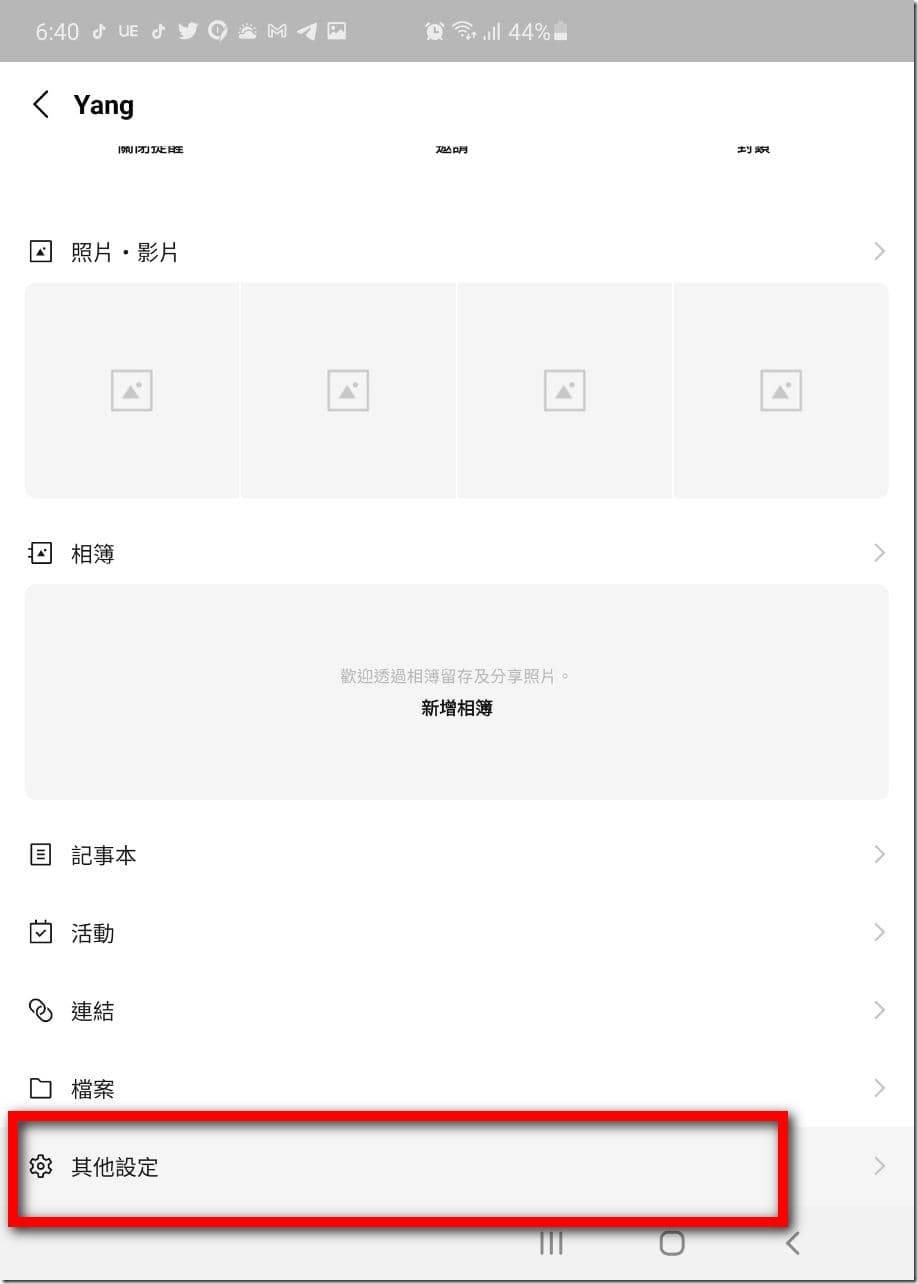
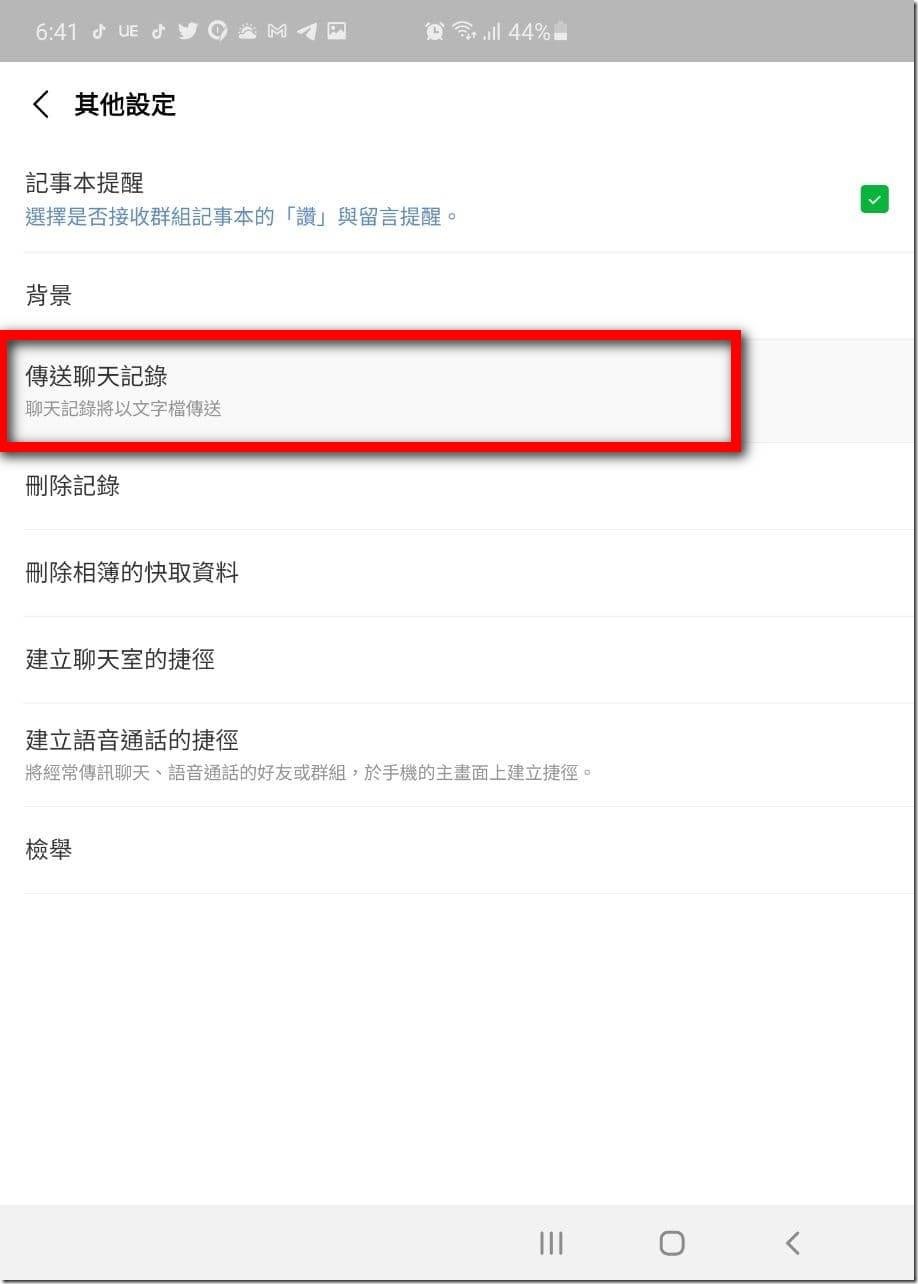
Step 03: In other settings, you can find “Send Chat History” and click on it.
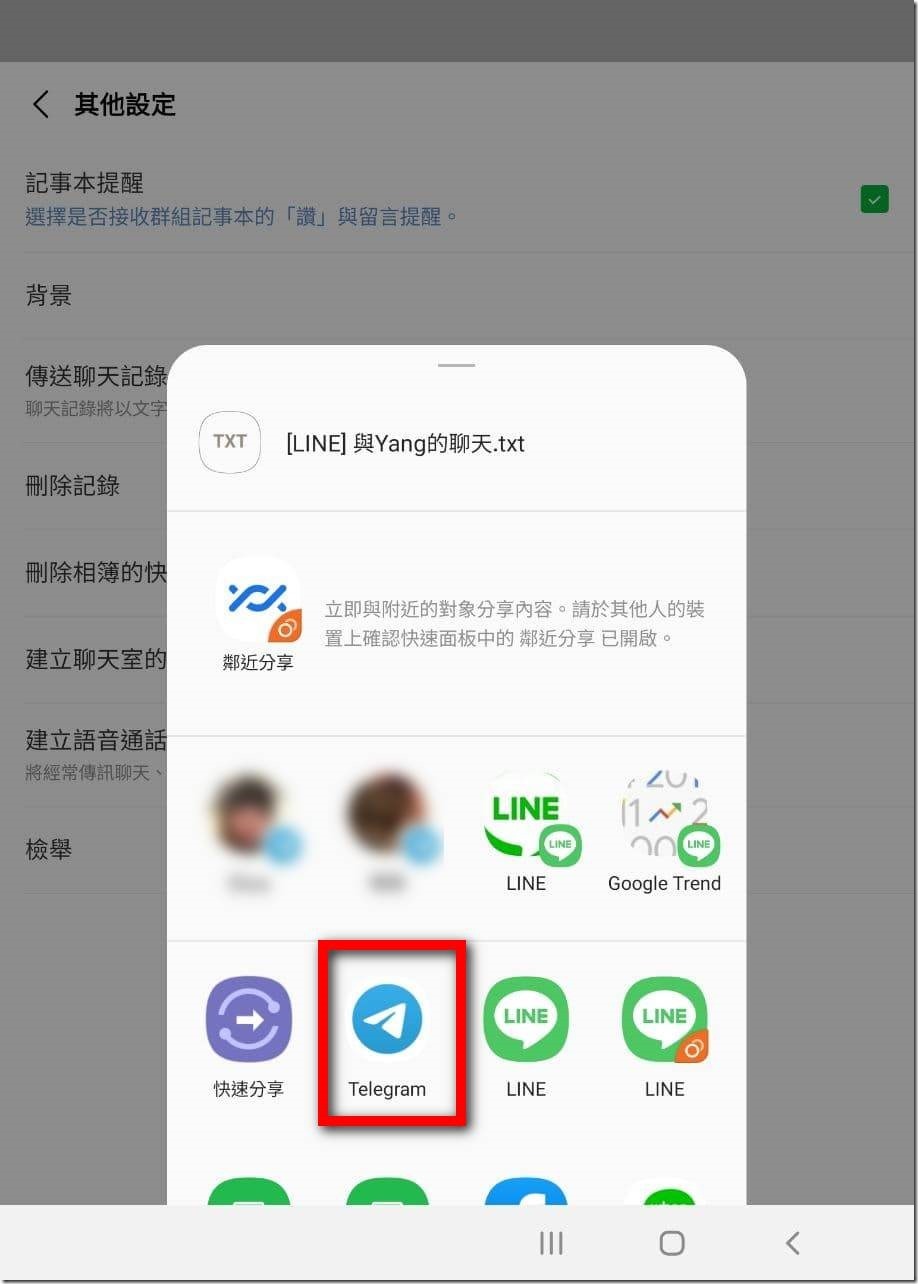
Step 04: After clicking, Android will pop up a window asking you where to share, just click Telegram.
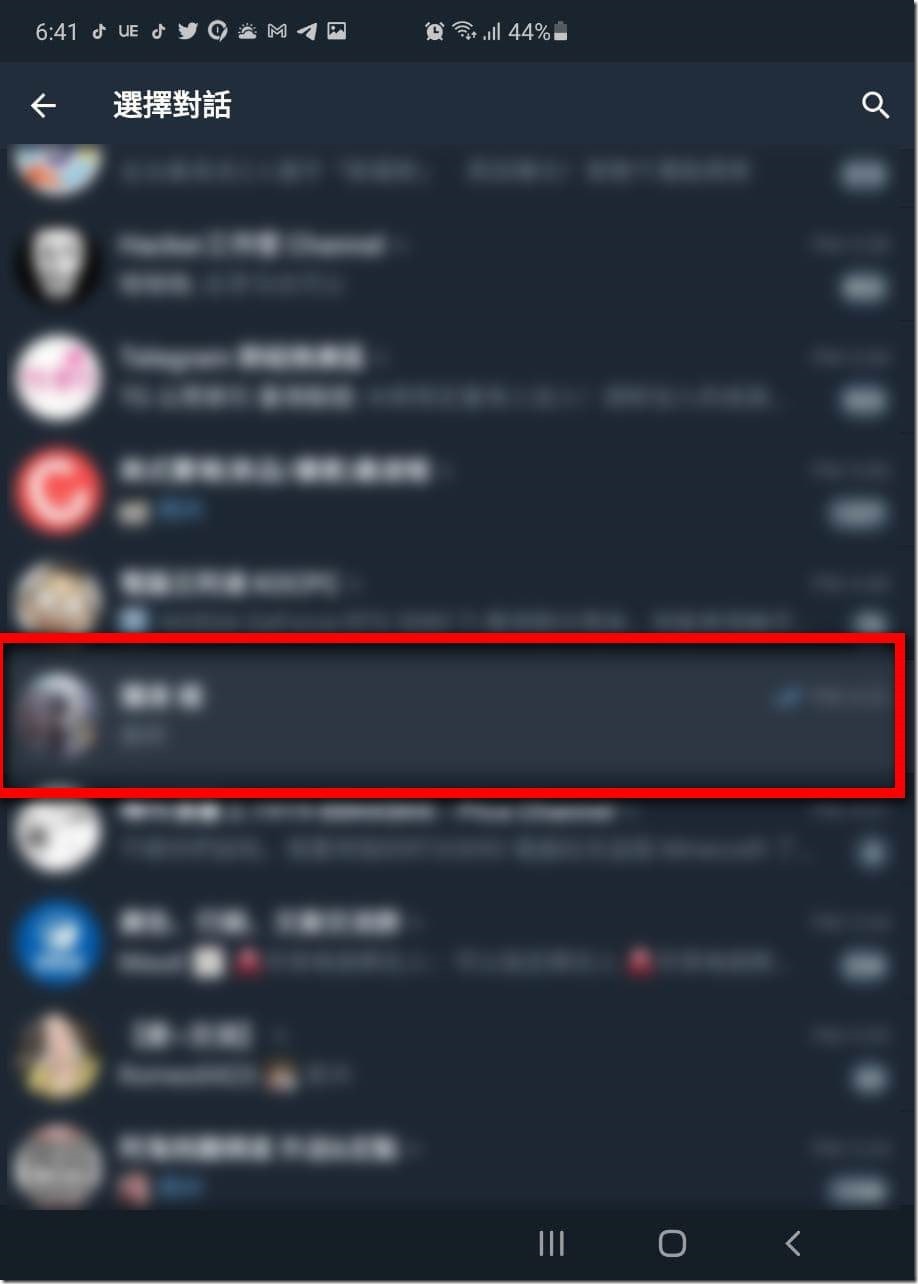
Step 05: You will then be switched to the Telegram window and asked to select a conversation window. Just find your friend’s account. It is recommended that you and your friend’s TG account send a message before this, it will be easier to find at this time.
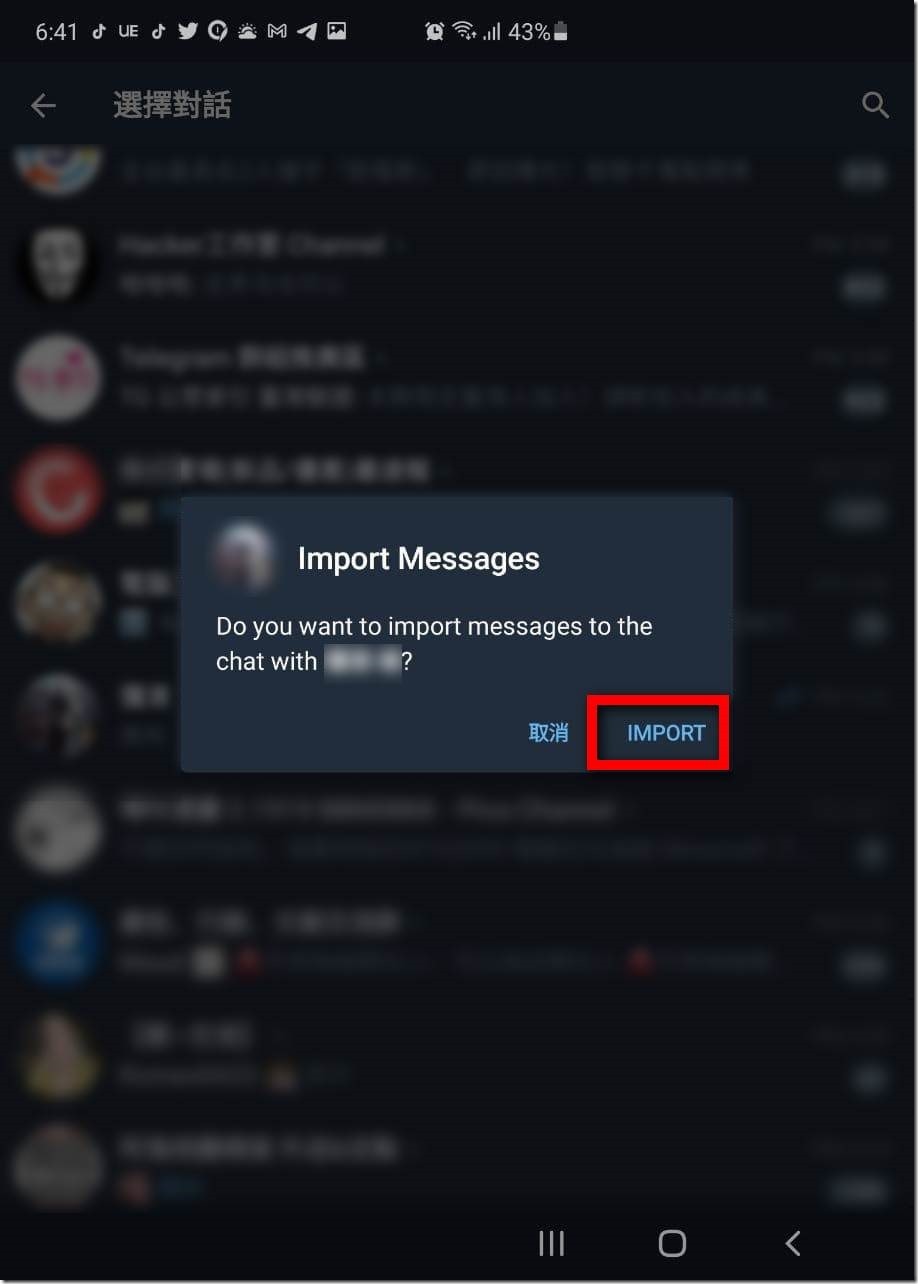
Step 06: After finding the conversation window with your friend, the system will pop up a screen asking you if you want to import the conversation history, click “Import”.
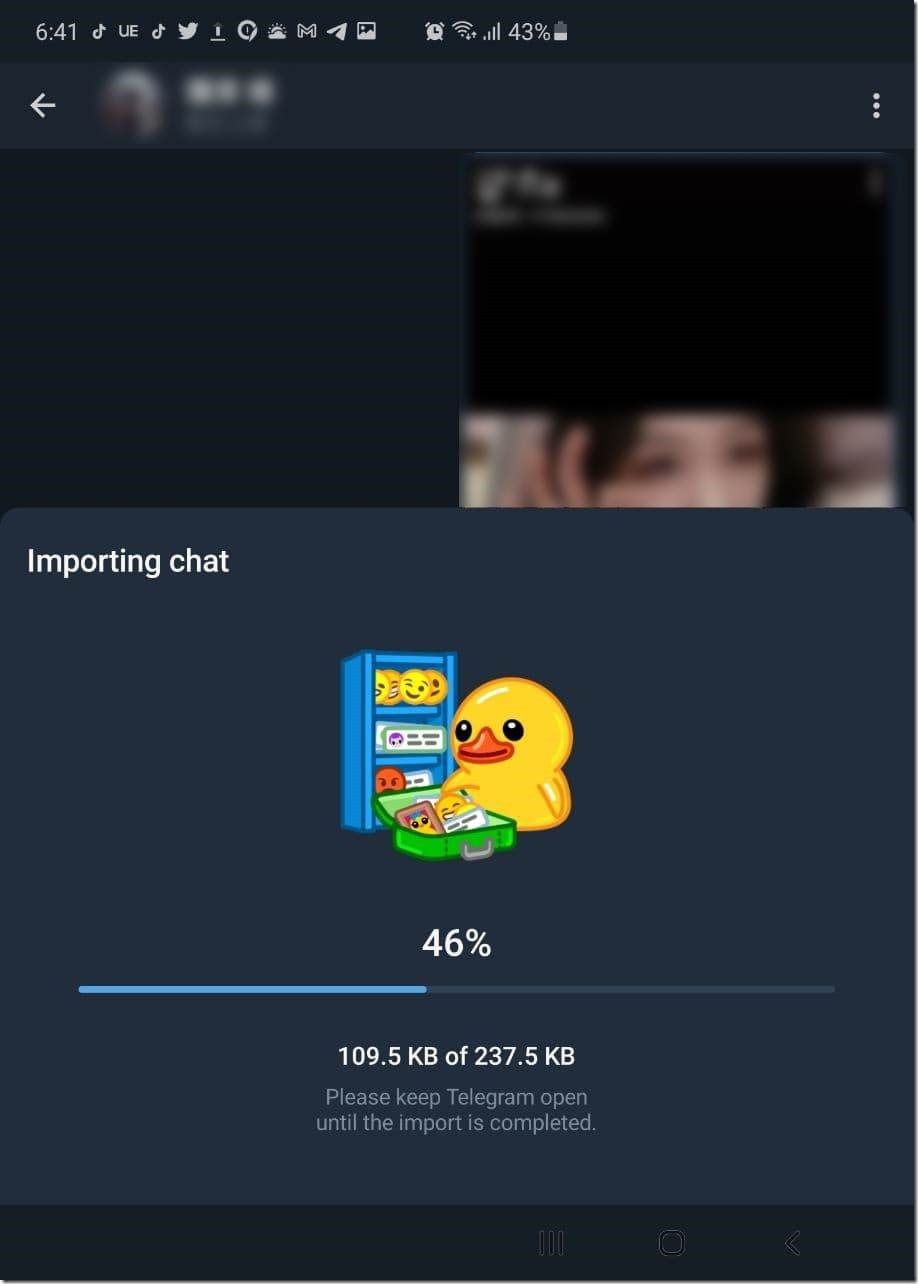
Step 07: Next you will see that the system is importing data for you. Basically, it is very fast. Just wait and it will be done.
Step 08: After importing the conversation record, the current chat time will be displayed at the bottom. However, it should be noted that these imported conversation records will be displayed at the top of the message window in the form of “Latest Messages”. Therefore, it is recommended that those who pay attention to the time order of messages must think twice before using it, so as not to cause LINE to delete the conversation records and wash out your current conversation records with your TG friends.
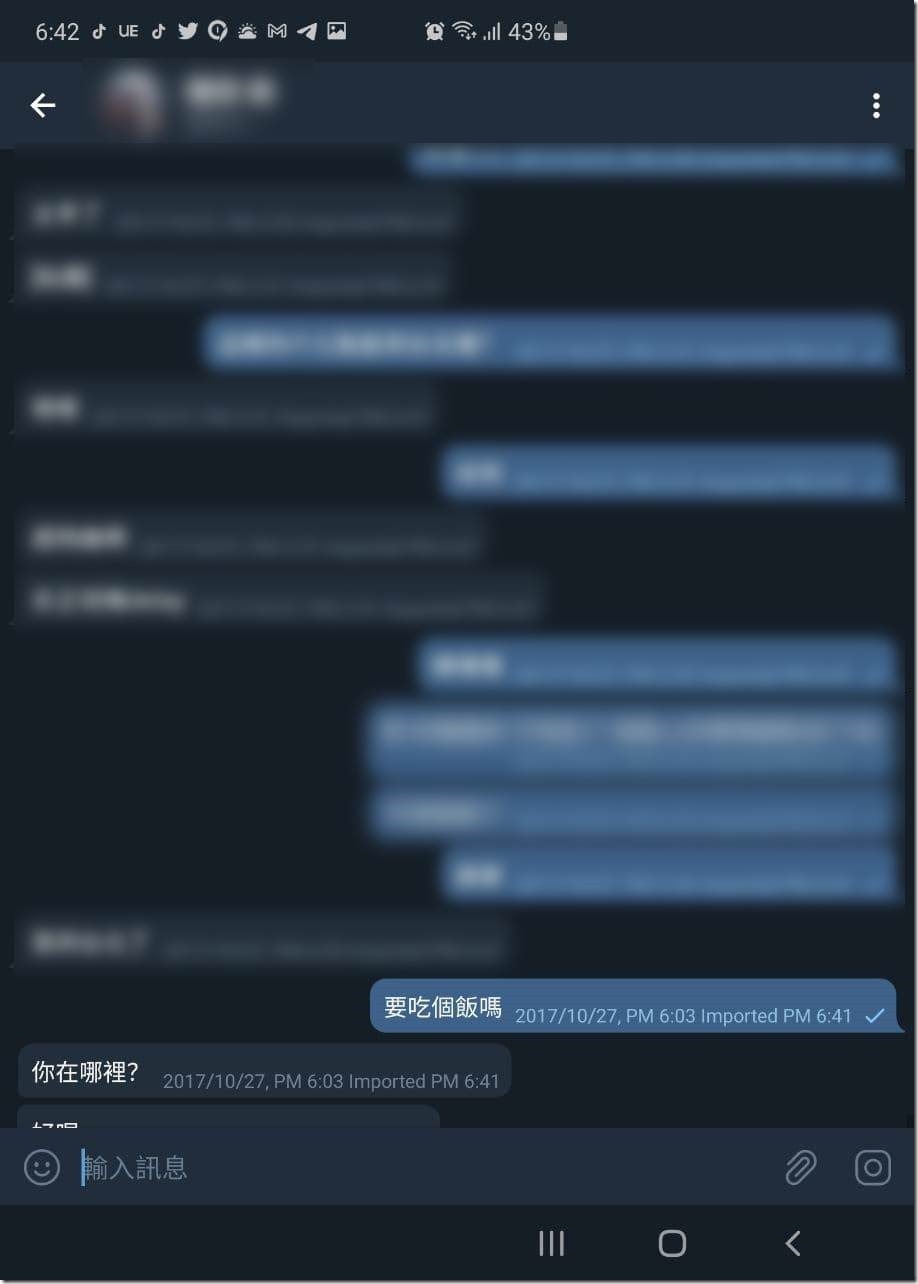
Telegram officials stated that these messages will not take up space on your mobile phone because these data are stored in their servers. However, users can decide whether to delete data at any time. There are no big problems in using it so far. The only problem is that the “transferred conversation record” will appear in the conversation window as a “new message”, so if you have actually used TG to communicate with your friends for a long time, and you don’t want old LINE messages to wash out the current conversation content, you have to think about whether to import it. If you really accidentally import or regret importing, it is recommended to open the web version of Telegram, where you can delete more than a thousand messages in batches, and support using the Shift key to make a large number of selections, which is much faster than manually deleting one by one.
Source: KOCPC Chinese