


I believe everyone has had a similar experience. Every time you search for information on the browser or browse for products on a shopping website, soon after, you will start to see similar topics and the same products in the news feed on the Facebook App. At this time, you may start to wonder if you are being secretly tracked by Facebook?
Many people don’t know that Facebook has an “off-site activity” function that can track users’ browsing behavior and application interaction information. If you are fed up with these ads, take a look at this article to learn how to delete and turn off the off-site activity function!

Is Facebook secretly tracking off-site browsing history? Tutorial on deleting and turning off tracking techniques
If you want to stop Facebook from secretly pushing users “content that may be of interest” through the user’s browsing behavior, you only need to open the Facebook App on your mobile device, click on the “≡” function bar page and select “Privacy Shortcuts”, and then select “View or clear Facebook off-site activities”: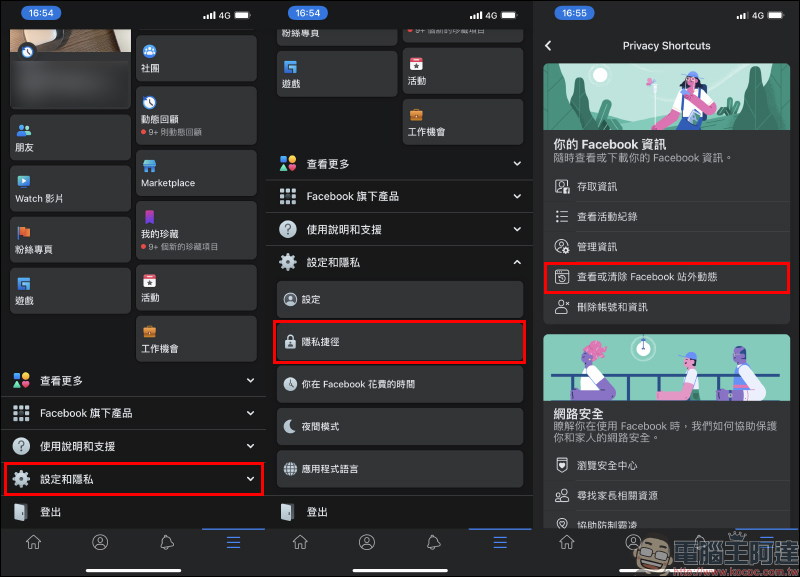
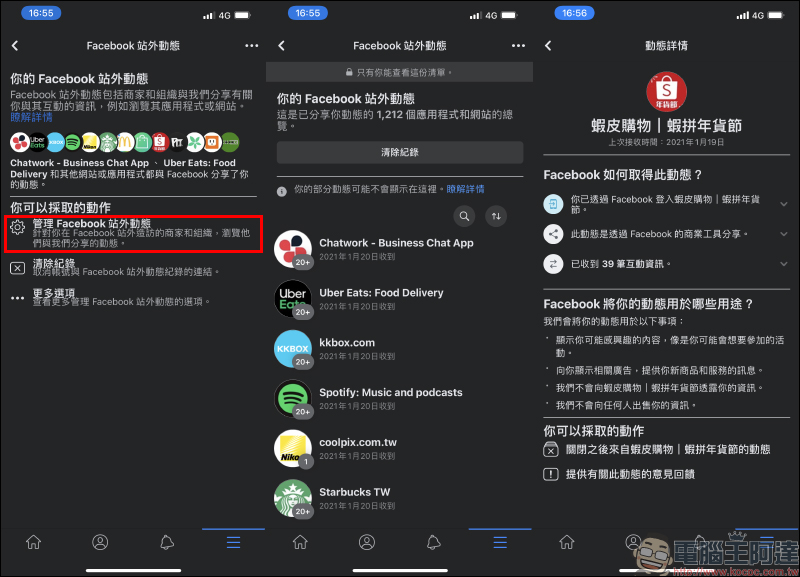
Select “Manage Facebook off-site news” on the Facebook off-site news page, and then you will see quite a lot of applications in this list. There are as many as 1,212 applications like the author’s shared news.
Among these many applications, even if there are other applications such as Shopee that are not connected and logged in with Facebook, Facebook can still display relevant advertisements through the searches and behaviors of these applications. Of course, Facebook off-site activities can also record information about web browsing by users.
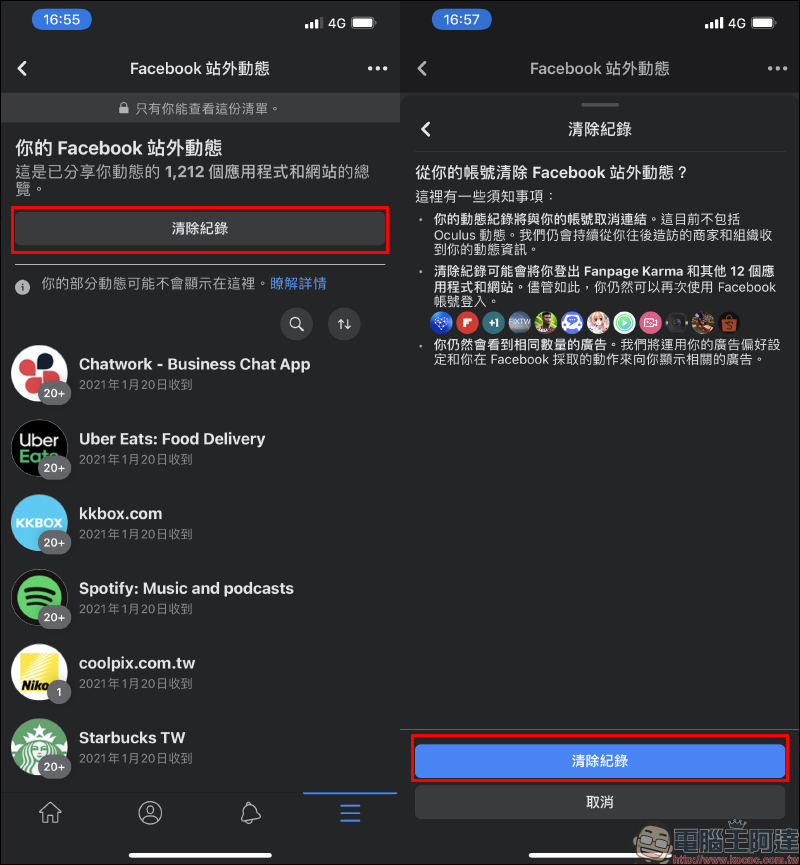
If you don’t want Facebook to push ads or other content through the dynamic data of these applications in the future, you can actually delete it manually. Just click “Clear History” at the top of the Facebook off-site activity list to delete this information:
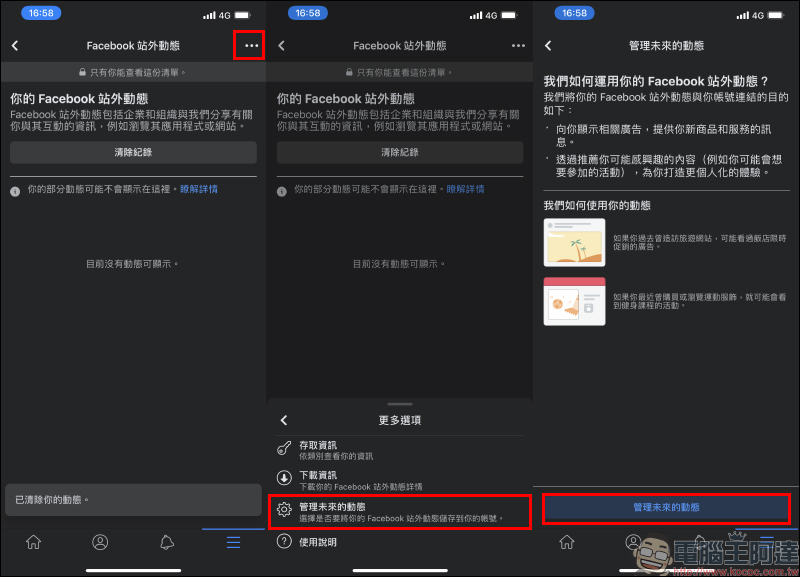
If you want to stop Facebook from tracking off-site information in the future after clearing your history, click “•••” Expand more options and select “Manage future updates”:
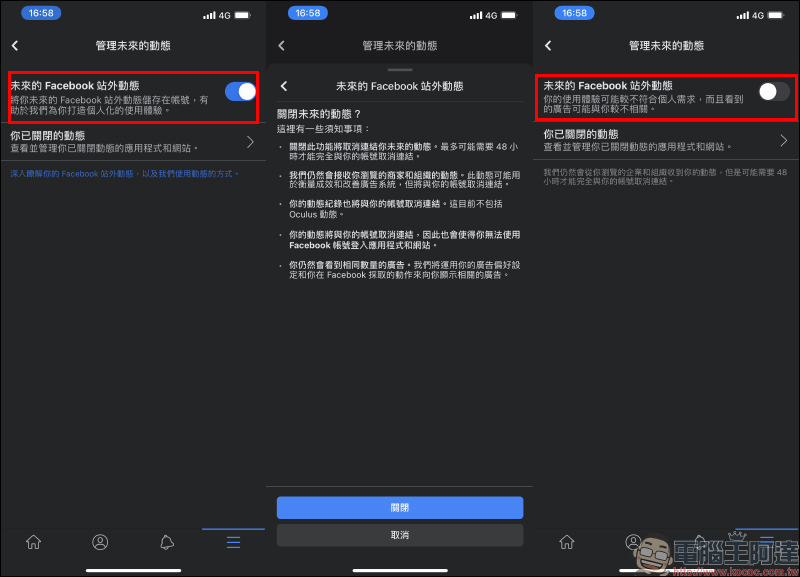
Finally, just turn off the “Future Facebook off-site news” feature. When clicking the close button, the user will be reminded of the instructions for turning off this feature. After reading, click “Close” to turn it off:
Further reading:
LINE Pay’s “My Membership Card” function adds more commonly used membership card options

Source: KOCPC Chinese