


Last week, LINE Pay announced the launch of a new “My Membership Card” service, which integrates physical and virtual membership cards into LINE Pay. Users only need to bind their commonly used membership cards to LINE Pay and scan the LINE Pay payment barcode when making purchases. They can simultaneously accumulate merchant membership points and use LINE Pay to complete mobile payments. LINE Pay announced that in its first wave of launch, it will be the first to complete the membership system integration with 7-ELEVEN’s OPEN POINT, and users can also add membership cards from other merchants on their own.
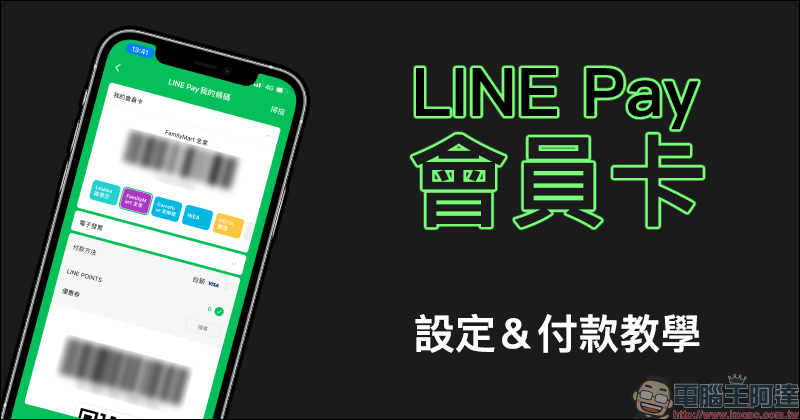
LINE Pay membership card setting & payment tutorial
Since LINE Pay was launched in Taiwan, more and more merchants have been able to use LINE Pay for payment. However, many merchants also have their own exclusive membership systems. For consumers who are accustomed to LINE Pay, they often have to open the merchant’s app to activate the membership barcode when checking out, which can also make the checkout process a little confusing.
Last week, LINE Pay launched the “My Membership Card” function, which allows users to bind a merchant’s membership card to LINE Pay for quick access. Today I will show you how to set up a membership card, and how to use LINE Pay to pay and scan the membership card barcode at the same time! Prior to this, if you want to use the new “My Membership Card” service, you must first update the LINE App to LINE 10.21.0 (inclusive) or above. In addition, the LINE Pay App version 2.11.3 update will also add a membership card login function in the near future.
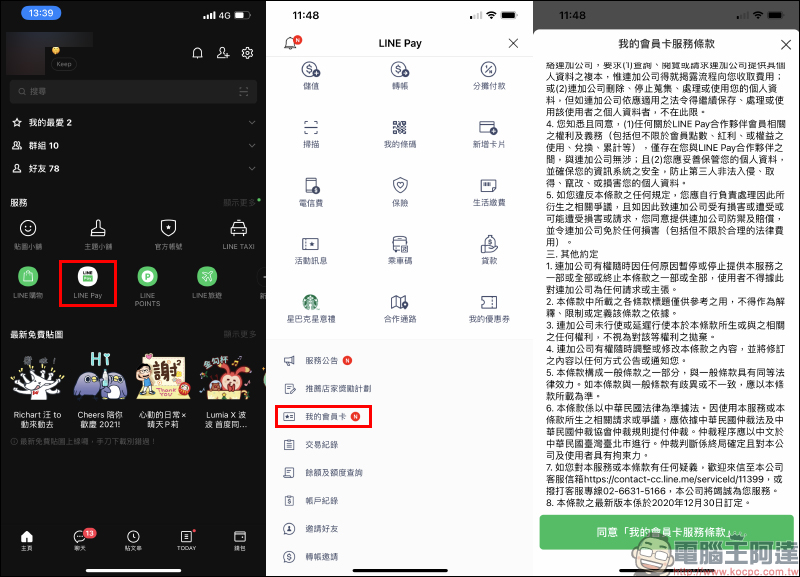
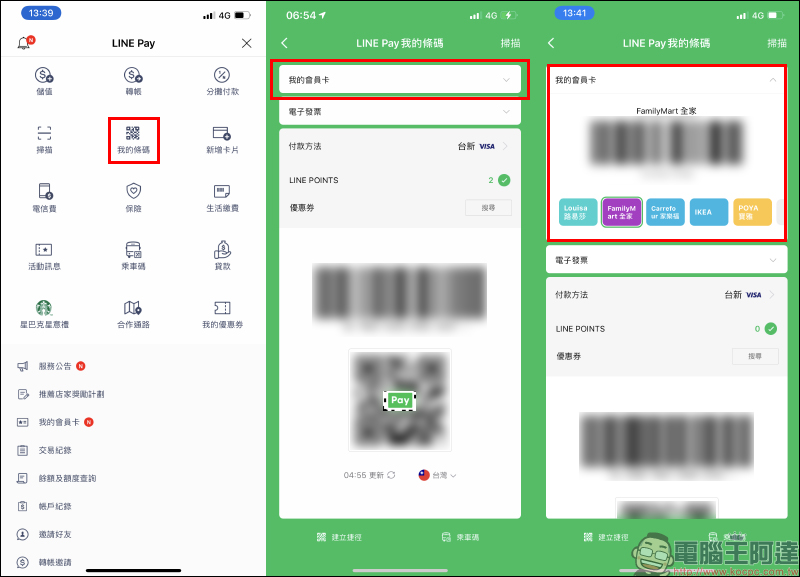
Users can open the LINE App homepage to find the LINE Pay entry page, then click “My Membership Card” and agree to the terms of service:
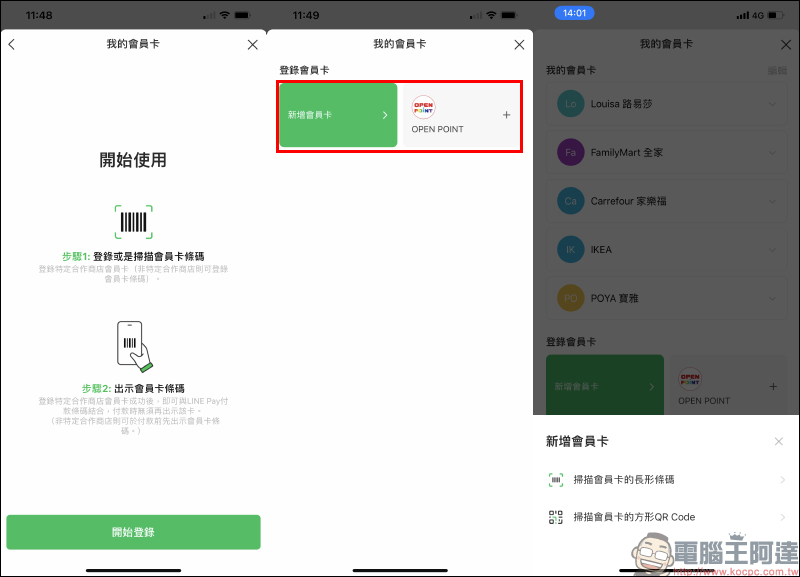
Then according to the login membership card page, you can choose to add OPEN POINT members or select “Add Membership Card” to bind members of other merchants. When adding a membership card, you can choose to scan the “long barcode” or “QR Code” of the membership card. This part is actually based on which barcode the membership card you want to add uses.
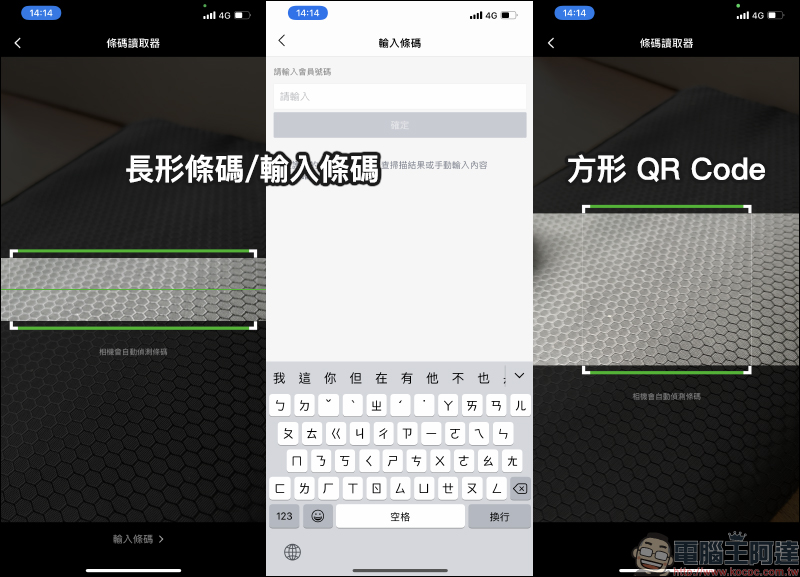
Then select the corresponding membership card scanning mode and place the barcode in the camera scanning area to add:
However, it is a pity that currently adding membership cards cannot directly read the album pictures to add membership cards. Therefore, users can only choose to take out the physical membership card and scan the barcode, or first take a screenshot of the membership card page displayed in other merchant apps, then transfer it to another mobile phone or computer and then take a photo (scan) to add a membership card. It is also expected that the LINE Pay team will add this feature in subsequent updates in the future, so that the process of adding a membership card can be smoother for users, thereby increasing people’s willingness to use LINE Pay for payment.
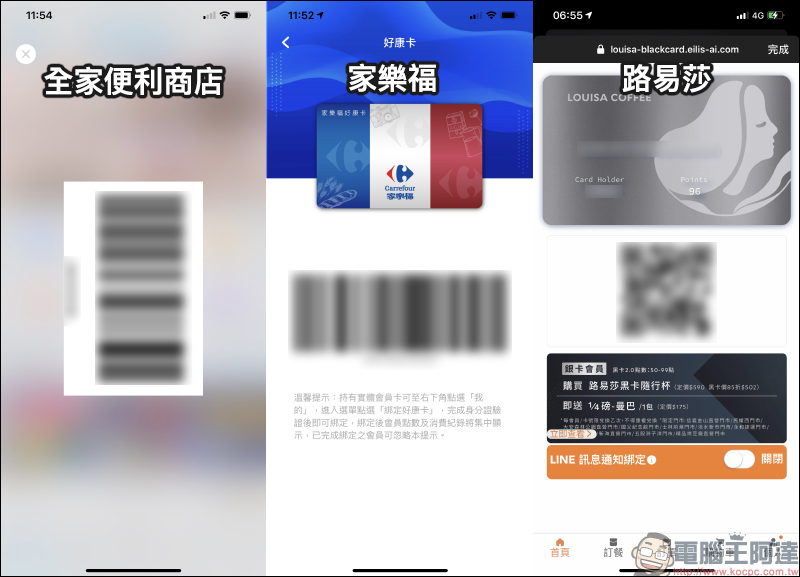
The following is an example of membership cards from several merchants, such as FamilyMart, Carrefour, Louisa and other physical/electronic membership cards that accumulate points. After binding, there is no need to open the merchant app separately during checkout. However, this does not apply to members who have added-value/payment services, such as Starbucks Star Rewards members.
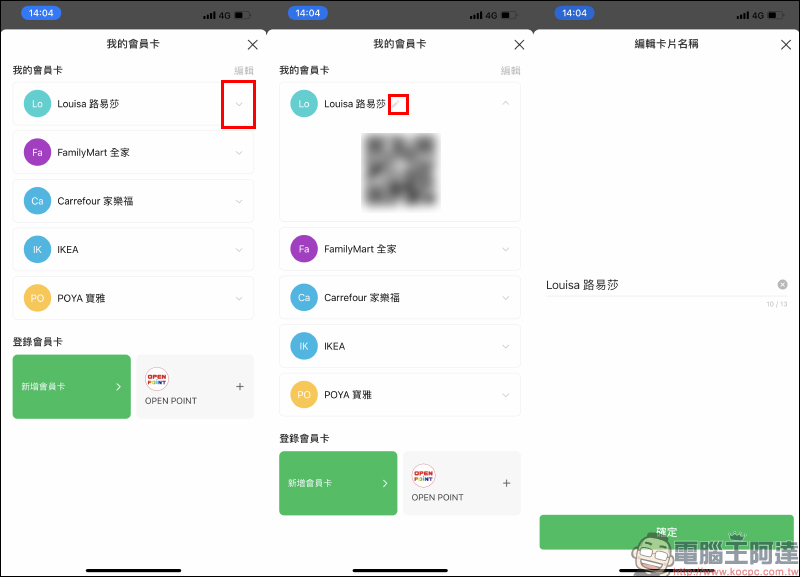
When a new membership card is just added, it will be numbered by default. Users can first expand the membership card tab and edit the card name for easier identification in the future:
After binding the membership card, when you open LINE Pay My Barcode for checkout, you will see the added membership card in “My Membership Card” at the top of the screen. Users can directly select and connect the membership card of the corresponding merchant. There are also vehicle barcodes and LINE Pay checkout barcodes below, which are unified and integrated into a single page to speed up the checkout process. Earlier, the author also tested using manually added FamilyMart convenience store barcodes with LINE Pay checkout, and both member barcodes and checkout were successfully completed.
With the launch of “My Membership Card” to integrate user membership functions, LINE Pay wallet also integrates cash, credit card, coupons, gift certificates, invoice carriers, membership cards and other functions to provide complete payment services. In the future, LINE Pay will also accelerate the integration of membership systems with other stores to continue to provide users with more convenient payment services.
Further reading:
LINE application tips: safety inspection & prevention teaching

Xiaomi Youpin launches Lydsto handheld vacuum pump, crowdfunding price is about 860 yuan

Source: KOCPC Chinese