


Although there is a lot of music available for download on YouTube, most of the sound quality is not very good, which may not be popular for people who pay attention to listening quality. Spotify is a good choice. Although there are some software on the market that can download Spotify music, they all require payment. In fact, you can use Chrome extension plug-in. The Spotify™ & Deezer™ Music Downloader recommended in this article is not only completely free, but you don’t need to log in to your Spotify account when downloading. You can use the web version, and the operation is very easy.

Spotify™ & Deezer™ Music Downloader Introduction
Before I start the introduction, let me remind you that because Spotify has been revised a while ago, this extension plug-in has not yet been updated, so the sound file may not be found for some songs. Not every song can be downloaded, and you can try again in a few days.
Click here to go to Spotify™ & Deezer™ Music Downloader installation pageFinally, click Add to Chrome in the upper right corner. I have already installed it, so it shows removal:

After the installation is complete, if you don’t see the icon of this extension in the upper right corner, it means it is hidden. Please click on the puzzle icon on the right, then find Spotify™ & Deezer™ Music Downloader, and light up the pin on the right:
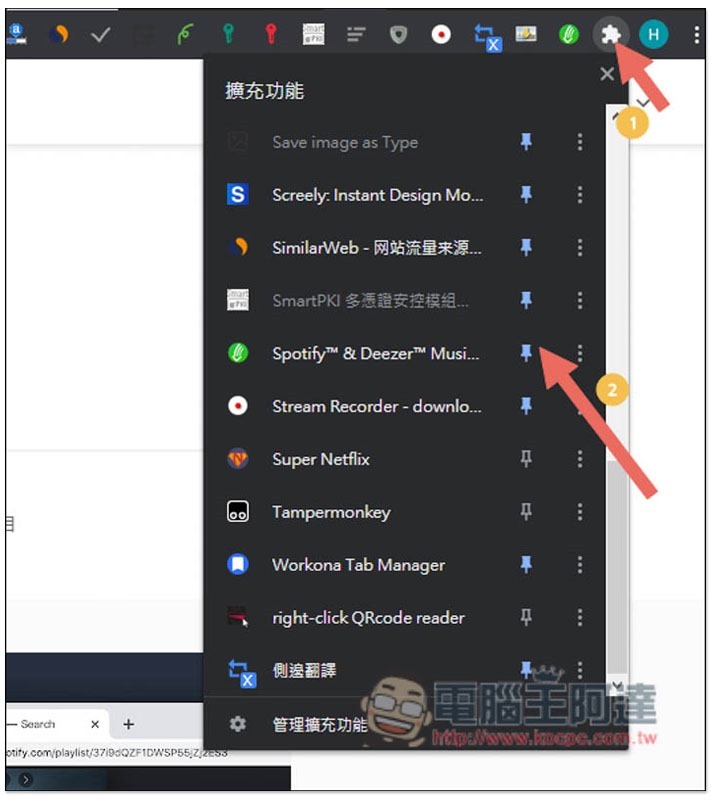
Then click on the icon of this extension plug-in, and the Spotify web version will automatically open, which can be used without logging in:
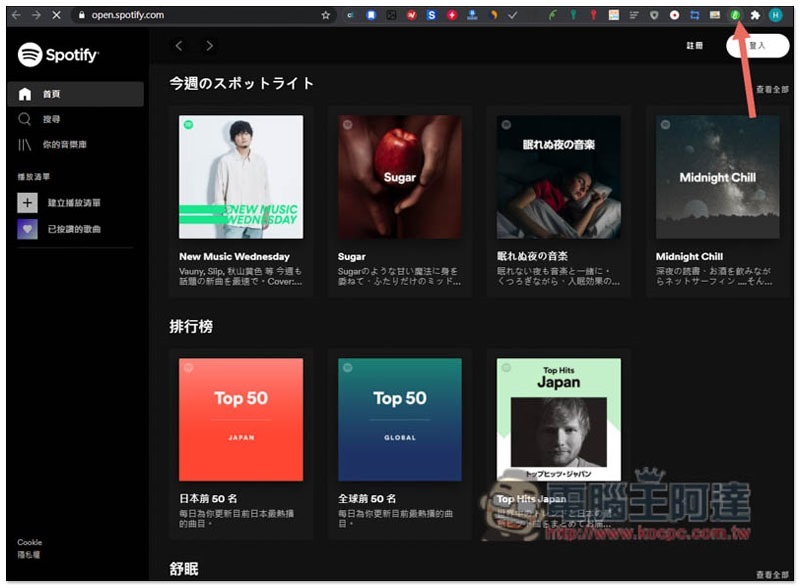
Find the song or artist you want to download. I’ll take Mayday as an example:

The download function will only be displayed after entering the radio station or album page:

As shown in the figure below, Download will be displayed on the right side of each song:

If it is found, the download options will pop up on the screen, just click on any one:

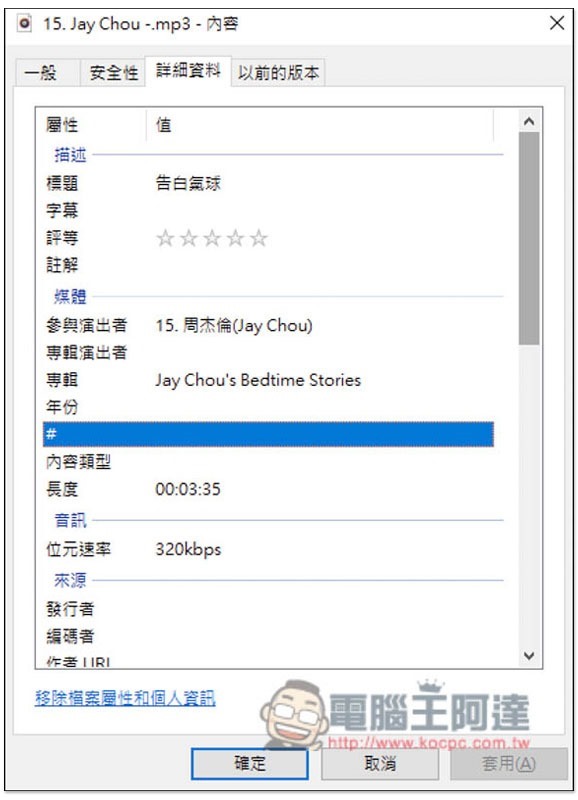
Then the download will start, the speed is quite fast, the format is MP3:

Sound quality is 320kbps:
However, not all of them can be downloaded at present, and some will cause errors like Error that the sound file cannot be found. In this case, you can try again later or in a few days. If it still doesn’t work, you can only wait for the developer to update this expansion plug-in:

After all, it is a free tool, so you will encounter this situation more or less. If you really want to download Spotify music stably, you can only find paid software.
Supplementary information
- Spotify™ & Deezer™ Music Downloader expanded plug-in store page:Click here to go
Allavsoft Downloader for Windows / Mac 限免活動,可下載 YouTobe、Spotify 等超過 100 個網站、並提供轉檔與螢幕錄影功能
Source: KOCPC Chinese