


For many LINE users, when they meet a friend and want them to add their LINE account as a friend, most of them will choose channels such as phone number, LINE ID, and QR Code to join. However, these methods require manual input or opening the camera to scan or read the QR Code to add friends. How great would it be if you could directly click on the link to jump directly to the friend-adding page? Today I will share with you how to generate a LINE personal account URL so that you can access it and use it in KEEP or set it as an email signature file.
LINE personal account URL generation techniques, in addition to QR Code and LINE ID, it is more convenient to share account links
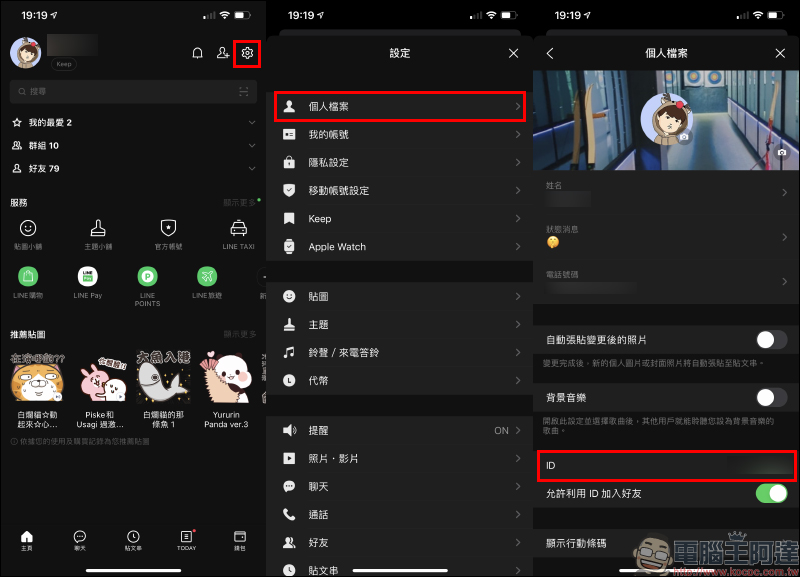
There are many common ways to add friends on LINE. Before sharing the tips for generating personal account URLs, I will review them with you so that everyone can find the most suitable way to add LINE friends on different occasions. The first and most basic thing is to set up your personal LINE ID! In the personal profile on the settings page, users can set a unique LINE ID so that others can enter this ID to add themselves as friends:
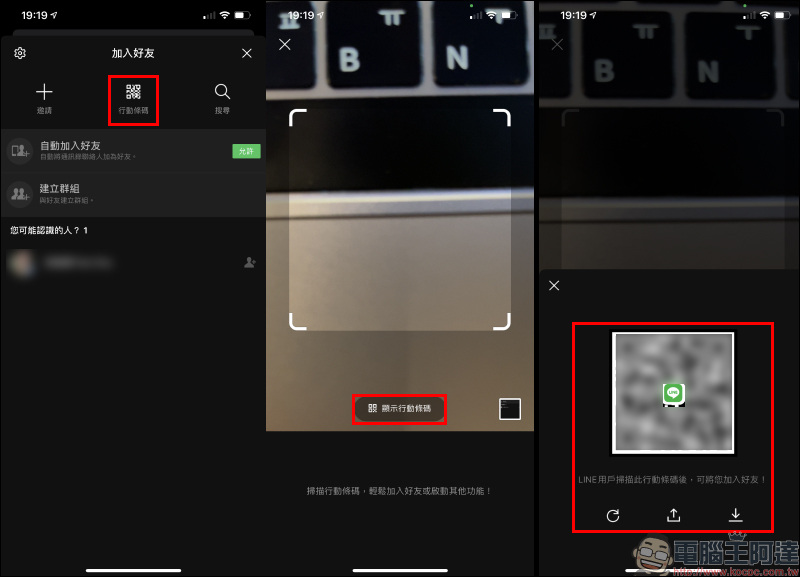
Another way to add friends is to scan the QR Code mobile barcode. After clicking the “Add Friend” button on the LINE homepage, select the mobile barcode button and press the “Show Mobile Barcode” button to generate a QR Code for others to scan and add friends. You can also save this mobile barcode to your phone’s photo album or share it with other applications. In addition, the scanning function on this page allows others to scan the QR Code to add friends.
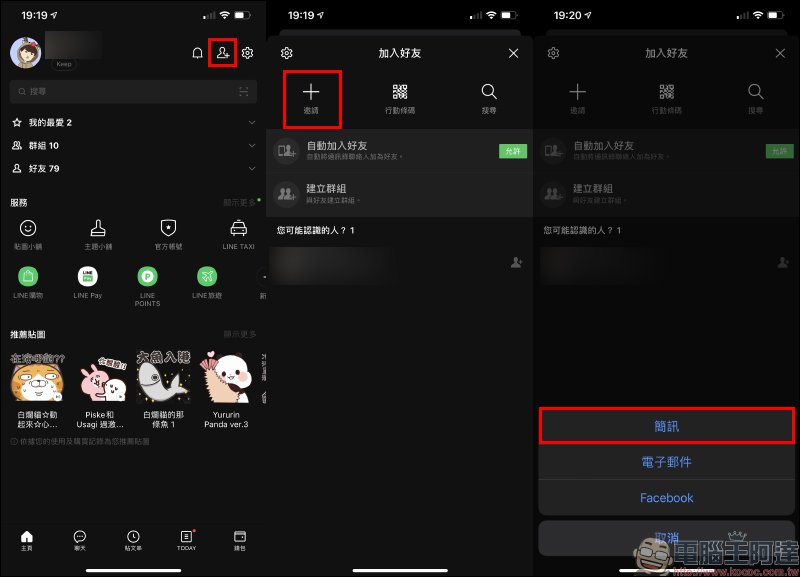
However, what should you do if you choose to directly click on a link to add friends when you may not be face-to-face with the other party, or in other circumstances where it is not suitable to scan/read the mobile barcode? First, on the Add Friend page, select “Invite”, and then select the “SMS” invitation method:
At this time, select any person in the mobile address book and press “Invite”. The screen will jump to the message app sending page. In addition to the personal QR Code mobile barcode in the input field, a unique LINE personal account URL will also be generated:
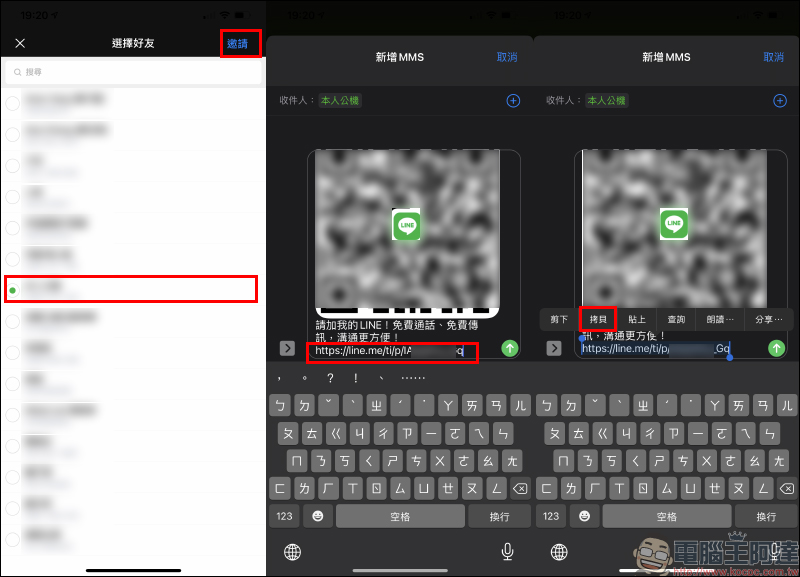
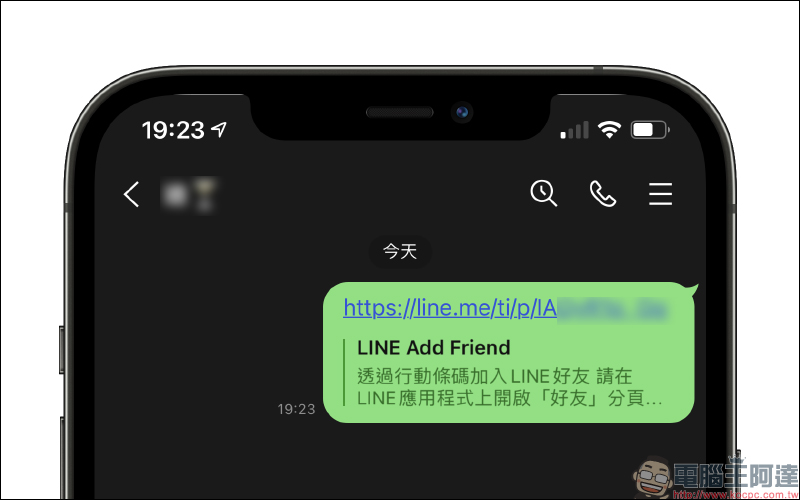
You can then send the link to various applications or set it in an email signature for others to use. As long as the other party clicks on this link, the “Friends” tab will automatically open in the LINE application:
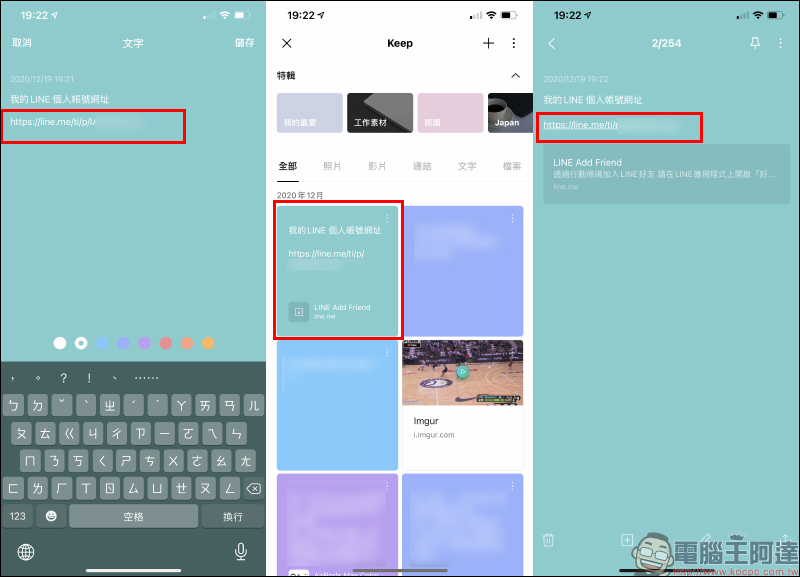
If you don’t know when you may need to use this set of URLs, it is recommended that you save it in LINE KEEP for backup and copy it at any time when you want to use it:
Further reading:
LINE Christmas special: Chat room special effects + festival-limited avatars + post emoticons (setting tutorial)

Source: KOCPC Chinese